FunnelKit
Turn Single Items Into Bigger Carts With FunnelKit Bundles

WooCommerce Product Bundles That Grow Every Order

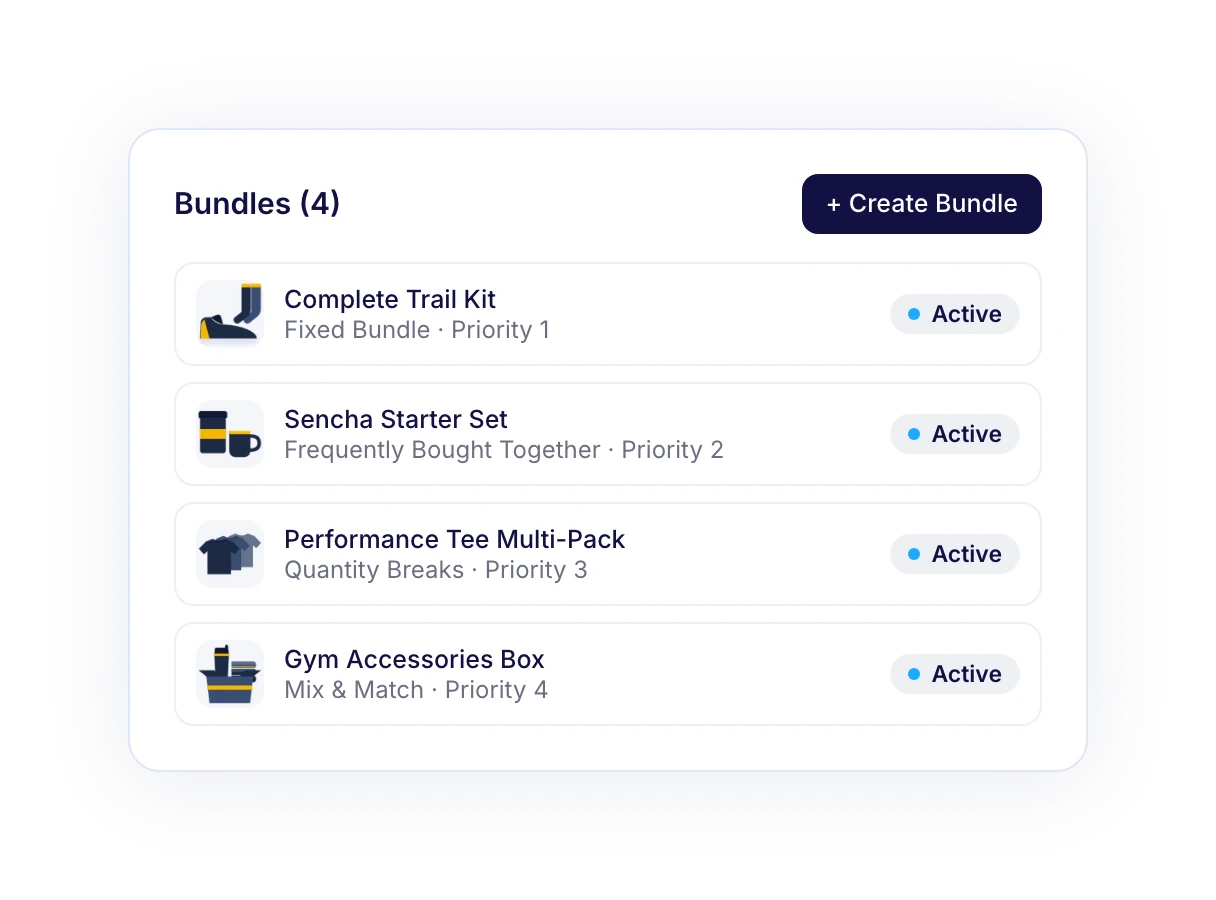
Sell product kits, frequently bought together sets, quantity discounts and build-your-own boxes.

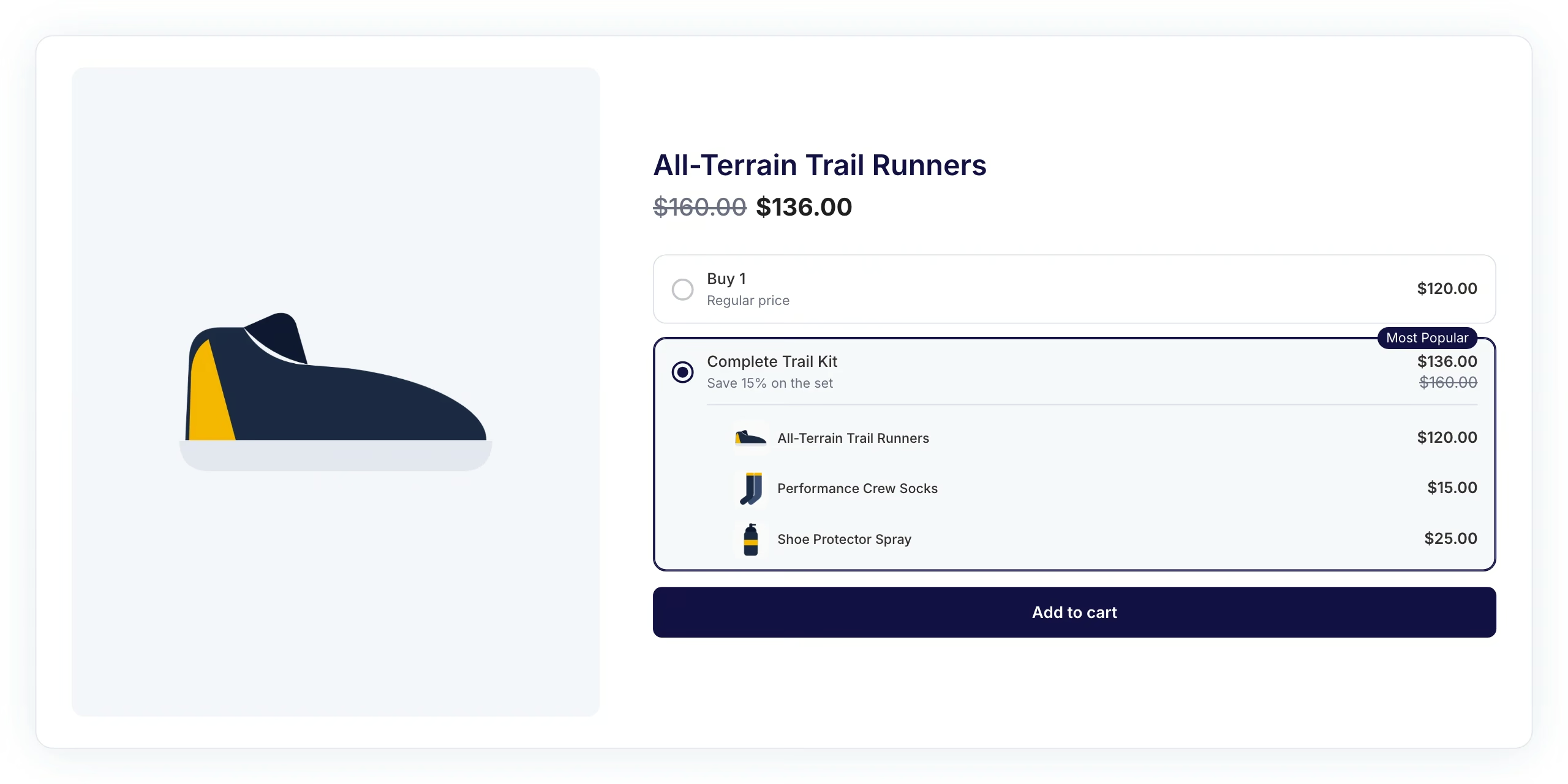
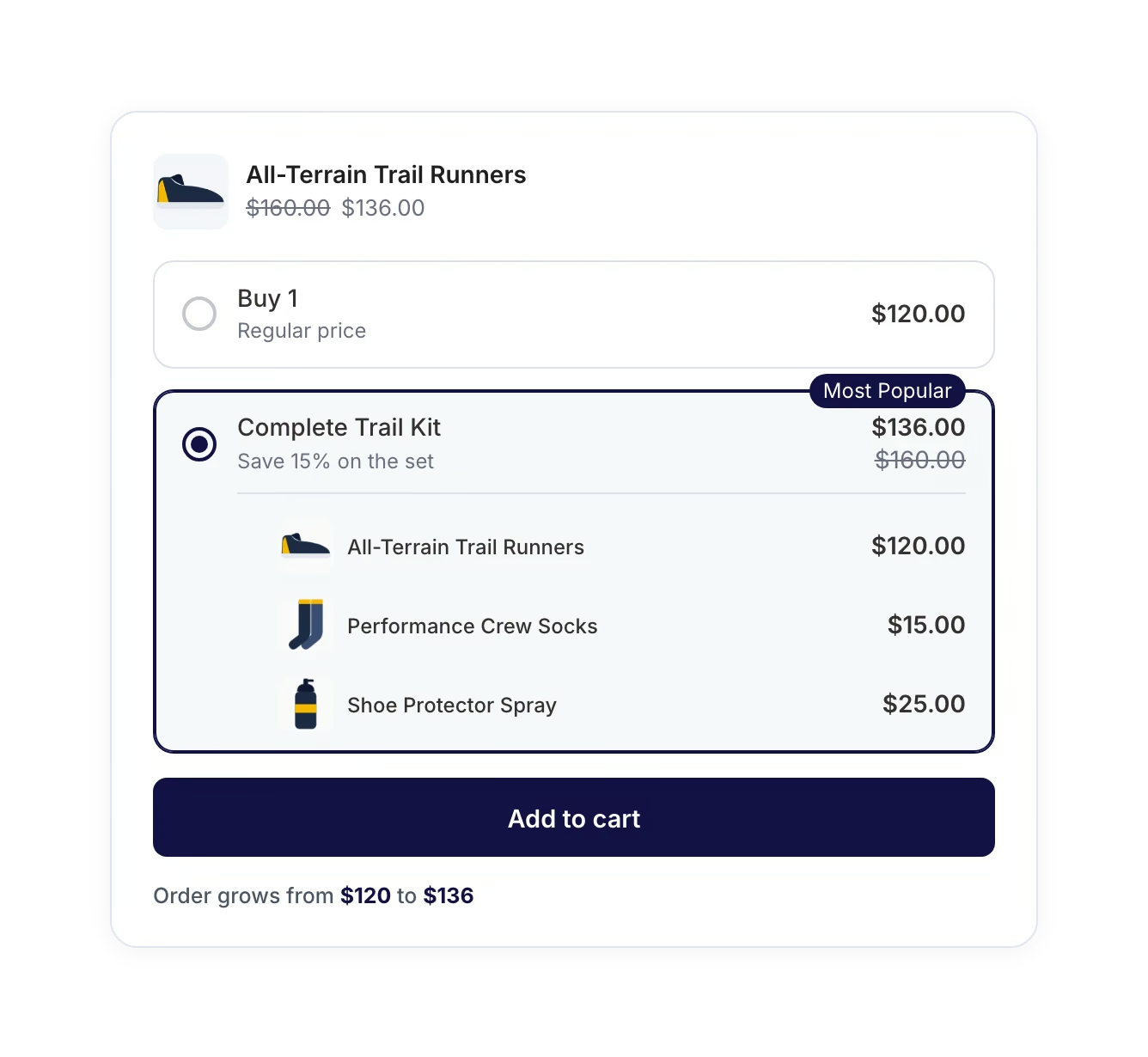
Fixed Bundle
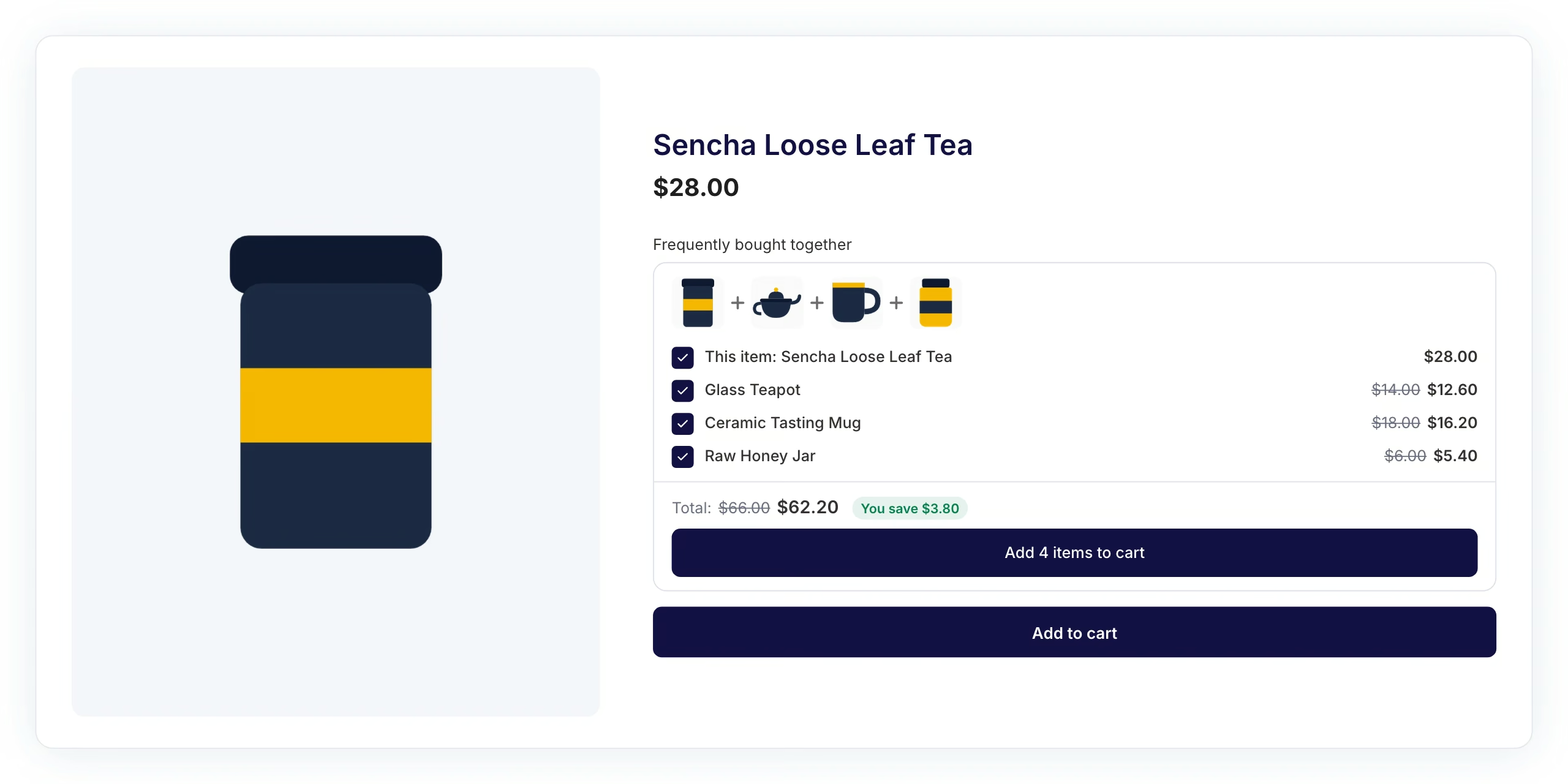
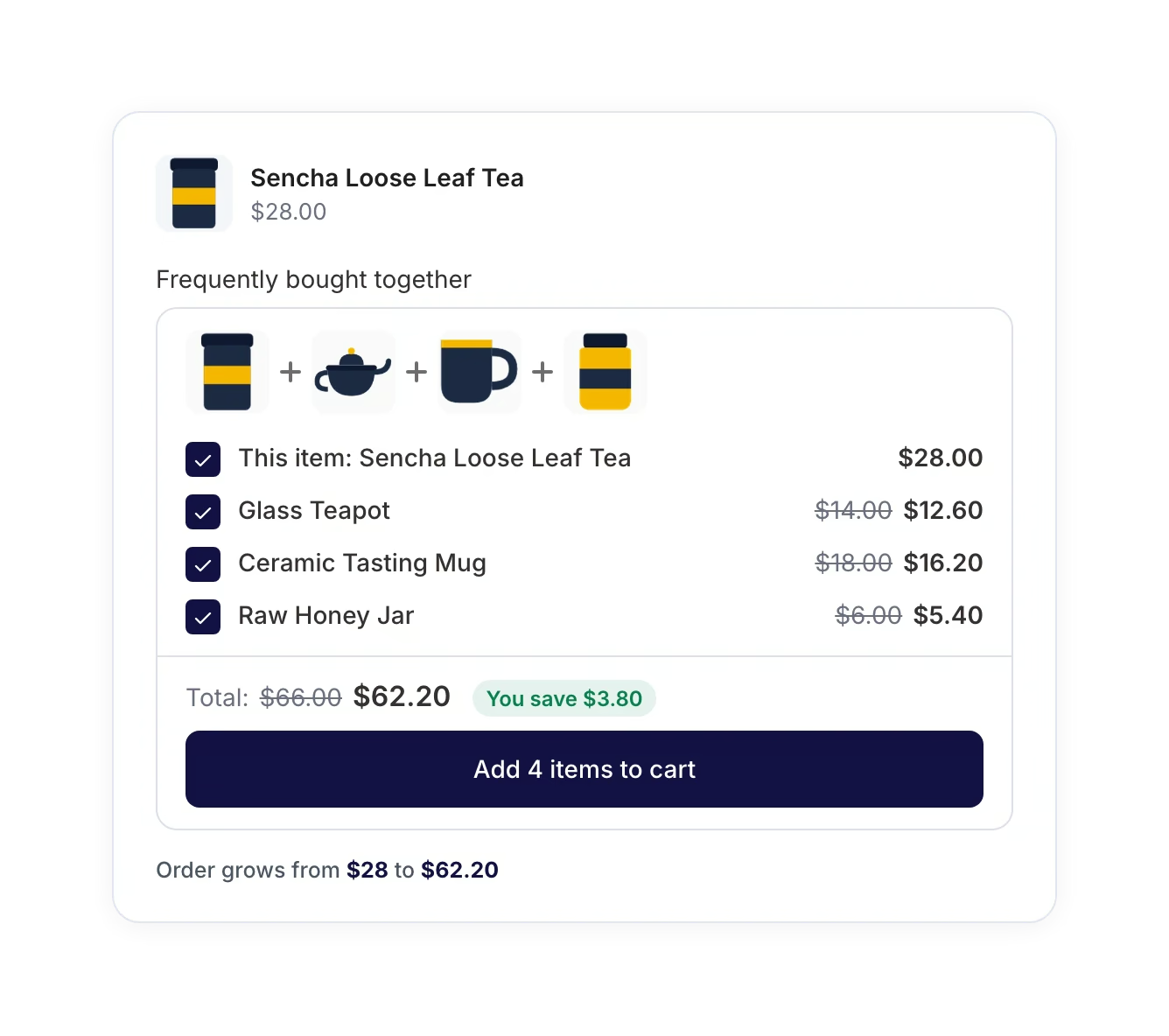
Frequently Bought Together
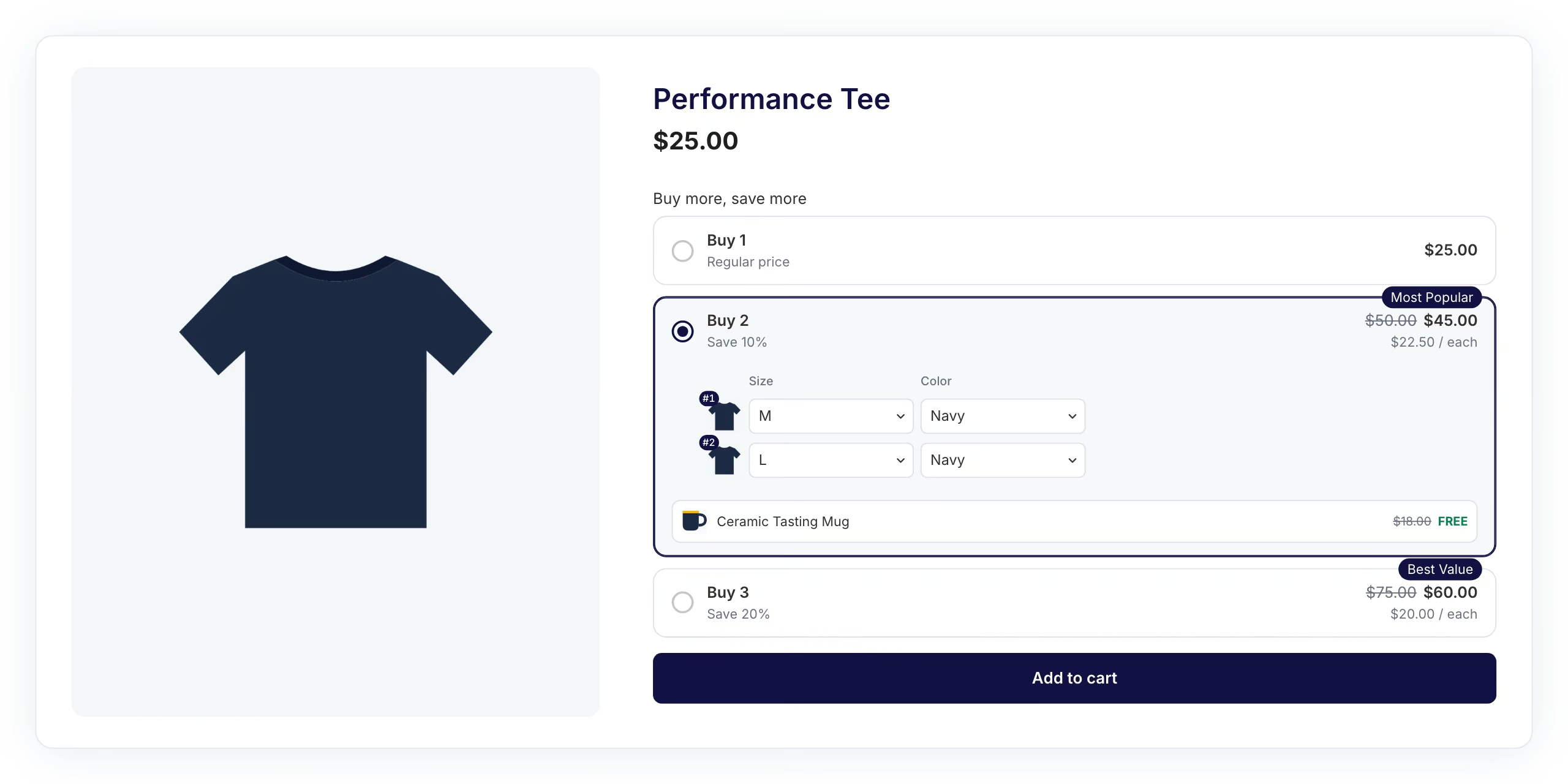
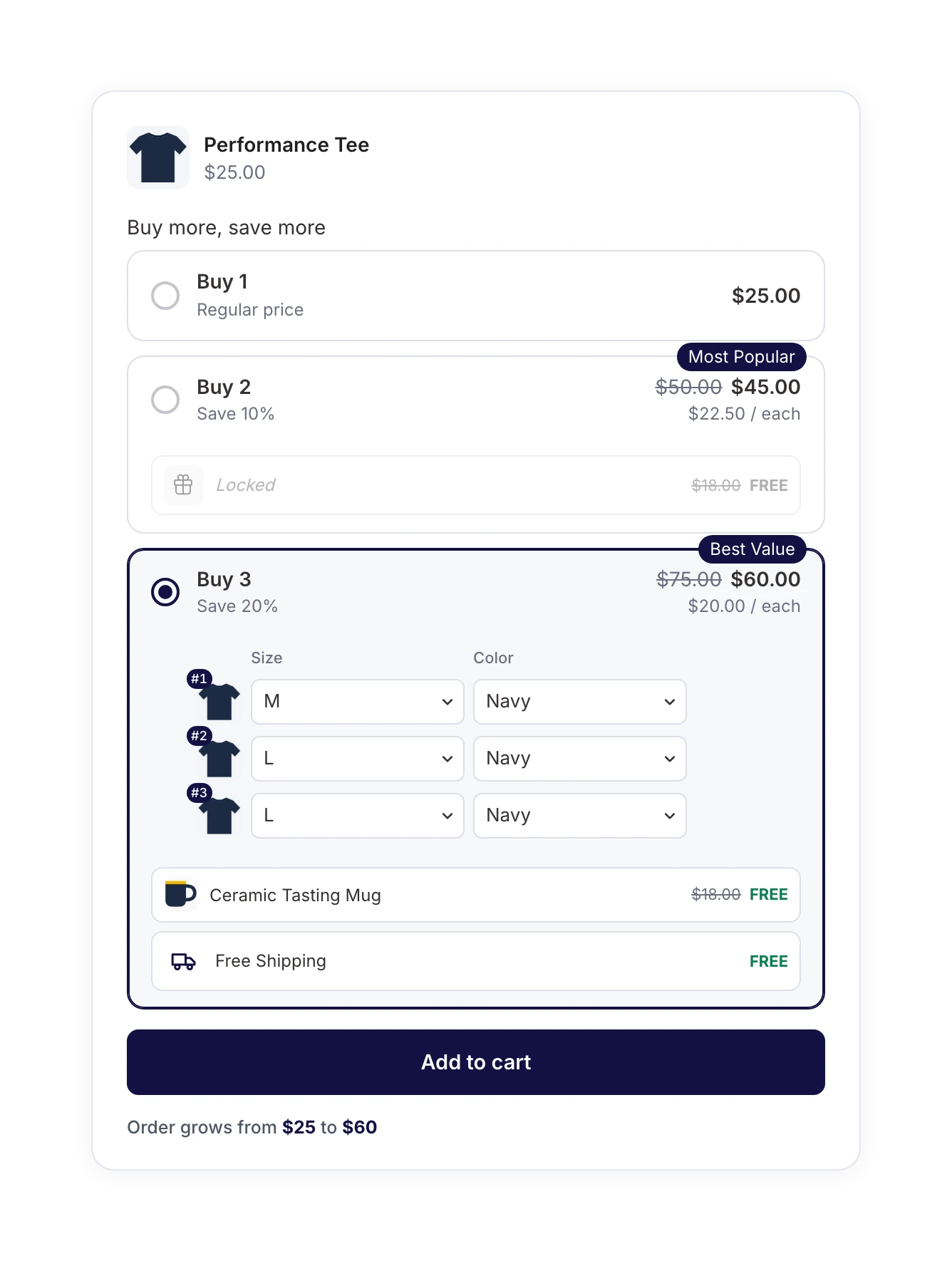
Quantity Breaks
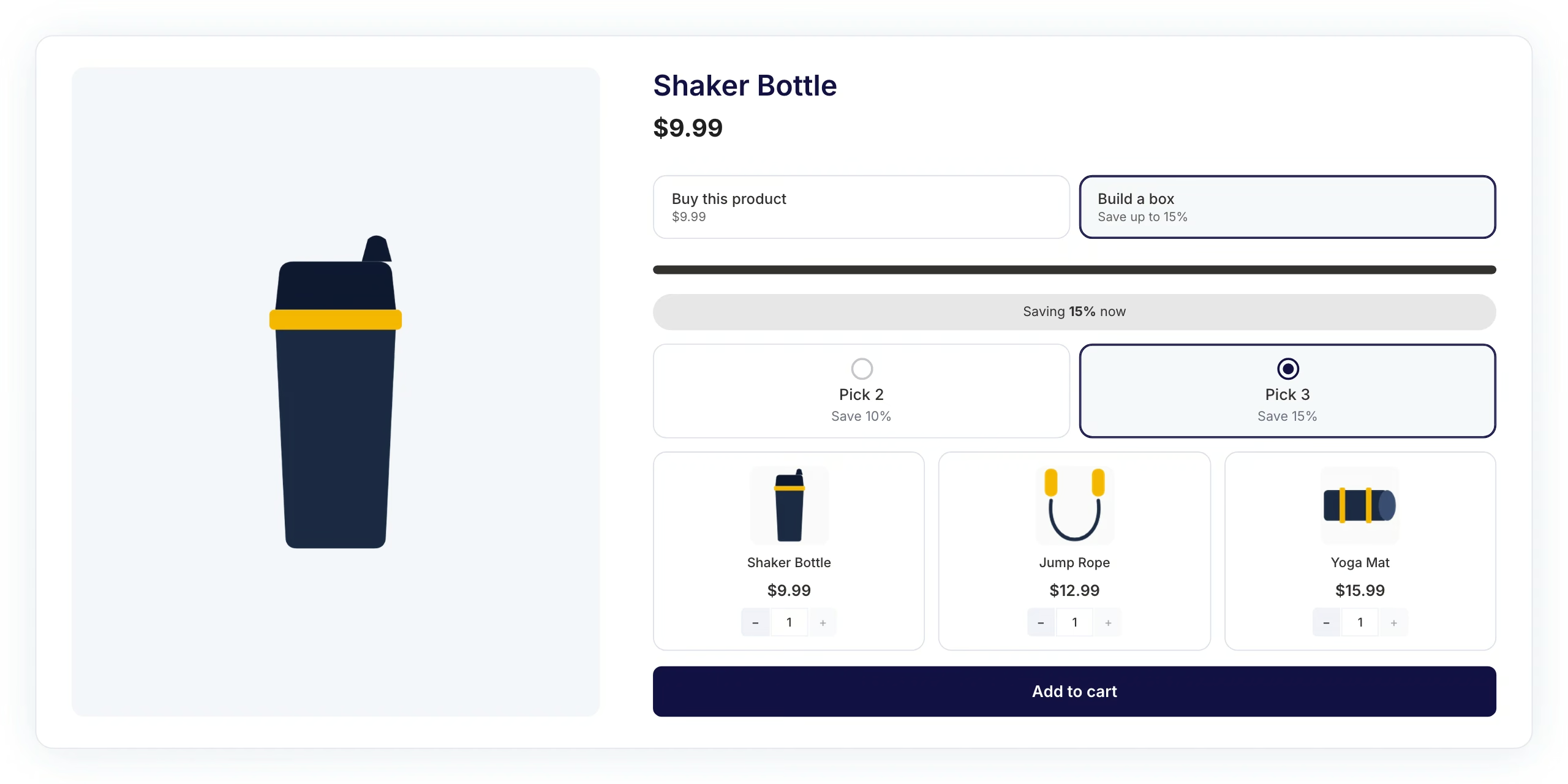
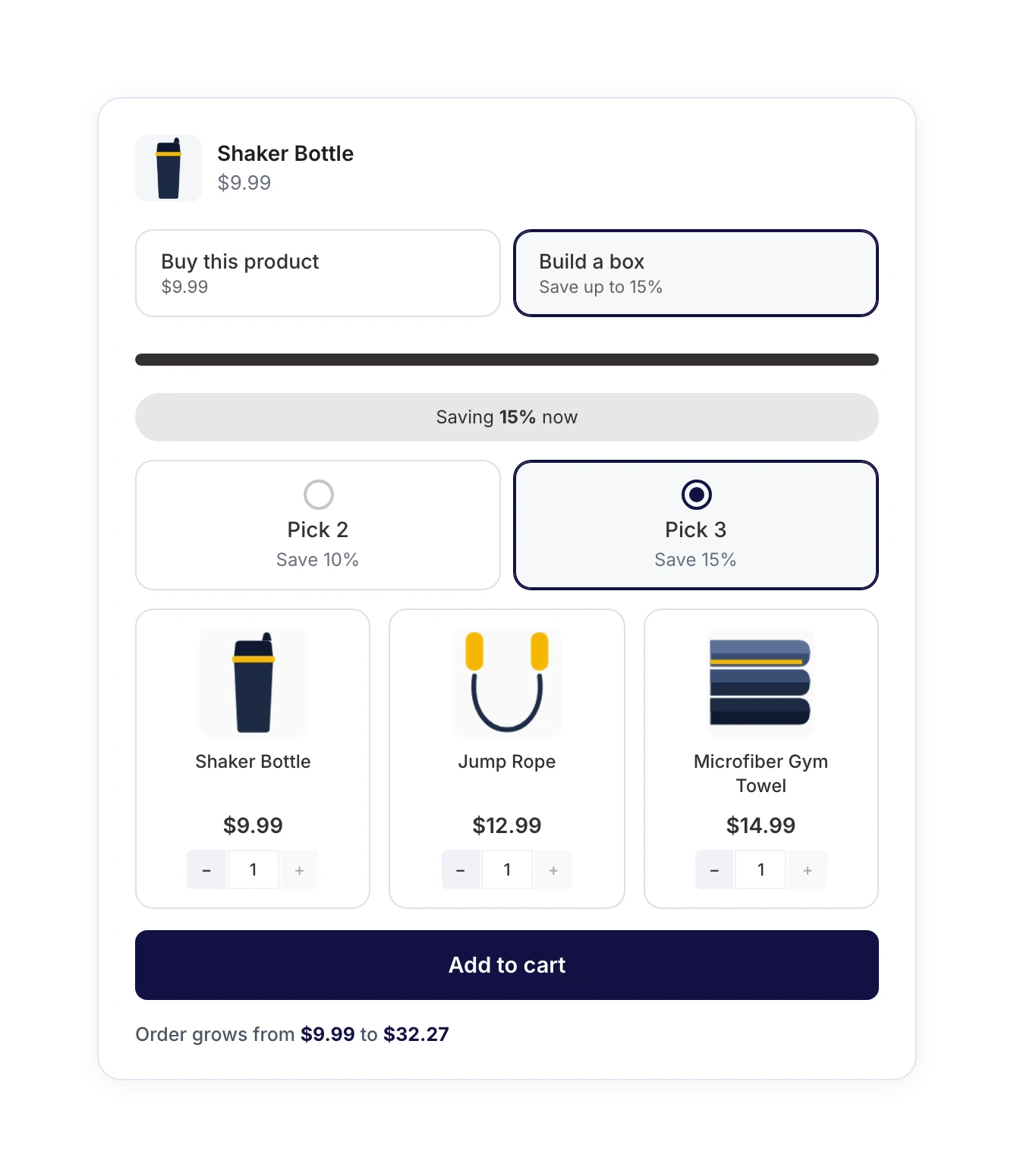
Mix & Match
Get FunnelKit Bundles

Meet FunnelKit Bundles for WooCommerce

Build all four WooCommerce bundle types inside Funnel Builder, next to your checkouts and upsells, and show each one on the product pages you choose.

Fixed Bundles for Ready‑Made Kits

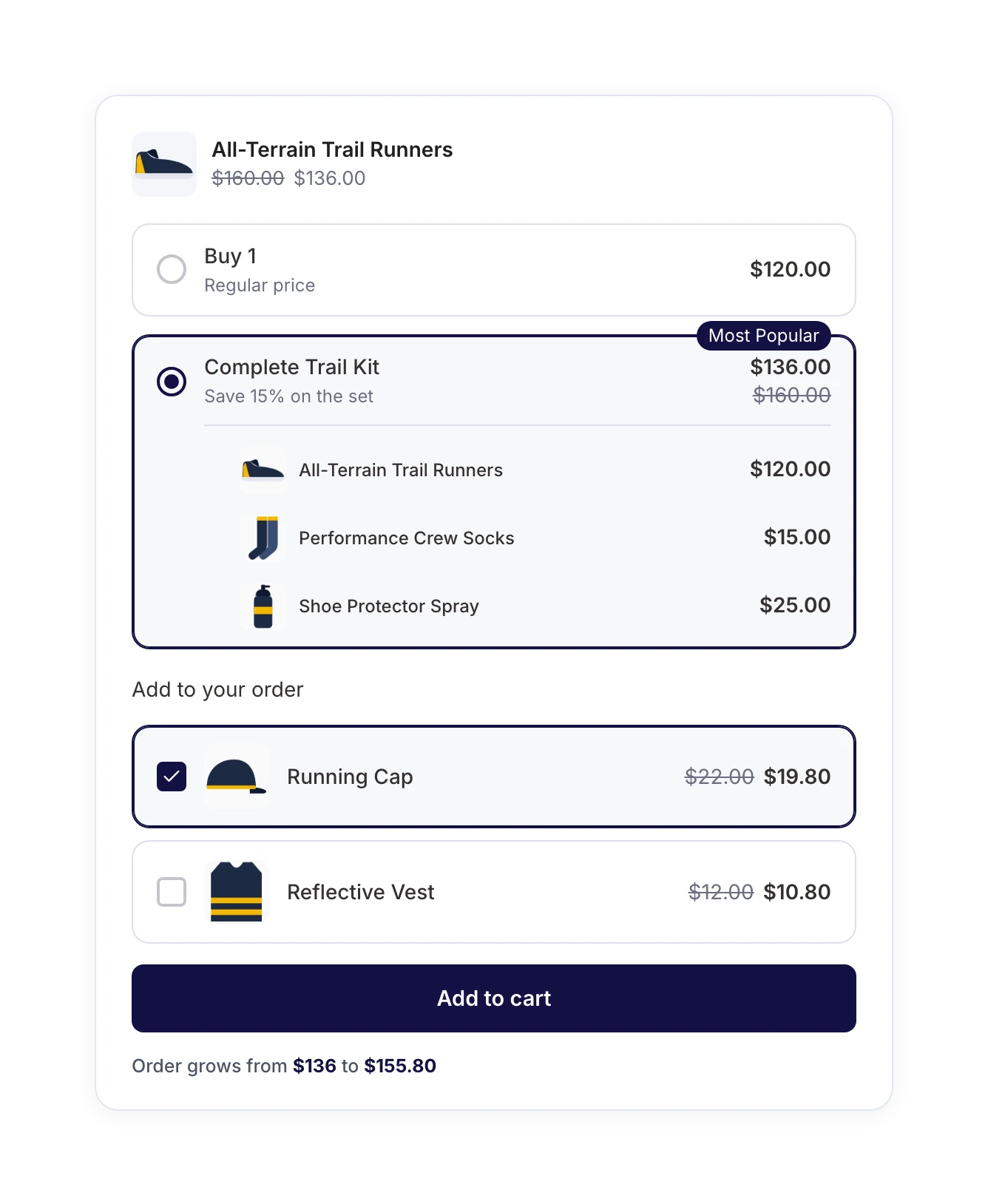
Group products that belong together and sell them as one discounted set. Shoppers see the full value next to the bundle price and add the whole kit to their cart in one click.

Discount the whole bundle or each product separately
Keep a “Buy 1” option for shoppers who want only the main product
Set how many of each item goes into the kit
Get Started

Frequently Bought Together for WooCommerce

Show the products frequently bought together with the one a shopper is viewing. They tick the extras they want, the total updates instantly, and the bigger order feels like their own idea.

Pull companions from the product’s cross-sells (then upsells), or pick them by hand
Discount only the added items, the whole set, or nothing at all
Require a minimum number of add-ons before the discount applies
Get Started

Quantity Discounts That Sell Multi‑Packs

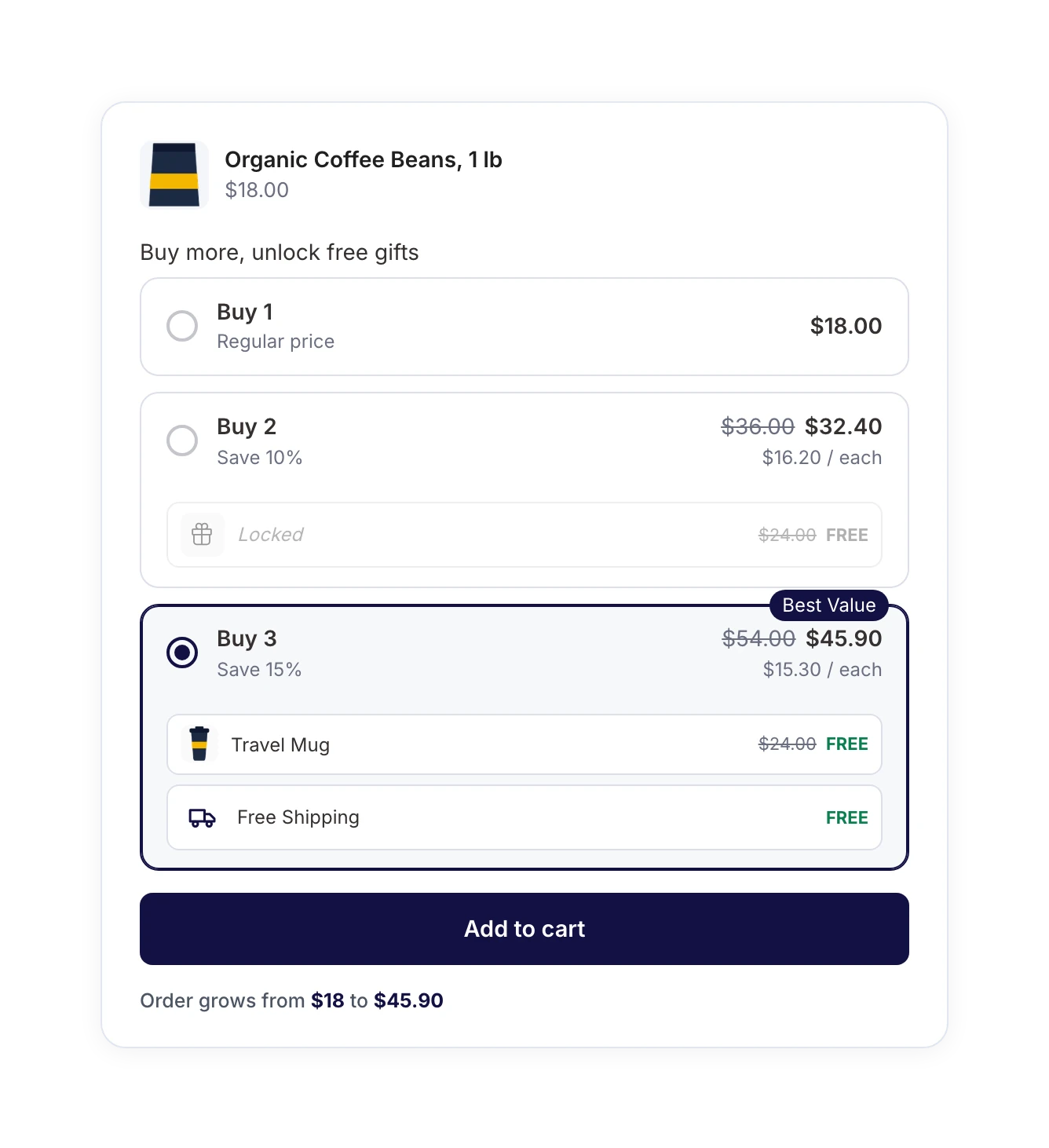
With Quantity Breaks, offer buy more, save more quantity discounts on a single product. Set tiered pricing like buy 2 and save 10% or buy 3 and save 20%, then highlight the deal you want most shoppers to choose.

Add “Most Popular” and “Best Value” badges to any tier
Show the per-item price so the savings are obvious
Let shoppers pick a different size or color for each unit
Get Started

Mix and Match Boxes Shoppers Build Themselves

Let customers build a custom product box from items you curate. A live counter shows their progress, and the discount applies automatically once they reach a qualifying box size.

Set box sizes like “Any 2, save 10%” or “Any 3, save 15%”
Cap items per box and limit how often each product can be picked
Sell boxes only, or let shoppers buy the main product on its own
Get Started

Free Gifts That Reward Bigger Bundles

Progressive gifts turn bigger bundles into a free gift with purchase. Unlock a free product or free shipping at higher tiers, and show the reward right where shoppers decide.

Add gifts automatically or let shoppers choose their own
Attach each gift to the tiers you choose, like “Buy 3”
Write your own locked and unlocked messages
Get Started

In-Bundle Upsells for Discounted Add-Ons

Offer related add-ons right beside the bundle. Each one has its own discount and lands in the cart as a separate line item, so your bundle pricing stays clean.

Set a different discount on every add-on
Pre-select the add-on you most want to feature
Run them alongside your post-purchase one-click upsells
Get Started

Bundles That Power Your Sales Funnels

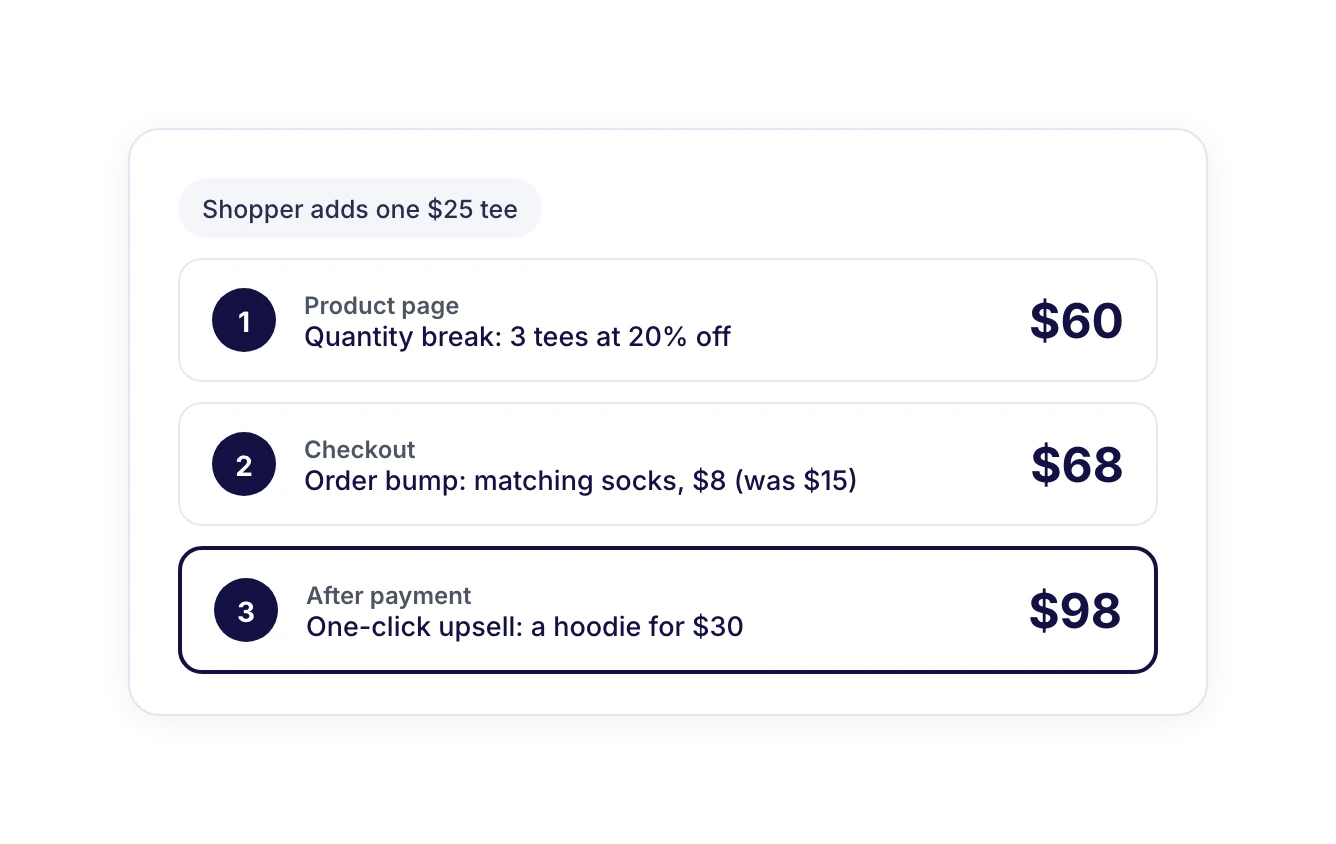
Add bundles to your funnels and line up three offers in one smooth journey: a bundle on the product page, an order bump at checkout, and a one-click upsell after payment.

Shoppers accept every offer without restarting checkout
Give each step its own job, so offers don’t repeat
Build the whole journey from one Funnel Builder dashboard
Get Started

Target and Schedule Every Bundle

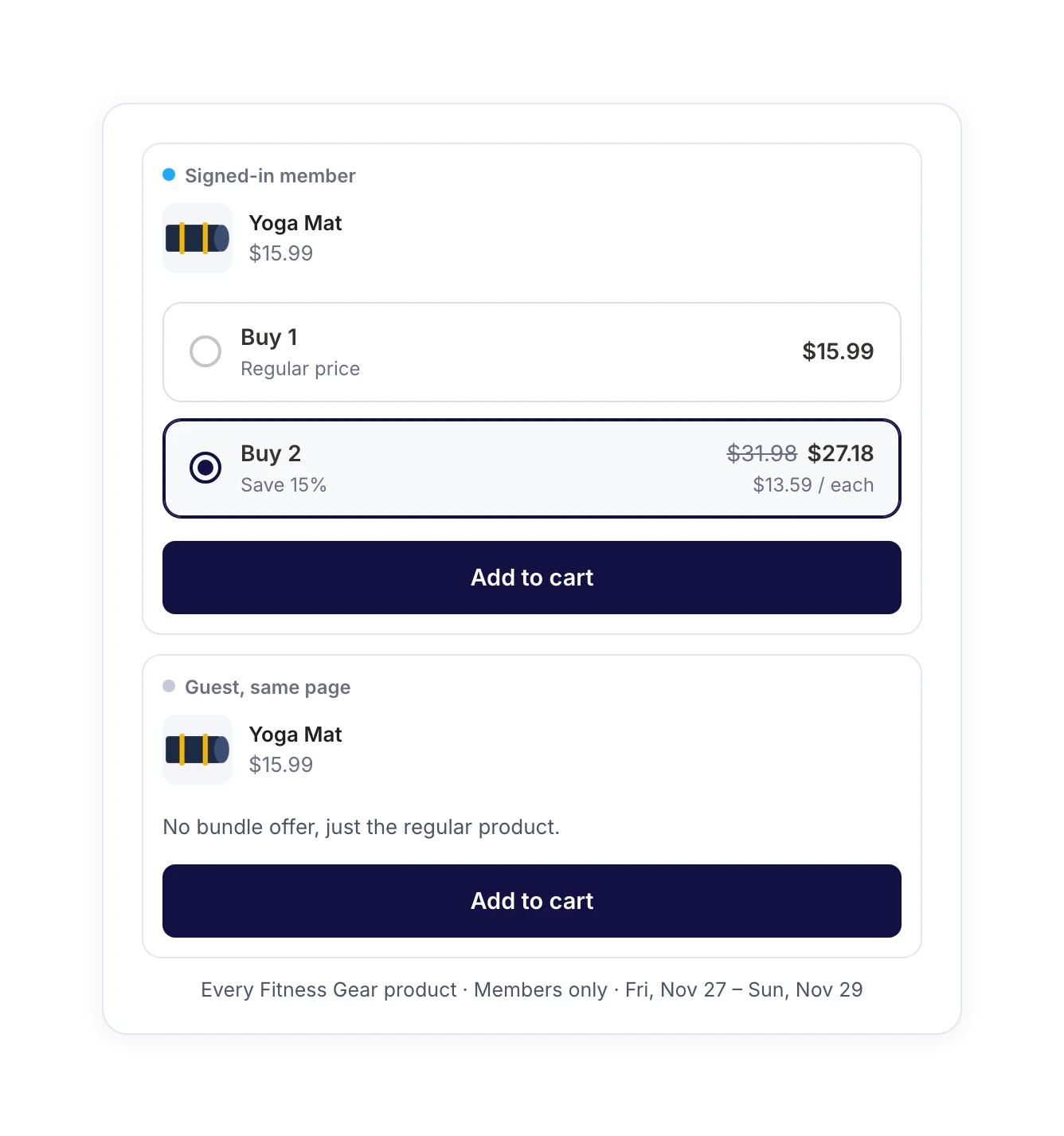
Show each bundle to the right shoppers at the right time. Apply it across an entire category, limit it to specific customer roles, or schedule it around your next sale.

Target whole categories and exclude specific products
Show bundles only to the user roles you choose, like members
Run bundles on specific dates, like a weekend flash sale
Get Started

Manage Bundles With FunnelKit AI & MCP

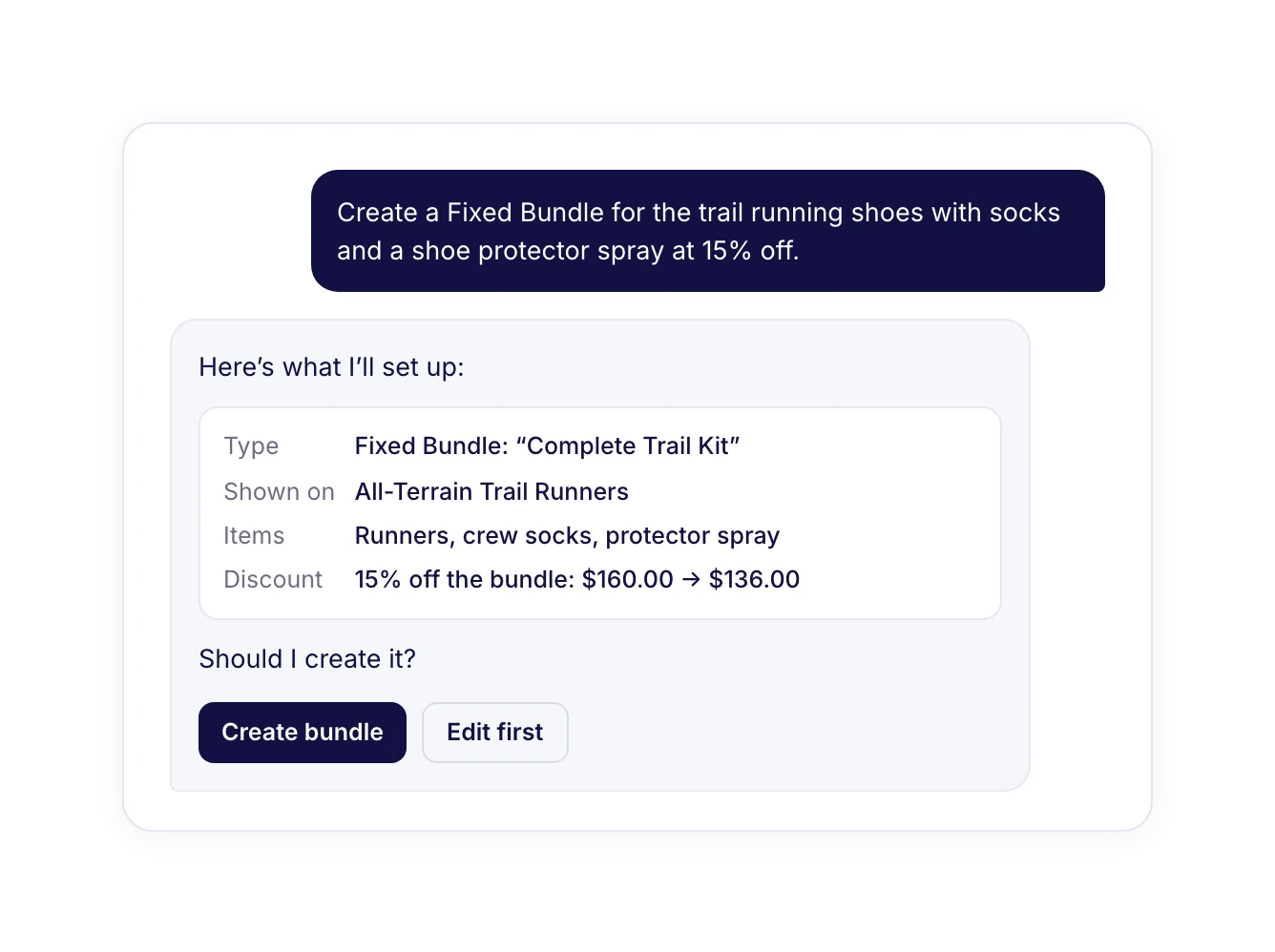
Connect Funnel Builder to Claude, ChatGPT, Cursor, or VS Code through FunnelKit MCP and describe the bundle you want. Your assistant sets everything up and checks with you before changing anything.

Create a complete bundle from a single sentence
Reorder, pause, or duplicate bundles on request
Add any bundle to a sales funnel without opening a settings screen
Get Started
“FunnelKit Helped Us Generate $1,000 in Profit From Bumps and Upsells!”

Last month, we made $5,700 on a brand-new store and $1,000 of that came directly from upsells powered by FunnelKit. It’s incredibly easy to use, and the built-in templates made creating funnels quick and stress-free. One of the best parts? Elementor integration is seamless: no hacks, no heavy lifting. Switching to FunnelKit has saved me hours and brought in serious results.

Marvin Coffman
Agency Owner, Coffin Studios

Set Up Bundles in Minutes

Beyond the core bundle types, FunnelKit Bundles ships with the thoughtful details that save setup time and keep every offer on brand. Ready-made playbooks, theme presets, live previews, and more.
5-Minute Setup Wizard
Launch your first WooCommerce subscription product in minutes. A guided setup walks you through every step, no documentation, no developer required.
Advanced Subscription Coupons
Run recurring percentage or fixed discounts with usage limits, expiry dates, and restrictions. Drive signups, reward loyal subscribers, and recover at-risk ones.
Granular Notification Controls
Decide exactly which subscription events send emails to admins and subscribers from welcome messages and renewal receipts to failed-payment alerts.
Visual Email Builder
Design subscription emails that match your brand with a drag-and-drop builder, dynamic merge tags, and mobile-optimized templates. No code, no separate email tool.
Sandbox Mode
Test subscription flows, payment gateways, and email sequences in a safe environment before going live. Ship changes with complete confidence.
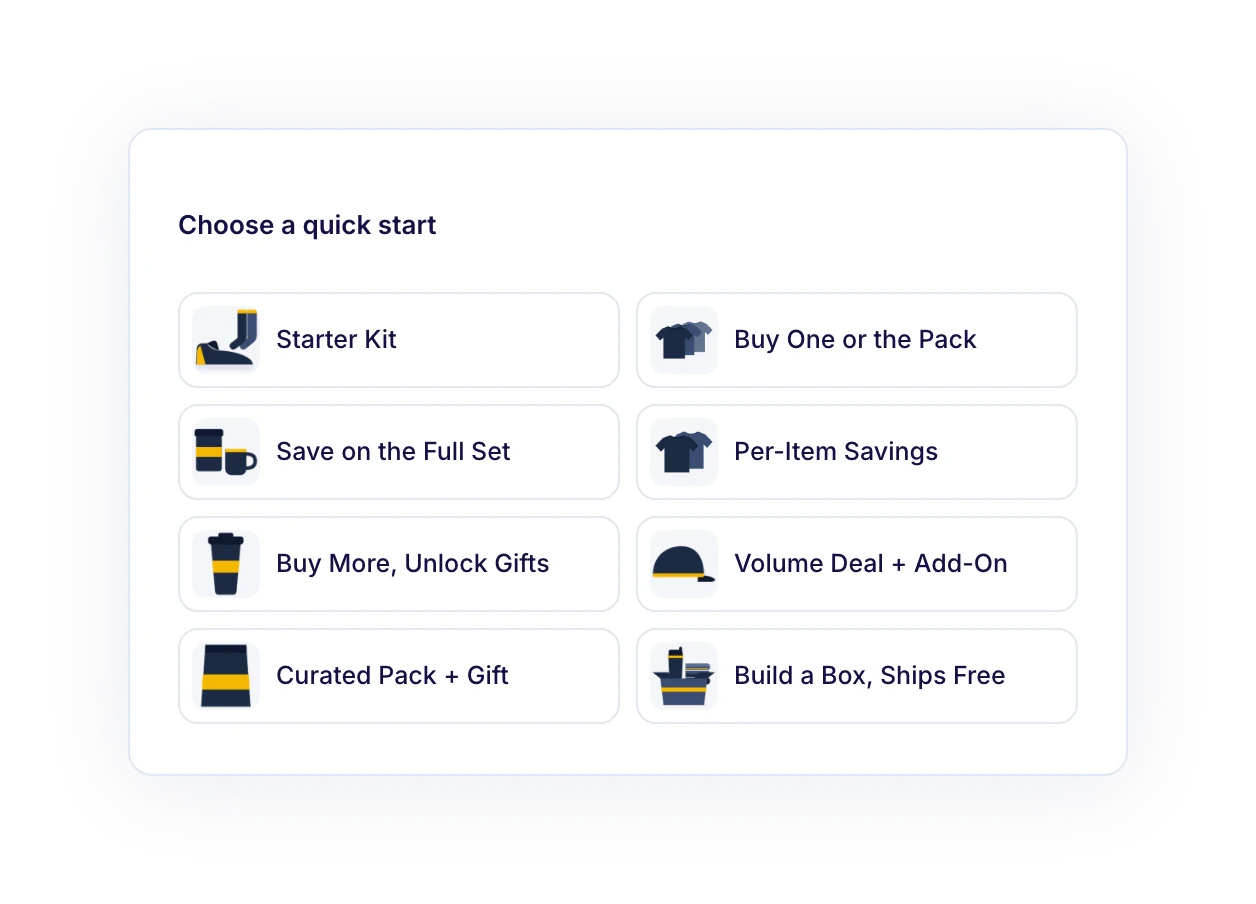
Quick Starts
Start from one of eight ready-made playbooks, like Starter Kit or Build a Box, Ships Free. Add your products, set your prices, and go live.
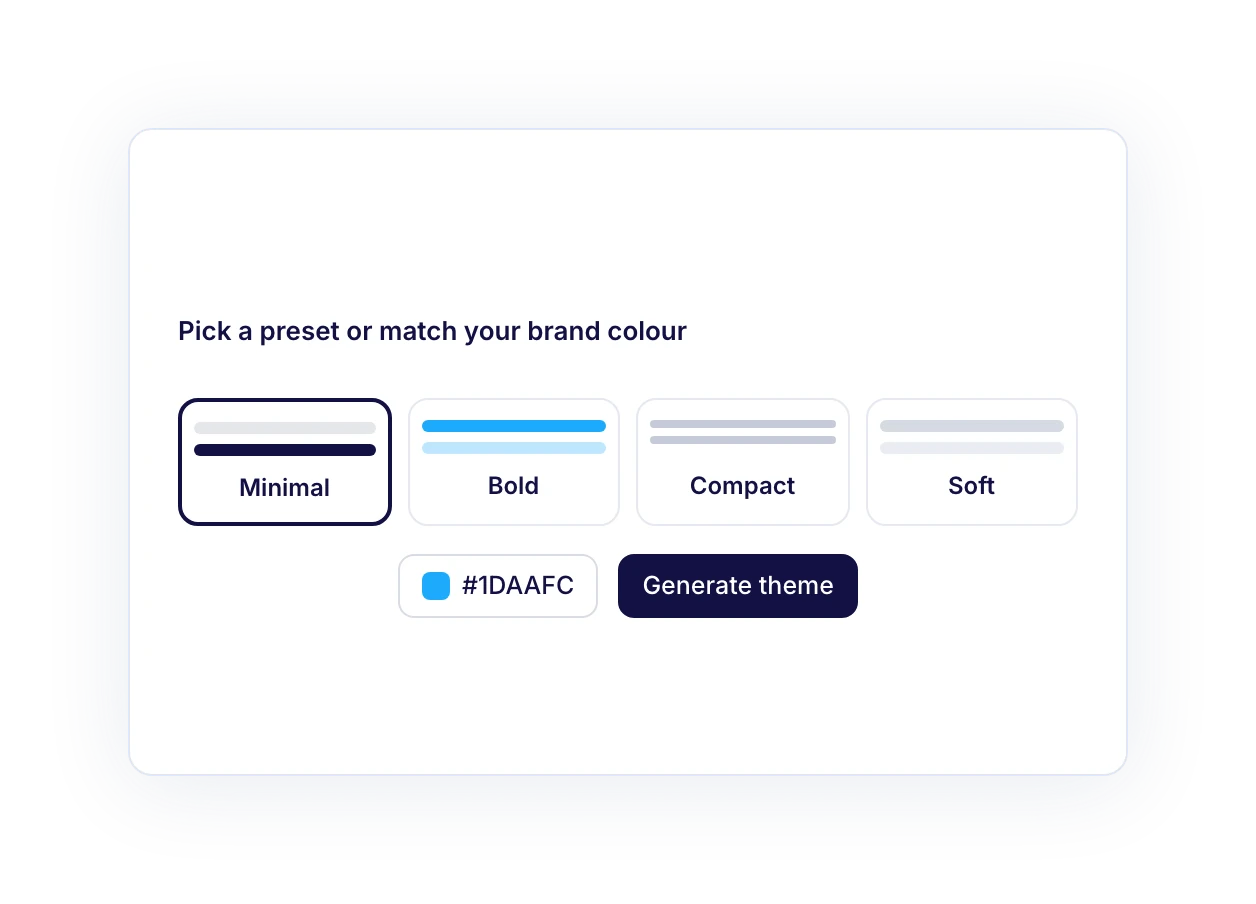
Theme Presets & Brand Colors
Pick Minimal, Bold, Compact, or Soft. With Pro, generate a theme from your brand color and save it as a custom preset.
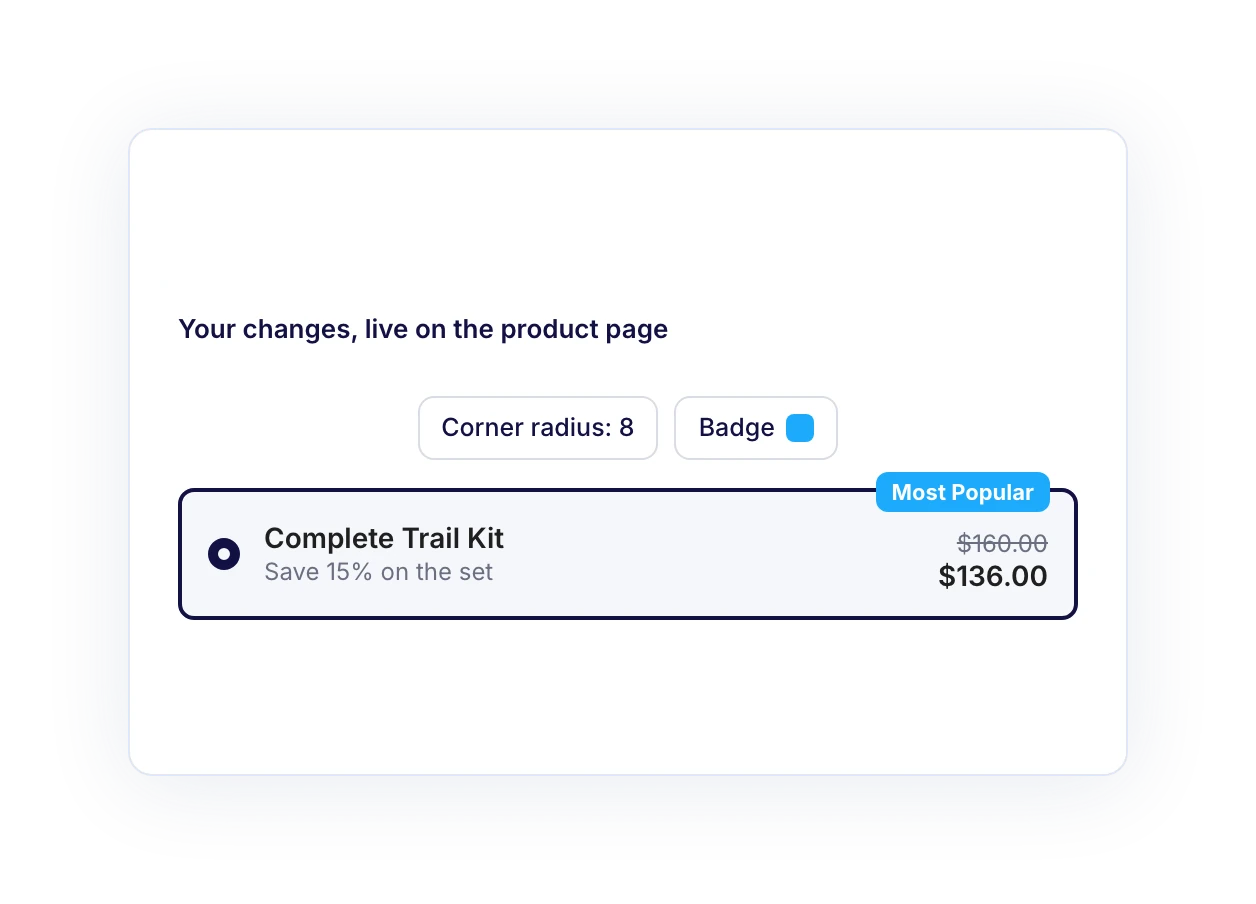
Live Preview
See every change on a real product preview as you build, before a single shopper does.
Offer Images
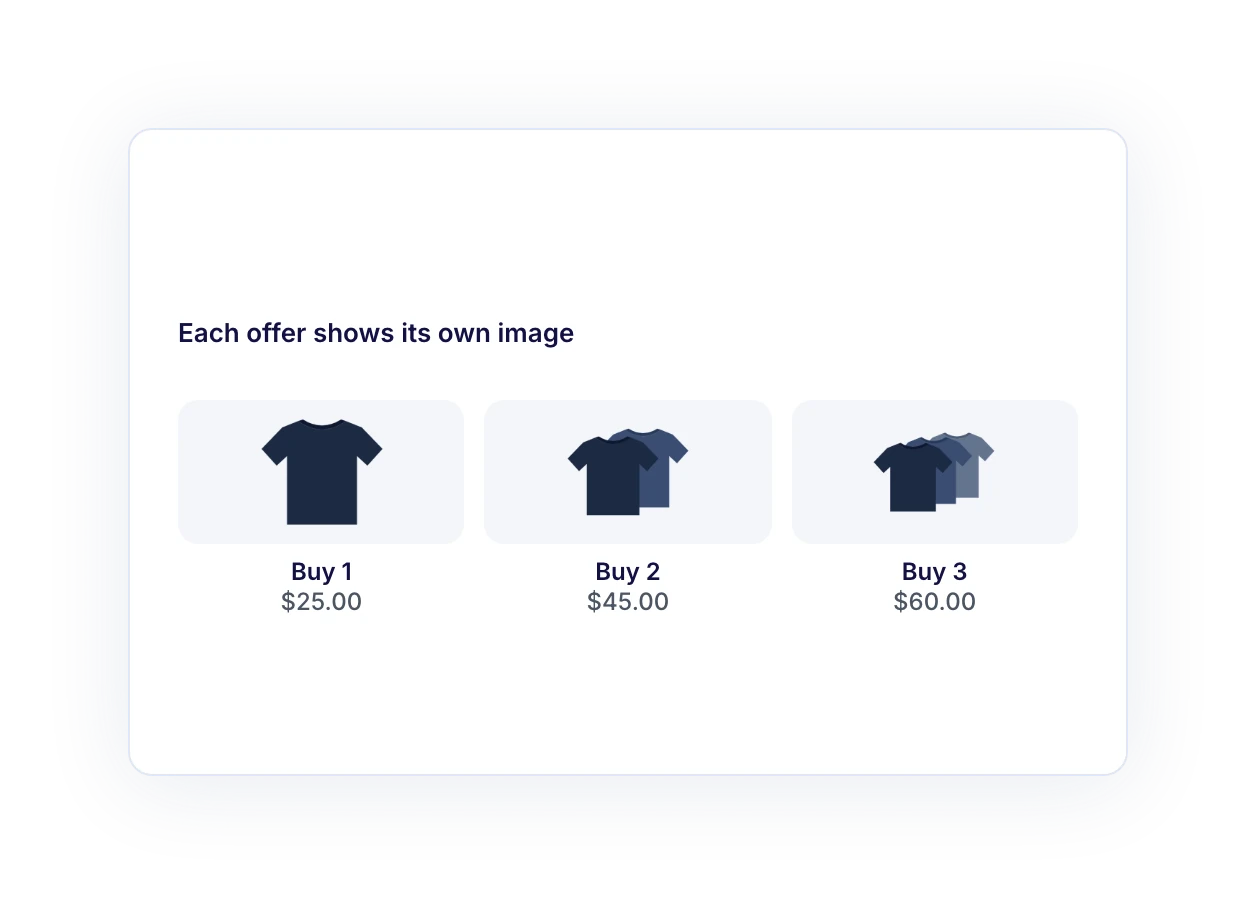
Choose the image shown for each offer, so a three-pack actually looks like a three-pack.
Variable Product Support
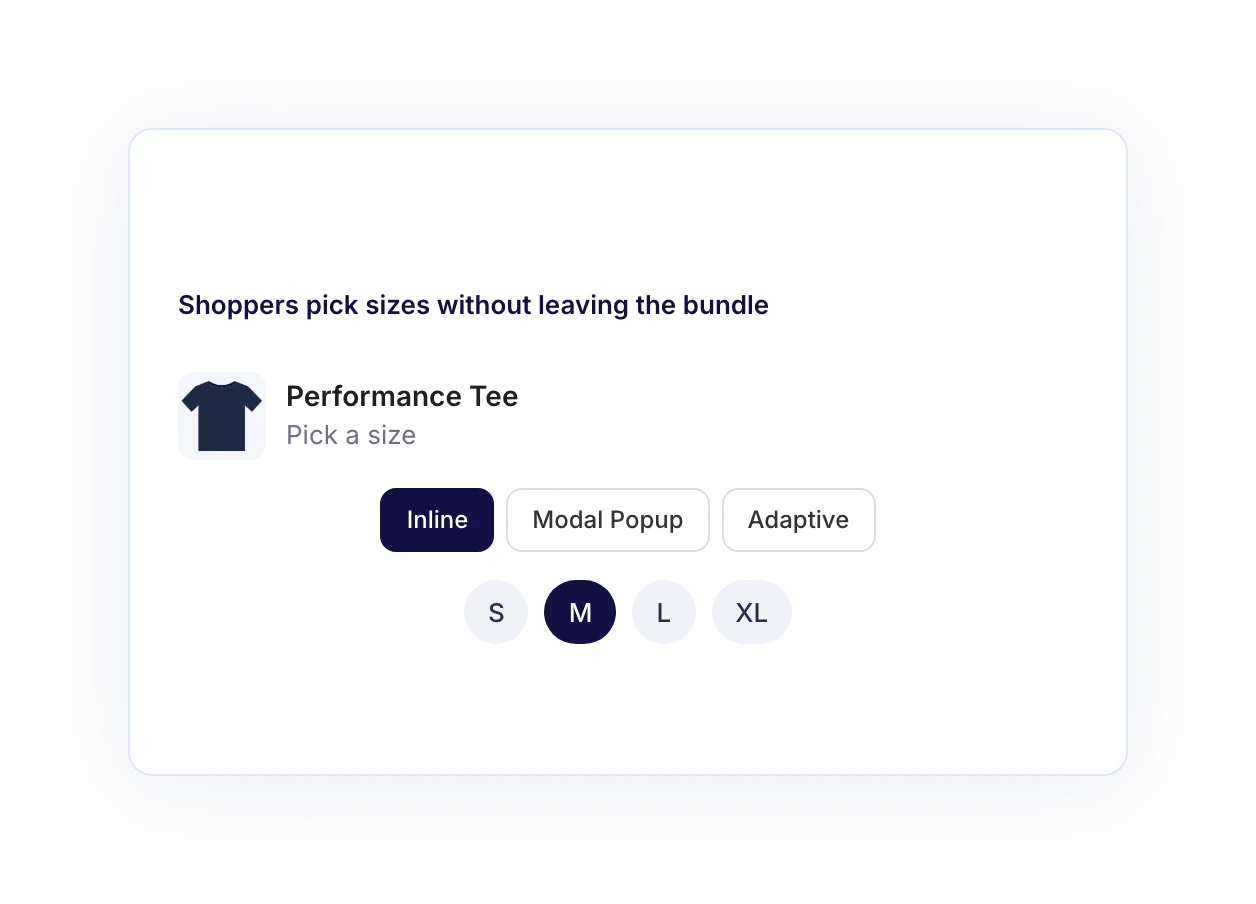
Let shoppers choose sizes and colors inline, in a modal popup, or adaptively, without leaving the bundle.

Bundle Analytics That Show What Sells

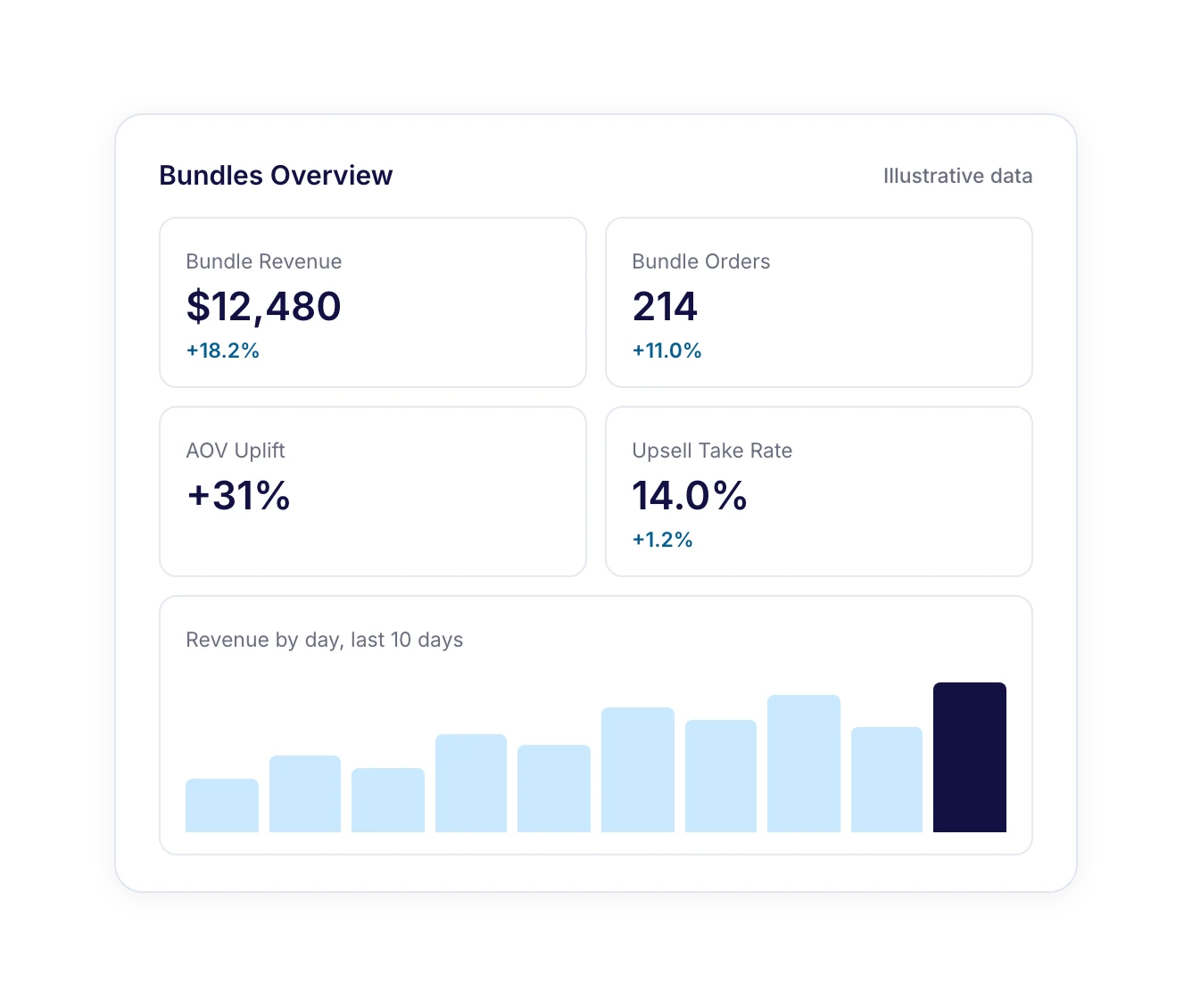
Track bundle revenue, orders, and AOV uplift
See each bundle’s share of your total revenue
Measure upsell revenue and take rate for every add-on
Count free gifts and free shipping unlocks
Get Started

Everything Your WooCommerce Bundles
Need in One Plugin

Stop stitching together extra plugins. Build, sell, and manage every bundle from one place.

Sell Digital Bundles

Bundle downloads, template packs, online courses and memberships alongside physical products in a single offer.

Keep Orders Organized

Bundle items stay grouped in your WooCommerce cart, checkout, order emails, My Account and admin orders.

Control Which Bundle Shows

Two bundles on one product? The one you placed higher in your Bundles list is what shoppers see on priority.

Manage Bundles in Bulk

Import, export and bulk-edit your product bundles to move them between stores or update dozens at once.

Keep Stock Accurate

Each bundled item draws from its own stock, so your store inventory stays accurate after every bundle sale.

Fit Any Store Theme

Bundles fit block and classic product pages, styled by your WordPress theme preset and saved brand colors.

What Changes When You Add Bundles

Stop leaving money on single-item orders. See how FunnelKit Bundles changes the way your store sells.

Without FunnelKit Bundles

icon failed contact
Orders that stop at one item
Shoppers have no reason to add more, so average order value stays flat.
icon failed contact
Grouped products with no real deal
Grouped products can’t apply a bundle discount or reward bigger orders.
icon failed contact
Another plugin to manage
A separate bundle plugin brings its own settings, rules, and cart behavior.
icon failed contact
Guesswork on what sells
Your reports can’t show which bundle actually drove the sale.
icon failed contact
The same pitch at every step
Shoppers see one offer repeated on the product page, at checkout, and after payment.
Result:
Smaller Orders, Messy Data

With FunnelKit Bundles

Bigger orders from the same traffic
Give every shopper a reason to add more without spending more on ads.
icon failed contact
A deal for every way people buy
Kits, add-ons, multi-packs, and build-your-own boxes in one plugin.
icon failed contact
One dashboard for every offer
Bundles live next to your checkout, order bumps, and upsells.
icon failed contact
Clear bundle reporting
Every order records which bundle each item came from.
icon failed contact
Offers that build on each other
Each step of the buying journey makes a fresh, relevant offer.
Result:
Bigger Orders, Clear Results
icon graph
4 Bundle Types, 2 Free

Got Questions? We've Got the Answers!

Here are some of our most frequently asked questions. If your question is not listed here, then please contact us.

What are WooCommerce product bundles?

A product bundle groups several products into one offer, usually at a lower combined price, like a starter kit, a three-pack, or a gift box. Bundled products give shoppers a reason to buy more in a single order, which raises your average order value without extra ad spend.

What’s the difference between grouped products and product bundles in WooCommerce?

WooCommerce’s built-in grouped product type lists related items on one page, but it can’t apply a bundle discount, require a set combination, or reward shoppers for adding more. A product bundle can do all three. WooCommerce doesn’t include product bundles out of the box, so you need a bundle plugin like FunnelKit Bundles.

Is there a free WooCommerce product bundles plugin?

Yes. FunnelKit Bundles is built into the free Funnel Builder plugin, which includes Fixed Bundle and Frequently Bought Together, plus the design controls and bundle management tools. Quantity Breaks, Mix and Match, progressive gifts, in-bundle upsells, advanced targeting, and bundle analytics are part of Bundles Pro.

How much does Bundles Pro cost, and how do I get it?

Bundles Pro works alongside Funnel Builder Pro and is included in the FunnelKit Elite plan, so Elite customers don’t need a separate license key. On any other plan, you can buy a Bundles Pro license or upgrade to Elite. You’ll find current prices on our pricing page. Once you have a key, enter it under Funnel Builder → Settings → General.

How do I create a product bundle in WooCommerce?

Go to Funnel Builder → Bundles and click Create Bundle. Choose a bundle type, pick the products whose pages should show it, add the bundle items and discount, then style it in the Design tab. Set the status to Active and save, and the bundle goes live on those product pages. For a full walkthrough, see the FunnelKit Bundles documentation.

Which bundle type should I start with?

Start with what already sells. Frequently Bought Together suits products with natural add-ons, Fixed Bundle suits kits and gift sets, Quantity Breaks suits items people buy in multiples, and Mix and Match suits sampler and gift boxes. Launch one bundle on a best-seller first, then check your order data.

Can I bundle variable products?

Yes. Shoppers pick sizes, colors, and other options without leaving the bundle, and you choose whether those choices appear inline, in a modal popup, or adaptively. With Quantity Breaks, each unit gets its own picker, so one order can include a medium and a large.

Won’t bundle discounts eat into my margins?

They can if you don’t price carefully, because the discount also applies to the item a shopper might have bought at full price anyway. Three $25 T-shirts at 20% off cost $60, so the two extra shirts bring in $35, or $17.50 each. If each shirt costs more than that to make and ship, adjust the discount or the gift.

What’s the difference between an in-bundle upsell and a one-click upsell?

An in-bundle upsell is a discounted add-on shown next to the bundle on the product page, before checkout. A one-click upsell appears after payment and is added to the order without re-entering card details. You can use both in the same buying journey.

How is FunnelKit Bundles different from other WooCommerce bundle plugins?

Most bundle plugins run separately from your checkout and upsell tools. FunnelKit Bundles is built into Funnel Builder, so bundles, order bumps, and one-click upsells run from one dashboard and work together in the same buying journey. Every order records which bundle each item came from, and Bundles Pro adds reporting on bundle revenue, AOV uplift, and add-on take rate.

Can I change or pause a bundle after it goes live?

Yes. You can edit a bundle’s items, discounts, or design at any time and save your changes. To take a bundle offline without deleting it, turn off its Active status.

Can I sell bundles with subscriptions?

Subscription support is on our roadmap. We’re bringing FunnelKit Bundles and Sublium subscriptions closer together, so a starter kit could later turn into a monthly refill subscription.
Ready to Grow
Every Order?
Transform Your Subscriptions for WooCommerce by Sublium
Join a growing community of WooCommerce store owners who rely on FunnelKit to turn single-item orders into bigger, more profitable ones.
Start free with Fixed Bundle and Frequently Bought Together
Unlock tiers, boxes, gifts, and analytics with Bundles Pro
Try it risk-free with a 14-day money-back guarantee
Talk to an expert
🚀 Maximize Your Profit with FunnelKit – Highest Rated with 1011+ 5-Star Reviews
Get Started