FunnelKit
FunnelKit AI & MCP for WooCommerce

Check, Fix and Build Your Funnels and Emails Just by Asking

Connect Claude, ChatGPT, or the AI client you already use, and just ask. Get funnel, email, and cart numbers in one reply, then describe a change and approve it before it goes live.

Ask Your Store
Edit Your Checkout
Build Funnels & Emails
Get Funnelkit Now

Meet the AI Assistant That Already Knows Your Store

FunnelKit AI & MCP connects your assistant to the same data your FunnelKit dashboards use, so it answers with your real numbers and does the clicking for you.

Your Daily Store Report in One Reply

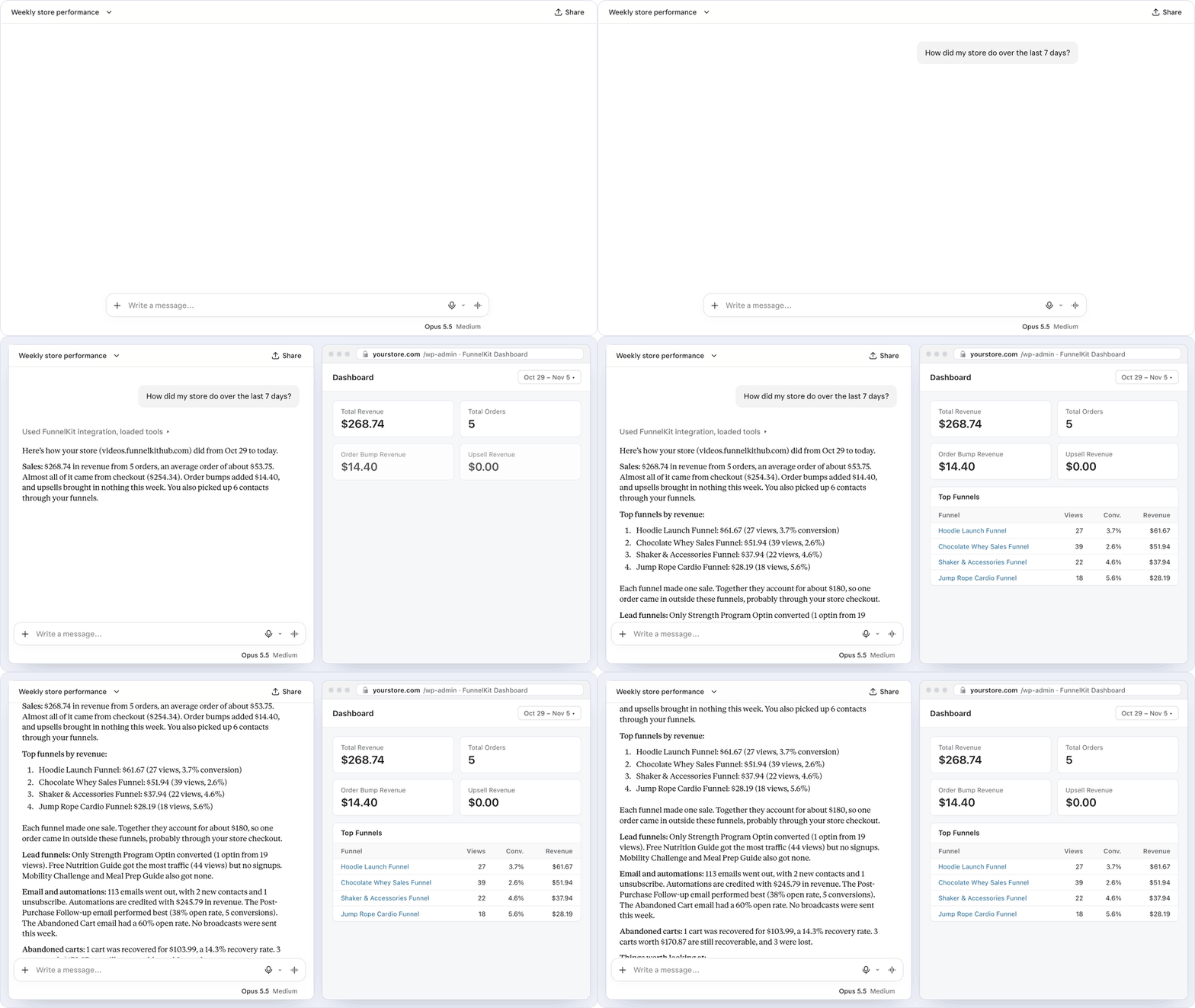
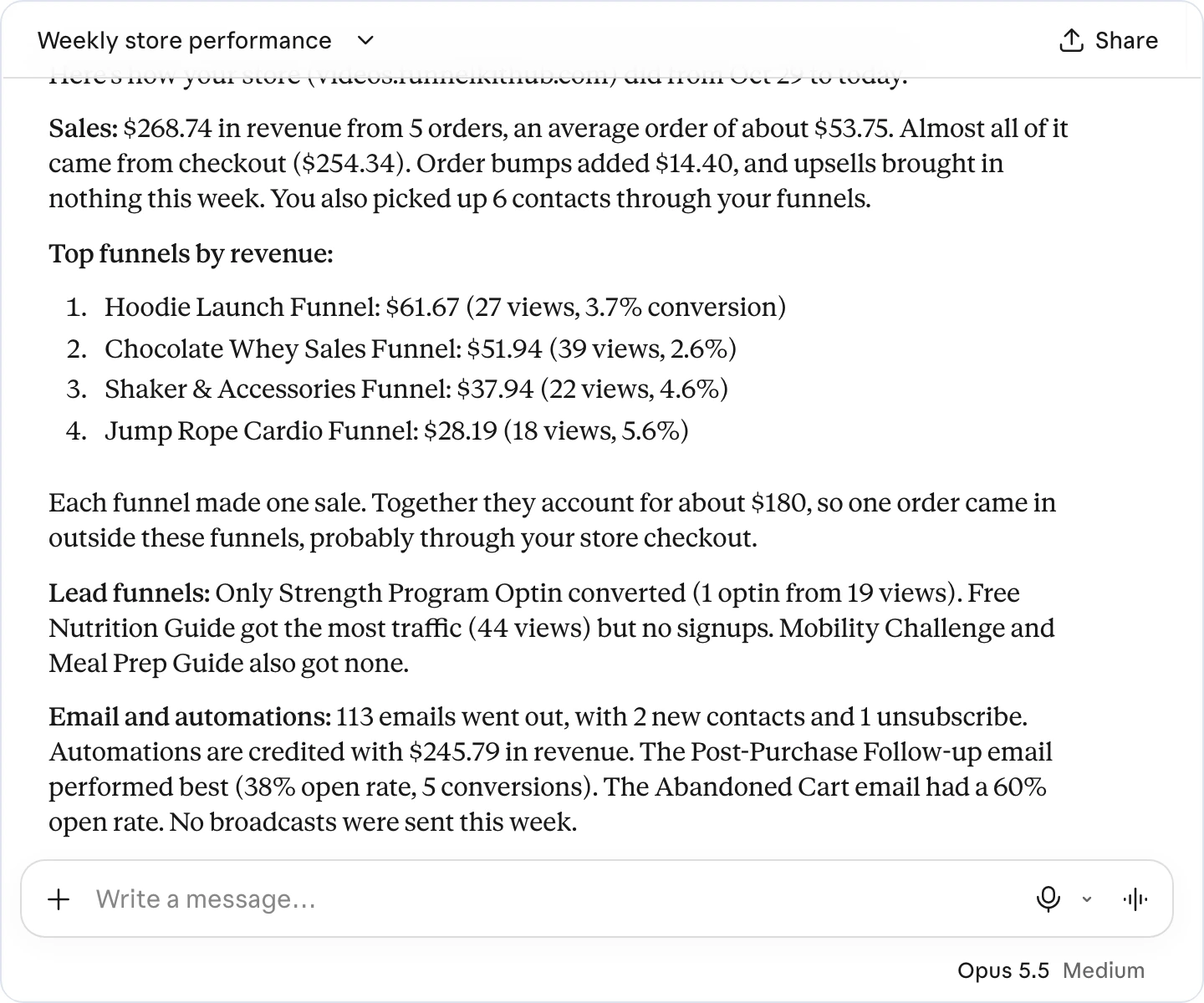
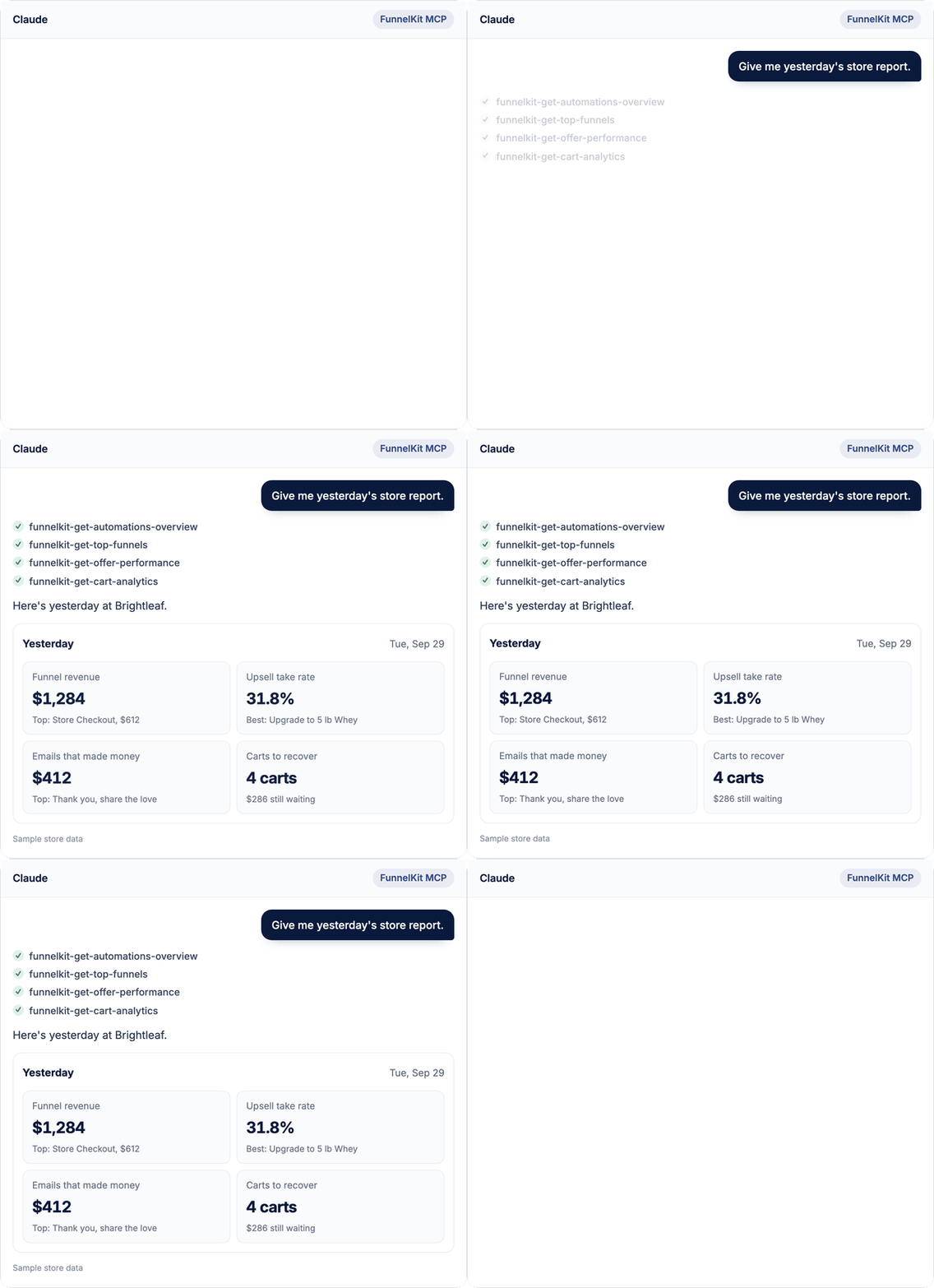
Funnel revenue sits in one dashboard, email revenue in another, abandoned carts in a third. Ask "How did my store do yesterday?" and get every number in a single answer, pulled straight from your funnels, emails, and carts.

Get funnel, upsell, and email revenue together
See a weekly recap of contacts, sends, and revenue
Compare revenue, top offers, and best sources
Get Started

Get Funnel Analytics With One Prompt

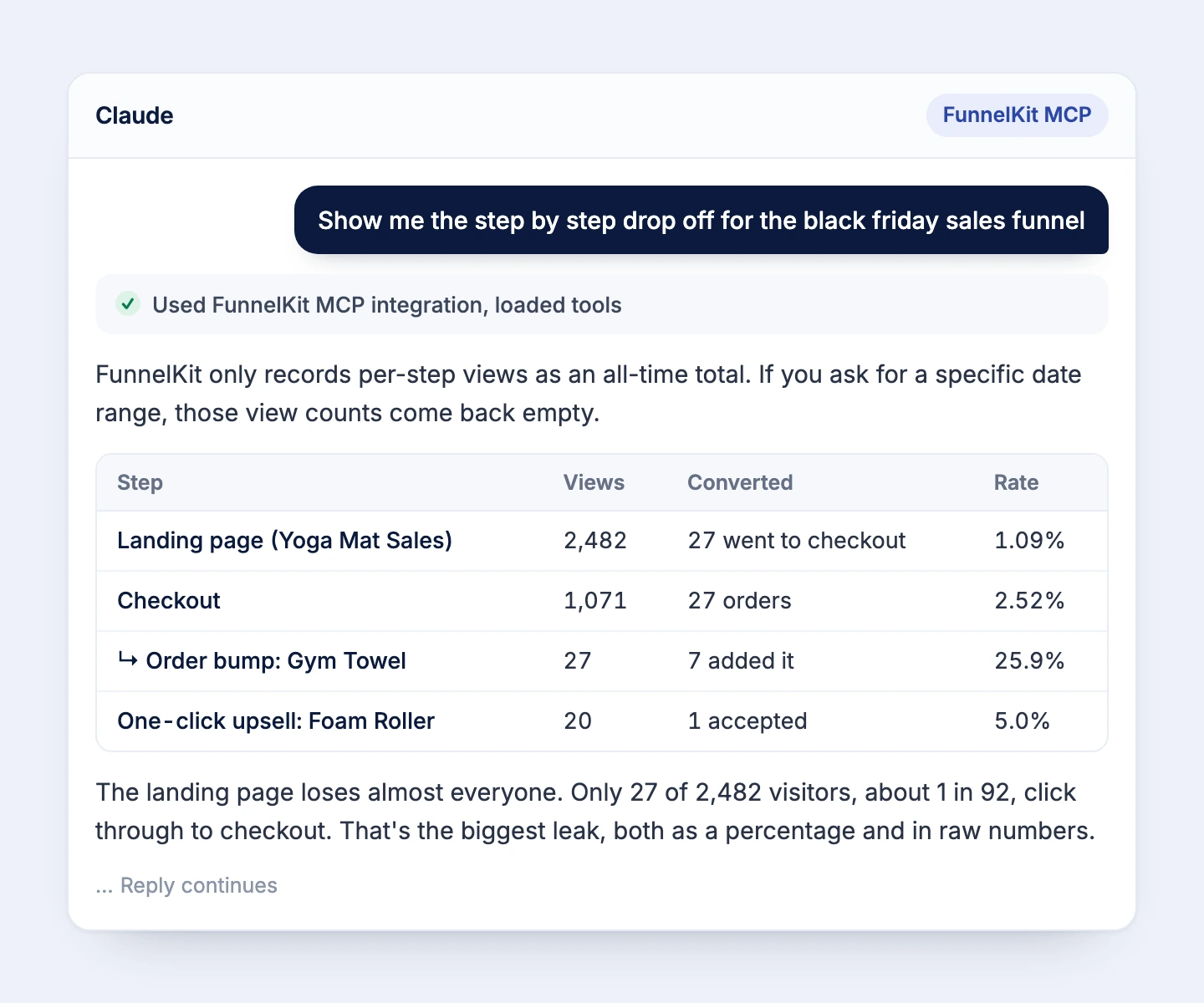
Skip the date pickers and filters. Ask which funnel made the most money this year, or where shoppers leave your Black Friday funnel, and get ranked funnels and step-by-step conversions back in one reply.

Rank your funnels by revenue or by orders
Find the biggest drop-off, with three suggested fixes
Rank traffic sources and flag untagged orders
Get Started

Know Which Offers Earn Their Spot

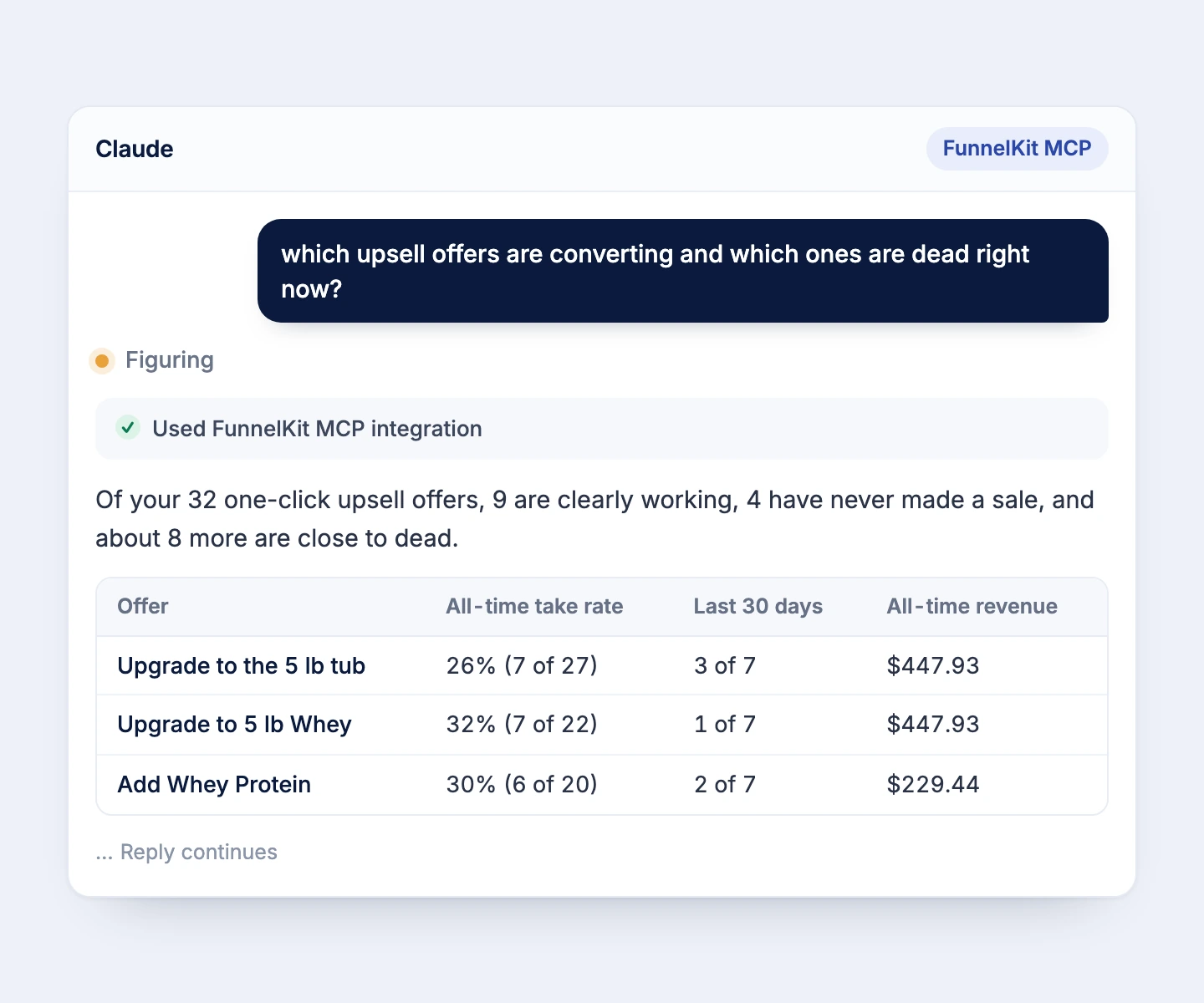
Not every upsell deserves a place in your funnel. Ask which offers are converting and which are stalling, compare take rates side by side, and find the emails that brought in the most revenue last month.

Compare take rates for every one-click upsell
See order value with and without bumps and upsells
Spot offers that have never made a sale
Get Started

Instant Customer Lookups

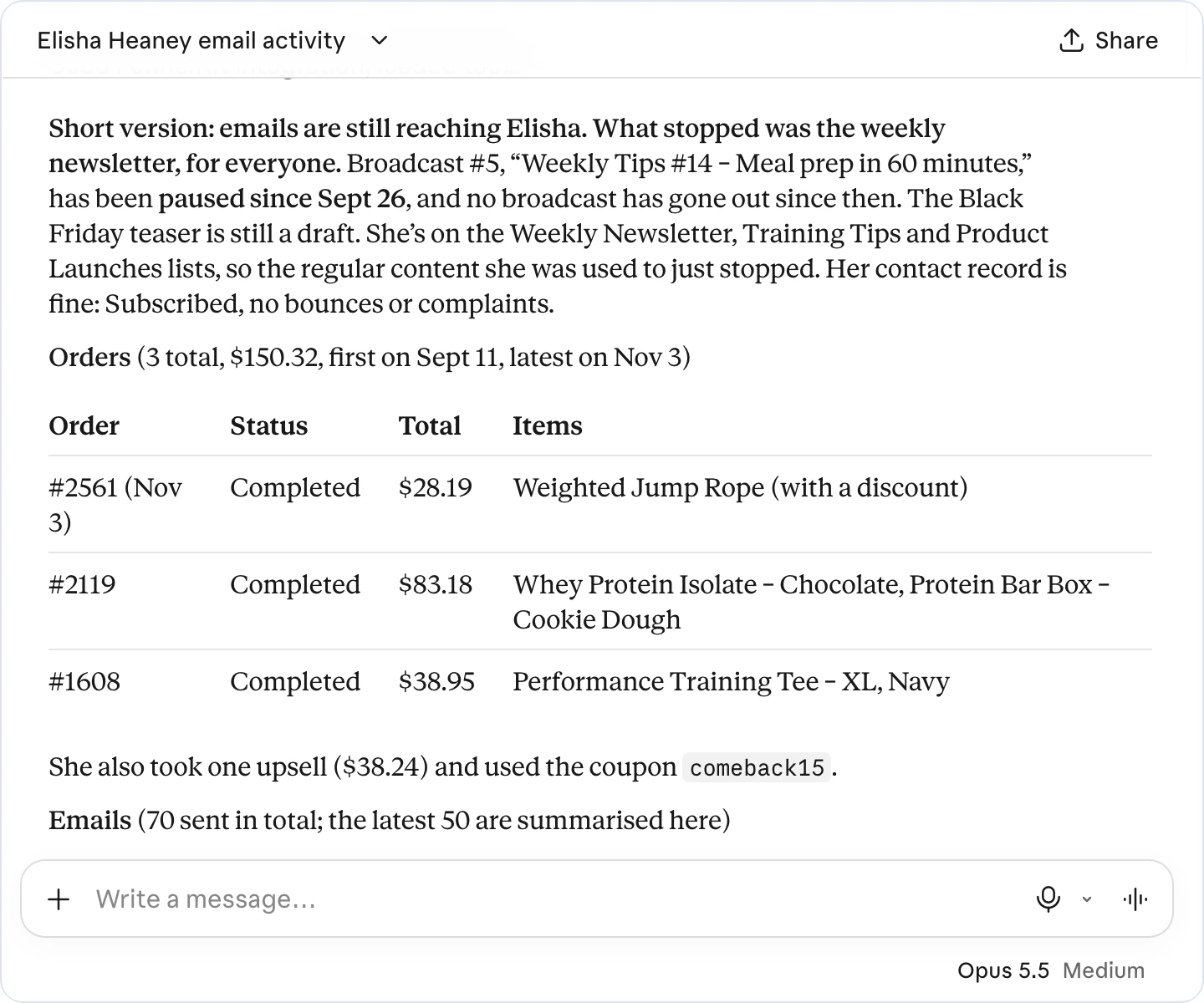
Instead of opening five screens, let the assistant pull your customers' orders, the emails they received and opened, and any automation they're stuck in, so support can act right away.

Get orders and email engagement in one answer
Spot contacts stuck in an automation
Trace exactly where they left a sequence
Get Started

Catch Issues Before Launch

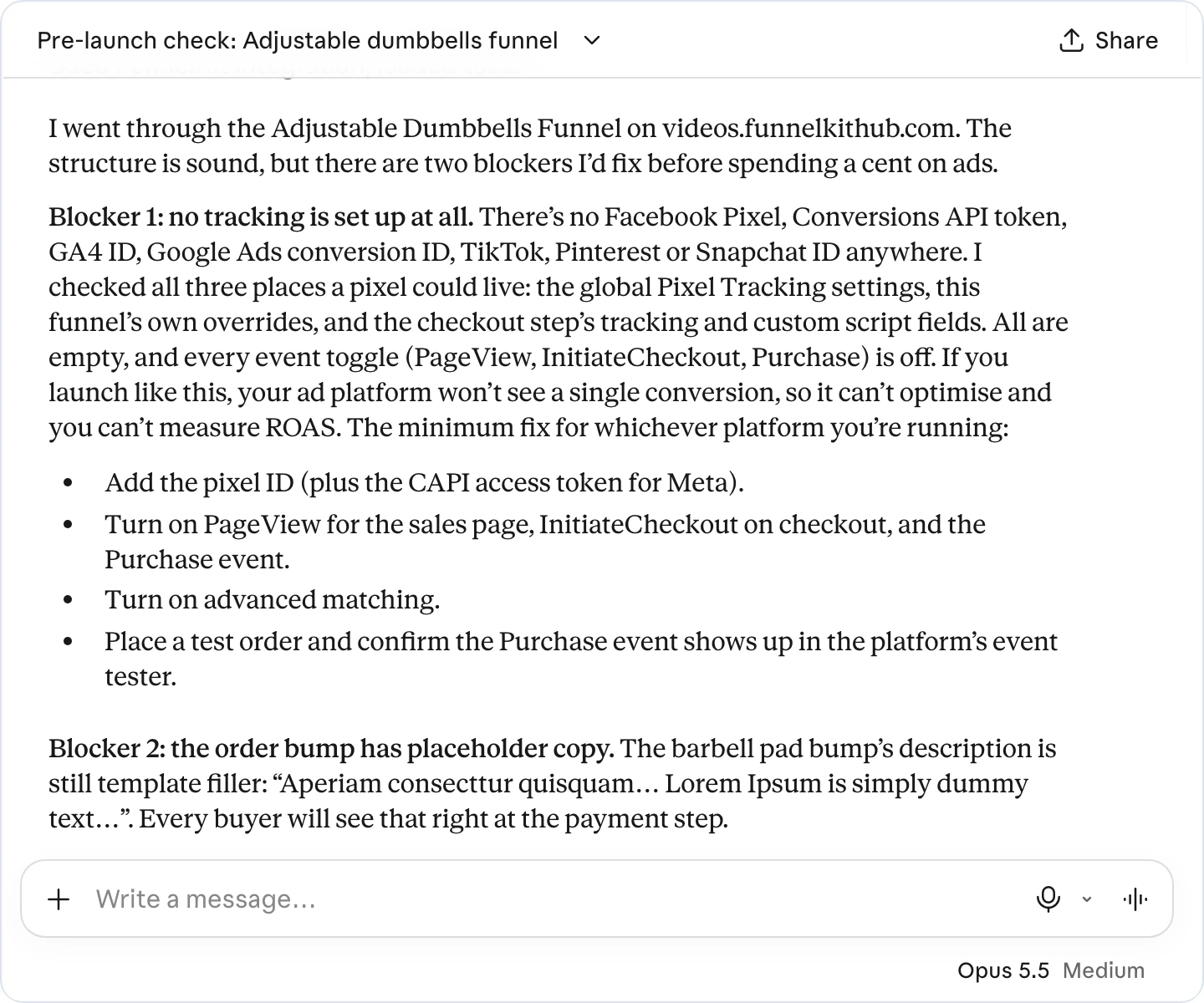
A funnel with a wrong price or a missing pixel burns ad money from the first click. Ask FunnelKit AI to check it before launch. It reviews steps, products, prices, express pay, tracking, and offers, and gives you a fix for every issue.

Find funnels that aren't reporting sales to your pixels
Turn on Meta, Google, and TikTok tracking at once
Get a step-by-step plan for what to set up next
Get Started

Fix Your Checkout by Describing It

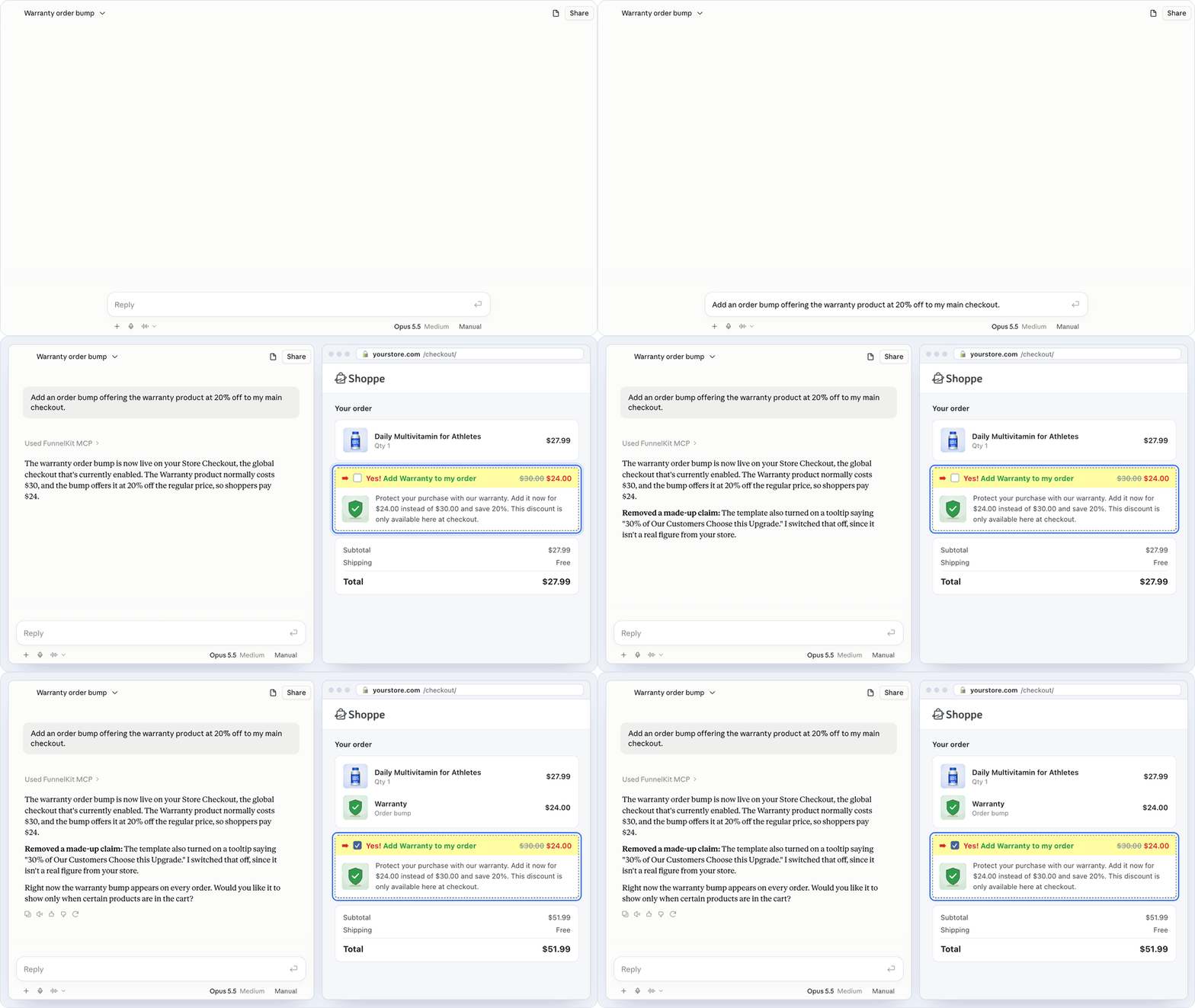
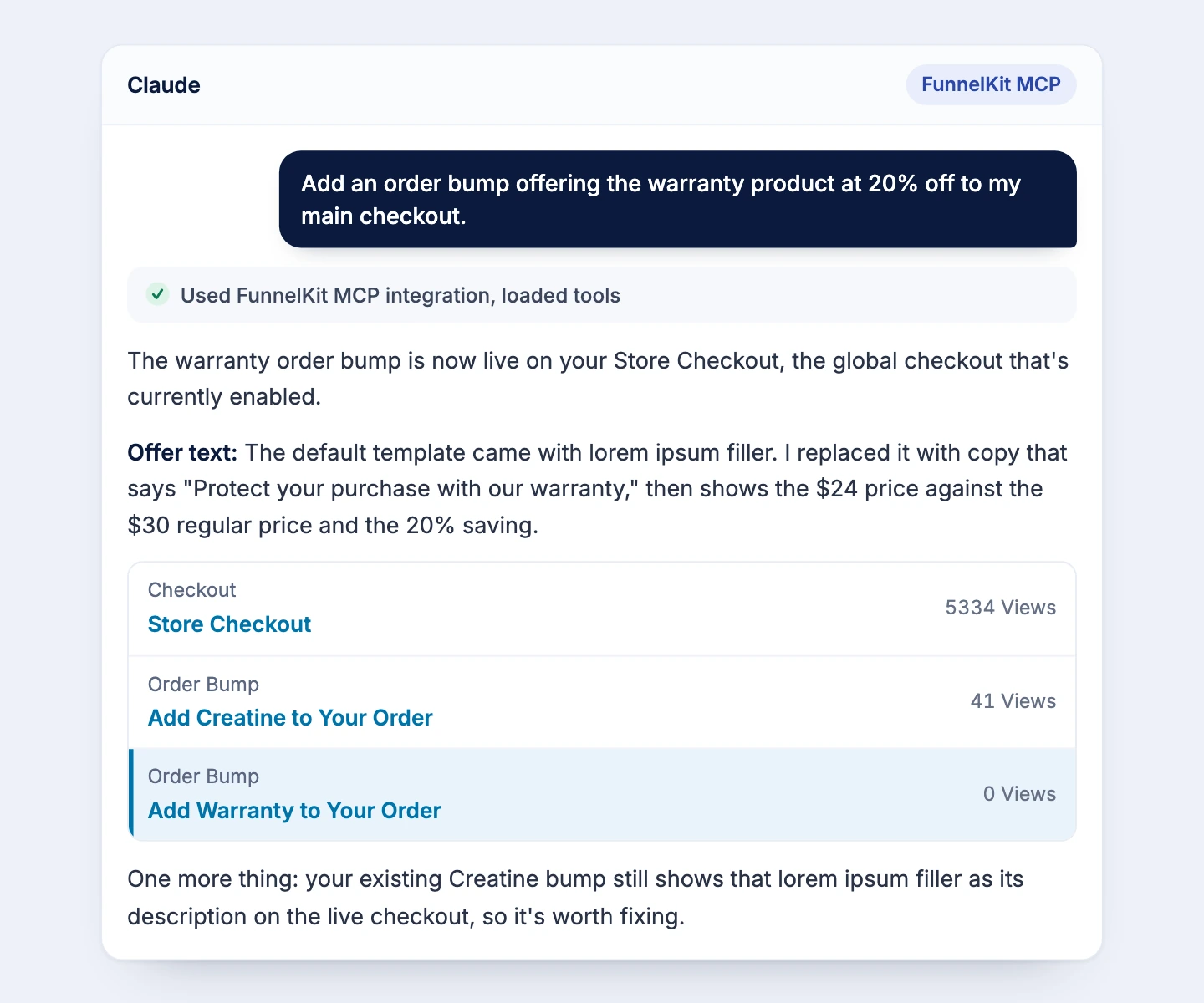
Your morning report flags a problem. Fix it in the same chat. Ask for a 2-year warranty order bump at 20% off, shown only when the cart clears your free shipping threshold, and the assistant sets it up once you confirm.

Add order bumps that show only when they fit the cart
Turn on express pay, live field checks, and auto-apply coupons
Build Shopify-style, one-page, or multi-page checkouts
Get Started

Run A/B Tests From Chat

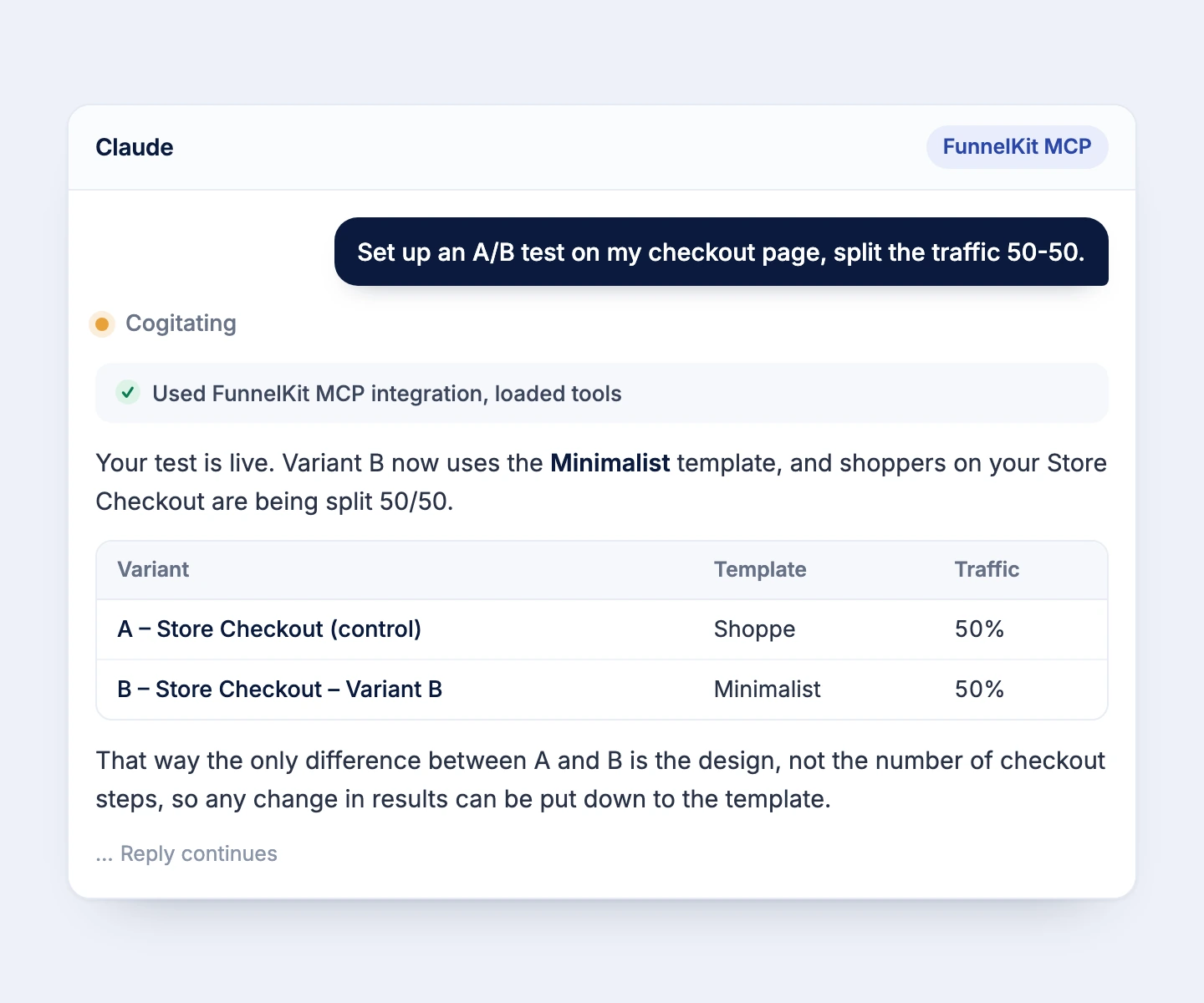
Ask for a 50-50 split on your store checkout. The assistant creates the test, duplicates your checkout as the variant, and starts it. You choose what to change, then call a winner once enough orders come in.

Create, start, and pause tests from chat
Get a recommended winner and confirm it
Archive or restore variants anytime
Get Started

Archive or restore variants anytime

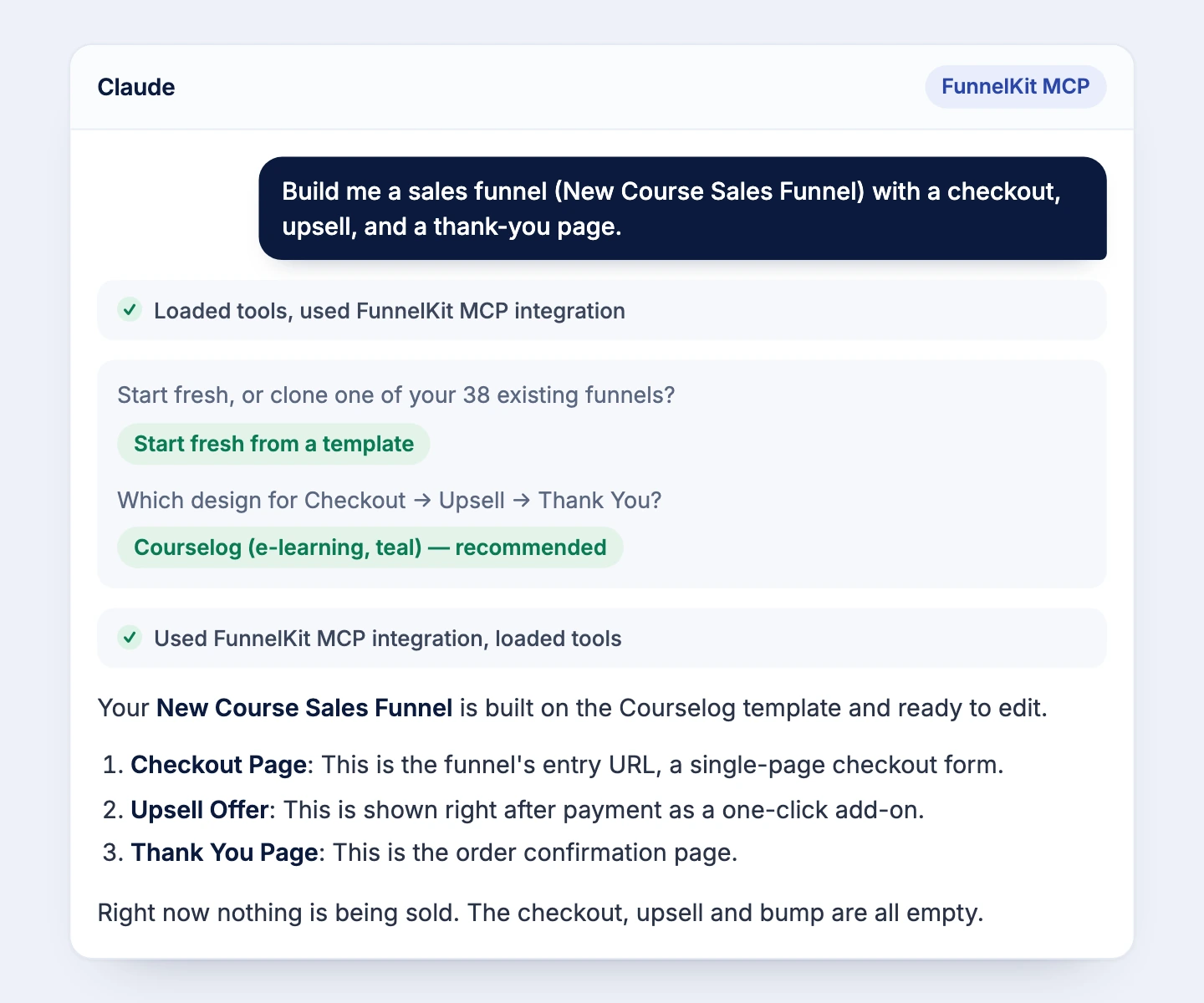
Describe your offer in plain English. Ask for a landing page with a content angle, a checkout with a bump, an upsell at $89, and a thank-you page. The assistant imports templates and puts every step in place.

Add sales pages, upsells, downsells, and thank-you pages
Build opt-in pages that email you every new lead
Duplicate a funnel for a new product or another site
Get Started

Recover Carts on Command

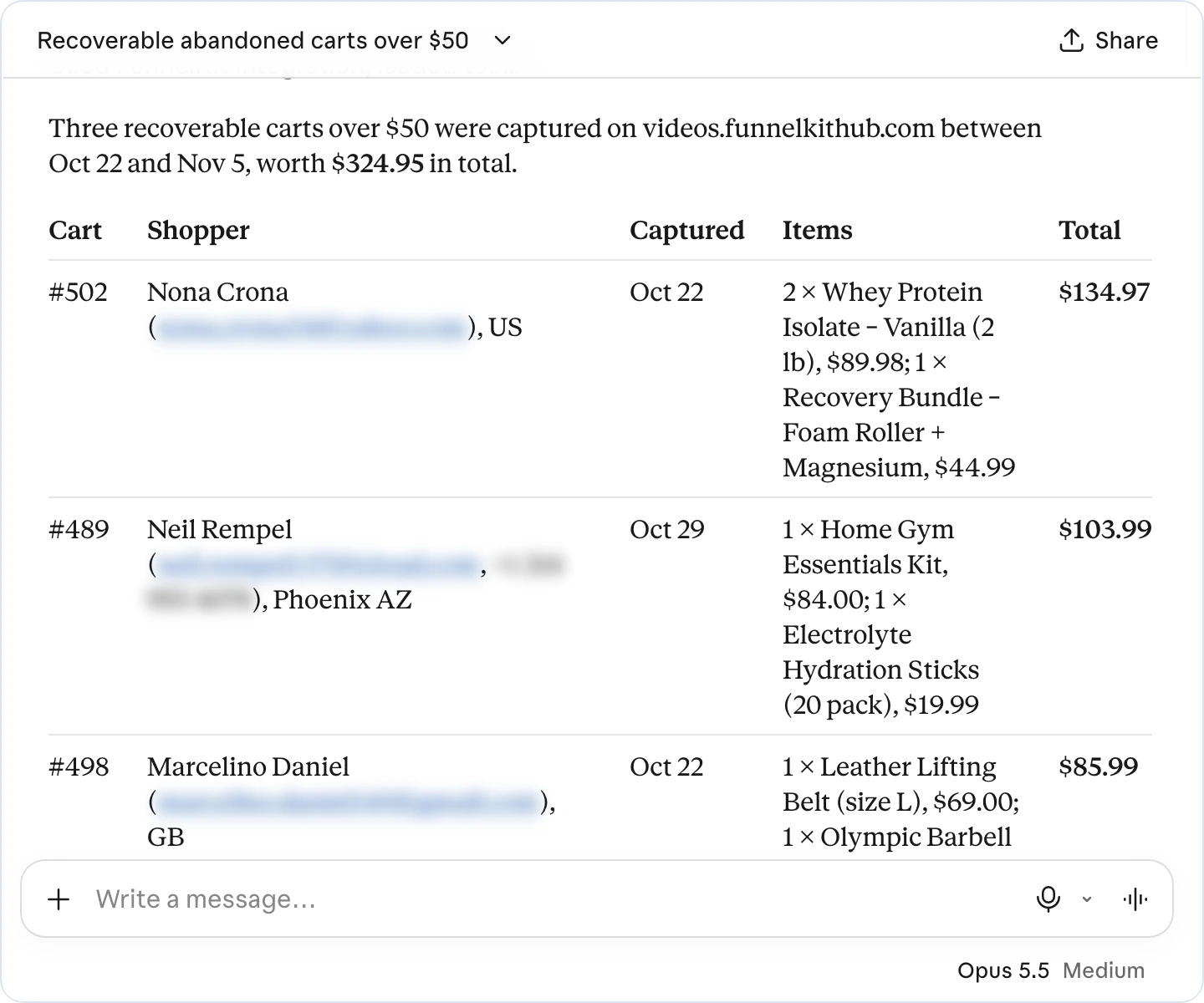
Ask for recoverable carts over $50 from the last two weeks and get totals with contact details. Then tag those shoppers for a win-back campaign in one line, and they flow into the automation that uses that tag.

Filter abandoned carts by value and date
Bulk-tag contacts after you approve
Kick off win-back automations from the tag
Get Started

Draft Emails & Automations

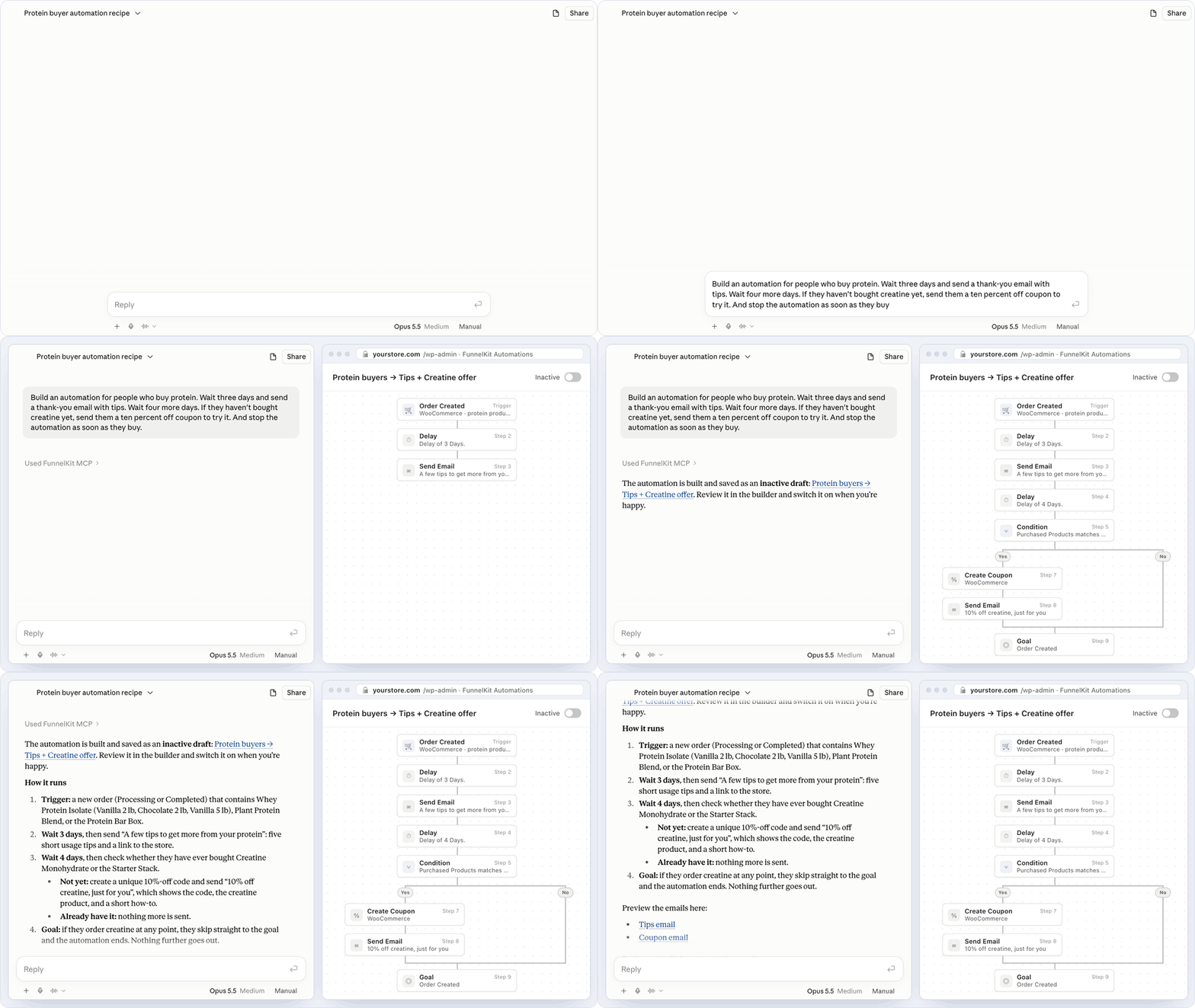
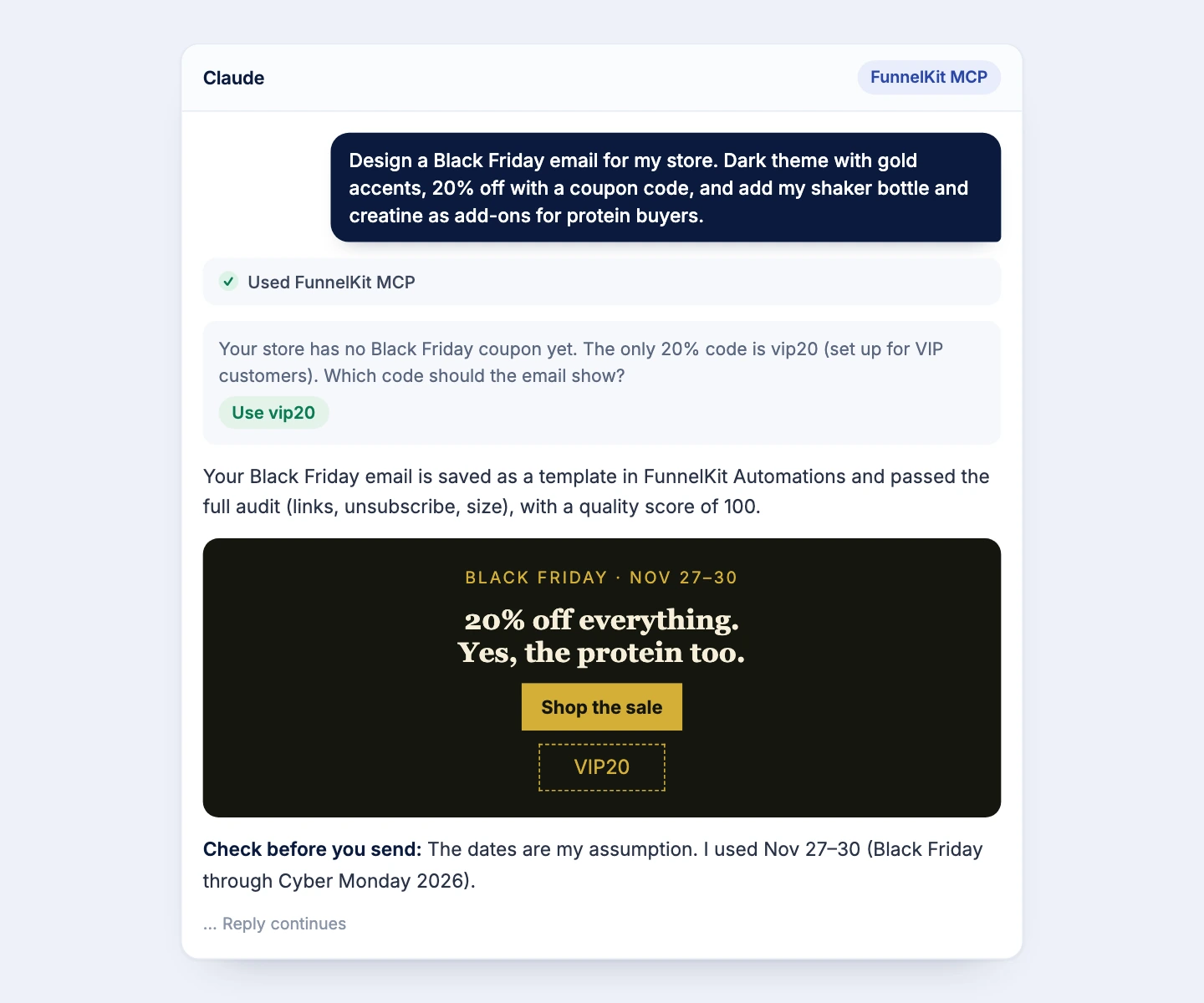
Describe the email and the flow. Ask for a short, phone-friendly win-back email featuring your best seller, then an automation that waits a day, sends it, and follows up if there's no order three days later.

Design emails and broadcasts from a prompt
Build triggers, delays, and follow-ups in one ask
Preview, validate, and audit designs before sending
Get Started
"It's saving me money while making me money."

This plugin has every feature I could possibly need at a fraction of the cost of other subscription plugins. But it's the team behind it that won me over. I sent in a few integration requests and they built them overnight. I've tried every subscription plugin out there. Sublium is the only one I'd recommend, and it's saving me money while making me money.

Customer Sublium
Travis Roesler
Fight Smart

Stay in Control of Every Change

Handing AI the keys to your checkout should feel safe. FunnelKit AI & MCP is opt-in, permission-based, and asks before it touches anything in your store.
5-Minute Setup Wizard
Launch your first WooCommerce subscription product in minutes. A guided setup walks you through every step, no documentation, no developer required.
Advanced Subscription Coupons
Run recurring percentage or fixed discounts with usage limits, expiry dates, and restrictions. Drive signups, reward loyal subscribers, and recover at-risk ones.
Granular Notification Controls
Decide exactly which subscription events send emails to admins and subscribers from welcome messages and renewal receipts to failed-payment alerts.
Visual Email Builder
Design subscription emails that match your brand with a drag-and-drop builder, dynamic merge tags, and mobile-optimized templates. No code, no separate email tool.
Sandbox Mode
Test subscription flows, payment gateways, and email sequences in a safe environment before going live. Ship changes with complete confidence.
Set Up in Minutes Without the Developer
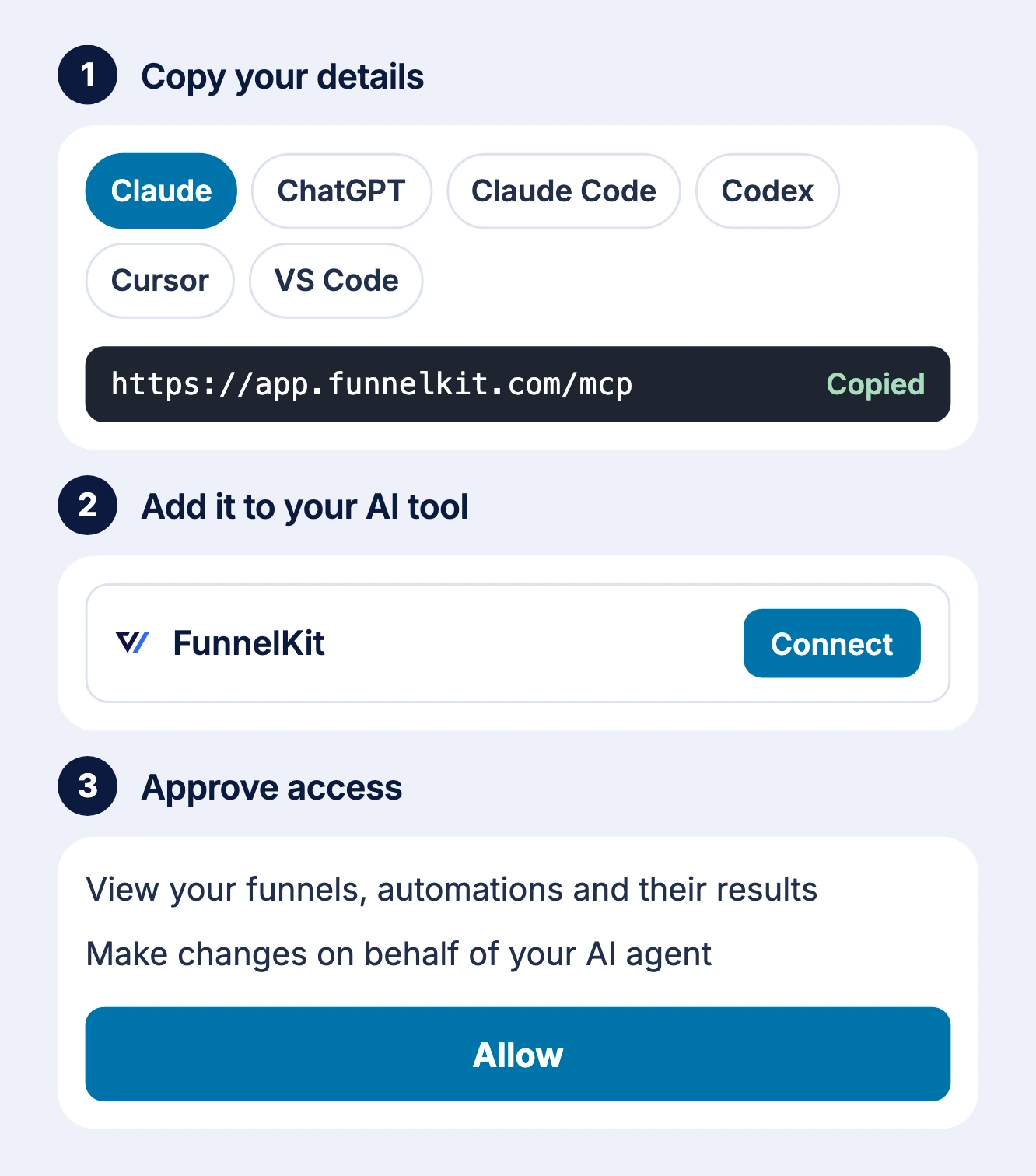
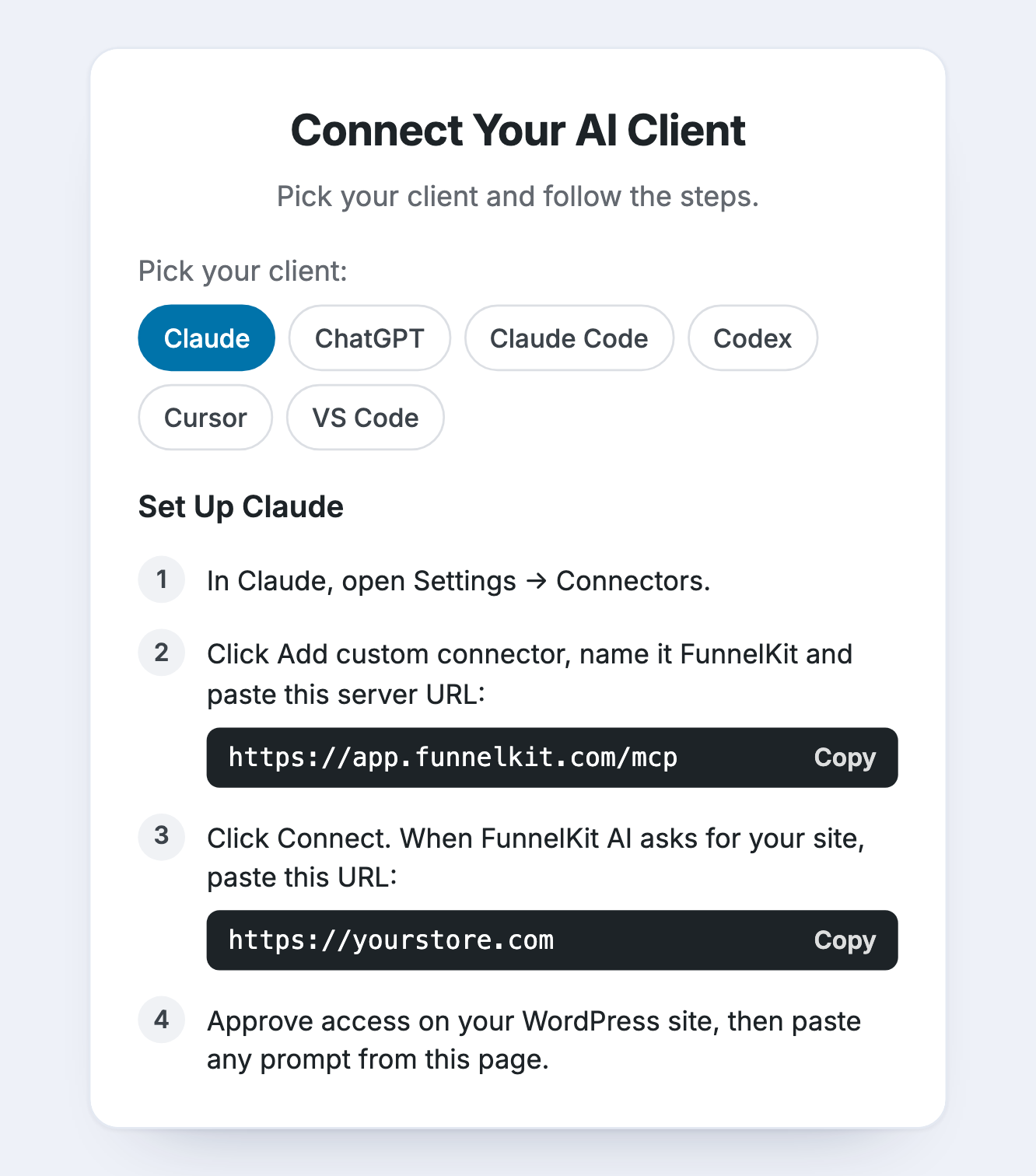
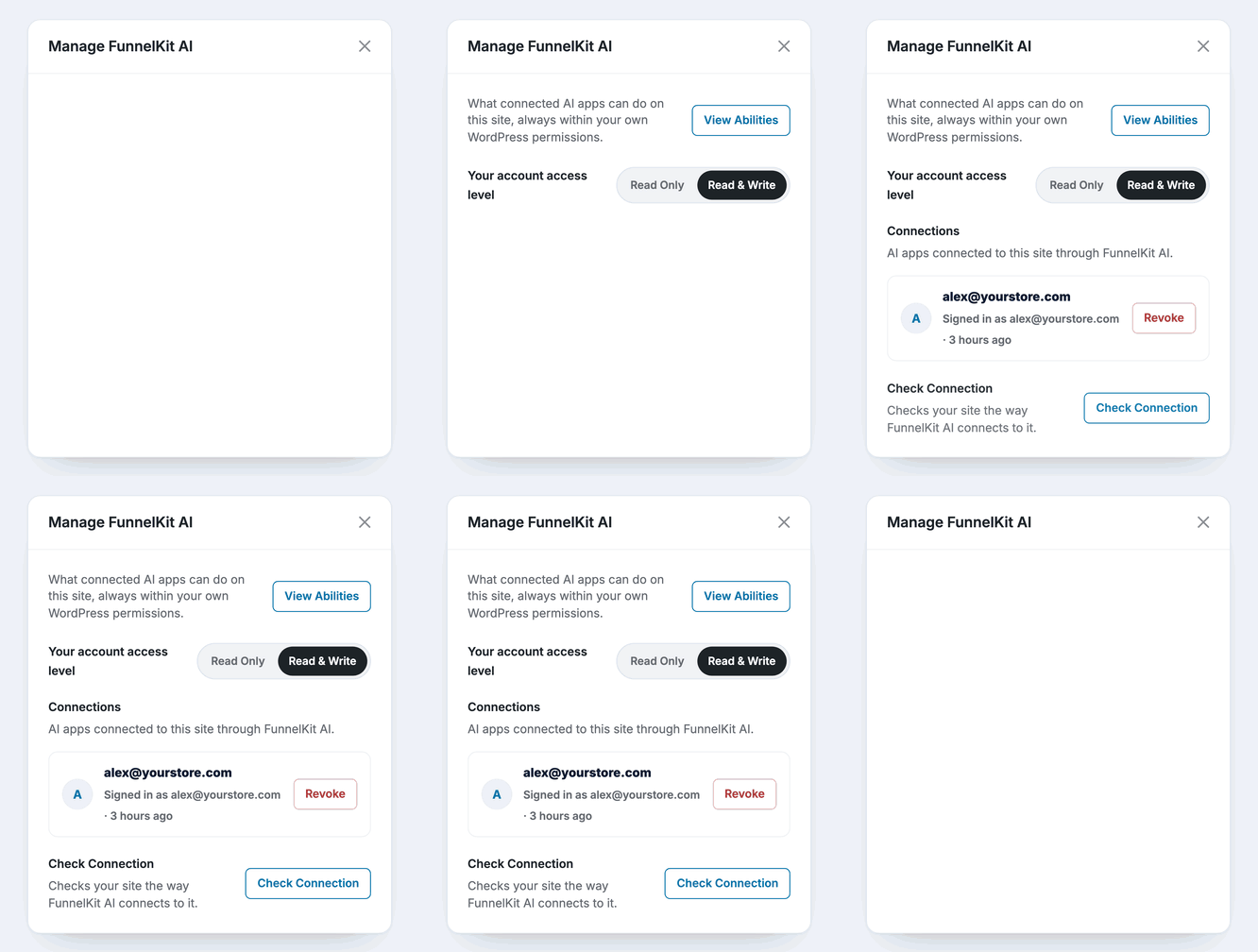
Switch on MCP, add FunnelKit as a custom connector in Claude, ChatGPT, Cursor, or your client of choice, enter your site URL, and approve access in WordPress.
Switch It On Yourself
MCP is opt-in and off by default. Turn it on from Funnel Builder or Automations settings, and switch it off again whenever you like.
Permissions for Every Ability
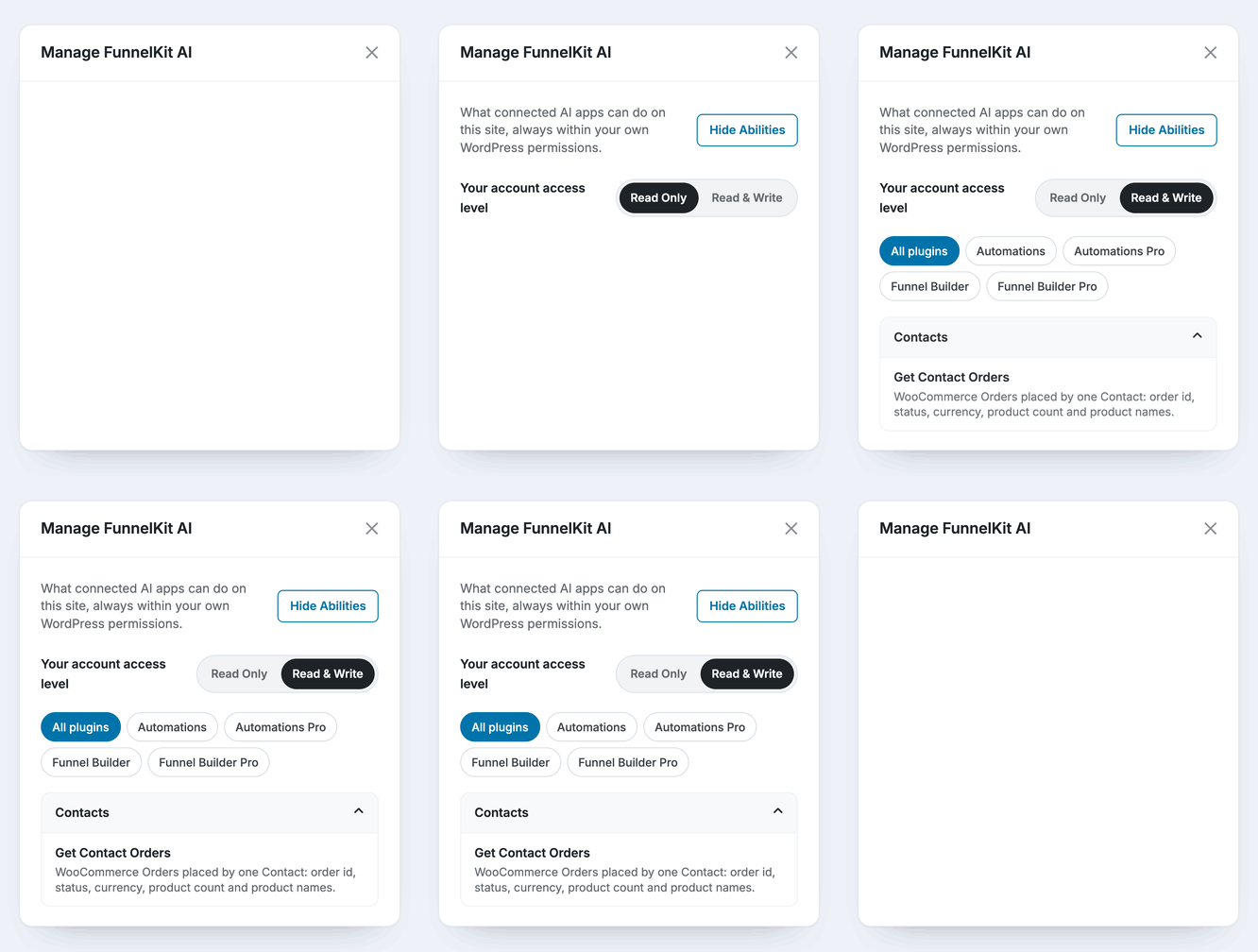
Turn individual read and write abilities on or off for each connection. Give a teammate reporting access and keep Delete Contact switched off.
Approve Every Change First
Write access is off by default, granted per user. The assistant asks before any change, warns before overwriting your edits, and double-checks anything permanent.
Everyone Gets Their Own Login
Team members connect with their own WordPress accounts. No shared passwords, and each connection runs only the abilities you allow.

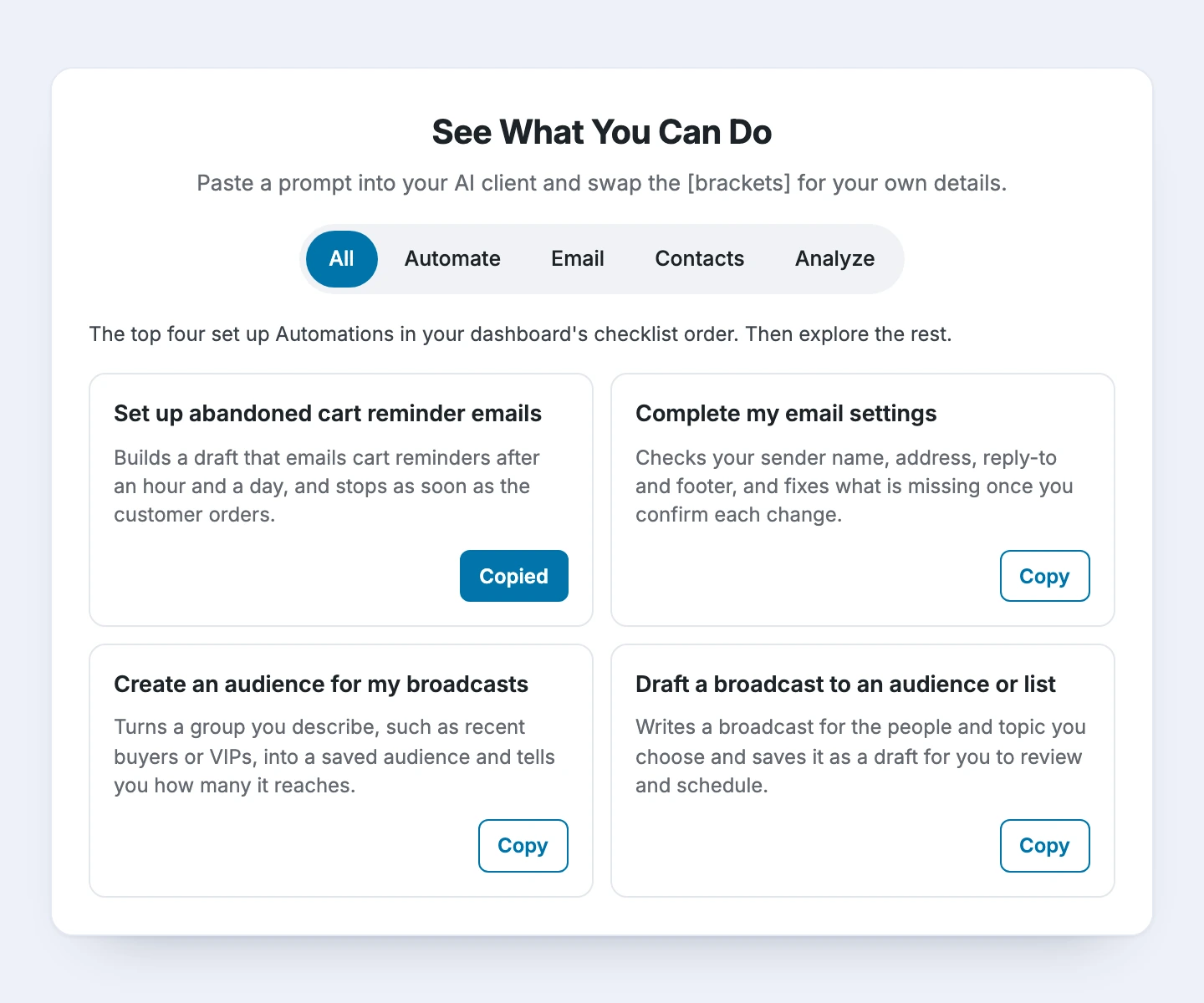
Start With a Prompt That Already Works

30+ Ready-to-Paste Prompts & 150+ Abilities Behind Them

Prompts across Create, Convert, Analyze, and Grow
The top five set up your store in priority order
Swap the [brackets] for your details, then paste
Lite starts you with 55+ abilities; Pro takes you to 150+
Get Started

Everything You Need to Put AI to Work in Your Store

No new dashboards to learn. Just your store, your data and the assistant you already use.

Works With Your AI Client

Guided setup for Claude, ChatGPT, Claude Code, Codex, Cursor, and VS Code. Pick your client and follow the steps.

One Connection, Both Plugins

Funnel Builder and Automations share one connection, so a single chat moves from funnel numbers to contact tags.

Multi-Store Ready

Add every WooCommerce site to the same AI client, then name the store in your question to drive action.

Reads Your Real Data

The assistant reads the same data your FunnelKit dashboards use. No exports, no copy-paste, no guesswork.

Built on an Open Standard

FunnelKit AI & MCP is built on the open standard AI assistants use to connect to apps and tools and grow your WooCommerce store.

Included in Lite and Pro

MCP ships in Funnel Builder 3.18.0 and Automations 3.9.0. Start with the Lite version and unlock more with Pro.

Ready to Stop Chasing Your Own Numbers?

See what changes when your assistant can read your store and act on it.

Without FunnelKit AI & MCP

icon failed contact
Reports stuck on the to-do list
Numbers scattered across funnel, email, and cart dashboards.
icon failed contact
AI that's never seen your store
Paste CSVs and re-explain your funnels in every chat.
icon failed contact
Settings screens for every fix
Bumps, tests, and checkouts built click by click.
icon failed contact
Campaigns built from scratch
Every funnel page and email starts blank.
icon failed contact
Support tab hopping
Five screens to answer one customer question.
Result:
Decisions Wait Until Tomorrow

With FunnelKit AI & MCP

A store report in one reply
Funnels, emails, and carts answered in one question.
icon failed contact
Answers from your real data
The assistant reads what your FunnelKit dashboards read.
icon failed contact
Fixes by description
Describe the change, review it, approve it.
icon failed contact
Campaigns drafted in minutes
Funnel, order bump, and email ready to review.
icon failed contact
One-question customer lookups
Orders, emails, and stuck automations together.
Result:
Act on Your Numbers Today
icon graph
Increase Repeat Purchases by 20%

Got Questions? We've Got the Answers!

Here are some of our most frequently asked questions. If your question is not listed here, then please contact us.

What is FunnelKit AI & MCP?

FunnelKit AI connects Funnel Builder and FunnelKit Automations to the AI assistant you already use. MCP stands for Model Context Protocol, an open standard that lets AI assistants connect to apps. Once connected, your assistant reads your store data and, with your permission, makes changes.

Which AI assistants work with FunnelKit AI?

FunnelKit AI has guided setup for Claude, ChatGPT, Claude Code, Codex, Cursor, and VS Code. Any other client that supports custom MCP servers or connectors can connect too.

Is FunnelKit AI & MCP free?

No. MCP works on Lite and Pro. With Funnel Builder Lite, the assistant builds funnels from templates, adds steps, and configures checkouts. Automations Lite gives read-only access to contacts, automations, and abandoned carts. Funnel analytics, order bumps, upsells, A/B tests, and changes to contacts, emails, and automations need Pro.

How is FunnelKit AI different from other WooCommerce MCP connectors?

Chat assistants can write product copy, but they've never seen your funnels, so you end up exporting CSVs. General store connectors focus on orders and products. FunnelKit AI adds the revenue layer: funnels, checkouts, order bumps, upsells, A/B tests, emails, automations, and abandoned carts.

Can the AI change my store without asking?

No. Write access is off by default and must be granted to each user. The assistant asks for your approval before it makes a change, and destructive actions such as deleting a contact need explicit confirmation.

What store data can the assistant see?

Only what the abilities you enable return. The assistant reads the same data your FunnelKit dashboards use, and you can switch off any read or write ability for a connection from the AI & MCP tab.

Can my whole team use FunnelKit AI?

Yes. Each team member connects with their own WordPress account, so nobody shares credentials. You decide who gets write access and which abilities each connection can use.

Do I need a developer to set it up?

No. Update to Funnel Builder 3.18 or Automations 3.9.0, switch on MCP in the AI & MCP tab, and add FunnelKit as a custom connector in your AI client. Enter your site URL, approve access in WordPress, and run the built-in connection test. The whole setup takes a few minutes.

Can I connect more than one store?

Yes. Once your first store is connected, open the AI & MCP tab on the next store, copy the prompt shown there, and paste it into your AI client. With several stores connected, name the store in your question.

Where do I find prompts to get started?

In the AI & MCP tab. It lists 32 ready-to-paste prompts across Create, Convert, Analyze, and Grow, and the top five set up your store in priority order. Swap the [brackets] for your own details and paste.

Can I get a store report every morning automatically?

Yes, if your AI client supports scheduled prompts. Save “How did my store do yesterday?” as a scheduled prompt, and your funnel, email and cart numbers can be ready before you start work.

Can the assistant edit my funnel page designs?

Yes, with Funnel Builder Pro, for funnel steps built with Elementor. The assistant can read a step’s design and change it from your description. Steps built with other page builders aren’t supported.

Does FunnelKit AI replace the FunnelKit dashboard?

No. It works alongside it. The assistant handles the lookups and the first draft, and your dashboard stays the place to review, preview, and fine-tune before anything goes live.
Ask Your Store Anything, Starting Tomorrow Morning
Transform Your Subscriptions for WooCommerce by Sublium
Update to the latest FunnelKit Funnel Builder or Automations, switch on MCP, and open your day with one question: "How did my store do yesterday?"
Get funnel, email, and cart numbers in one reply
Fix checkouts and add offers by describing them
Build funnels, emails, and automations from a prompt
Talk to an expert
🚀 Maximize Your Profit with FunnelKit – Highest Rated with 1011+ 5-Star Reviews
Get Started