FunnelKit Discounts has a built-in integration with popular currency switcher plugins for WooCommerce. With the integration, shoppers who pick another currency see the right campaign price on the product page, in the cart, and at checkout.
In this guide, we will explain how the currency switcher integration works and what to keep in mind when you set up your campaigns.

Supported Currency Switcher Integrations
FunnelKit Discounts integrates with these currency switcher plugins. There is no setting to turn on. The integration works once the plugin is active.
- CURCY (WooCommerce Multi Currency by VillaTheme)
- WPC Multi Currency
- YITH Multi Currency Switcher for WooCommerce
- FOX Currency Switcher (WOOCS)
- Aelia Currency Switcher for WooCommerce
How Campaigns Work in Another Currency
FunnelKit Discounts calculates every discount in your store’s base currency. It then converts the result once into the shopper’s currency. So every campaign type gives the right price in a foreign currency.
CURCY Example
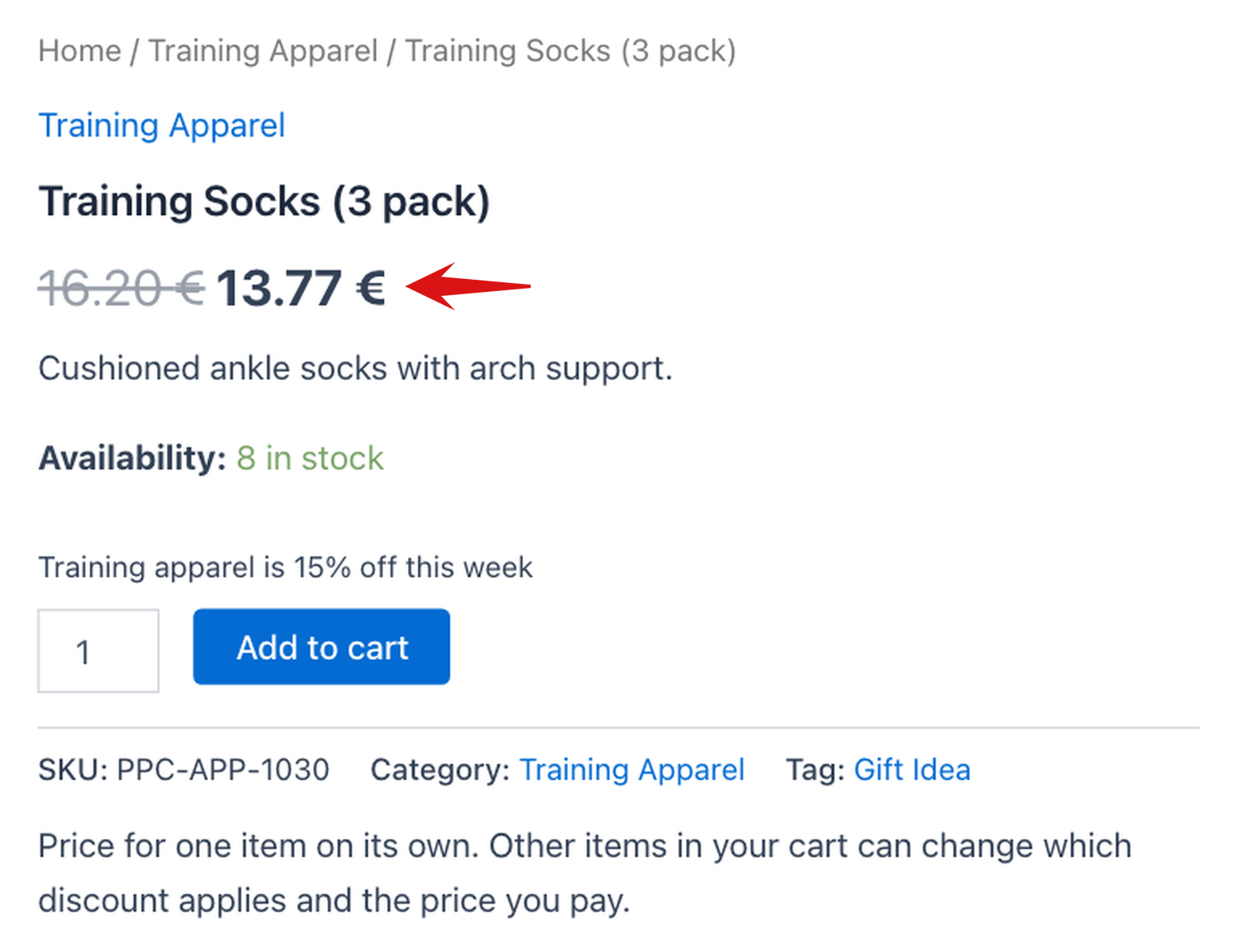
In this example, the store’s base currency is USD and the shopper picked EUR. The product page shows the campaign price in euros.
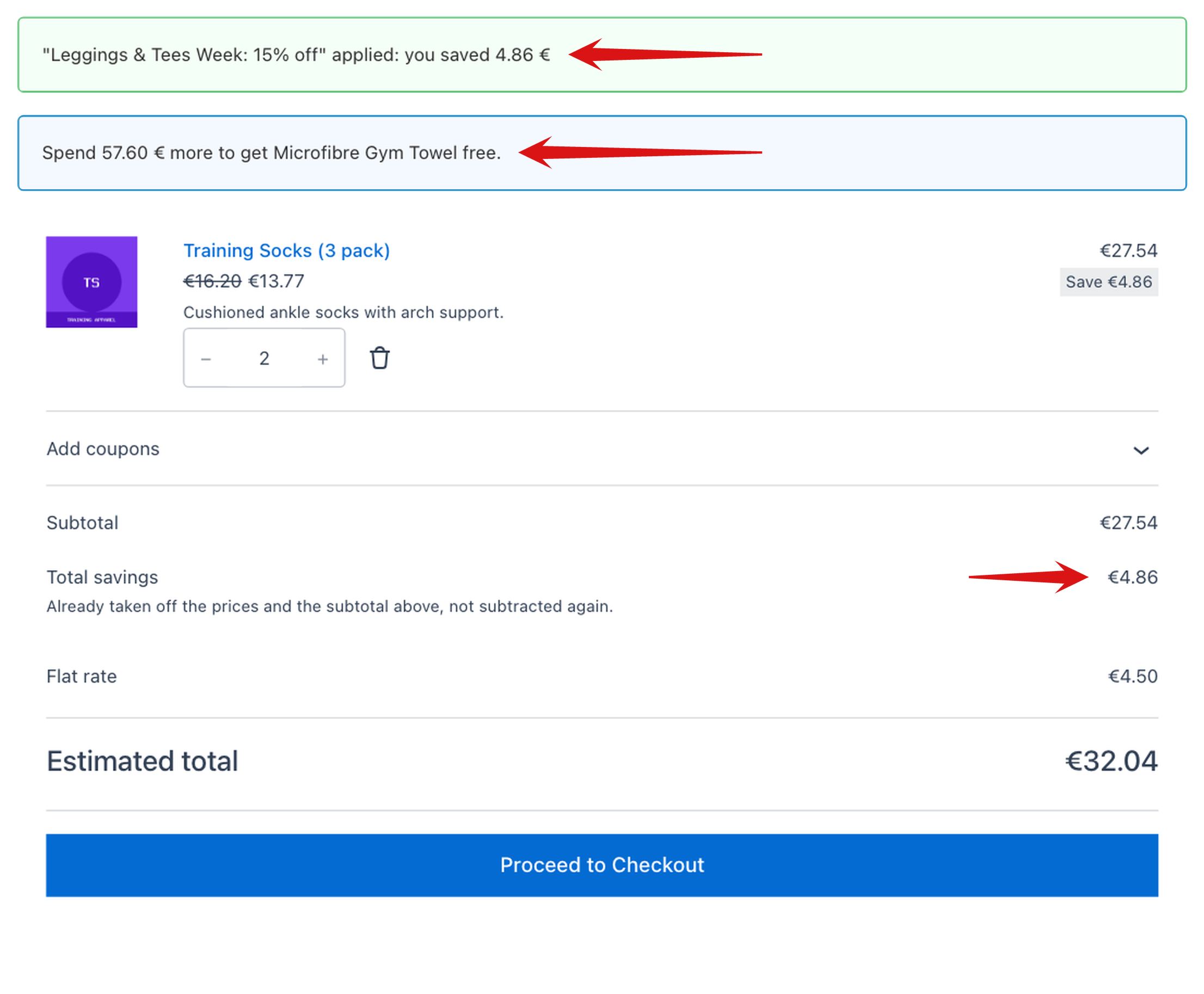
The messages at the top of the cart and the Total savings line use the shopper’s currency too.
YITH Multi Currency Switcher Example
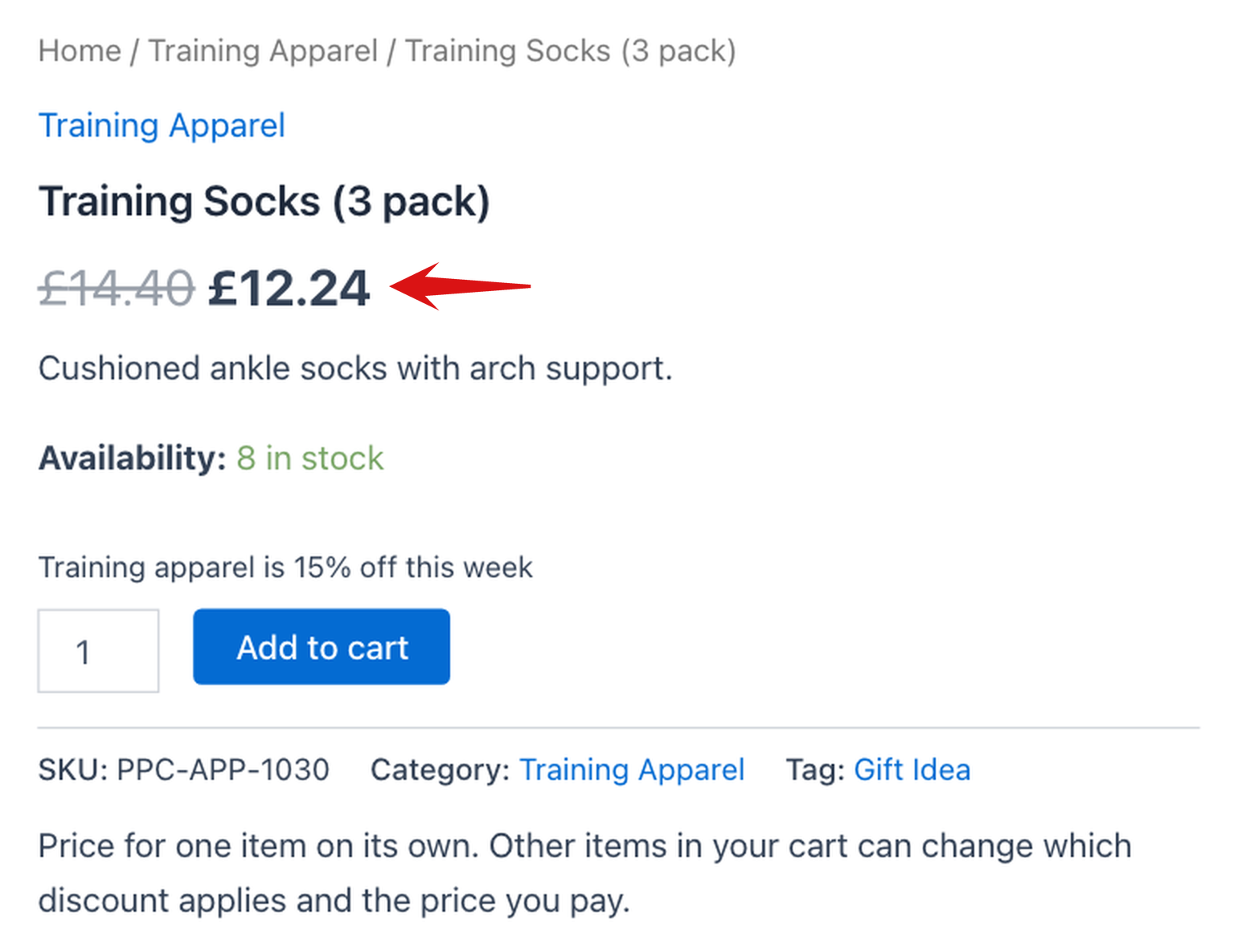
YITH Multi Currency Switcher works the same way. In this example, the shopper picked GBP, and the product page shows the campaign price in pounds.
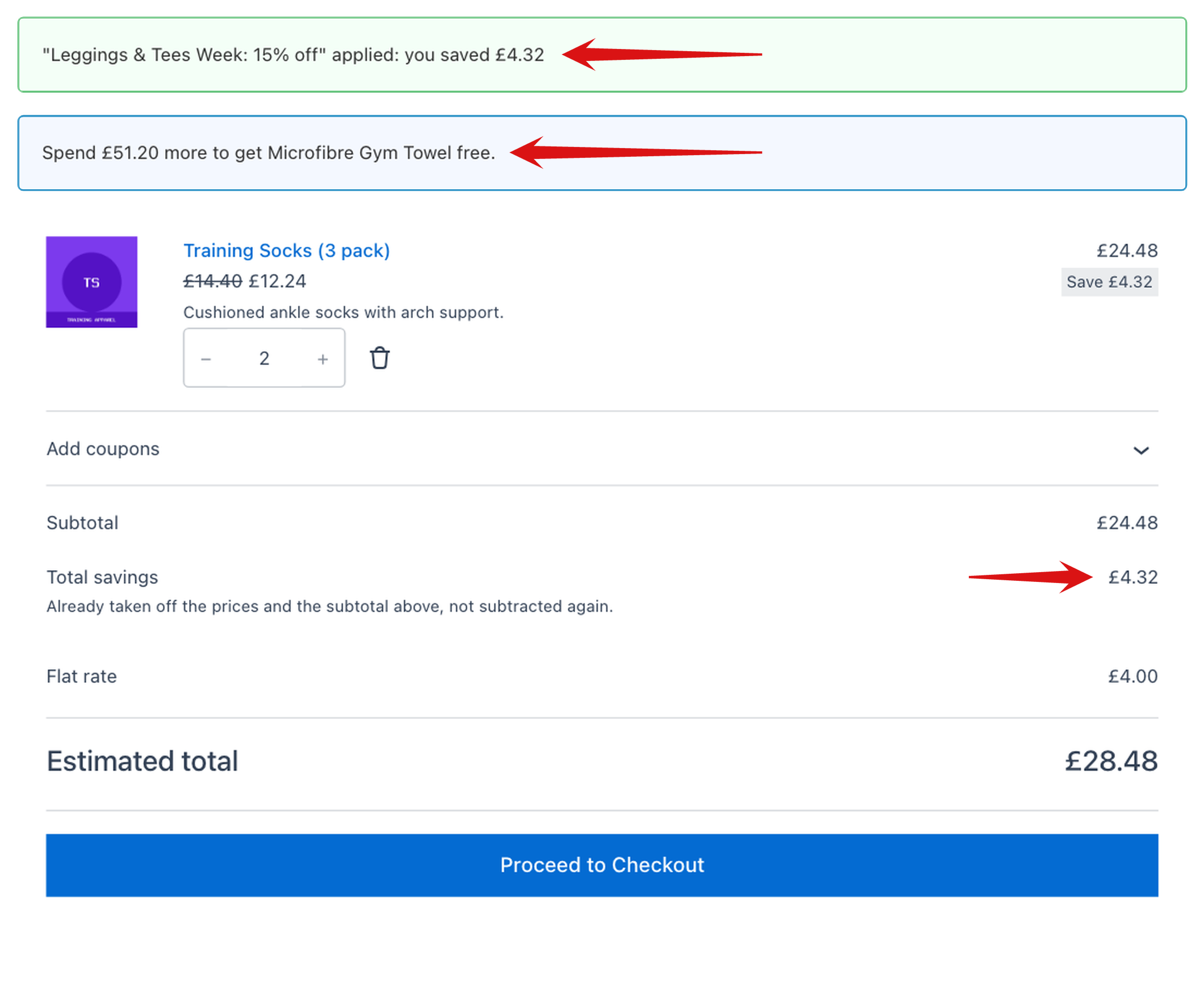
In the cart, the messages at the top, the line prices, and the Total savings line show pounds too.
Things to Keep in Mind
Keep these points in mind when you use a currency switcher:
- Campaign amounts: type every amount in a campaign in your base currency. This covers fixed discounts, bundle prices, spend thresholds, and bulk pricing amounts.
- Conversion: FunnelKit Discounts converts those amounts for shoppers who use another currency.
- Reports: the Dashboard and Analytics always report in your base currency.
- Orders: the saving in the FunnelKit Discounts section of each order uses the currency of that order.
Some currency switchers let you set a fixed price per product in each currency. Because FunnelKit Discounts starts from the price each product shows in the shopper’s currency, these fixed prices work too.
FAQ
Which currency do I type campaign amounts in?
Always use your store’s base currency. FunnelKit Discounts converts the amounts for shoppers who pick another currency.
Do I need to set up the currency switcher integration?
No. The integration works on its own once a supported currency switcher plugin is active.
Do I need to create a separate campaign for each currency?
No. One campaign works in every currency your currency switcher offers.