FunnelKit Discounts has a built-in integration with WooCommerce Subscriptions and Sublium Subscriptions. With the integration, subscriptions are charged at their plan price, on the first payment and on renewals.
In this guide, we will explain how your campaigns work with each subscription plugin.

WooCommerce Subscriptions
With WooCommerce Subscriptions, your campaigns work like this:
- Subscription products: campaigns skip subscription products and subscription variations.
- Thresholds: subscription items do not count toward campaign thresholds.
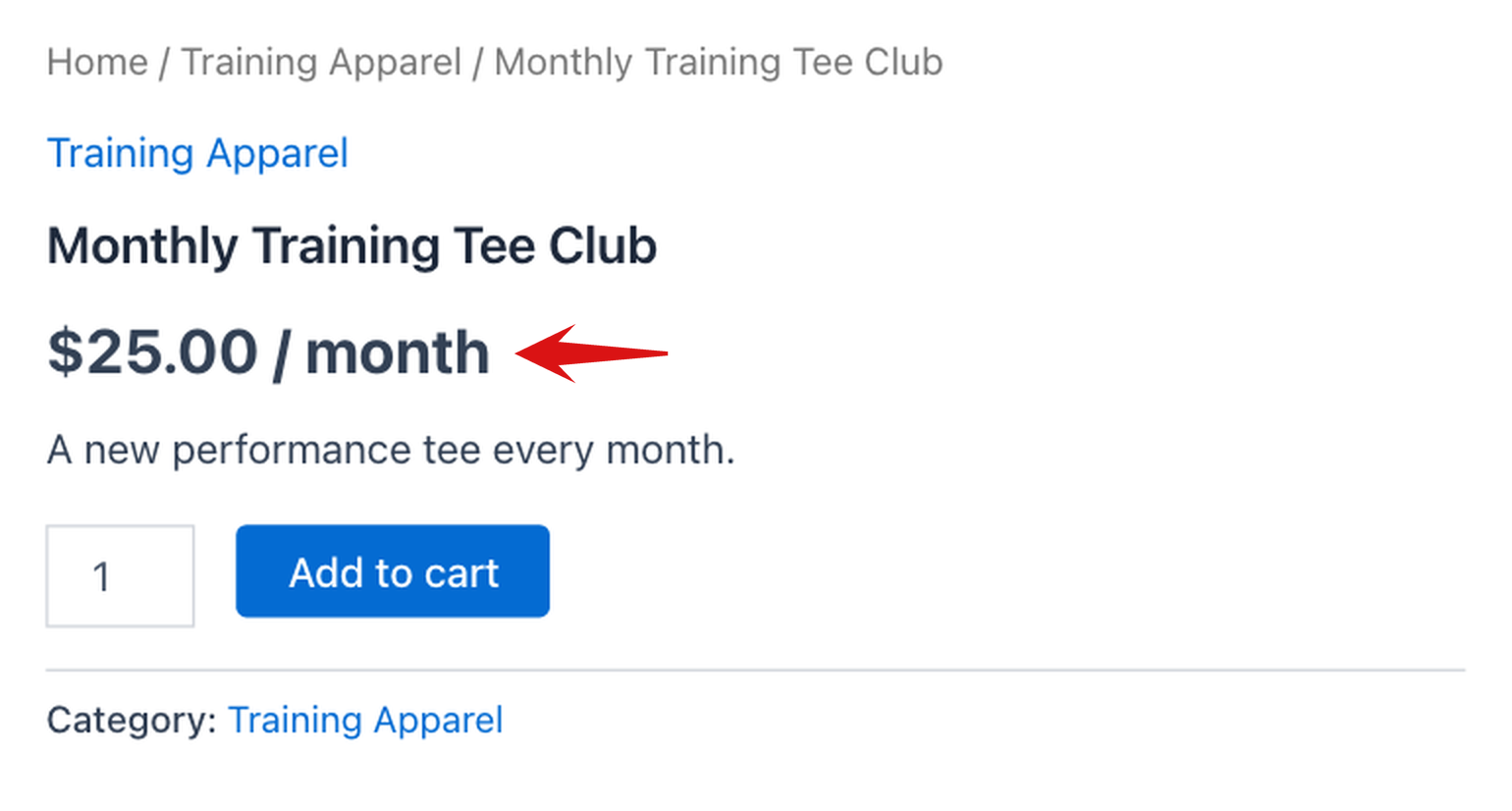
- Product pages: subscription products show the plan price, with no campaign price.
- Free gifts: a product sold only as a subscription cannot be a free gift.
- Reports: renewal orders do not count in the Dashboard and Analytics.
How Subscriptions Show on Your Store
In this example, a monthly subscription is in the Training Apparel category, which has a 15% campaign. Its product page shows only the plan price.
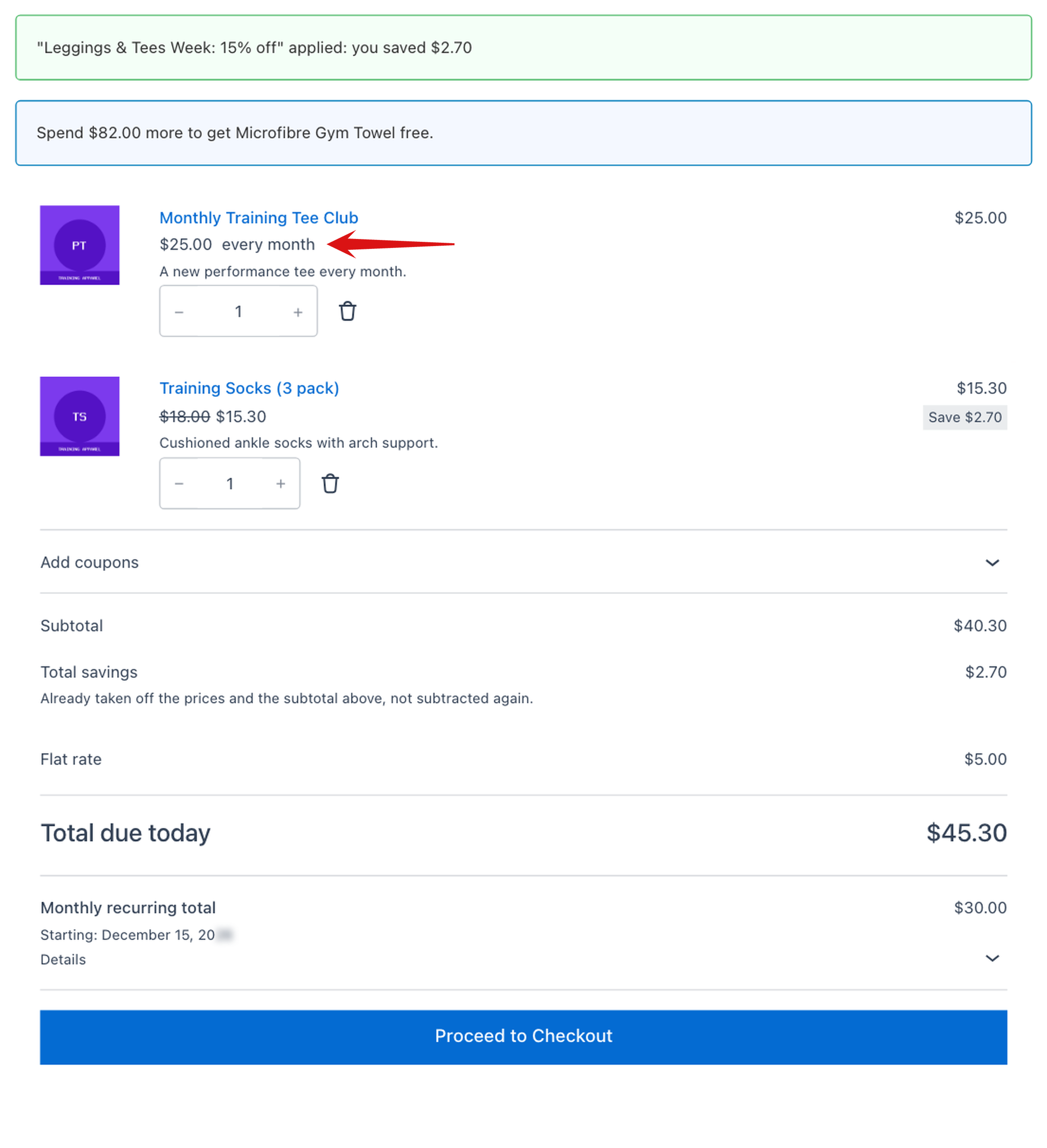
In the cart, the subscription stays at its plan price. The other product from the same category still gets the campaign discount. The cart notice at the top shows the saving on that product.
Checking a Subscription Product
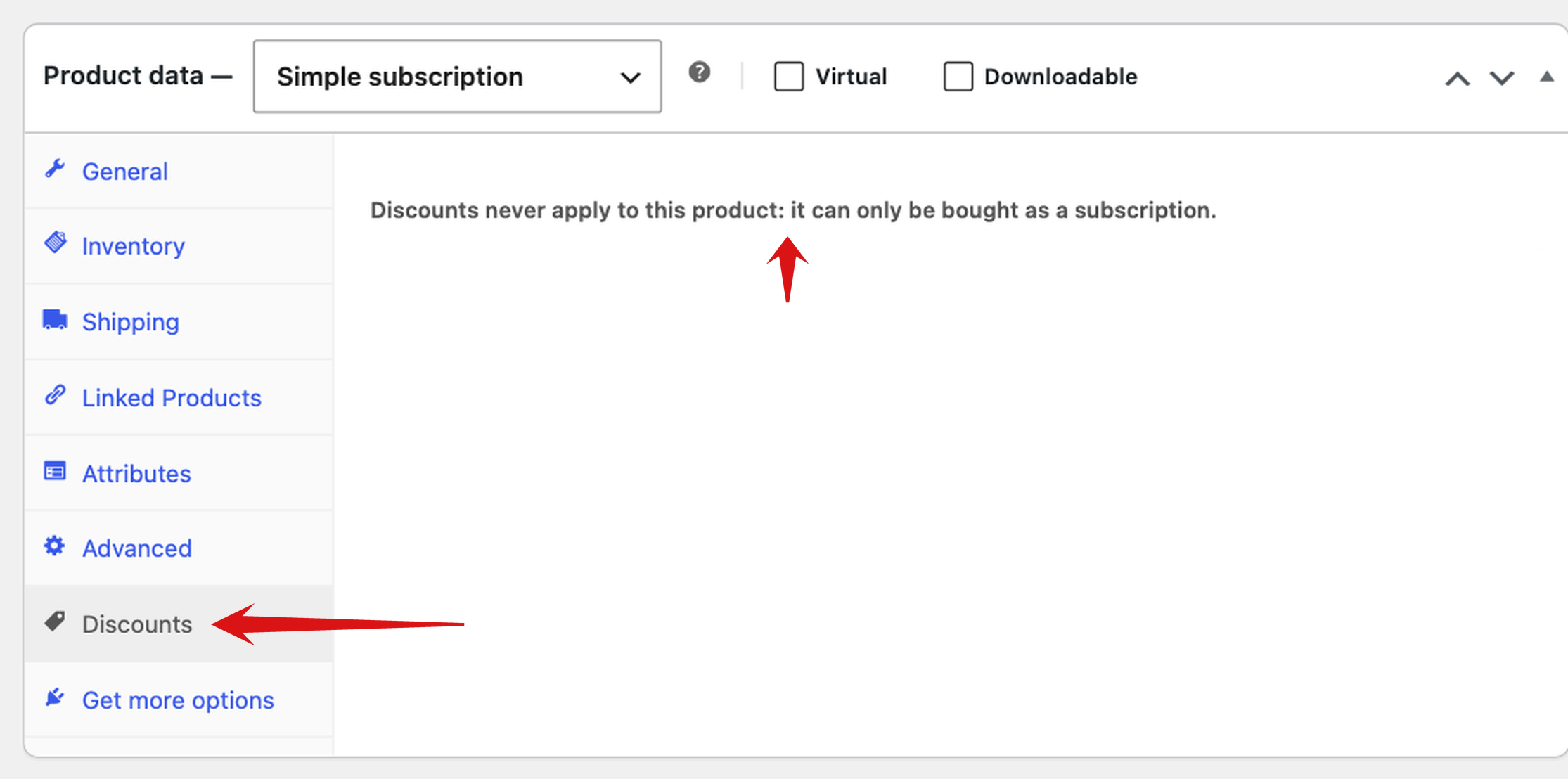
The Discounts tab of a subscription product also says that discounts never apply to it. To open this tab, edit the product and click Discounts in the Product data box.
Products sold only as a subscription do not appear in the free gift list in the campaign editor. This keeps a free gift from starting a subscription at checkout. If FunnelKit AI or another tool picks one as a gift, FunnelKit Discounts does not save the campaign.
How Renewals Show in Your Reports
The first order of a subscription counts in Analytics when a campaign discounted another item in that order. Its renewal orders do not count, because no campaign ran for them.
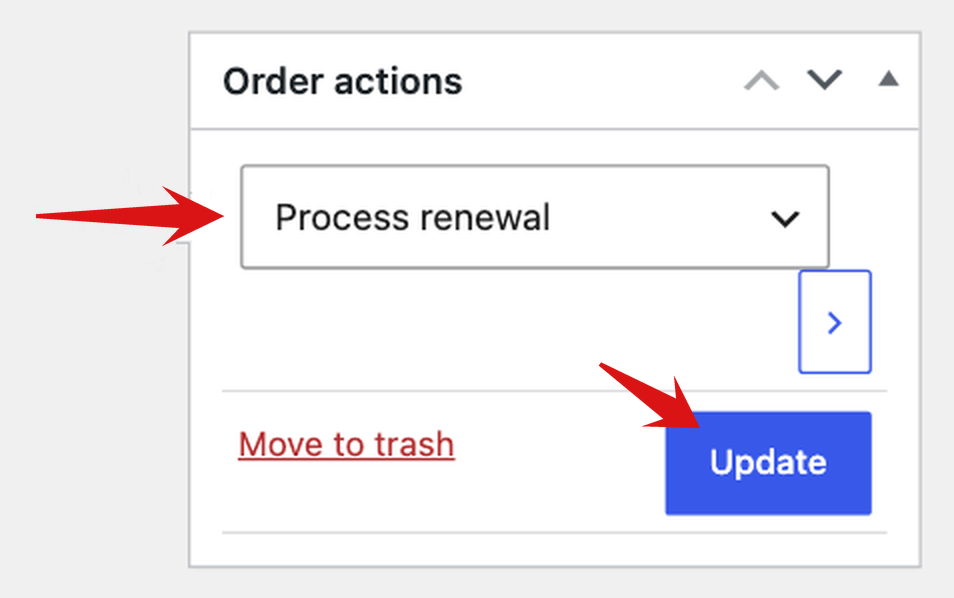
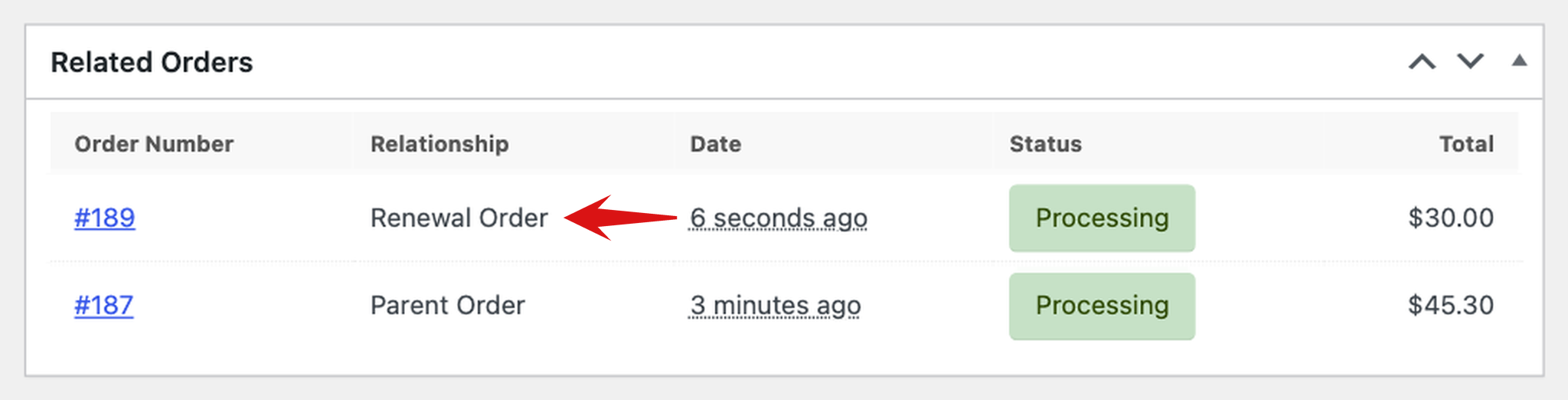
WooCommerce Subscriptions creates a renewal order on each payment date. To create a renewal by hand in this example, we selected Process renewal in Order actions and clicked Update.
The renewal order shows in the Related Orders box of the subscription. In this example, its status is Processing, the same as the first order.
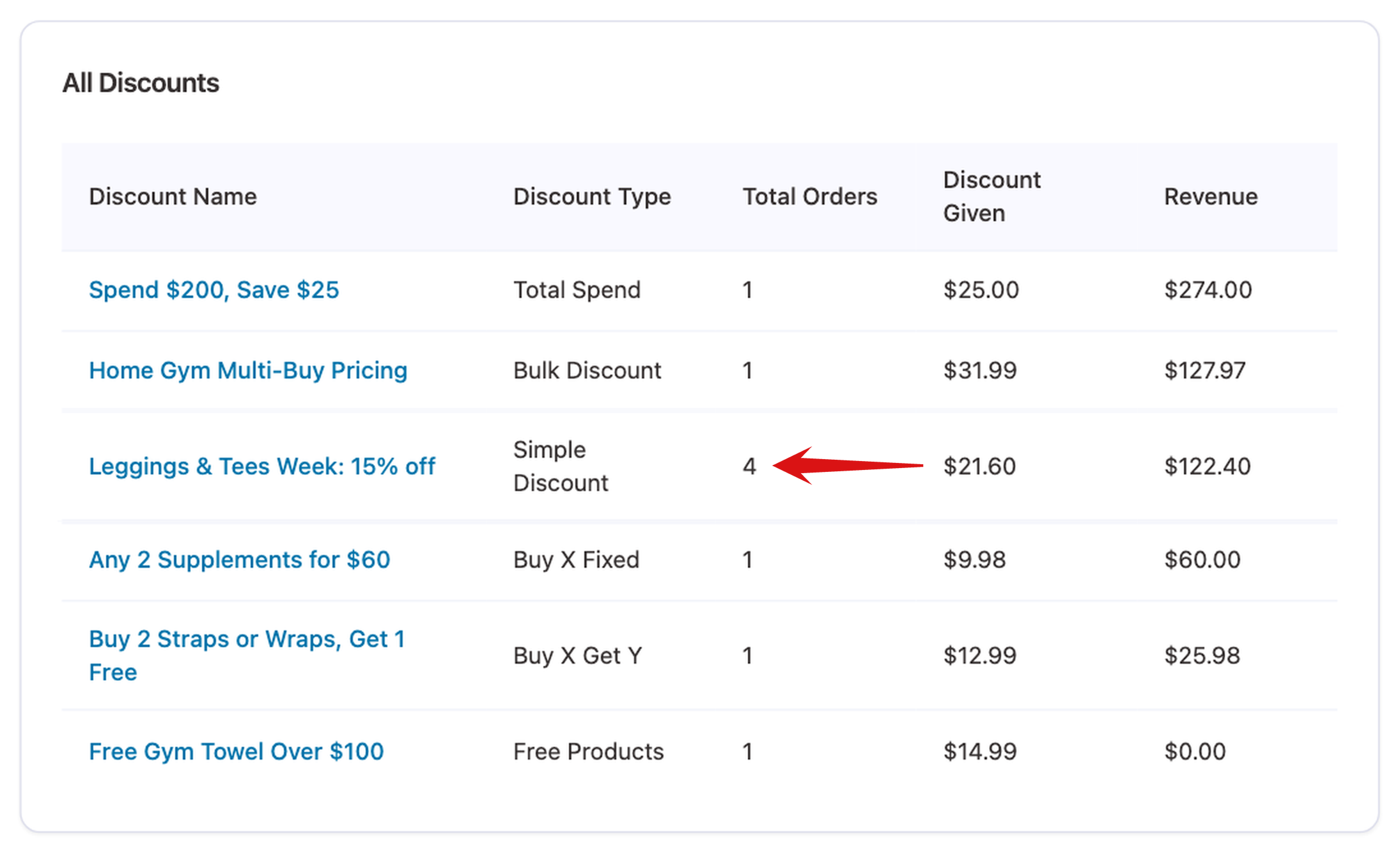
In Marketing » Discounts » Analytics, the campaign row does not change after the renewal. It still shows 4 orders, $21.60 discount given, and $122.40 revenue, the same values as before.
Sublium Subscriptions
With Sublium Subscriptions, your campaigns work like this:
- Plan items: campaigns skip cart items bought on a Sublium plan. Sublium keeps the checkout price for every renewal. This stops a short sale from lowering every future payment.
- One-time purchases: a one-time purchase of the same product can still get a campaign.
- Plan-only products: if a product can only be bought on a plan, its product page shows no campaign price. It also cannot be a free gift.
- Reports: renewal orders do not count in the Dashboard and Analytics.
FAQ
Do I need to set up the subscription plugins integration?
No. The integration works on its own once WooCommerce Subscriptions or Sublium Subscriptions is active.
Does a campaign discount my subscription renewals?
No. Subscriptions are always charged at their plan price, on the first payment and on every renewal.