FunnelKit Discounts has a built-in integration with product add-on plugins, such as WooCommerce Product Add-Ons. These plugins let shoppers pay extra for options, like engraving or gift wrap. With the integration, FunnelKit Discounts includes the add-on price in the price it discounts.
In this guide, we will explain how the product add-ons integration works with each campaign type.

How the Integration Works
FunnelKit Discounts treats an add-on as part of the item it belongs to:
- Percentage discounts: the discount applies to the product price plus the add-on price.
- Free items: a free gift or a free Buy X Get Y item is free with its add-ons too.
- Fixed price bundles: in a Buy X for Fixed Price bundle, the bundle price covers the item and its add-ons.
- Spend thresholds: the add-on price counts toward spend thresholds, such as a Total Spend minimum.
There is no setting to turn on. The integration works once the add-on plugin is active.
Percentage Discount Example
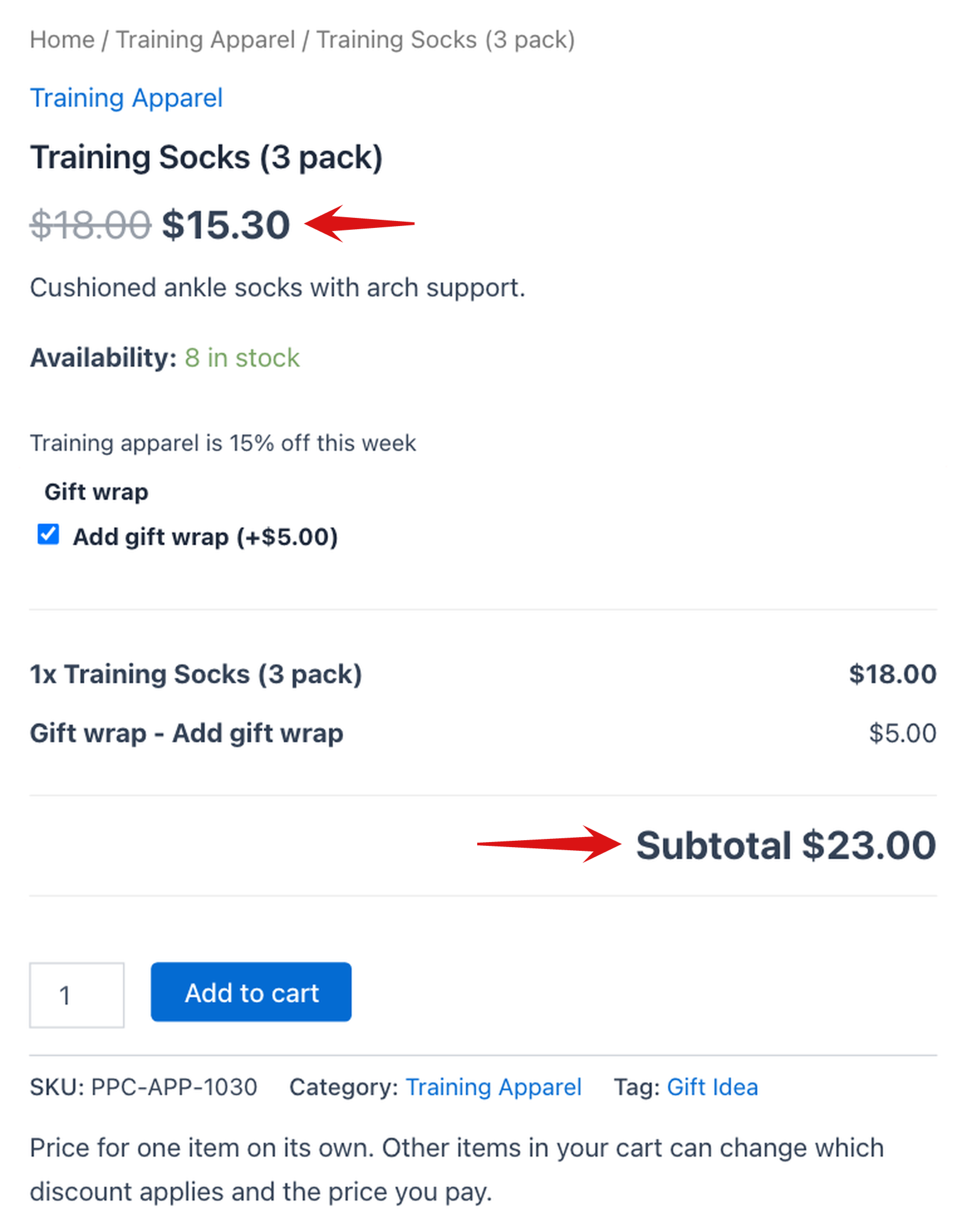
In this example, a sock product has a gift wrap add-on for $5. On the product page, the price under the product name is the campaign price for the product alone.
The subtotal box comes from Product Add-Ons. It shows the regular price plus the add-on, before the campaign.
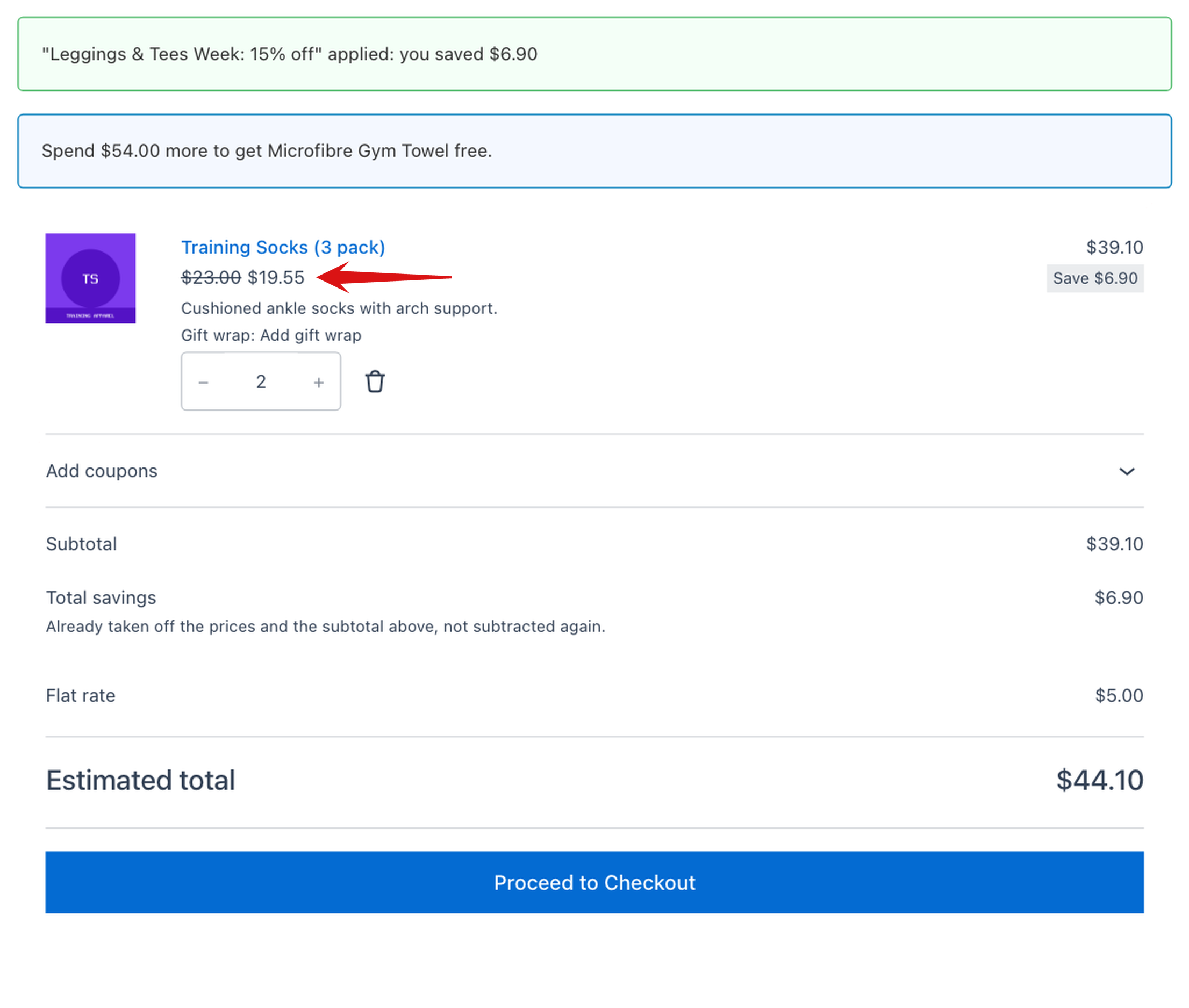
In the cart, a 15% campaign applies to the product and the gift wrap together. The $23 line price becomes $19.55 for each item.
Fixed Price Bundle Example
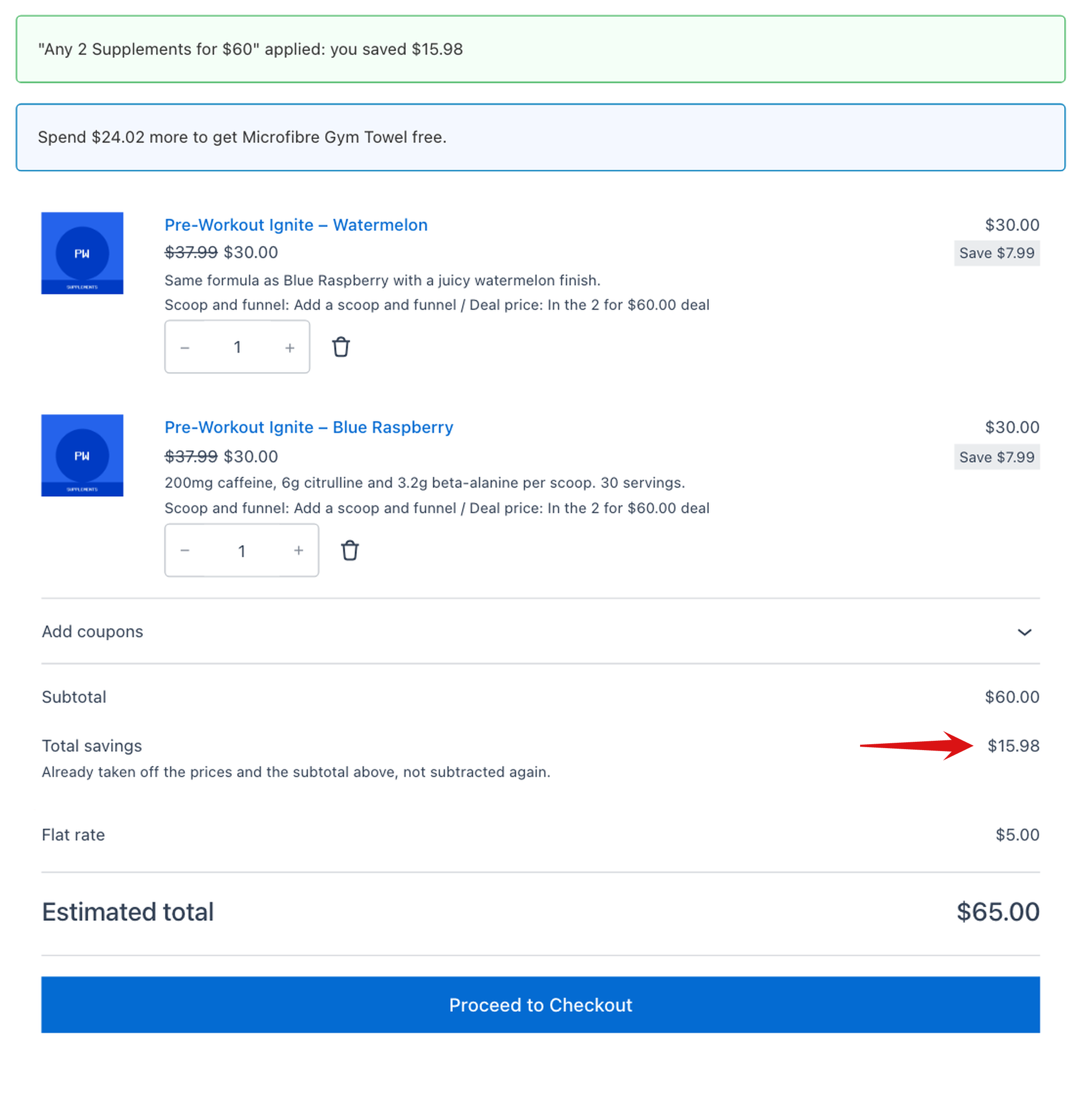
In a bundle of 2 supplements for $60, each supplement has a $3 add-on. Because the bundle price covers the add-ons, the cart subtotal is still $60. The Total savings line includes the add-on prices in the saving.
Things to Keep in Mind
- Products priced at $0: a product with a $0 price and a paid add-on can still get a campaign in the cart. Its product page does not show a campaign price.
- Currency switchers: FunnelKit Discounts measures the add-on price correctly with currency switcher plugins too.
- Other discounts: if another plugin already lowered an item’s price, the campaign replaces that discount. The 2 discounts do not combine.
FAQ
Do I need to set up the product add-ons integration?
No. The integration works on its own once your add-on plugin is active. Your campaigns include add-on prices automatically.
Why does the product page subtotal not show the campaign price?
The subtotal box comes from your add-on plugin, and it shows the regular price plus the add-on. The campaign applies in the cart, where shoppers see the discounted price.