


FunnelKit Square Gateway For WooCommerce supports Bank Transfer (ACH) debit payments, allowing you to collect payments directly from customers’ bank accounts through the ACH network with customer authorization.
Unlike card payments, ACH transactions may take 1–3 business days to process and settle.

In this guide, we’ll walk you through how to set up ACH debit payments in WooCommerce using Square.
Configuration
Step 1: Go to the Bank Transfer (ACH) Payments section under Square
Navigate to WooCommerce ⇨ Settings ⇨ Square and click on the ACH tab.
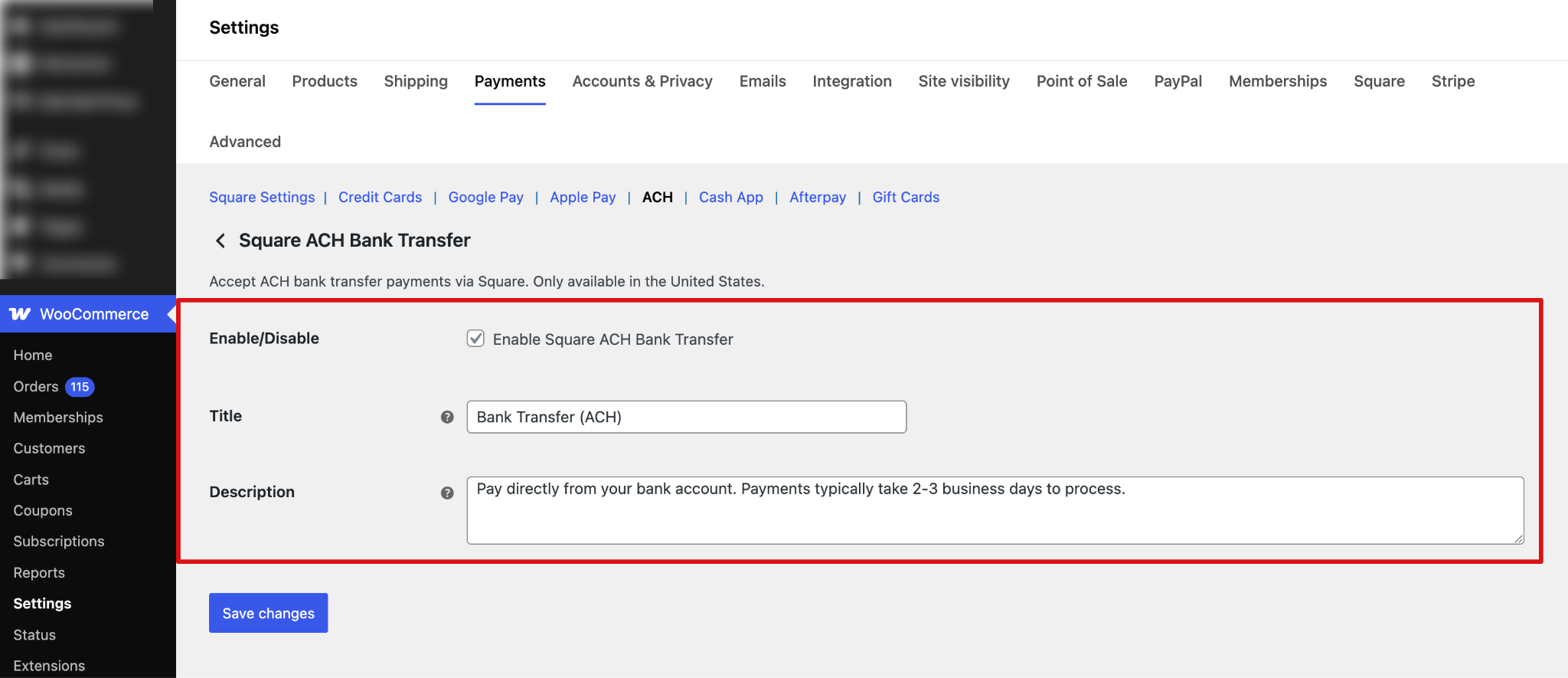
Step 2: Configure the Bank Transfer (ACH) option
Next, configure all the ACH settings:
- Enable/Disable: Enable this option to allow customers to pay using Square ACH bank transfers at checkout.
- Title: This controls the payment method title displayed to customers during checkout. Default: Bank Transfer (ACH)
- Description: This controls the description shown to customers at checkout. Default: Pay directly from your bank account. Payments typically take 2–3 business days to process.
Make sure to hit “Save Changes”.
Testing
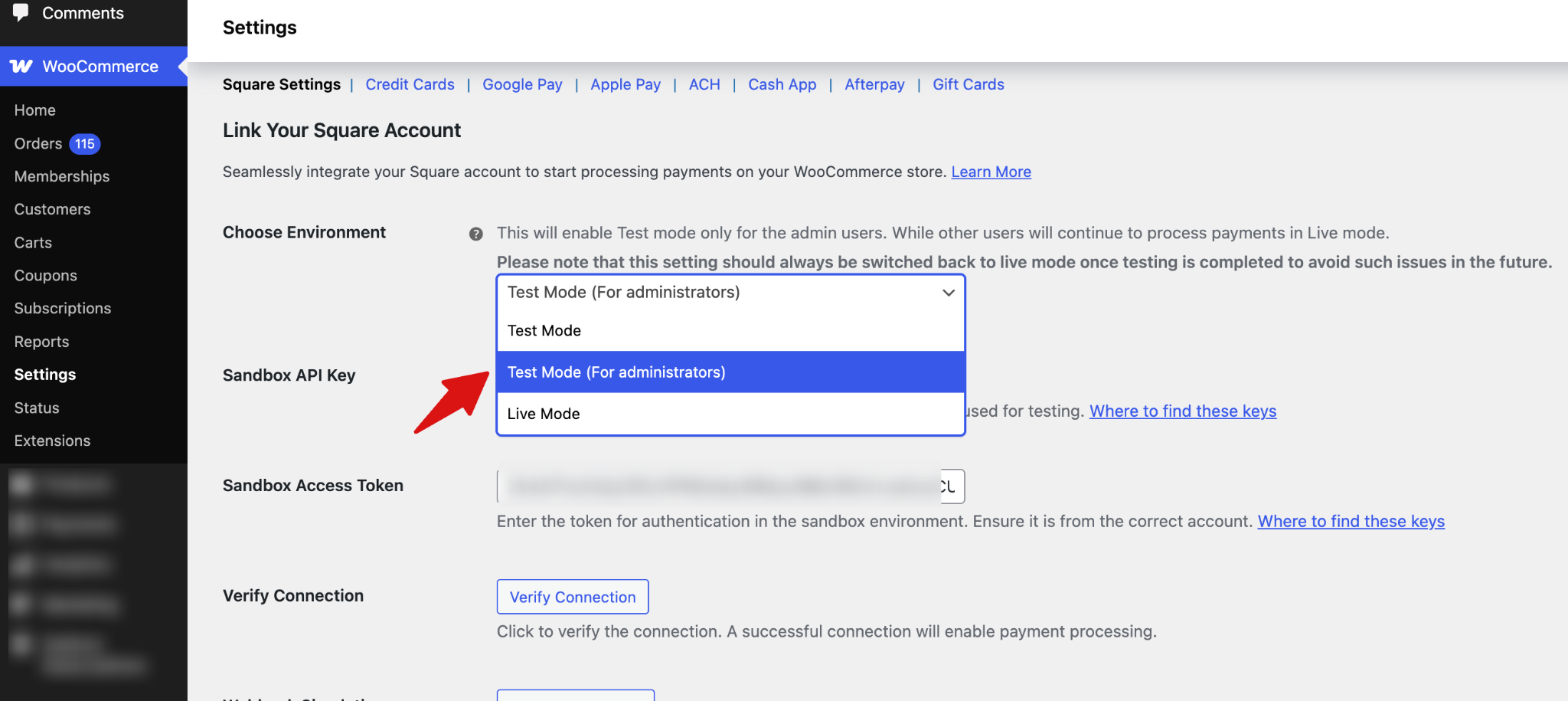
Ensure you’ve enabled test mode. With FunnelKit Square Gateway for WooCommerce, you can enable administrator-only mode so that payment processing is restricted to admin users during testing.
This does not affect the customer experience. Customers continue to see and use the live checkout as normal, while only admins are able to test transactions in a controlled environment.
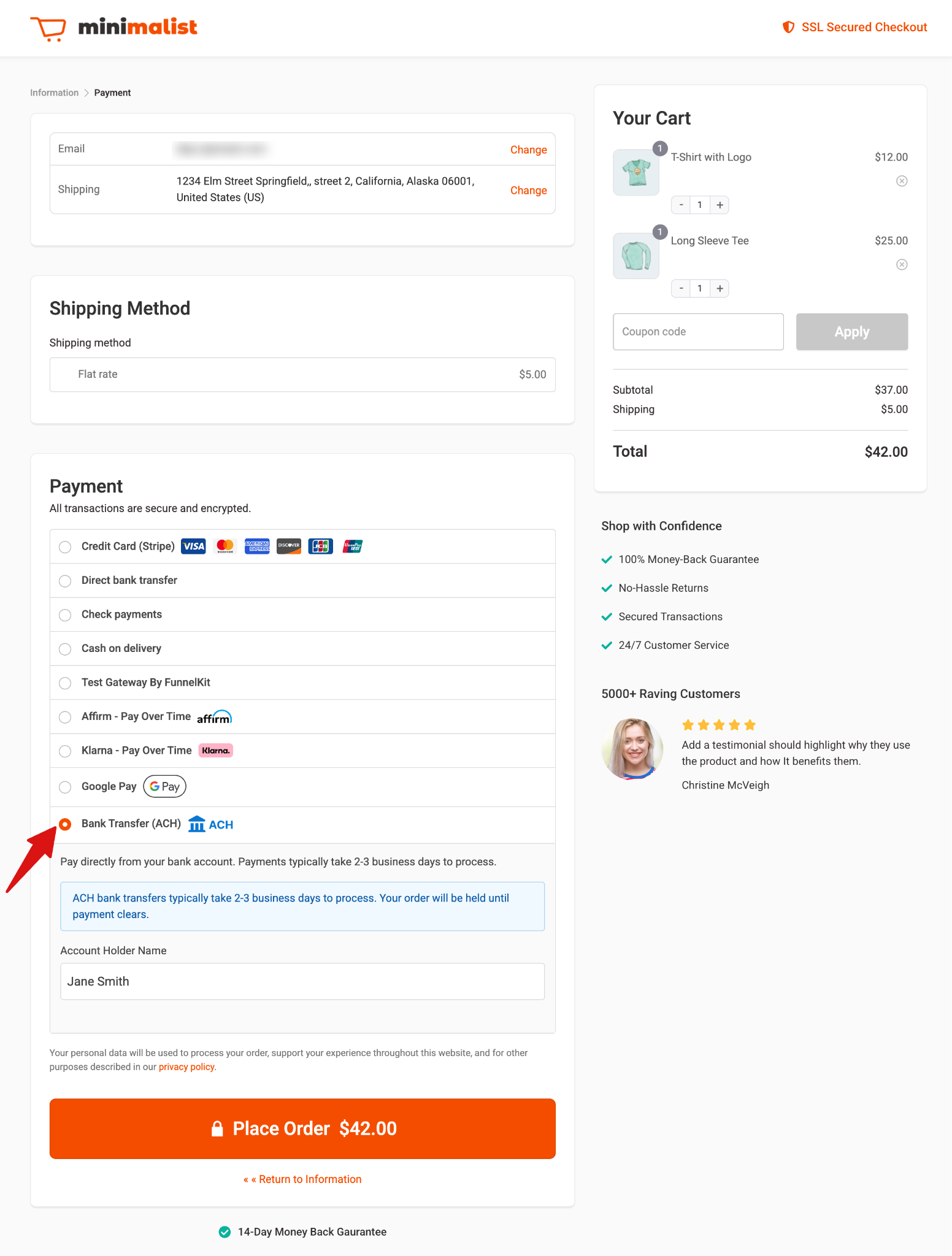
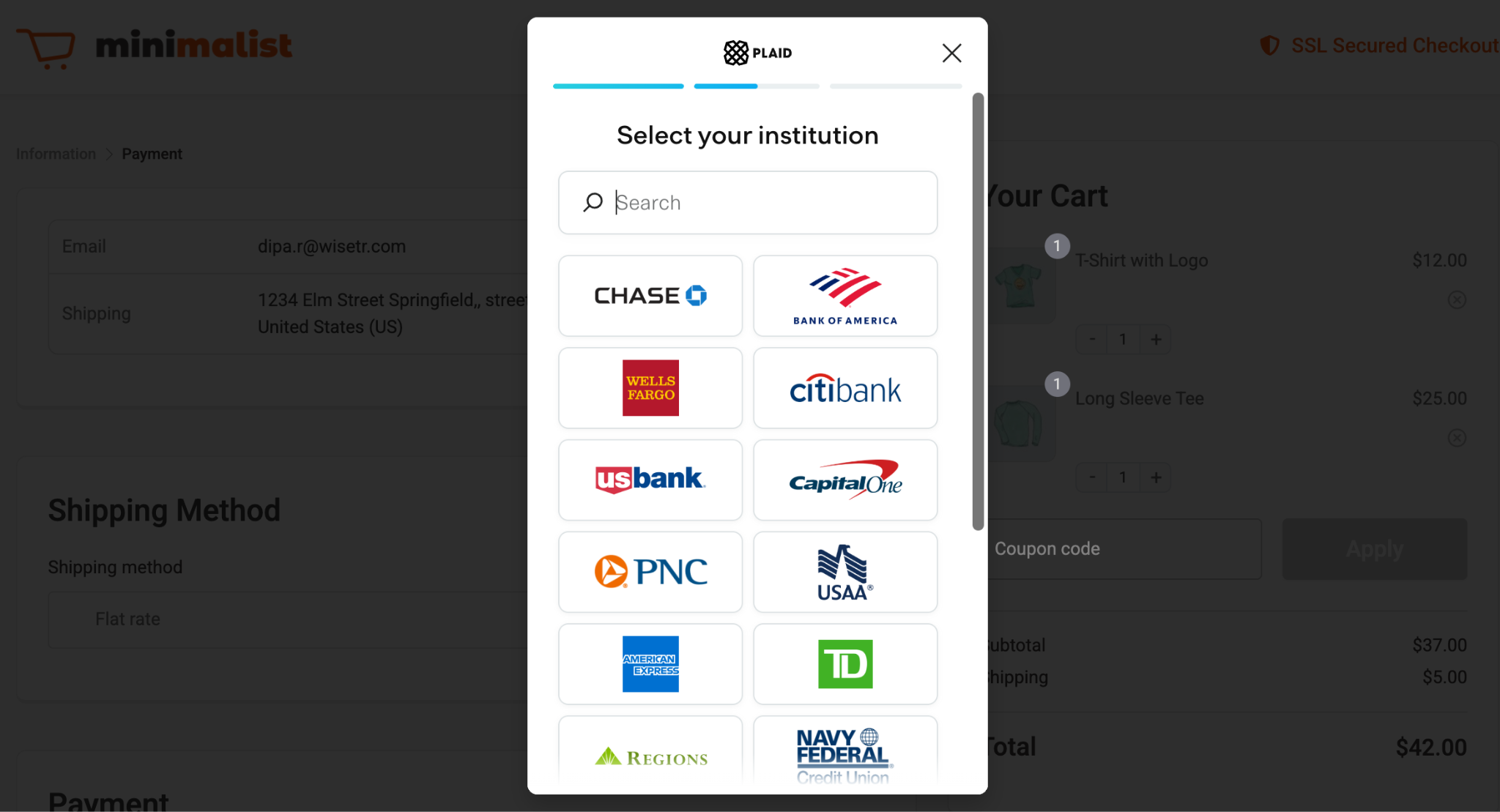
Next, place a test order to check if the payment option is working fine.
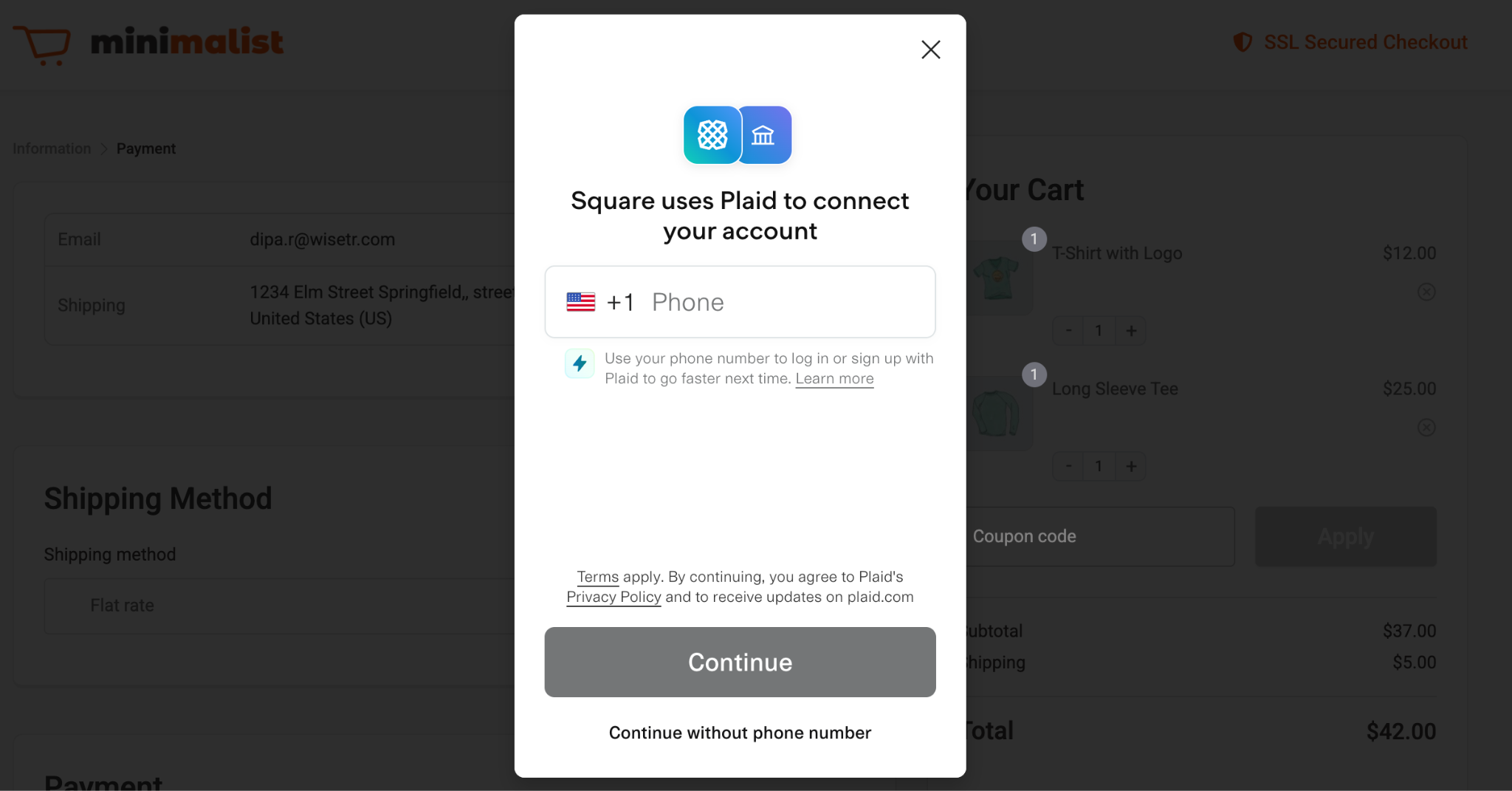
You can connect to your account with your mobile number via Plaid.
Or, select the bank and share the bank details.
After a successful test order, monitor the transaction logs and Square’s transaction history for test transactions.
Switch from Sandbox to Live Mode by changing the Environment in Square Settings.
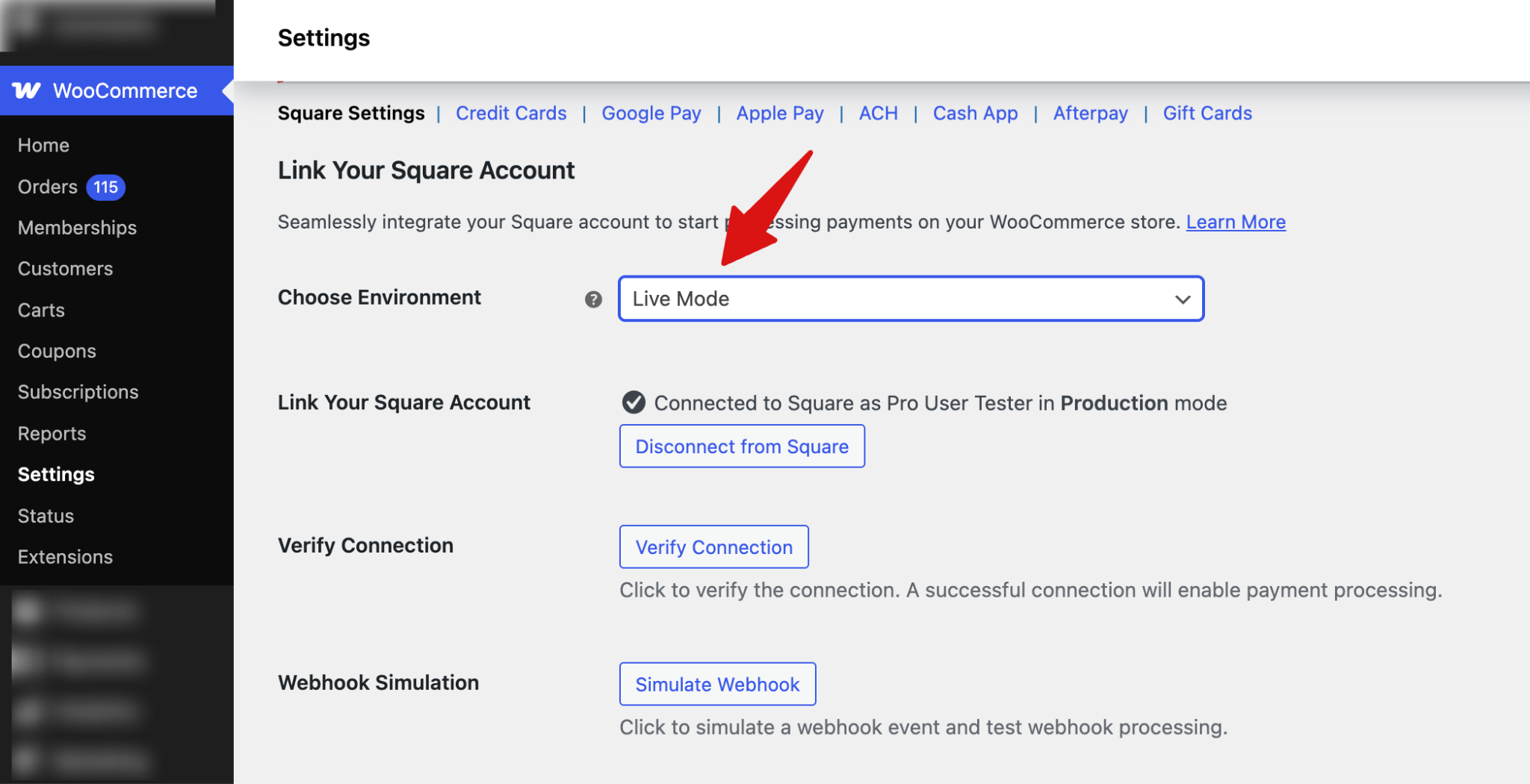
Save the changes when done.
This is how you can set up and test ACH payments through the Square WooCommerce gateway.


