


When we launched Upstroke one click upsells, we only had one aim in mind that it should help store owners make more money from existing traffic.
And that's what it does.
But how do you know how much it's contributing to your revenues?
Measurement is essential to scaling up.
Upstroke customers echoed the same concern, they wanted to see what was happening at the backend. And how people were interacting with their upsell offers.
They wanted to know what offers were consistently getting rejected and which of those were being repeatedly accepted by different users.
Fair enough.
Because if you don't have answers to these critical questions, you're basically shooting arrows in the dark.
And we didn't want it to be the case.
Hence we've launched the reporting add-on.
You can get One Click Upsells from here.
Watch the video on the reporting add-on to understand the superpower that's now at your disposal:
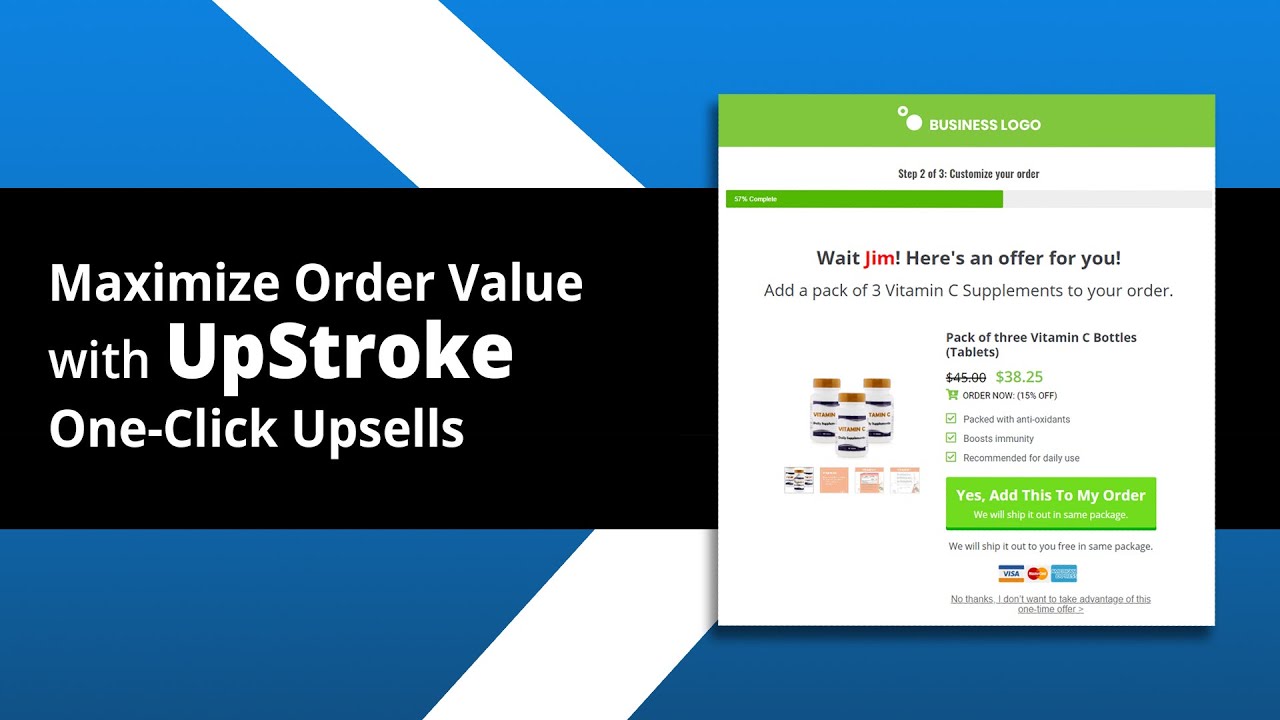
Now let's discuss what you'll get with the new reporting functionality:
Table of Contents
1. Get a Timeline View of Users Interaction with Your Funnels in Real Time
Go to WooCommerce ⇨ Orders and click on a specific order you would like to view.
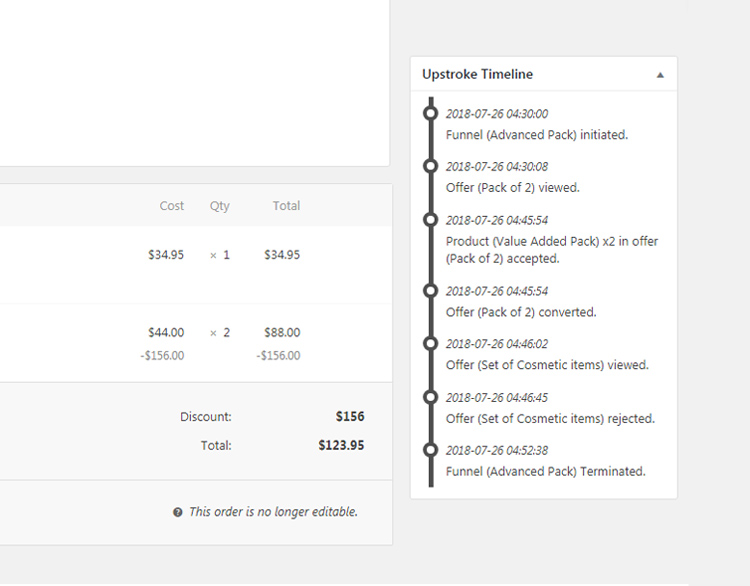
You'll see a detailed timeline view. This gives you a second-by-second update of how users are Interacting with your upsell offers in real time. This data does two things:
1. It ensures that your funnels are getting triggered and everything is working well
2. It tells you how much time they're spending on each of your offers
It also tells you which specific offers in the funnel they are saying yes to and which ones they're rejecting.
2. Get a Macro View of One-Click Upsells' Contribution to Your Total Sales
Go to WooCommerce ⇨ Reports ⇨ Upsells.
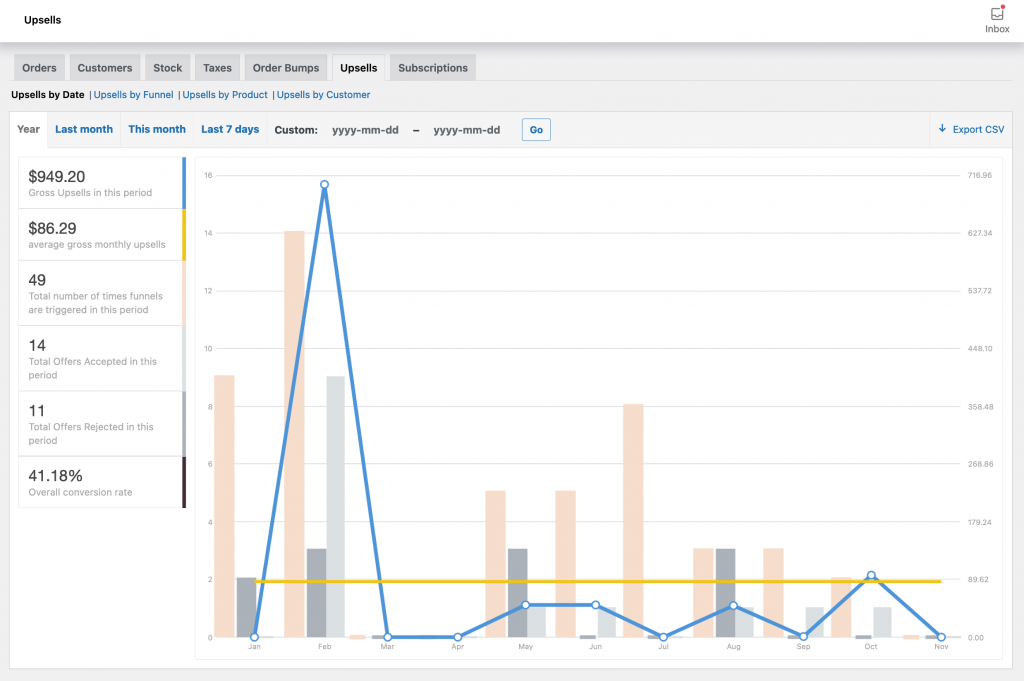
Here you'll see a graphical representation of gross upsell sales in a week, month, or between two custom dates.
You can also see your gross daily sales, the number of times funnels got triggered, the number of offers accepted, rejected, and the overall conversion rate of your funnel.
This will help you take stock of how things are working at a big picture level and connect the dots.
3. Track Your Sales by the Products You're Upselling
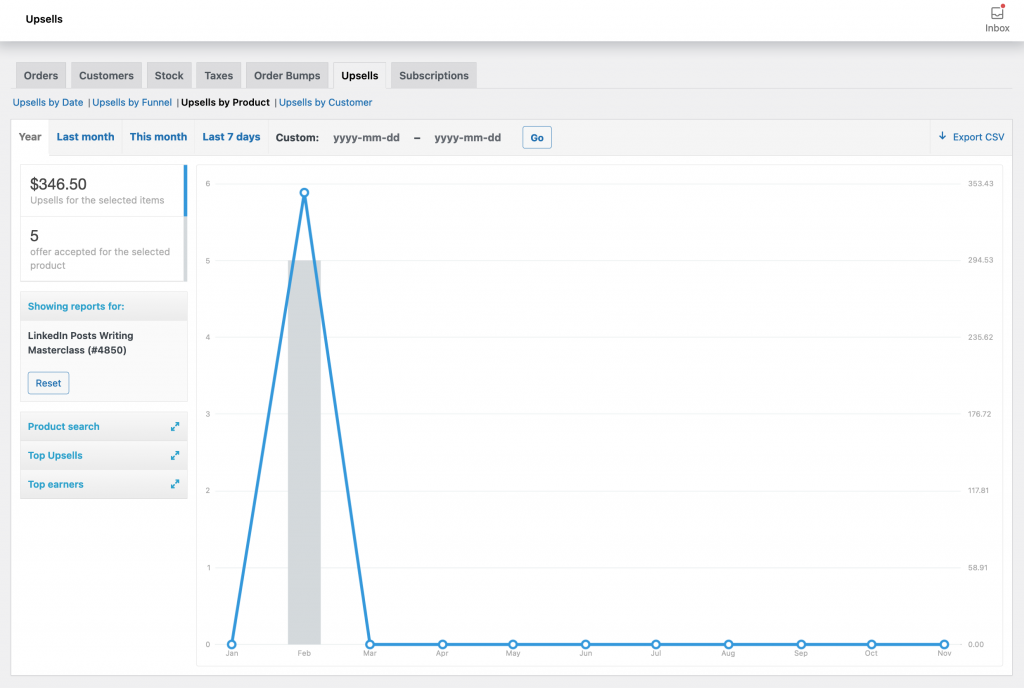
Know your top-selling upsells and top earners i.e how much money every upsells made in a chosen period of time.
You'll get an insight into which products are specifically contributing the most to your revenues.
This information will help you identify your top earners so that you can scale them up.
4. Track Your Revenues at the Funnel Level
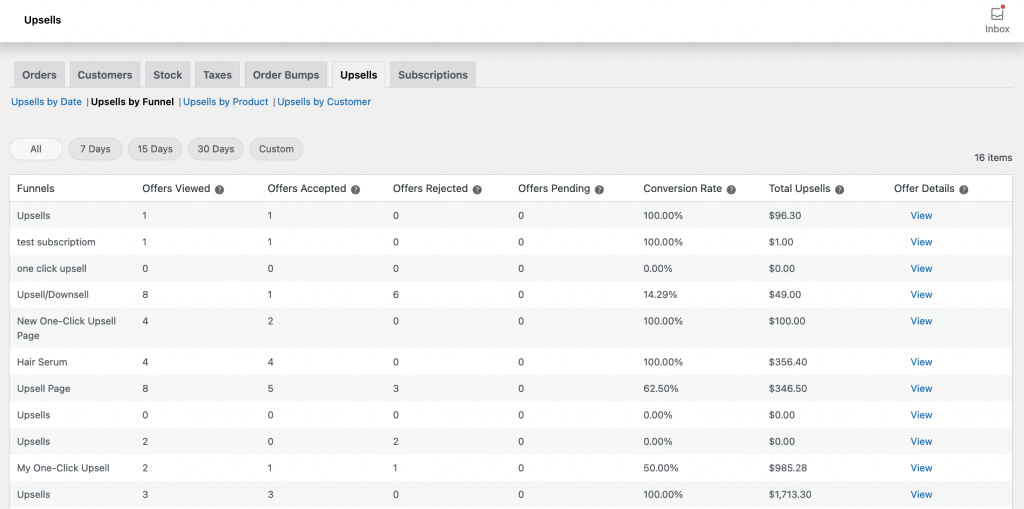
Find out how many offers in a specific funnel were viewed, accepted, and rejected within WooCommerce Reports.
Know the conversion rate of every funnel and compare one funnel against the other.
Keep offers that are converting well and tweak or kill those that are falling flat.
Again knowing your numbers is the key to scaling your revenues.
So no more shooting arrows... oops upsells in the dark. Make knowledge your arsenal.
What to do next?
If you are on the UpStroke PowerPack or Funnel Builder Pro, sit back and relax. The new add-on will show up on your dashboard.
You cannot scale what you cannot measure.
Knowing how your users are interacting with your upsell funnels can help you tweak them for better results.
However, if you don't have the right information at your disposal, upselling will at best be guesswork.
You can also get the expansive power of creating sales funnels on your website by purchasing Funnel Builder here.

Editorial Team
October 1, 2026A WooCommerce Google Analytics integration can make your store’s revenue look twice as high as it actually is if the tracking is set up incorrectly and GA4 won’t even necessarily...

Editorial Team
September 30, 2026Quick answer: A quiz funnel is a multi-step interactive path that replaces a static lead form where visitors answer 5-8 questions, opt in with their email, and receive a personalized...
Editorial Team
September 29, 2026A WooCommerce checkout template controls how your checkout page looks and works, and it's the last screen a shopper sees before paying. The default WooCommerce checkout does the job, but...






