


FunnelKit Payment Gateway for PayPal WooCommerce allows you to securely accept PayPal payments directly on your WooCommerce store with seamless integration and optimized checkout performance.
Follow the steps below to install and activate the plugin on your WordPress site.
Prerequisites
Before installing the FunnelKit PayPal Gateway plugin, make sure you have the following in place:
- WordPress: Ensure your WordPress site is running the latest stable version.
- WooCommerce: The plugin is designed to work exclusively with WooCommerce, so you must have WooCommerce installed and active.
- Administrator access: You’ll need admin rights to install and activate plugins.
- SSL certificate (recommended): For secure transactions, we recommend using HTTPS.
How to Install the WooCommerce PayPal Gateway Plugin from the WordPress Dashboard?
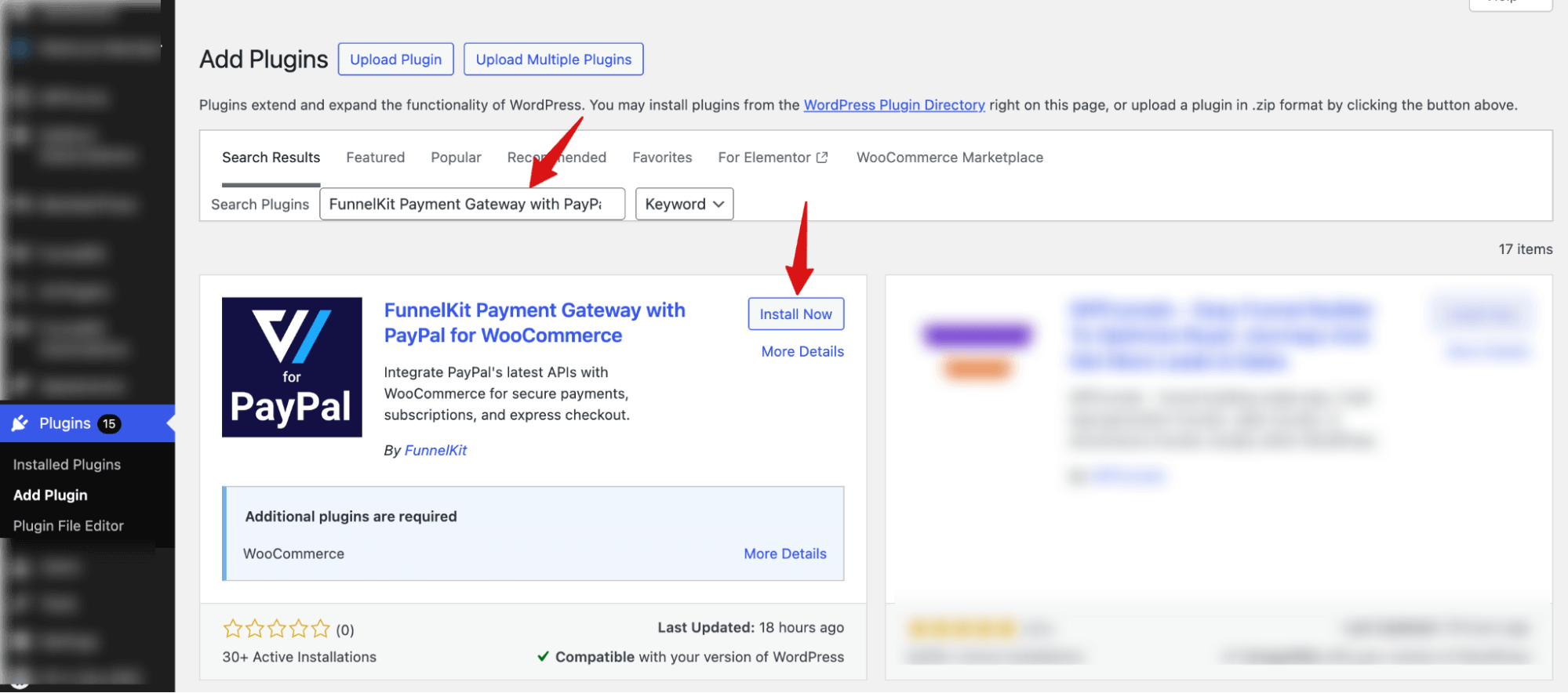
Log in to your WordPress Admin Panel. Navigate to Plugins ⇒ Add Plugin. In the search bar (top right), type: “FunnelKit Payment Gateway with PayPal for WooCommerce”.
Locate the plugin in the search results. Click on the “Install Now” button.
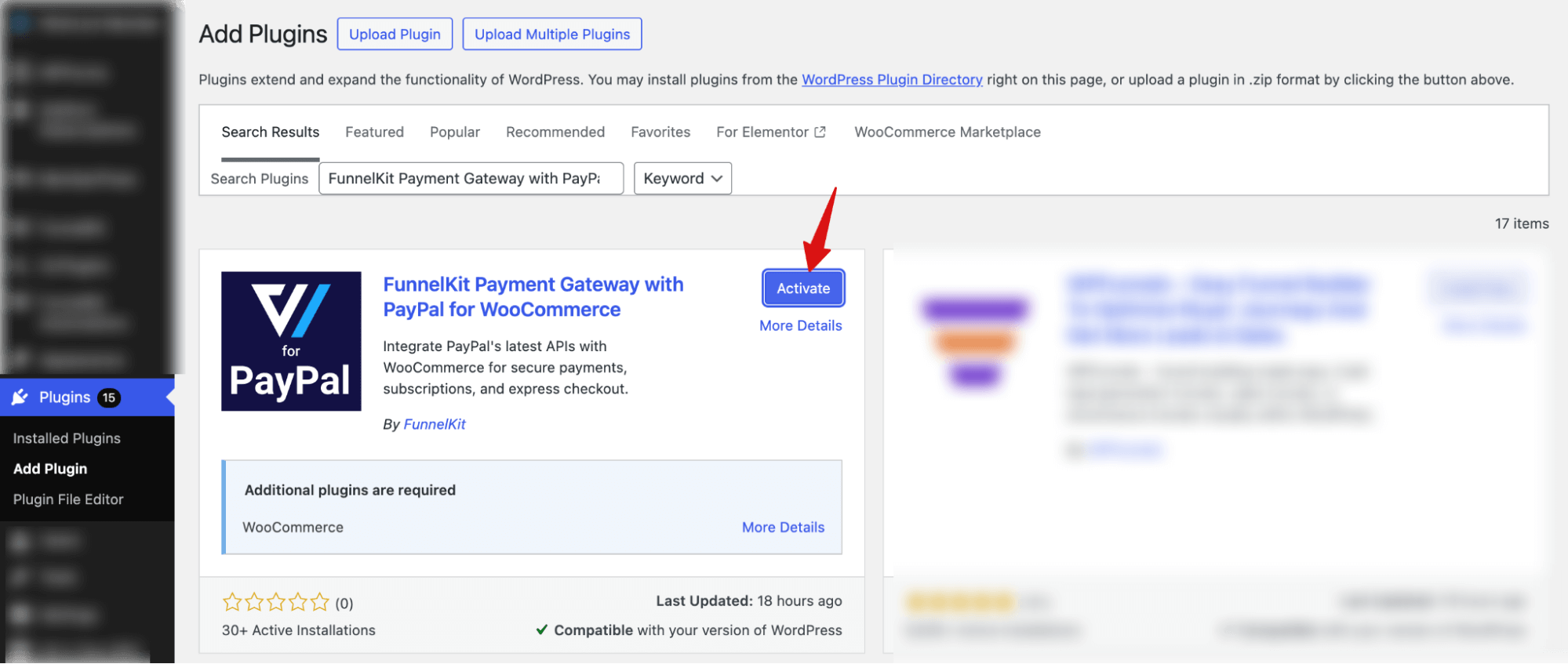
Once the installation is complete, click “Activate” to enable the plugin.
What’s Next?
The plugin is now installed and active. However, it won’t start processing payments until you connect your PayPal account and configure the settings.


