


FunnelKit Payment Gateway for PayPal WooCommerce supports both Sandbox (Test Mode) and Live (Production Mode) environments.
This flexibility allows you to safely test your payment setup before going live with real transactions.
Sandbox Mode (Testing Environment)
Sandbox mode is designed for testing and development. It lets you simulate payments without charging real money.
This is ideal when you’re:
- Setting up the plugin for the first time
- Testing different payment flows
- Verifying webhook events, refunds, or disputes
How Sandbox Works
Transactions are processed using PayPal Sandbox Accounts (created in the PayPal Developer Portal)
There is no real money involved or transferred.
Under WooCommerce PayPal settings, select Sandbox under the Environment dropdown and provide the necessary information.
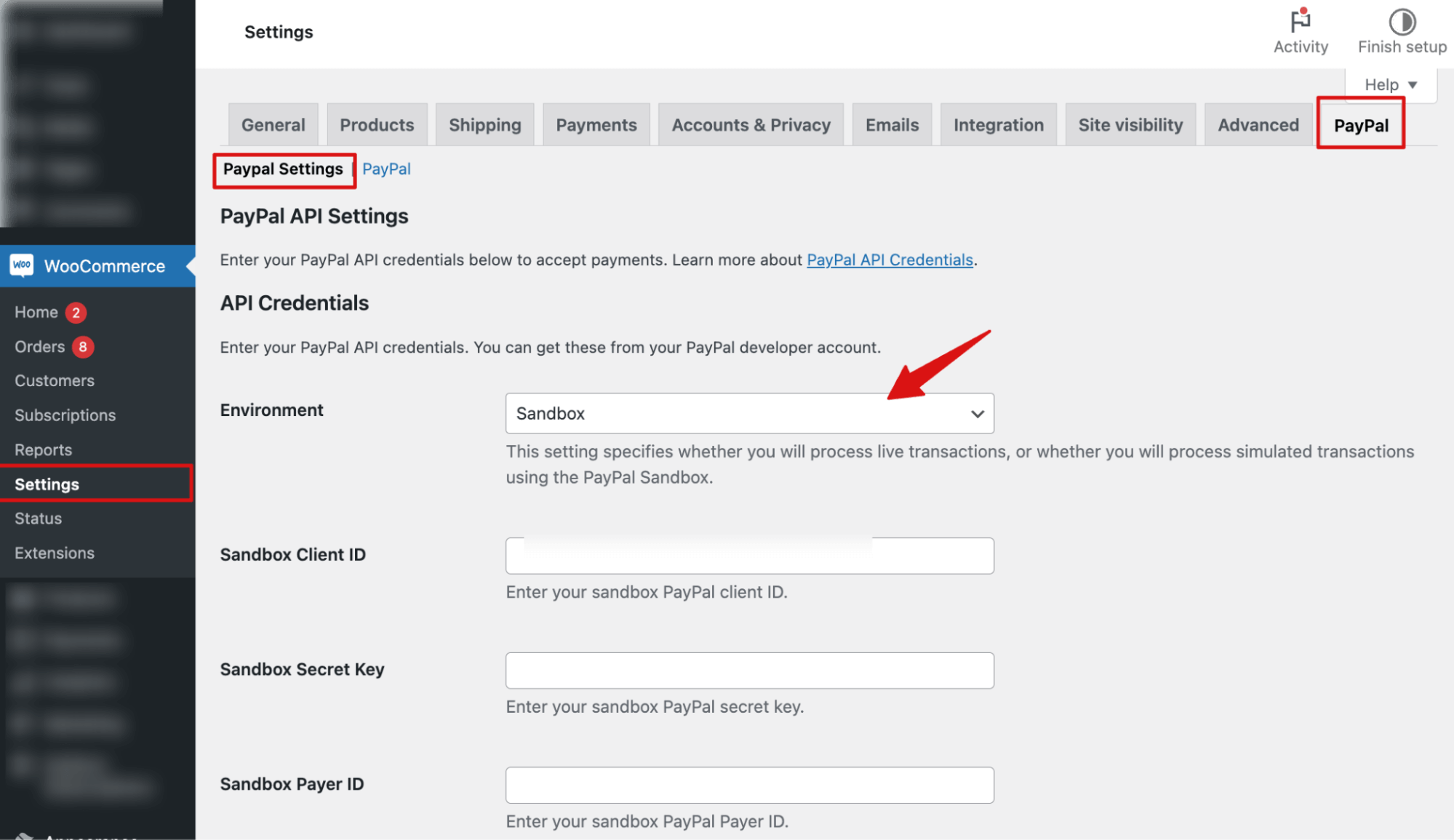
Save the changes when done.
Live Mode (Production Environment)
Live mode processes real customer payments and deposits funds directly into your PayPal account.
Switch to Live mode only when you’ve finished testing in Sandbox or you’re ready to accept payments from actual customers.
Configuring Live Mode in FunnelKit
In your WordPress Admin, go to WooCommerce ⇨ Settings ⇨ PayPal.
Under Environment, select Live and provide the necessary information.
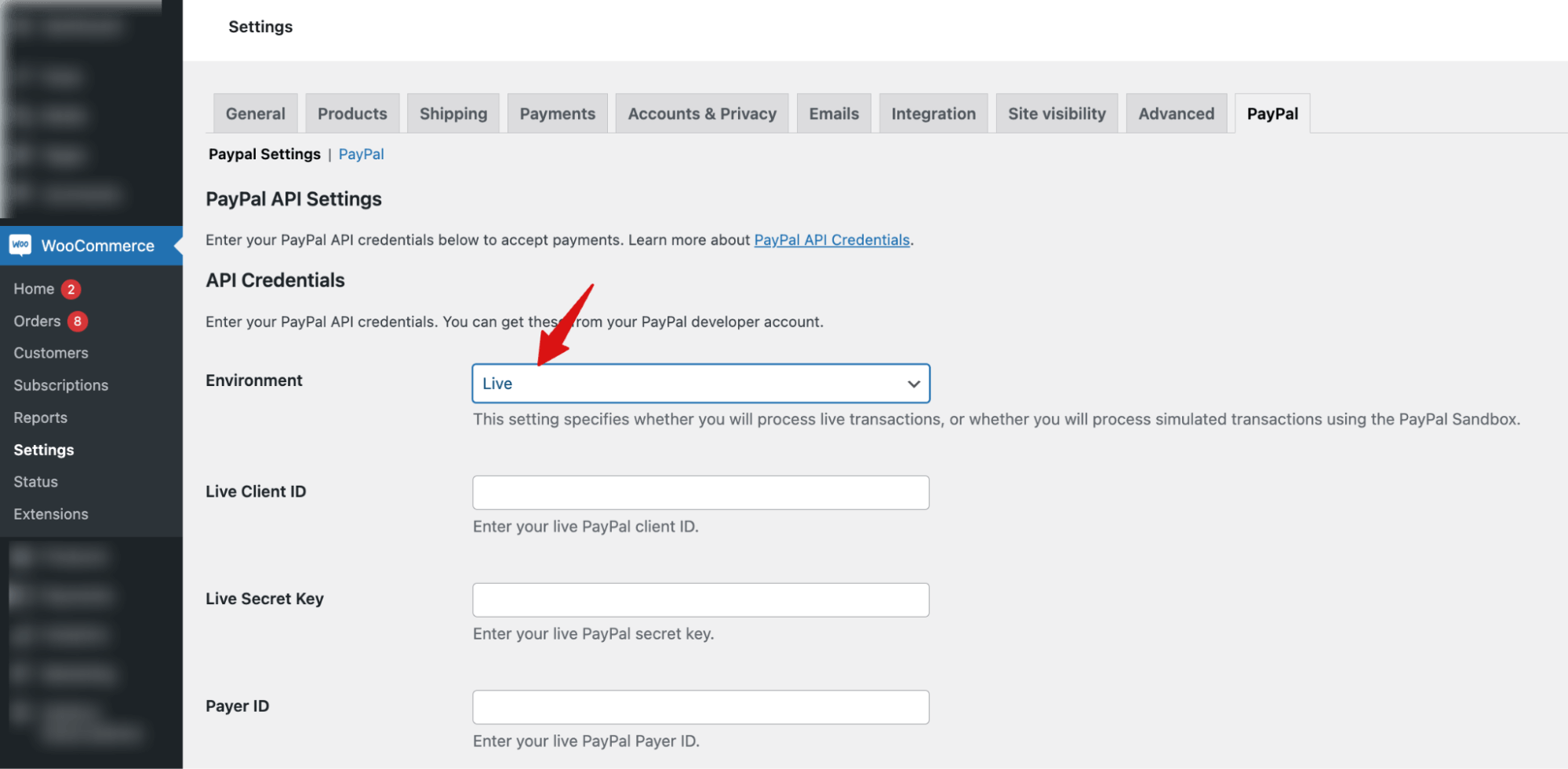
Once done, save your settings.
Your WooCommerce store is now ready to accept live PayPal payments.


