
FunnelKit
FunnelKit Documentation
Get unstuck with our helpful reference material

Does FunnelKit Stripe allow the user to move the Express Checkout buttons for Apple and Google to the Card section of the checkout page?

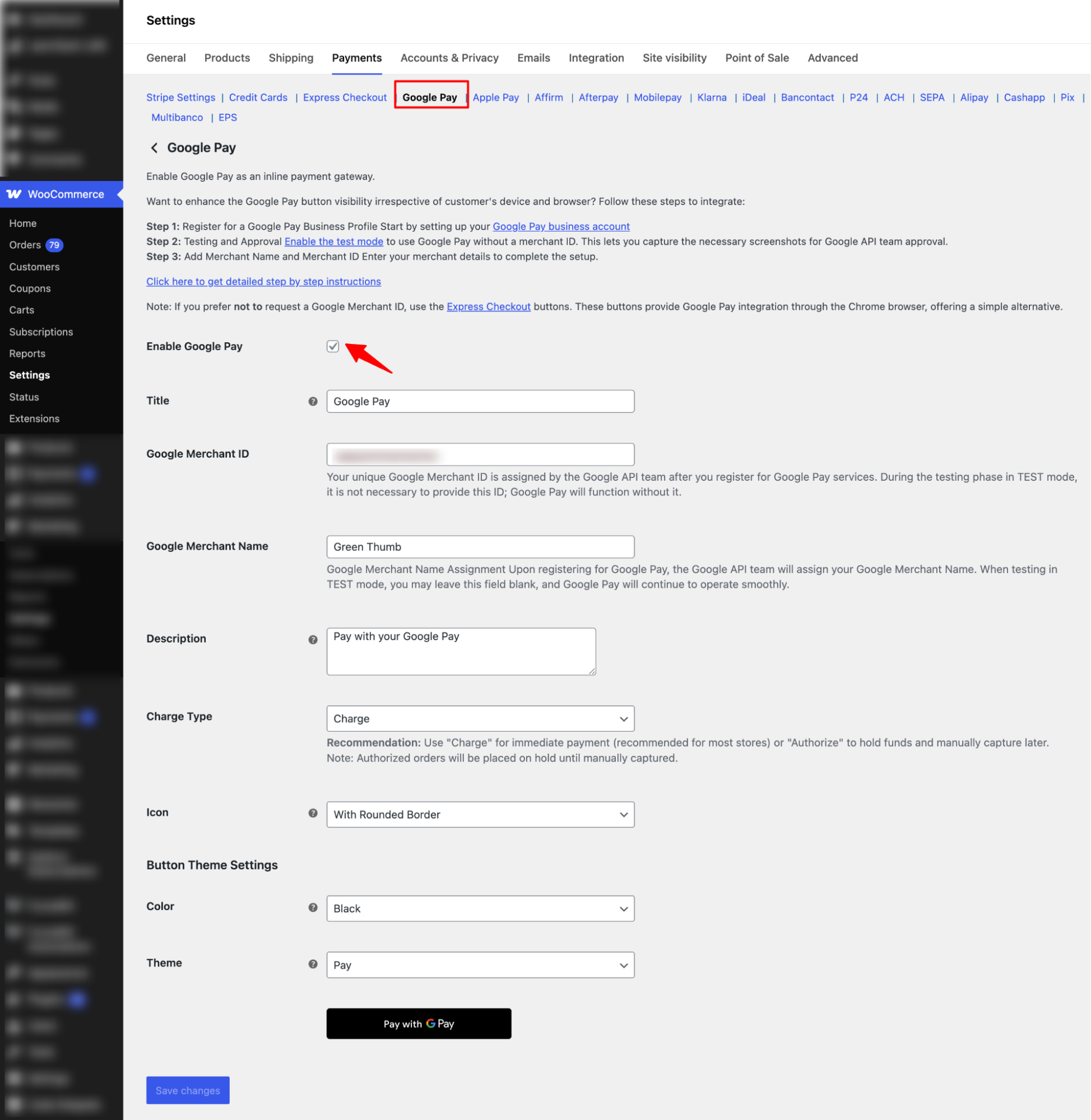
Yes, it does. For this, after setting up the FunnelKit Stripe plugin, navigate to WooCommerce ⇒ Settings ⇒ Payment. Then, Manage Stripe Gateway. 

Now to add Google Express checkout to the Card Section check “

Enable Google Pay”, set the Google Merchant ID. 
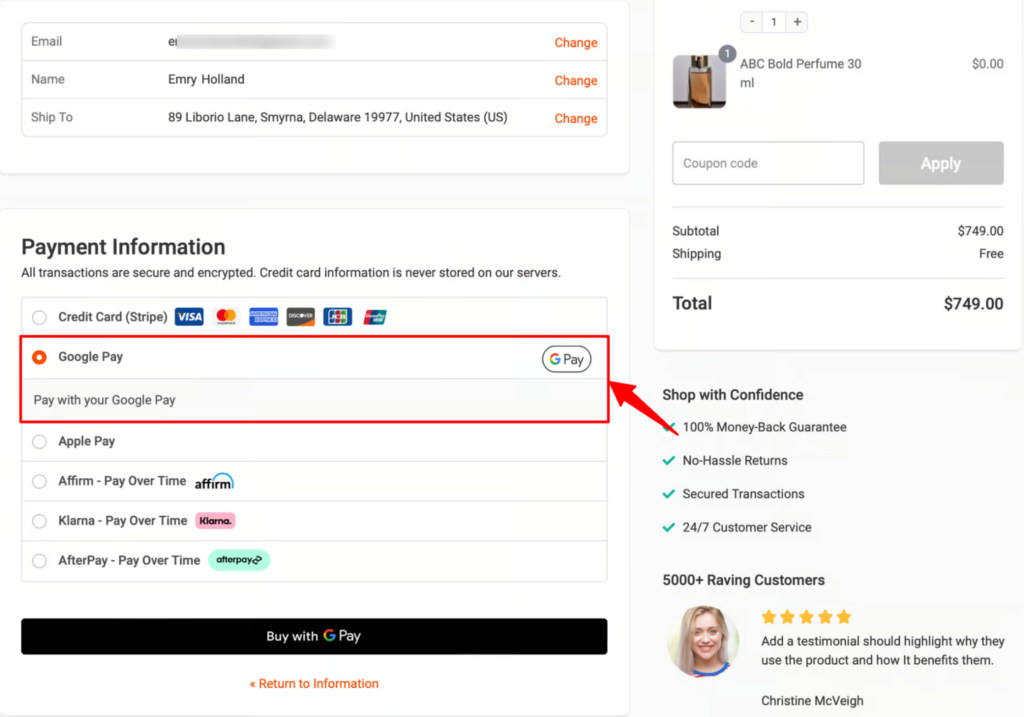
Now, it will appear on the inline with a credit card. 
Similarly, you can switch to the Apple Pay tab and enable the Inline option. 
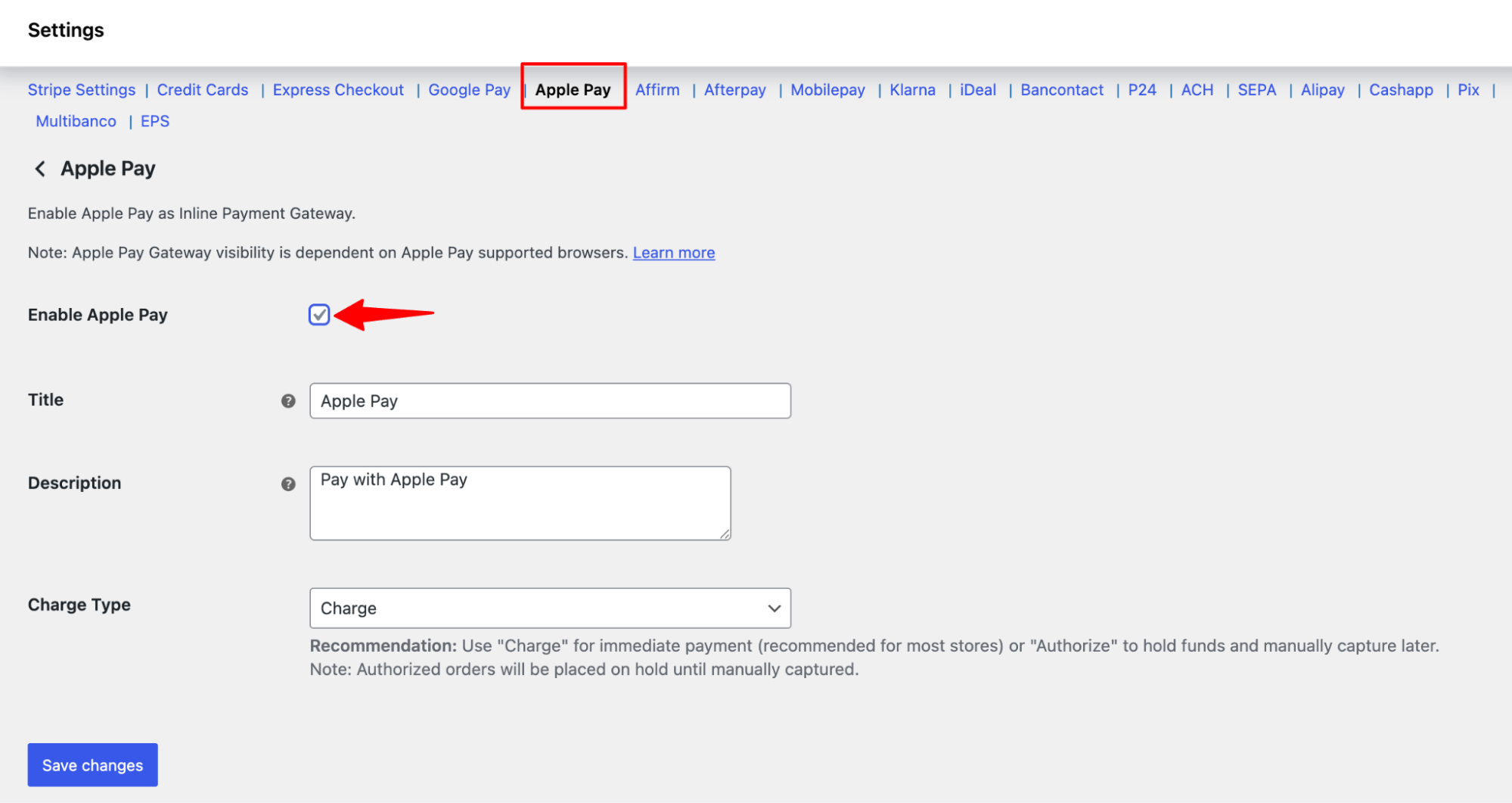
Similarly, you can switch to the Apple Pay tab and enable the Inline option.

Ready to Transform Your Store?
Join 39,415+ successful store owners who trust FunnelKit to power their businesses.
Conversion Optimized Checkout Pages
Increase Revenue with Smart Upsells
Capture Emails & Recover Abandoned Carts
Automate Winbacks & Repeat Sales
970+ 5 star reviews on WordPress.org
Transform your store to power your business with FunnelKit
🚀 Maximize Your Profit with FunnelKit – Highest Rated with 970+ 5-Star Reviews
Get Started
