


Finding a WordPress sales funnel builder that actually works is harder than it looks.
Most plugins on the market do one or two things well and quietly skip the rest. You install them, build your funnel, and only discover the gaps when you realize there is no post-purchase flow, no A/B testing, or no analytics to tell you where buyers are dropping off.
We started with 15 WordPress funnel builder plugins. We installed each one on a live WooCommerce test store, built a complete funnel from landing page to post-purchase, and measured against a checklist.
Six made the cut. The rest did not.
In this blog, we'll share our picks for the 6 best WordPress sales funnel builders and highlight the features each plugin offers to help you choose the right one for your store.
| Sales Funnel Builder Plugin | Best For | Free version | Starting price |
|---|---|---|---|
| FunnelKit Funnel Builder | Any stores that want a complete funnel system with checkout optimization, upsells, analytics, and automation | Yes | $99.50/year |
| WPFunnels | Stores that prefer a visual canvas-style funnel builder for structured funnels like courses, coaching, and digital products | Yes | $103.99/year |
| CartFlows | Stores that want a simple step-based funnel builder focused on basic checkout optimization and upsells | Yes | $199/year |
| OptimizePress | WordPress creators selling courses or digital products who want an all-in-one funnel system with built-in checkout | No | $129/year |
| One Click Upsell Funnel (WP Swings) | WordPress stores that only want post-purchase upsells and order bumps added on top of an existing checkout flow | Yes | $89/year |
| SeedProd | WordPress stores are focused on landing pages and opt-in funnels for lead generation | Yes | $39.50/year |
Table of Contents
- 1 What Makes a WordPress Sales Funnel Builder Actually Complete
- 2 How We Tested Sales Funnel Builder To Pick The Top 6
- 3 6 Best WordPress Sales Funnel Builder Plugins (Free & Paid)
- 3.1 1. FunnelKit Funnel Builder - A Complete Sales Funnel Builder With Maximum Features & Flexibility
- 3.2 2. WPFunnels - A Simple Visual Funnel Builder for WordPress Store With Upsells
- 3.3 3. CartFlows - A Basic Sales Funnel Builder With Limited Optimization Options
- 3.4 4. OptimizePress - A Landing Page and Funnel Builder with Built-in Checkout
- 3.5 5. One-Click Upsell Funnel for WooCommerce (WP Swings) - A Post-Purchase Upsell Addon Builder
- 3.6 6. SeedProd - A Landing Page Builder for Opt-in and Lead Generation Pages
- 4 Frequently Asked Questions About WordPress Sales Funnel Builder
- 5 What is the best WordPress sales funnel builder?
- 6 Is there a free WordPress funnel builder?
- 7 Do I need WooCommerce?
- 8 What is the difference between an order bump and a one-click upsell?
- 9 Can these recover abandoned carts and send follow-up emails?
- 10 Landing page or sales funnel, are they the same thing?
- 11 Which Is The Right WordPress sales funnel builder?
What Makes a WordPress Sales Funnel Builder Actually Complete
We set the bar before opening a single plugin. Here is the checklist we looked for:
- Opt-in funnel support. Lead capture, top of funnel. A lead magnet page, a form, a thank-you page, no purchase involved. It turns anonymous traffic into named leads you can email, and without it, nothing downstream has a starting point.
- Sales funnel support. The selling path, from the offer page to a checkout that does not bleed conversions. We checked whether the plugin builds that path and tightens the checkout itself, cutting form fields and adding express payment where buyers tend to bail.
- Order bumps and one-click upsells. The upsell layer is separate from the funnel itself. Bumps are the tick-box add-on at checkout. Upsells come after the sale with no card re-entry. Many plugins build a checkout but do neither, so it earns its own line.
- Page builder integration. Nobody wants to hand-code a funnel page. What matters is whether it works with the builder you already use, like Elementor, Gutenberg, Divi, Bricks, or Oxygen, and whether it ships templates to start from.
- Analytics. You cannot fix a leak you cannot see. Step-by-step drop-off reporting tells you which part of the funnel is losing money, so you fix the right thing first.
- A/B testing. Guesswork is not a strategy. Testing two versions against live traffic shows what actually converts, not what you assume will.
- Post-purchase and retention. Checkout is not the finish line. Abandoned carts, follow-ups, and win-back campaigns all live here. The plugin does not have to run this itself, but it should ship a retention layer or connect cleanly to one.
Every plugin is scored against all seven. The checklist sits at the top of each review, so you can size one up in seconds before the full read.
How We Tested Sales Funnel Builder To Pick The Top 6
We set up a clean WordPress install with WooCommerce and built a complete sales funnel with each plugin, start to finish.
On the revenue side, we added an order bump at checkout and a one-click upsell after the sale to confirm both fired correctly. The upsell mattered most here, since a real one-click offer should not ask the buyer to re-enter payment details.
We then built a separate opt-in funnel, checked how easily it connected to an email tool, and confirmed an automated email actually triggered once someone opted in.
From there, we moved to the data. We dug into the analytics each plugin surfaced, looking at what was visible per funnel step, from revenue attribution to conversion rates. Where A/B testing was available, we created a page variation and ran a real split to see how the traffic divided.
Last, we checked the integrations on offer, including the post-purchase layer. That meant looking for native automation to handle abandoned-cart recovery and follow-ups, or a clean integration with a dedicated automation tool.
Beyond the hands-on testing, we read real user reviews per plugin across WordPress.org, G2, and community forums, the kind of feedback that only surfaces after weeks of daily use.
6 Best WordPress Sales Funnel Builder Plugins (Free & Paid)
Most of the WordPress sales funnel builders on this list offer a free version to get started. Read the details about each plugin to find the one that best fits your needs.
1. FunnelKit Funnel Builder - A Complete Sales Funnel Builder With Maximum Features & Flexibility
FunnelKit Funnel Builder is a complete sales funnel builder with key features, robust analytics, A/B testing, and more, making it our top choice.
| Funnel builder checklist | Status |
|---|---|
| Opt-in funnel | ✅ Yes |
| Sales funnel (landing page, checkout, and thank you page) | ✅ Yes |
| Upsells on the checkout page and post-purchase | ✅ Yes |
| Page builder | Elementor, Divi, Gutenberg, Bricks, Oxygen |
| Analytics | Per-step conversion, revenue, AOV lift |
| A/B testing | Available for all the sales steps, emails, and automations |
| Post-purchase / retention | Via FunnelKit Automations, a separate free plugin: abandoned cart recovery, follow-up email, and SMS, plus a complete CRM |
Reviews and Active Installations
5.0 out of 5 stars across 998 reviews on WordPress.org. 40,000+ active installs.
Key features
- Two visual ways to build a sales funnel: list mode and canvas mode
- Comes with prebuilt optin and sales funnel templates
- Deep checkout optimization: express checkout, Google address autocomplete, multi-step field preview, flexible field editor
- Multiple rule-based order bumps on a single checkout
- One-click upsells and downsells after the sale, no card re-entry
- A/B testing across pages, bumps, upsells, and email campaigns
- Opt-in funnels with a landing page, confirmation step, and automation trigger in one flow
- Automation through FunnelKit Automations, a companion plugin: abandoned cart recovery, broadcasts, SMS, CRM segmentation, and more
- Detailed analytics for each funnel and step, including UTM and referral source reports
Pricing
Free on WordPress.org. Paid plans start from $99.50.
✅ Pros
- Extremely beginner-friendly UI
- Everything is modular, only turn on the feature you need
- Most granular rule engine for bumps and upsells
- Multi-product upsells and dynamic shipping/tax recalculation
- A/B testing reaches every funnel element
- Retention and marketing CRM are handled by FunnelKit Automations, a separate plugin from the same company
- Unlimited sales optin and sales funnels
❌ Cons
- Need to upgrade to the pro version to enjoy all the features
- Requires WooCommerce, no standalone use
Who should buy this
Best for WooCommerce stores that want the entire funnel from opt-in to sales funnel to abandoned cart recovery handled by one plugin instead of a patched-together stack. Plus, it is beginner-friendly and comes with strong support, including 24/7 assistance when needed, which is reflected in its 5/5 rating on WordPress.org.
However, skip it if you are not using WooCommerce or only need a basic checkout solution.
2. WPFunnels - A Simple Visual Funnel Builder for WordPress Store With Upsells
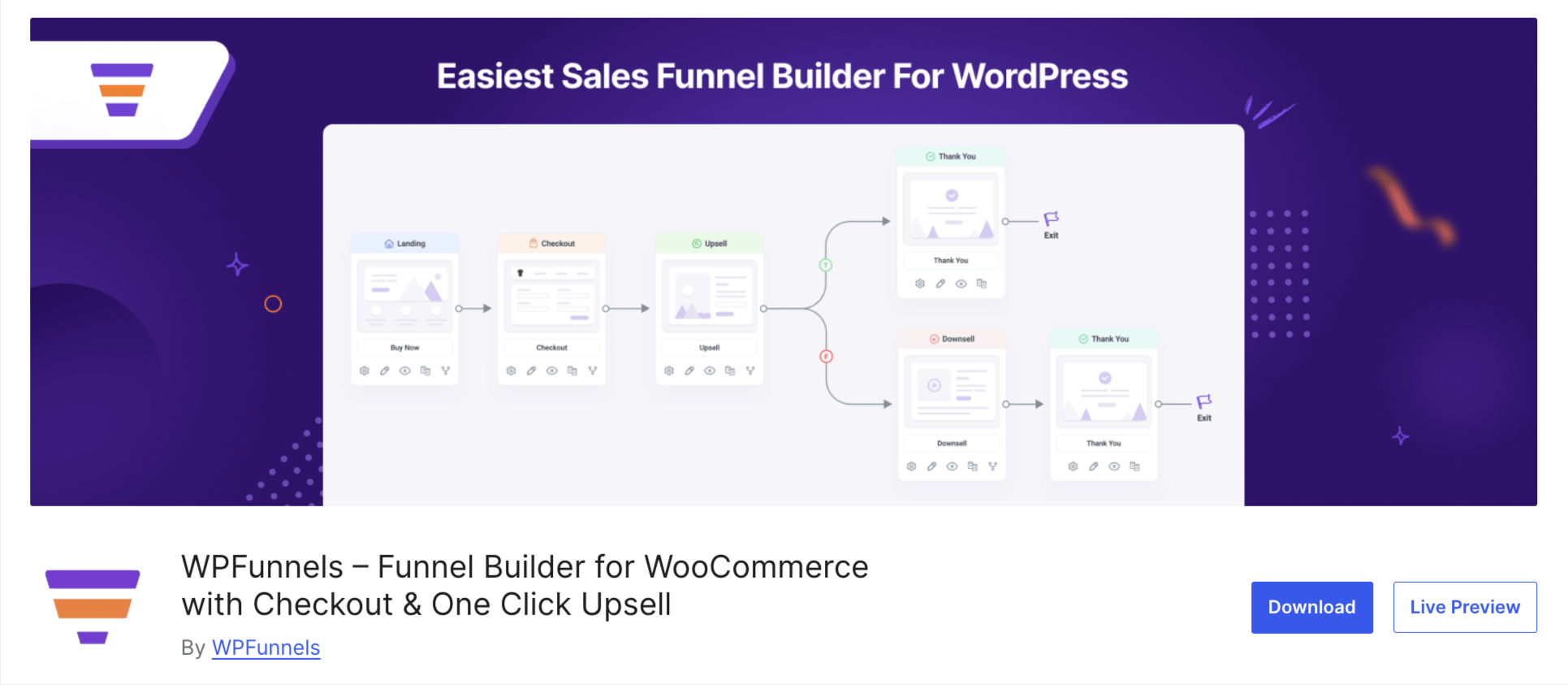
WPFunnels earns its spot for its visual planning canvas, which lets you map the whole funnel as a connected flowchart before you build a single page.
| Funnel builder checklist | Status |
|---|---|
| Opt-in funnel | ✅ Yes |
| Sales funnel (landing page, checkout, thank you page) | ✅ Yes |
| Upsells on checkout & post-purchase | ✅ Yes |
| Page builder | Elementor, Divi, Gutenberg, Bricks, Oxygen |
| Analytics | Per-funnel conversion and revenue |
| A/B testing | Available on any funnel step |
| Post-purchase / retention | Through Mail Mint |
Reviews and Active Installations
4.9 out of 5 stars across 171 reviews on WordPress.org. 5,000+ active installs.
Key features
- Visual canvas that maps the whole funnel before you build a page
- Comes with prebuilt optin and sales funnel templates
- Custom WooCommerce checkout builder with order bumps
- One-click upsells and downsells after the sale, no card re-entry on supported gateways
- Conditional funnels with dynamic offers based on cart contents
- Per-funnel analytics and A/B testing on any step
- Free lead-generation funnels with opt-in forms, plus Mail Mint integration for email
- Works with Gutenberg, Elementor, Divi, Bricks, and Oxygen
Pricing
Free on WordPress.org. The pro pricing starts at $103.99 per year.
✅ Pros
- Visual canvas makes planning multi-step and conditional funnels easy
- Same maker offers a built-in email and automation plugin in Mail Mint
- Integrated with all the popular page builders
- Part of the Creator LMS ecosystem and is ideal for building course funnels.
❌ Cons
- Email automation and follow-ups need Mail Mint, bundled only from the Pro plan up
- No multi-product upsells, no dynamic shipping calculation
- No custom section on checkout
- Limited checkout field type
- No UTM and referral source reports
Who should buy this
WPFunnels is best for WooCommerce stores and agencies building LMS or course funnels (LearnDash, TutorLMS, LifterLMS, MemberPress) with visual funnel mapping.
Skip it if you need more flexible funnels with stronger checkout optimization and advanced analytics like UTM tracking.
3. CartFlows - A Basic Sales Funnel Builder With Limited Optimization Options
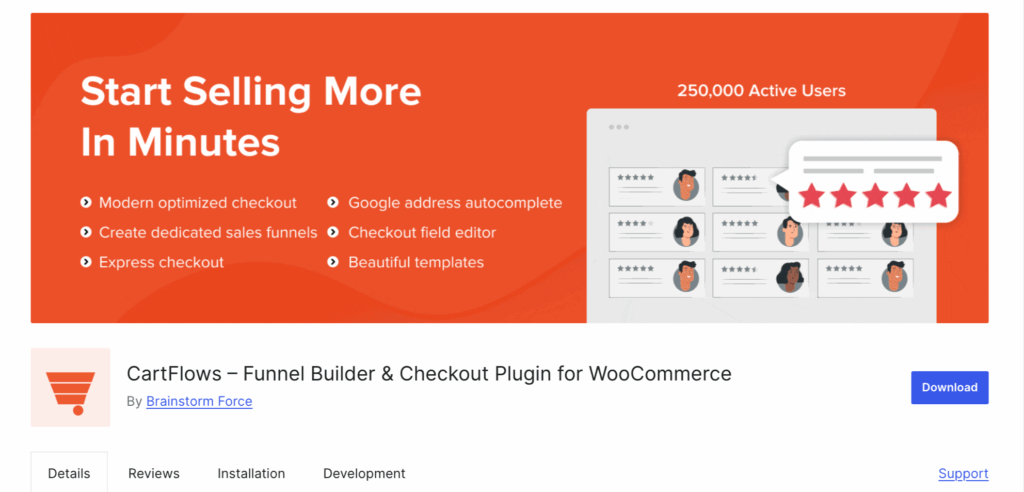
CartFlows is a more streamlined, checkout-focused funnel builder. It covers the core funnel well, but offers less flexibility than a full-stack option, and the retention side leans on a separate companion plugin.
| Funnel builder checklist | Status |
|---|---|
| Opt-in funnel | ✅ Yes |
| Sales funnel (landing page, checkout, thank you page) | ✅ Yes |
| Upsells on checkout & post-purchase | Order bumps and post-purchase upsells |
| Page builder | Elementor, Divi, Gutenberg, Bricks, Beaver, Spectra, Oxygen |
| Analytics | Per-step conversion, revenue, AOV |
| A/B testing | Available on paid plans |
| Post-purchase / retention | Post-purchase and retention rely on multiple plugins, including abandoned cart recovery tools, plus OttoKit and third-party CRMs for automation. |
Reviews and Active Installations
4.8 out of 5 stars from 493 reviews on WordPress.org, with 200,000+ active installs.
Key features
- Replaces the default WooCommerce checkout with a modern, conversion-focused one
- Ready-made funnel templates you can import for any step with one click
- Rule-based dynamic order bumps, once you are on a paid plan
- Post-purchase one-click upsells and downsells, with no card re-entry
- A unified analytics dashboard and A/B split testing, both paid
- Smart funnel routing that points each buyer toward the upsell most likely to land
- Plays nicely with Elementor, Divi, Bricks, Beaver, Spectra, Gutenberg, and Oxygen
Pricing
The plugin is free on WordPress.org. Paid plans are Starter at $199/year
✅ Pros
- Works with page builders like Elementor and Gutenberg to build funnels visually
- Large user base with strong adoption in the WooCommerce funnel space
- A big community of active users
❌ Cons
- No true visual canvas funnel builder. Uses a step-based funnel structure instead
- Limited advanced checkout customization
- Conditional checkout fields are limited
- No multi-product upsells, each upsell step supports only one product offer
- Less flexibility in funnel and checkout optimization
- The abandoned cart recovery plugin is not highly advanced
Who should buy this
CartFlows suits WooCommerce stores that want a basic funnel builder with essential features and simple optimization, and are comfortable relying on third-party tools for CRM and marketing, which may increase overall costs over time.
Skip it if you want a fully self-contained sales funnel solution with advanced built-in CRM, marketing automation, and long-term cost efficiency without depending heavily on external tools.
4. OptimizePress - A Landing Page and Funnel Builder with Built-in Checkout

OptimizePress is the pick for people who would rather not run WooCommerce at all. It is a premium-only page and funnel builder with its own checkout system, so you can sell courses, coaching, and digital products without setting up a full store.
| Funnel builder checklist | Status |
|---|---|
| Opt-in funnel | ✅ Yes |
| Sales funnel (landing page, checkout, thank you page) | ✅ Yes (uses built-in checkout system, no WooCommerce required) |
| Upsells on checkout & post-purchase | ⚠️ Available (order bumps and upsells supported, depending on plan and setup) |
| Page builder | Native drag-and-drop builder |
| Analytics | Basic conversion tracking (not advanced funnel analytics) |
| A/B testing | Available on selected higher-tier plans |
| Post-purchase / retention | Email integrations only, no native automation system |
Reviews and Active Installations
Premium-only, so it is not listed on WordPress.org. OptimizePress holds a 4.6 out of 5 rating from 71 reviews on GetApp.
Key features
- Drag-and-drop builder for landing pages, sales pages, and opt-in pages
- Integrated checkout system using Stripe and PayPal (no WooCommerce required)
- Funnel builder with upsells and order bumps (feature availability depends on plan)
- Pre-built funnel and page template sets
- Lead capture forms and conversion-focused elements
- Membership and content restriction features for courses or digital products
- Integrations with major email marketing tools like ActiveCampaign, ConvertKit, AWeber, and others
Pricing
No free version available. The paid version starts at $129/year.
✅ Pros
- Works without WooCommerce, making it suitable for course creators and digital sellers
- All-in-one system for pages, funnels, and checkout
- Clean template systems designed for full funnels
- Good fit for WordPress-based digital product businesses
❌ Cons
- No free version
- Advanced funnel features are limited to higher-tier plans
- No built-in marketing automation or abandoned cart recovery
- Analytics are basic compared to dedicated funnel/CRM tools
- Less flexible than WooCommerce-based funnel ecosystems
Who should buy this
Best for course creators, coaches, and digital product sellers who want a WordPress-based funnel system with built-in checkout and no dependency on WooCommerce.
Skip it if you need advanced analytics, deep automation, or a full marketing CRM system inside your funnel builder.
5. One-Click Upsell Funnel for WooCommerce (WP Swings) - A Post-Purchase Upsell Addon Builder
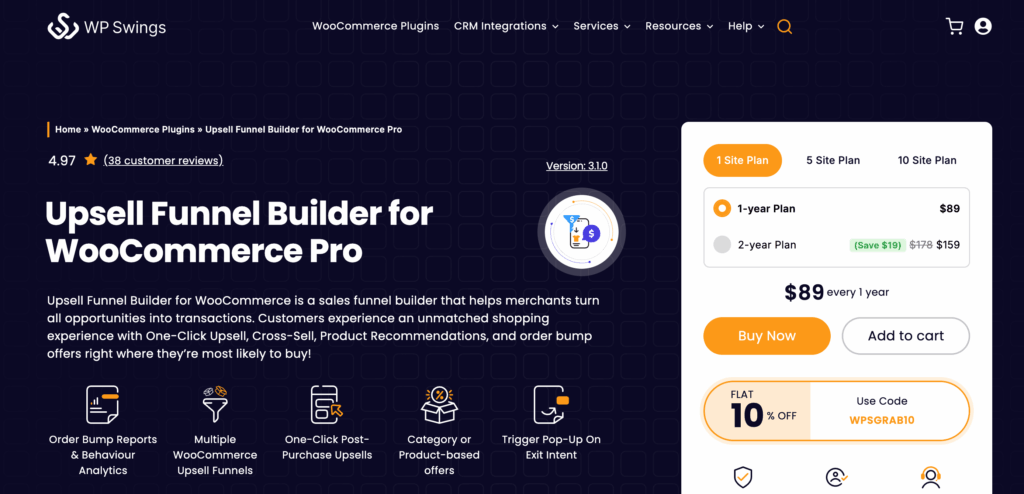
One-Click Upsell Funnel for WooCommerce is a single-purpose upsell and order bump add-on rather than a full funnel builder. It bolts post-purchase offers onto your existing WooCommerce checkout, but it does not build opt-in funnels, landing pages, or a custom checkout.
Funnel builder checklist
| Feature | Status |
|---|---|
| Opt-in funnel | ❌ |
| Sales funnel (landing page, checkout, and thank you page) | ❌, it adds offers to your existing pages rather than building them |
| Upsells on checkout & post-purchase | ✅ Yes (core feature), includes order bumps and cross-sells |
| Page builder | Builds offer pages with Elementor, Divi, WPBakery, and others via shortcodes |
| Analytics | Upsell funnel reports only (triggered, accepted, rejected, conversion) |
| A/B testing | Yes |
| Post-purchase / retention | ❌ |
Reviews and Active Installations
4.5 out of 5 stars from 99 reviews on WordPress.org, with 1,000+ active installs.
Key features
- Post-purchase one-click upsells with no card re-entry
- Order bumps and cross-sell offers, now merged into the same plugin
- Global funnels that trigger on any product or category
- Smart offers an upgrade that swaps the cart product for the accepted offer
- Exclusive offers are shown to a customer only once
- Sandbox mode to test funnels before they go live
- Built-in upsell reports, plus optional Google Analytics and Facebook Pixel tracking
Pricing
Free on WordPress.org. A Pro version starts at $89.
✅ Pros
- Does one job, post-purchase upsells and order bumps, and keeps it simple
- The free version runs real upsell funnels, not just a demo
- Sits on top of your existing checkout without replacing it
- Tracking is built in for Google Analytics and Facebook Pixel
❌ Cons
- Not a full funnel builder, with no opt-in funnels, landing pages, or checkout builder
- A/B testing is locked to the Pro version
- No email automation or retention layer
- Small install base, and some reviews flag support and licensing problems
Who should buy this
Best for WooCommerce stores that already have a working checkout and want to add post-purchase upsells and order bumps without changing their existing funnel setup.
Skip it if you need a complete funnel system with landing pages, opt-ins, checkout optimization, and marketing automation.
6. SeedProd - A Landing Page Builder for Opt-in and Lead Generation Pages

SeedProd is a landing page and lead-generation builder rather than a true eCommerce funnel builder. It is excellent for opt-in and list building, but it has no checkout funnel, no order bumps, and no upsells, so it only covers the top of the funnel.
| Funnel builder checklist | Status |
|---|---|
| Opt-in funnel | ✅ Yes |
| Sales funnel (landing page, checkout, thank you page) | Partial. Landing and thank-you pages only, no checkout funnel |
| Upsells on checkout & post-purchase | ❌ None |
| Page builder | Native drag-and-drop builder |
| Analytics | ❌ None |
| A/B testing | ❌ Not |
| Post-purchase / retention | Email integrations only (connects to external email marketing tools. No built-in automation) |
Reviews and Active Installations
4.9 out of 5 stars from 4,699 reviews on WordPress.org, with 700,000+ active installs.
Key features
- Fast drag-and-drop builder for landing, opt-in, sales, coming soon, and thank-you pages
- 300+ templates and ready-made sections that get a page live in minutes
- Built-in opt-in forms, countdown timers, and lead-capture blocks
- Coming soon and maintenance mode pages for pre-launch list building
- Landing pages are standalone and theme-independent, so they work on any WordPress site
- Email integrations with Mailchimp, ActiveCampaign, ConvertKit, Constant Contact, and more
- A theme builder for designing full-site templates without code, on Pro and up
Pricing
Free on WordPress.org. Paid plans, at SeedProd's usual discounted rates, run. Paid plans start at $39.50 for one site.
✅ Pros
- One of the most-installed builders on WordPress, with a 4.9 rating across thousands of reviews
- Genuinely quick for spinning up opt-in and lead-gen pages
- Runs without WooCommerce, so it suits non-store sites too
- Clean, lightweight pages and a deep template library
❌ Cons
- Not an eCommerce funnel builder, with no order bumps, upsells, or checkout funnel
- No A/B testing and no native analytics
- The free version is thin, since most templates and features sit behind paid plans
Who should buy this
Best for marketers and beginners who want to quickly build opt-in pages, landing pages, and lead-generation funnels without WooCommerce complexity.
Skip it if you need a full sales funnel with checkout, order bumps, or upsells, as SeedProd does not support complete eCommerce funnel flows.
Frequently Asked Questions About WordPress Sales Funnel Builder
Got some more questions? Have a look at these:
What is the best WordPress sales funnel builder?
It really comes down to how you sell, but if you want one plugin to run the whole thing, FunnelKit Funnel Builder is the most complete option here. Not on WooCommerce? OptimizePress and SeedProd will serve you better.
Is there a free WordPress funnel builder?
Yes. FunnelKit Funnel Builder, WPFunnels, CartFlows, SeedProd, and WP Swings all ship a free version on WordPress.org, and these are real working tools, not locked demos. OptimizePress is the only one here you have to pay for from day one. Just know that the features that lift your average order value, order bumps and one-click upsells, almost always sit on the paid plans.
Do I need WooCommerce?
Depends what you are selling. If you want a real eCommerce funnel, with a checkout, order bumps, and post-purchase upsells, then yes, and FunnelKit Funnel Builder, WPFunnels, and CartFlows all run on WooCommerce for exactly that.
Selling courses, coaching, or digital downloads instead? You can skip the store. OptimizePress ships its own checkout, and SeedProd builds opt-in and lead-gen pages with no WooCommerce in sight.
What is the difference between an order bump and a one-click upsell?
Timing, mostly. An order bump is the tick-box offer that sits on the checkout page, so the customer adds it before paying. A one-click upsell comes after the order is placed, and they can accept it without re-entering card details.
Bumps tend to land because the buyer is already paying, and upsells work because saying yes again takes a single click. Use both and you raise the average order value from two different angles.
Can these recover abandoned carts and send follow-up emails?
Most funnel builders don’t handle abandoned cart recovery or follow-up emails directly inside the builder. These features usually require a separate automation tool.
For example, FunnelKit Funnel Builder is mainly used to create opt-in funnels, sales funnels, checkout pages, and upsells. The automation side is handled separately by FunnelKit Automations, which manages things like abandoned cart recovery, post-purchase emails, and follow-up sequences. They work really well together, but they are still two different plugins.
If you want both, the team also offers a bundled plan called Professional, which is currently priced at $249.50/year.
CartFlows doesn’t include strong built-in automation either. It typically relies on tools like OttoKit or other email marketing platforms to handle abandoned cart recovery and follow-up emails, which often means you’ll need additional integrations depending on your setup.
WPFunnels also works in a similar way, where you connect it with external email tools or services like Mail Mint to run automation campaigns.
In short, funnel builders focus on creating the buying journey, while separate automation tools handle the emails that recover carts and bring customers back.
Landing page or sales funnel, are they the same thing?
Not quite. A landing page is one page doing one job, usually grabbing a lead or pitching a single offer. A sales funnel is the whole path a buyer walks, landing page to checkout to upsell to thank-you, with the tracking and offers tied together along the way. SeedProd is great at building those standalone pages, while something like FunnelKit strings them into a single journey.
Which Is The Right WordPress sales funnel builder?
It comes down to how you sell and how much you want one plugin to handle.
Want a funnel without WooCommerce? OptimizePress is your pick. It brings its own checkout, so you can sell courses, coaching, and digital products without standing up a full store behind them.
Just need a basic funnel builder, nothing fancy? CartFlows keeps it simple. You get a basic funnel, though you trade away some flexibility and rely on a separate third-party tool for follow-up.
Planning something more complex? WPFunnels is built for that. Its visual canvas lets you map out multi-step and conditional funnels before you build a single page.
Already happy with your checkout and just want upsells? WP Swings does that one job. Bolt it on, add your post-purchase offers, and you are done.
Want a beginner-friendly funnel builder that is still flexible, with a complete automation solution from the same team? Then, FunnelKit Funnel Builder is the solution.
It handles the core funnel experience from opt-in pages to sales funnels and checkout flows. When you pair it with FunnelKit Automations, you can also manage abandoned cart recovery and follow-up emails from the same ecosystem.
Because both tools are built by the same team, they integrate tightly, so you don’t have to struggle with messy setups or disconnected tools.
Whatever you pick, do not let the decision stall you.
Start with a free version where there is one, build a single funnel start to finish, and let your own numbers tell you what to fix next.
Editorial Team
October 11, 2026You can customize the WooCommerce cart page with the Cart block, a page builder like Elementor, or CSS and PHP snippets. Which method works for you depends on the cart...

Editorial Team
October 9, 2026A WooCommerce discount lowers what a shopper pays, either through a reduced product price or a code entered at checkout. Out of the box, WooCommerce gives you two ways to...
Editorial Team
October 9, 2026A downsell gives customers a cheaper option after they turn down your main offer. If you show it too soon, you might convince them to skip the original offer and...






