Editing a live automation shouldn’t feel like a game of Jenga with your revenue, where pulling the wrong piece brings the whole thing down.
That’s the problem we set out to fix with FunnelKit Automations 3.8.5, and it’s now live.
This release is all about giving you control over automations you’ve already built.
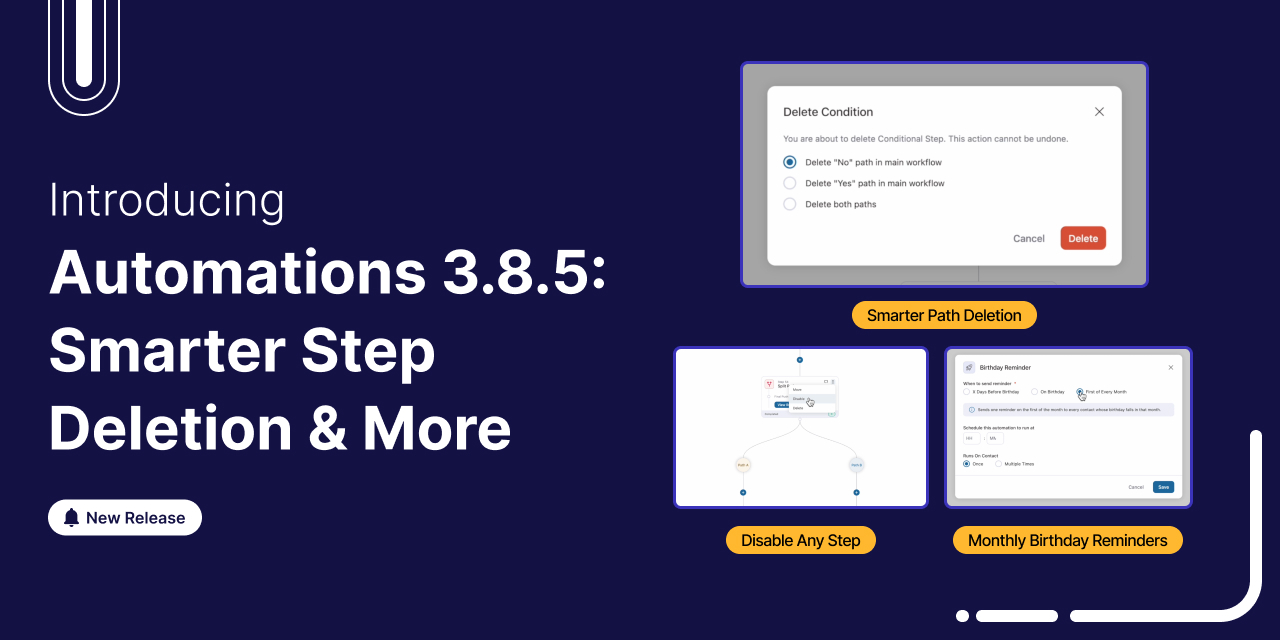
Deletion got smarter, so restructuring a flow no longer means tearing half of it down. You can now switch any step off and back on without deleting it. And birthday campaigns just got a lot easier to run for your whole list at once.
Let’s walk through every new feature.
Short on time? Watch the video instead:
Table of Contents
- 1 1. Smarter Deletion for Conditional Steps
- 2 2. Delete a Single Split Path
- 3 3. Disable Any Step Without Deleting It
- 4 4. Send One Birthday Campaign for the Whole Month
- 5 5. Contact Form 7 Support
- 6 6. Bounce Handling Gets a Real Upgrade
- 7 Under the Hood Updates
- 8 Ready to Upgrade to FunnelKit Automations 3.8.5?
1. Smarter Deletion for Conditional Steps
Deleting a conditional step used to be all-or-nothing. Remove the step, and everything inside both branches went with it. But not anymore.
When you hit delete on a conditional step in 3.8.5, you get a choice:
- Delete the whole step
- Delete just the Yes path
- Delete just the No path
Say you remove the No path. The Yes path and every step inside it stay right where they belong in your workflow.
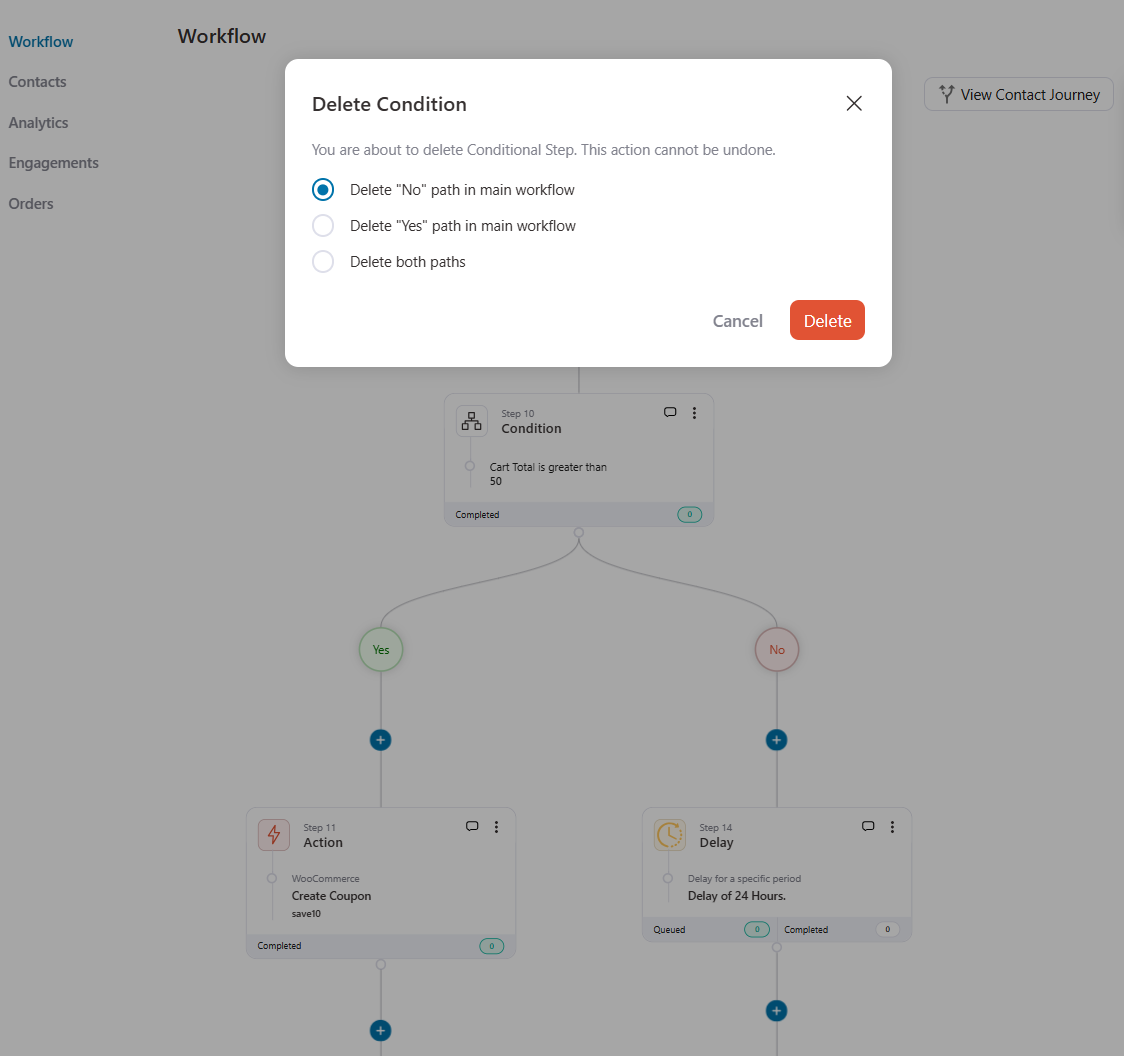
Instead of wiping out your work, you keep those steps and reuse them in the same flow.
2. Delete a Single Split Path
Split paths get the same treatment, with a couple of touches we’re particularly happy with.
Say you’ve got a split running paths A, B, and C, and path A has to go. Once you delete it, paths B and C keep running.
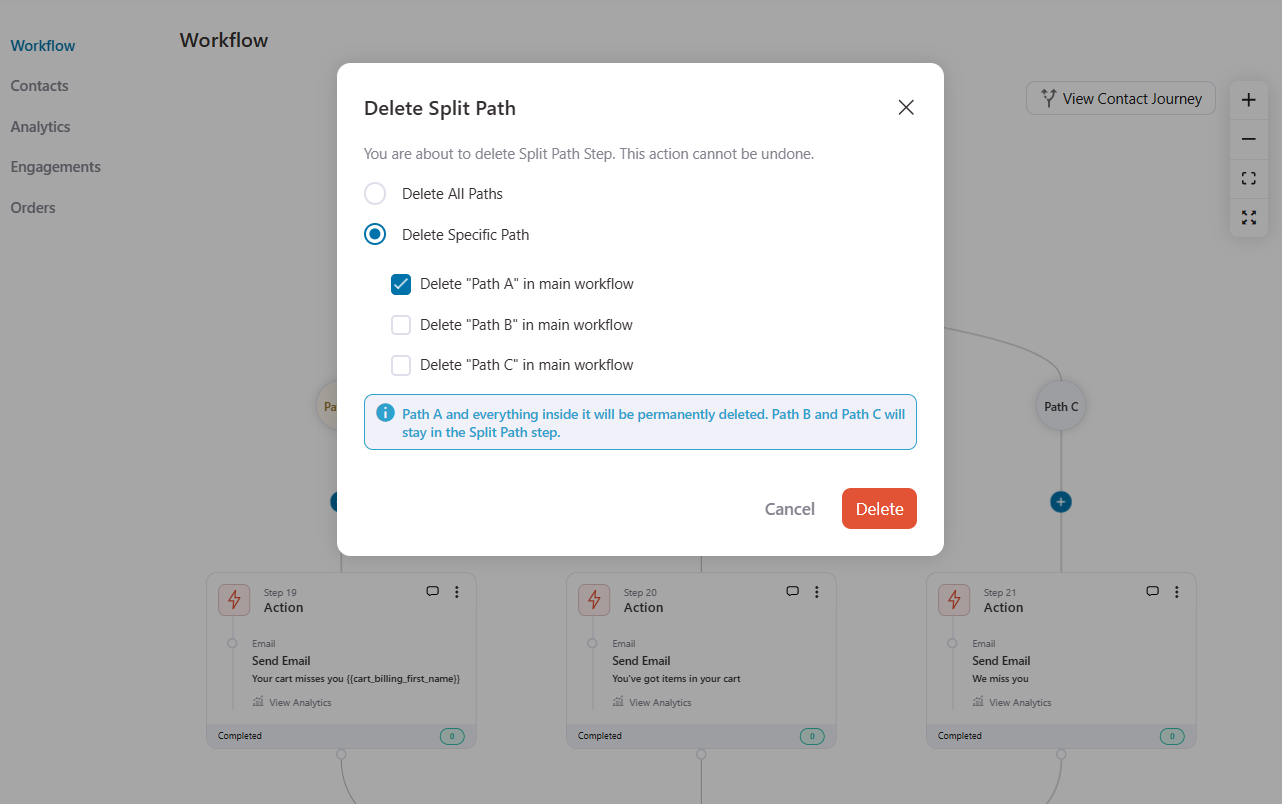
The remaining paths are renamed automatically, so your labels stay clean instead of leaving a gap where A used to be.
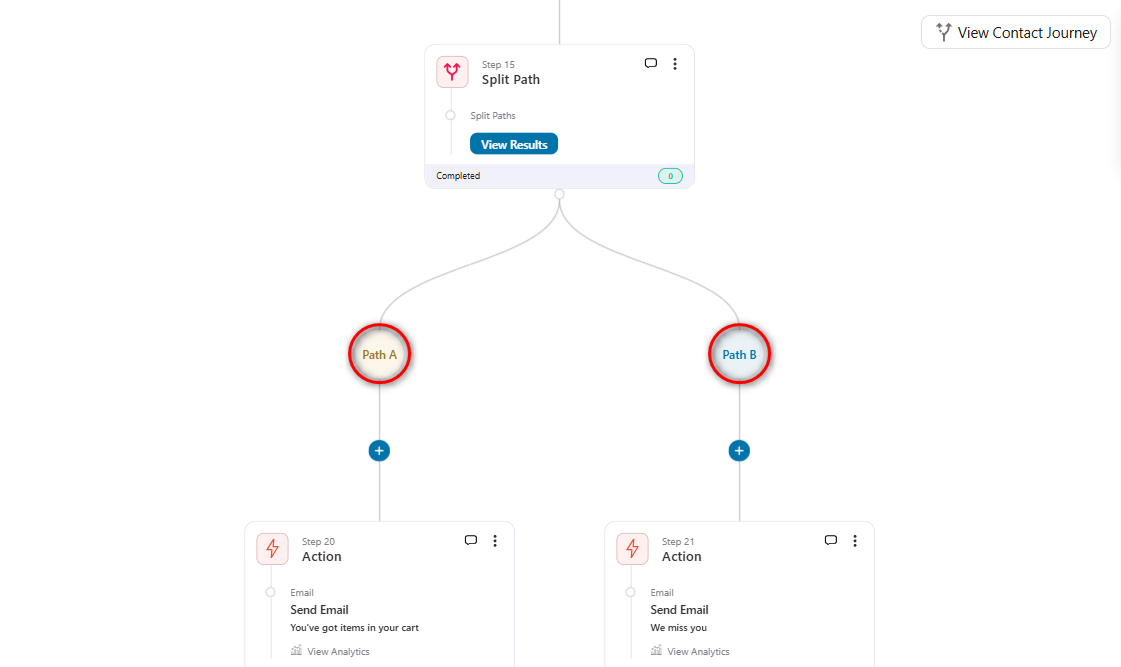
If a split has only two paths and you delete one, the split itself disappears. The steps from the remaining path slide straight into your main workflow.
That email and that delay drop neatly into the flow, ready to run, no leftover empty branch to tidy up.
3. Disable Any Step Without Deleting It
Sometimes you don’t want to delete anything. You just want a step to step out of the way for a while.
You can now disable any step, such as an action, a delay, a condition, even a split path in your automation.
Open the three dots on any step, choose Disable Step, confirm, and it’s out of the flow.
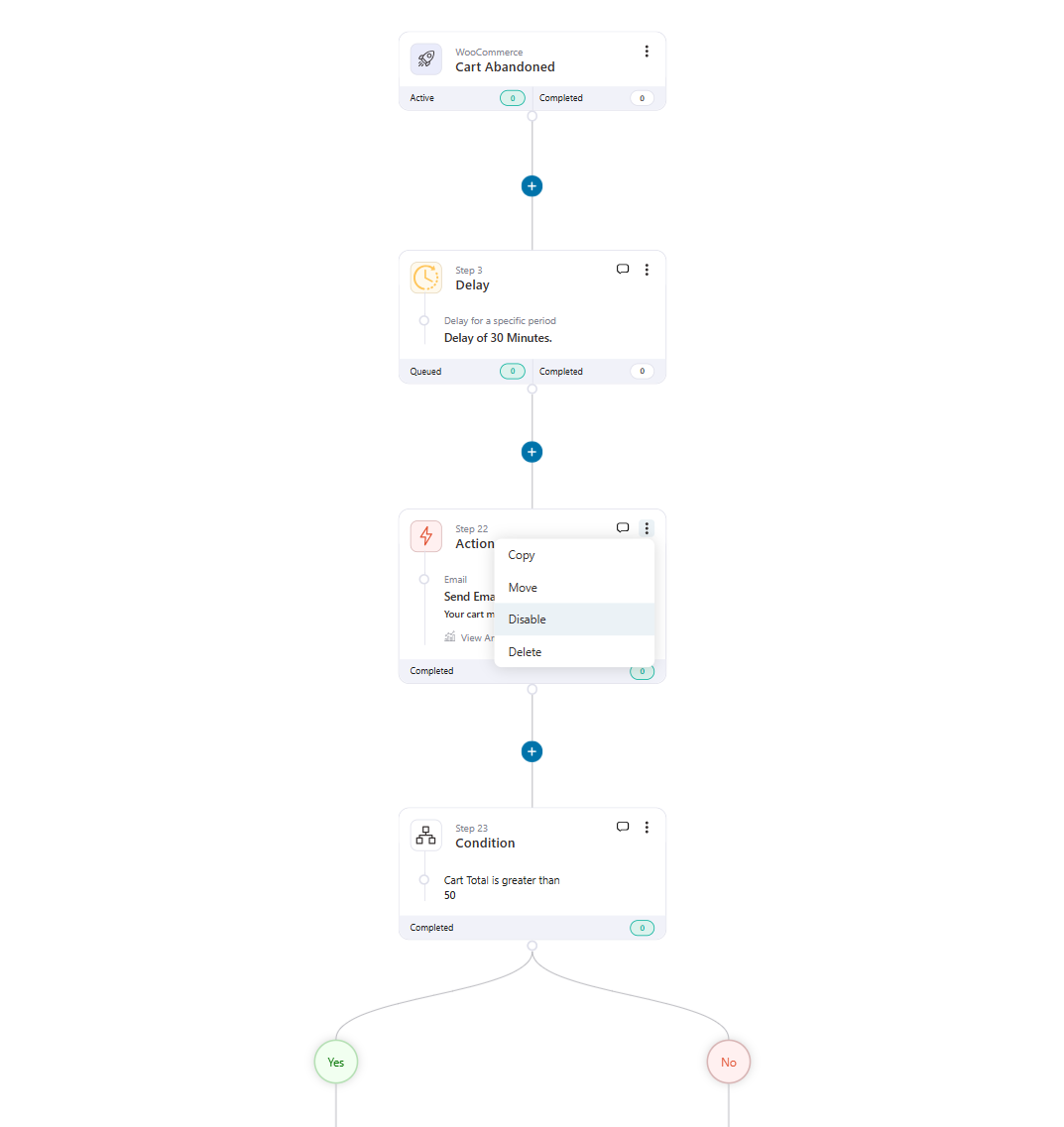
Disable a condition or a split, and those branches show up with dashed edges on the canvas, so one glance tells you exactly what’s switched off.
When a contact reaches a disabled step, the automation simply skips it and moves on. You’ll even see a Skipped status in the contact’s journey, with a note that the step was disabled.
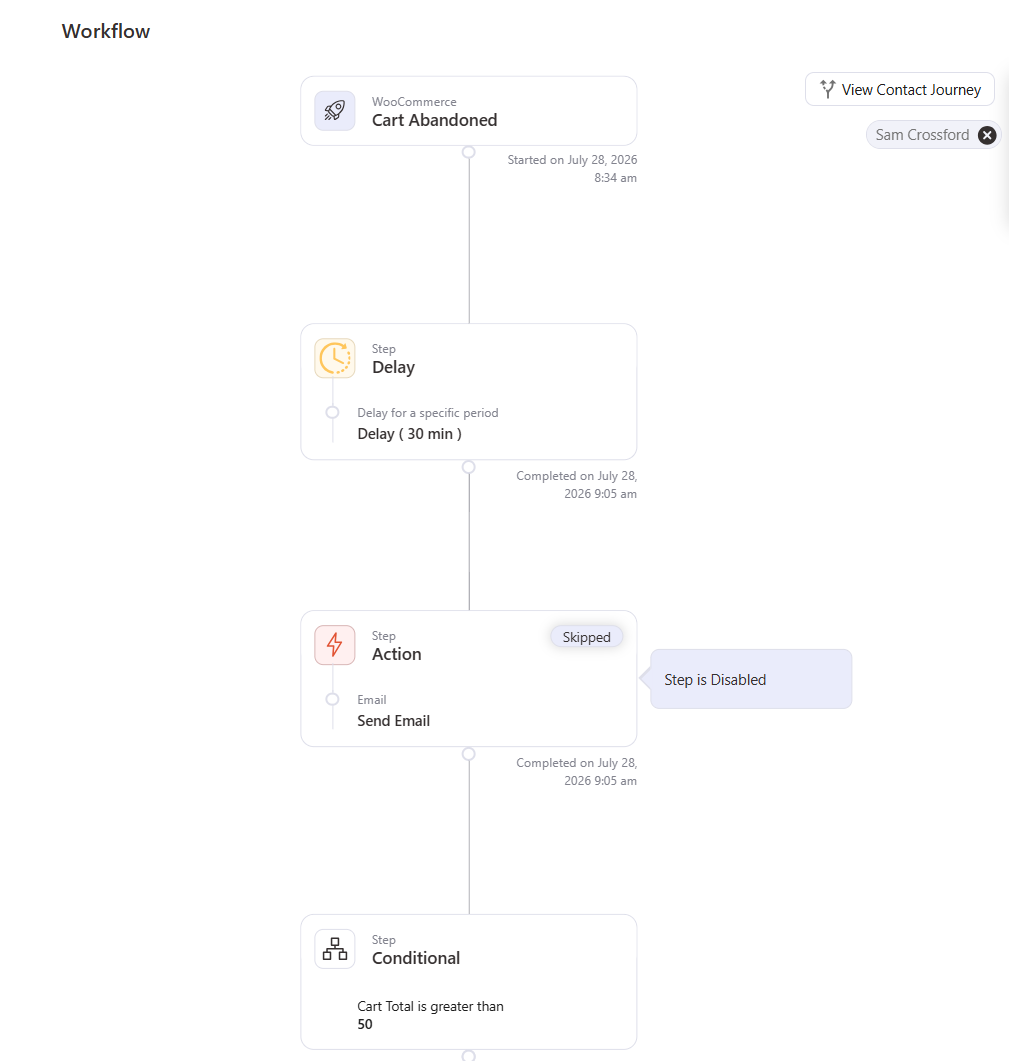
There’s absolutely no need to delete or rebuild. You get full control over what’s running and what’s paused, whenever you want it.
4. Send One Birthday Campaign for the Whole Month
Until now, the Birthday Reminder trigger worked contact by contact. You could send a set number of days before each birthday, or right on the day itself. Great for a personal touch, but no way to reach everyone in one go.
3.8.5 adds a third option: First of Every Month.
On the 1st of every month, it sends a single reminder to everyone whose birthday falls in that month. One batch, one campaign, a whole month of birthdays covered.
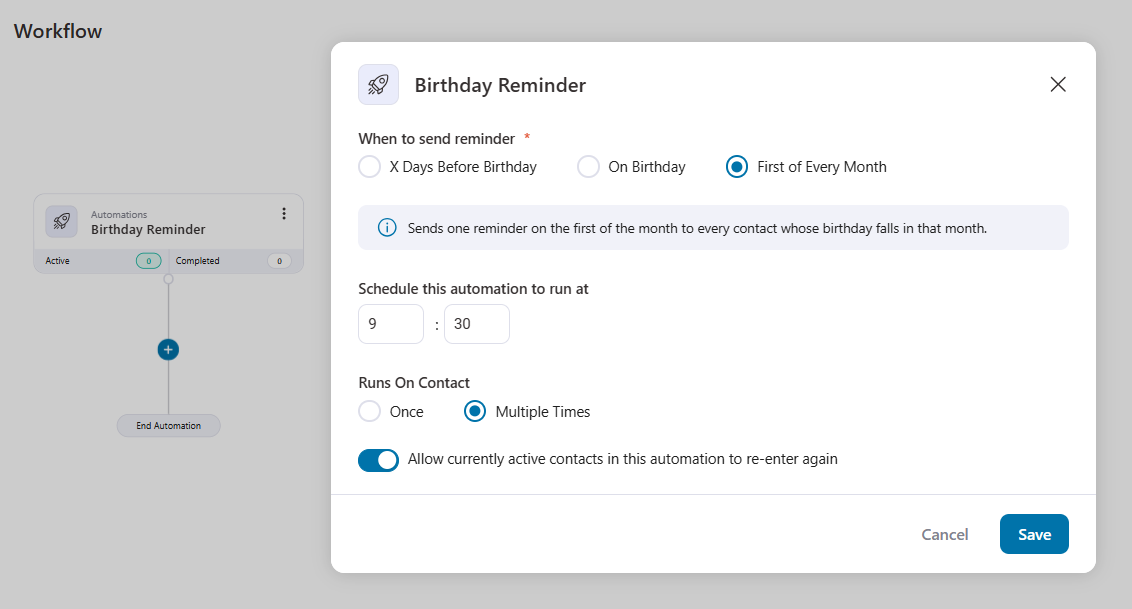
Instead of scattered sends across the calendar, you can run one birthday-month offer for everyone at once.
This will make the difference between a trickle of individual emails and a campaign you can actually plan around.
5. Contact Form 7 Support
The Forms module now integrates with Contact Form 7, one of the most widely used form plugins in WordPress. It ships with field mapping, analytics, and lead notifications.
Head to the Tools ⇨ Forms section, choose Contact Form 7, and your forms are ready to work with your automations.
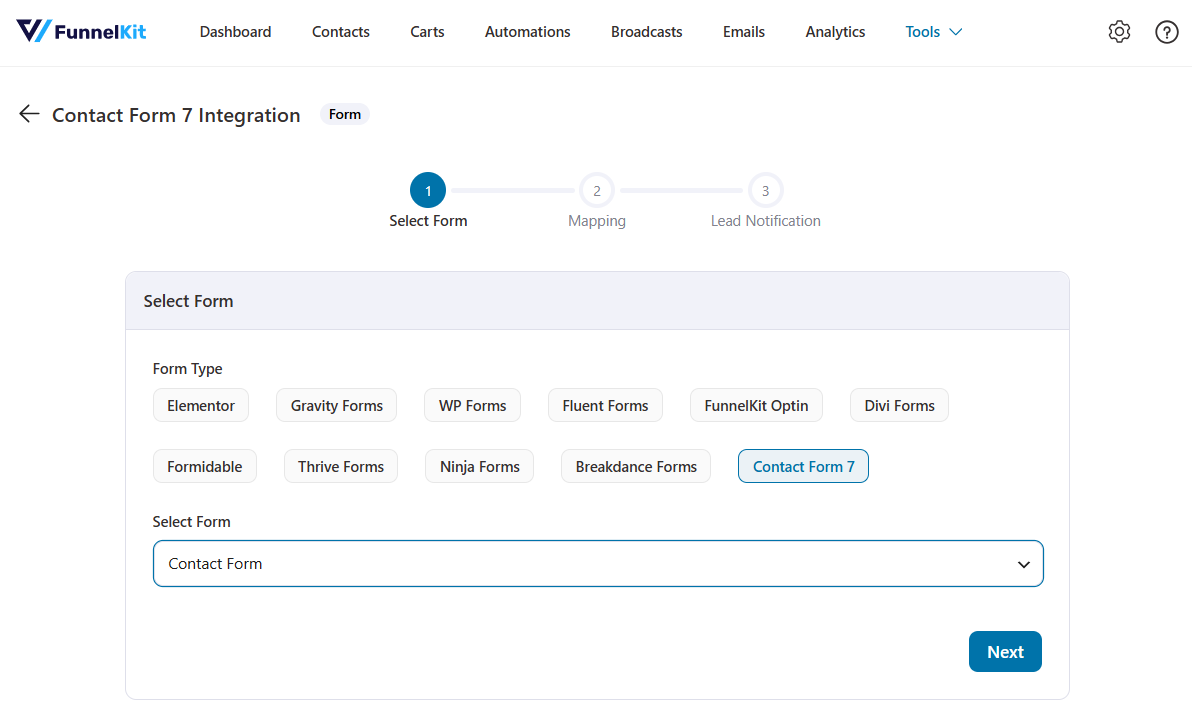
You just need to map the fields, and you can add tags or add your leads to lists.
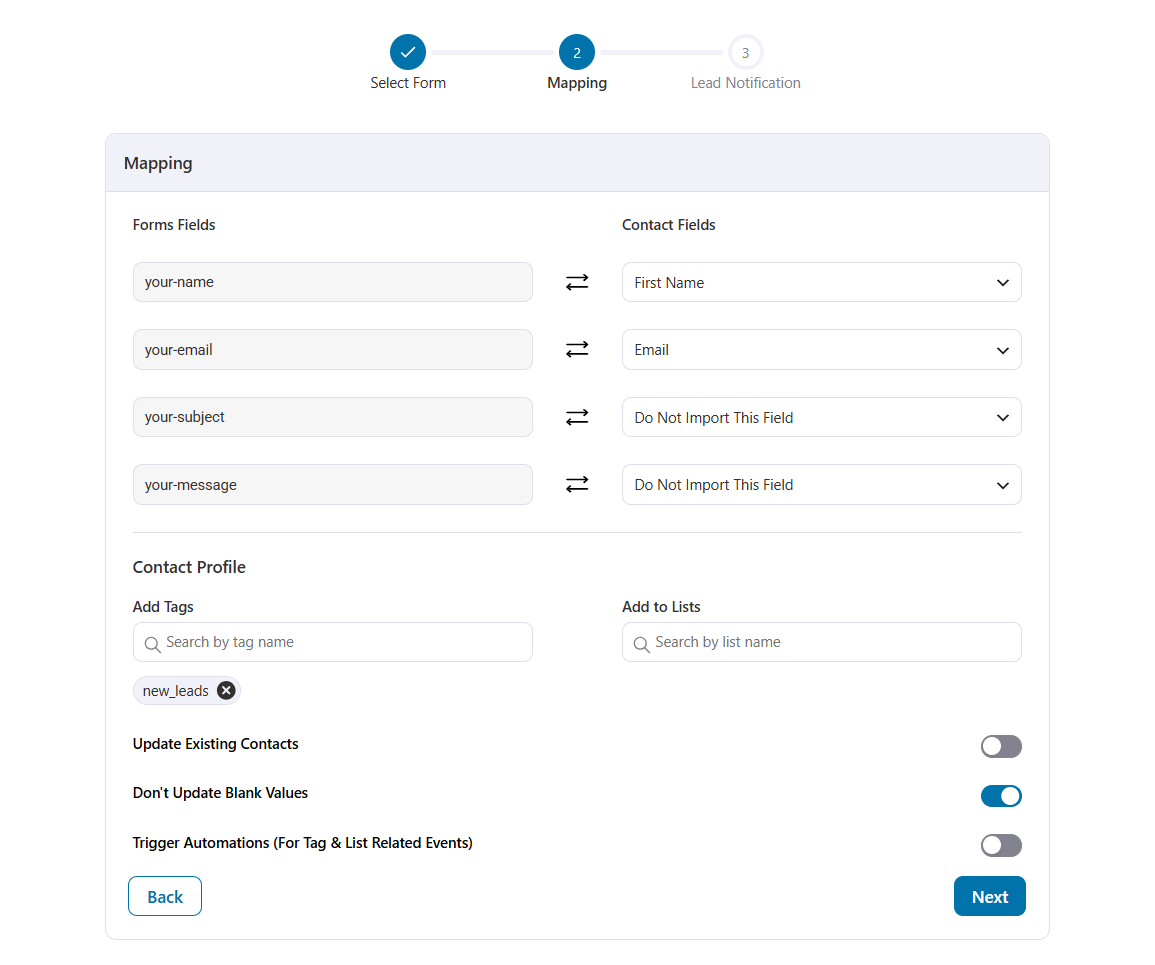
Once live, you’ll capture new lead submissions and directly kick off a welcome series or move them into a nurture flow, exactly like you already do with your other capture sources.
If Contact Form 7 powers the forms on your WooCommerce store, your automations now plug straight into them.
6. Bounce Handling Gets a Real Upgrade
When bounce tracking is enabled with your email service, and a bounce comes in, FunnelKit Automations already updates the contact’s status to Bounced or Soft Bounced.
It now also adds a timestamped note to the contact timeline.
The note tells you which service reported the bounce, along with the details. So months down the line, you’re not guessing why someone stopped getting your emails. It’s right there on their profile.
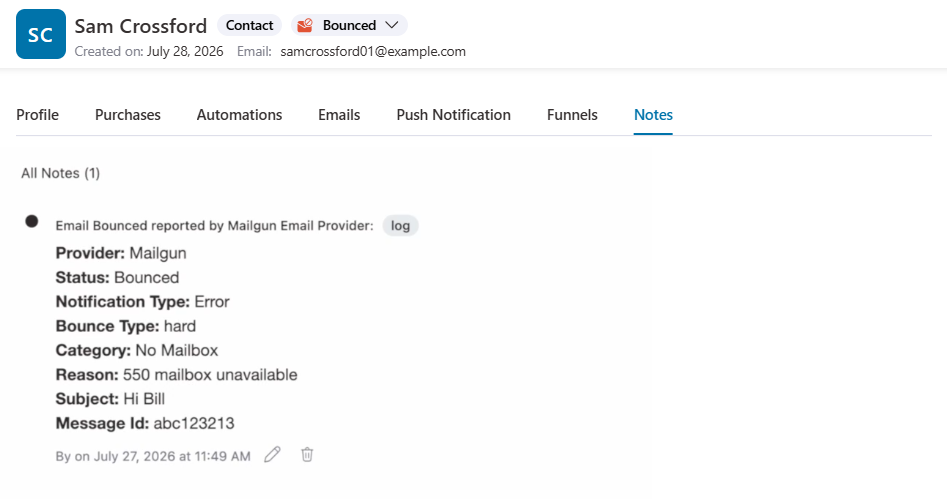
There’s also a new trigger, Contact Soft Bounced.
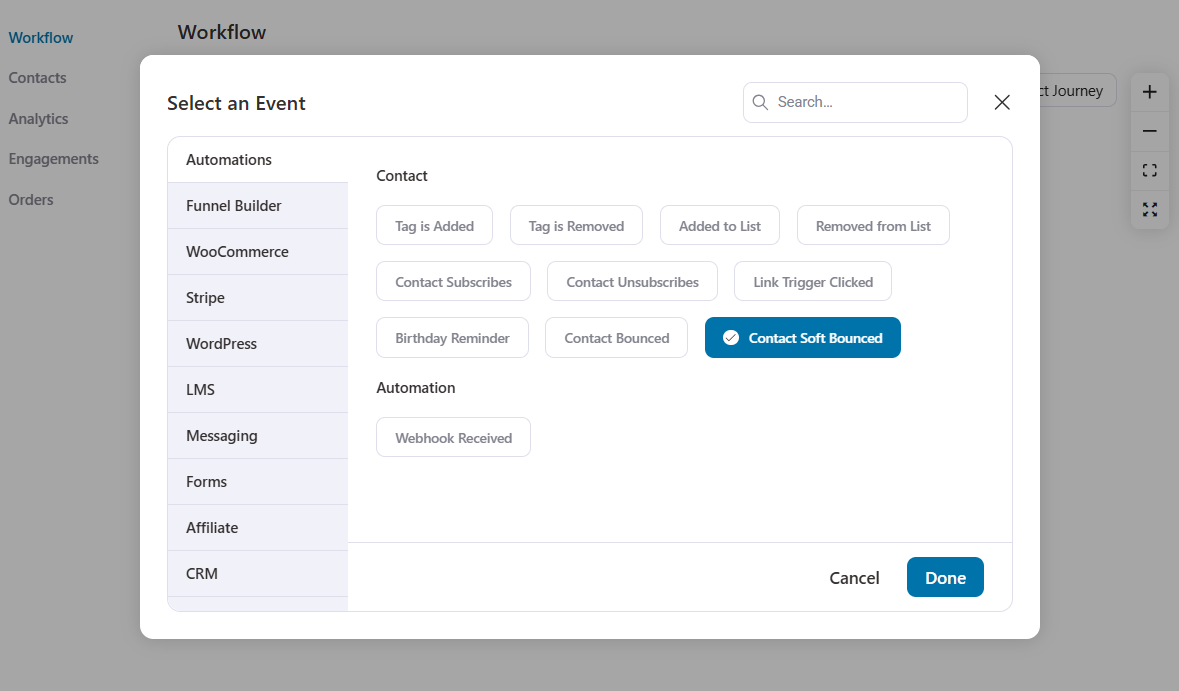
The moment a contact soft bounces, it can kick off an automation. It’s a small addition for keeping your list healthy and your emails landing where they should.
Soft-bounced contacts also stay included in your broadcasts by default now, and they’re no longer auto-converted to a hard bounce after three attempts, so a temporary blip doesn’t quietly cut someone off from your emails.
Under the Hood Updates
Beyond the headline features, 3.8.5 includes meaningful work below the surface:
- React 19 and WordPress 7.1 compatibility, so FunnelKit Automations is ready for the latest WordPress stack.
- Faster admin API responses, with 160+ REST endpoints consolidated into controller-based loading and on-demand loading that cuts memory used per request.
- More accurate analytics, fixing conversions that were being counted from other automations and broadcasts and reporting inflated order counts and revenue.
- A more reliable automation worker that now retries on database deadlocks under concurrent load.
- Fixes for empty Orders tabs on WooCommerce HPOS stores, and cart tracking now respecting your Exclude User Roles and Exclude Emails settings.
Ready to Upgrade to FunnelKit Automations 3.8.5?
This release is about trusting your automations enough to change them.
Smarter deletion means restructuring a flow no longer costs you the steps you wanted to keep. Disabling steps gives you a pause button for any part of a workflow.
Month-wide birthday campaigns turn a contact-by-contact trigger into a single planned send.
And the Contact Form 7 integration plus the upgraded bounce handling tighten up both your lead capture and your list health.
To grab, head to your WordPress dashboard, open Plugins, and update FunnelKit Automations to the latest version. The full changelog is linked below.
Already running FunnelKit Automations? Update to 3.8.5 today and put these capabilities to work.
New to FunnelKit? There’s never been a better time to make the switch.
Damanjeet Singh
June 6, 2026For fifteen years, I’ve built and sold software in the WordPress and WooCommerce ecosystem. In that time, one category has remained broken longer than any other: subscriptions. The base WooCommerce...
Editorial Team
May 21, 2026We're excited to announce that FunnelKit Automations 3.8.1 is now live! 🎉 This release is packed with upgrades that quietly transform how your store and courses run, putting them on...
Editorial Team
April 17, 2026FunnelKit Funnel Builder 3.15.0 is finally here! Yes, we've kept our word and featured two highly requested features that give you unprecedented control over your checkout experience in this release....