


WooCommerce email customizer plugins let you add your logo, brand colors, and preferred layout to order emails without touching code.
The problem is that they don’t always cover every email your store sends.
Most email builders only customize the templates they support. So a renewal email from WooCommerce Subscriptions can still show up in WooCommerce’s default design, right next to your newly branded order confirmation.
This matters because transactional emails get opened.
In fact, Omnisend’s 2025 data shows that order confirmations had a 57.91% average open rate, compared with 30.22% across all emails.
That’s a lot of attention going to a generic layout with one accent color and an order table, which is how WooCommerce emails look out of the box.
In this guide, we compare eight WooCommerce email customizer plugins, both free and paid, based on what matters after you’ve been using one for a while.
We look at which emails each plugin can customize and whether your designs hold up after a WooCommerce update.
We’ll also cover when WooCommerce’s built-in email settings are enough and what to check when your emails keep falling back to the default templates.
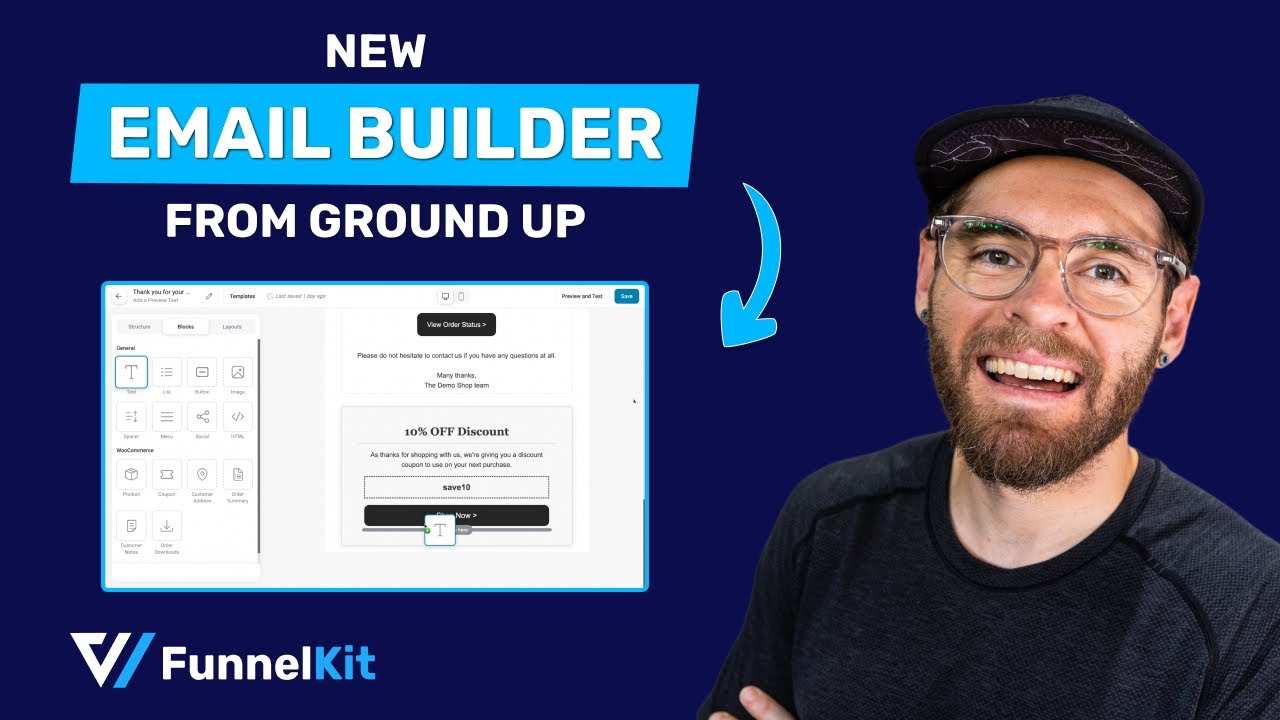
Watch this video to learn about email customization in WooCommerce:
If you only need a logo, brand colors, and better email copy, WooCommerce’s built-in email settings may be enough.
If you want a drag-and-drop editor for order emails, FunnelKit Automations and YayMail are the most complete dedicated options, while ThemeHigh’s Email Customizer is the cheaper choice.
And if you want abandoned cart and post-purchase emails alongside your order emails, FunnelKit Automations puts both in the same editor.
Quick picks:
- Best for order emails plus marketing automation: FunnelKit Automations
- Best dedicated drag-and-drop editor for order emails: FunnelKit Automations and YayMail
- Best budget drag-and-drop builder: Email Customizer for WooCommerce by ThemeHigh
- Best for styling emails from other plugins: YayMail Pro with its add-ons
- Best free option inside the WordPress Customizer: Kadence WooCommerce Email Designer
- Best no-plugin option: WooCommerce’s built-in email settings
Table of Contents
- 1 What an Email Customizer for WooCommerce Does (and Which Emails It Should Cover)
- 2 Do You Need a Plugin? What WooCommerce’s Built-In Email Tools Can Do
- 3 How We Tested These Email Designers
- 4 Email Customizer Comparison Table
- 5 The 8 Best Email Customizer Plugins for WooCommerce
- 5.1 1. FunnelKit Automations
- 5.2 2. Kadence WooCommerce Email Designer
- 5.3 3. YayMail - WooCommerce Email Customizer
- 5.4 4. Decorator WooCommerce Email Customizer
- 5.5 5. Email Customizer for WooCommerce by ThemeHigh
- 5.6 6. YITH WooCommerce Email Templates
- 5.7 7. WooCommerce Email Template Customizer
- 5.8 8. Spark Editor
- 5.9 Which WooCommerce Email Designer Should You Choose?
- 6 Free Email Customizers: What You Get Without Paying
- 7 7 Best Practices to Make Your WooCommerce Emails Look Right in Every Inbox
- 8 How to Fix Common WooCommerce Email Customization Problems
- 9 Customizing WooCommerce Emails Without a Plugin (Developer Route)
- 10 Frequently Asked Questions (FAQs)
- 11 Design Attractive Emails with the WooCommerce Email Customizer
What an Email Customizer for WooCommerce Does (and Which Emails It Should Cover)
A WooCommerce email customizer is a plugin or built-in editor that lets you change how your store’s automatic emails look and what they say without editing PHP templates.
A good one lets you add your logo and brand colors, rearrange the order table and customer details, and preview the email using a real order instead of placeholder data.
WooCommerce includes 11 default transactional emails, and a good email customizer should let you customize all of them.
Sent to you (admin):
- New order (see our guide to new order email notifications)
- Cancelled order
- Failed order
Sent to customers:
- Order on-hold
- Processing order (the order confirmation)
- Completed order
- Refunded order (full and partial)
- Customer invoice / Order details
- Customer note
- Reset password
- New account
Recent WooCommerce versions also send customer copies of failed and cancelled order emails, while WooCommerce 11.2 adds two emails for order withdrawal requests.
Extensions can add even more. WooCommerce Subscriptions, for example, sends renewal emails, while WooCommerce Bookings sends confirmations and reminders, including class confirmations for bookings such as pottery workshops.
This is where many WooCommerce email customizer plugins fall short.
They may handle the core WooCommerce emails but leave emails from other plugins untouched.
Check exactly which email templates a customizer supports before you pay.
If you need some design inspiration, take a look at our WooCommerce email template examples.
Do You Need a Plugin? What WooCommerce’s Built-In Email Tools Can Do
WooCommerce now gives you two built-in ways to customize your emails. For some stores, that’s all you need.
Classic email settings
Go to WooCommerce ⇨ Settings ⇨ Emails to control the store-wide email styles.
You can add your logo as the header image, change the WooCommerce email colors (base, background, body background, and body text), and edit the footer with your address or social links.
Click Manage next to an email to change its subject, heading, additional content, email type, and recipients.
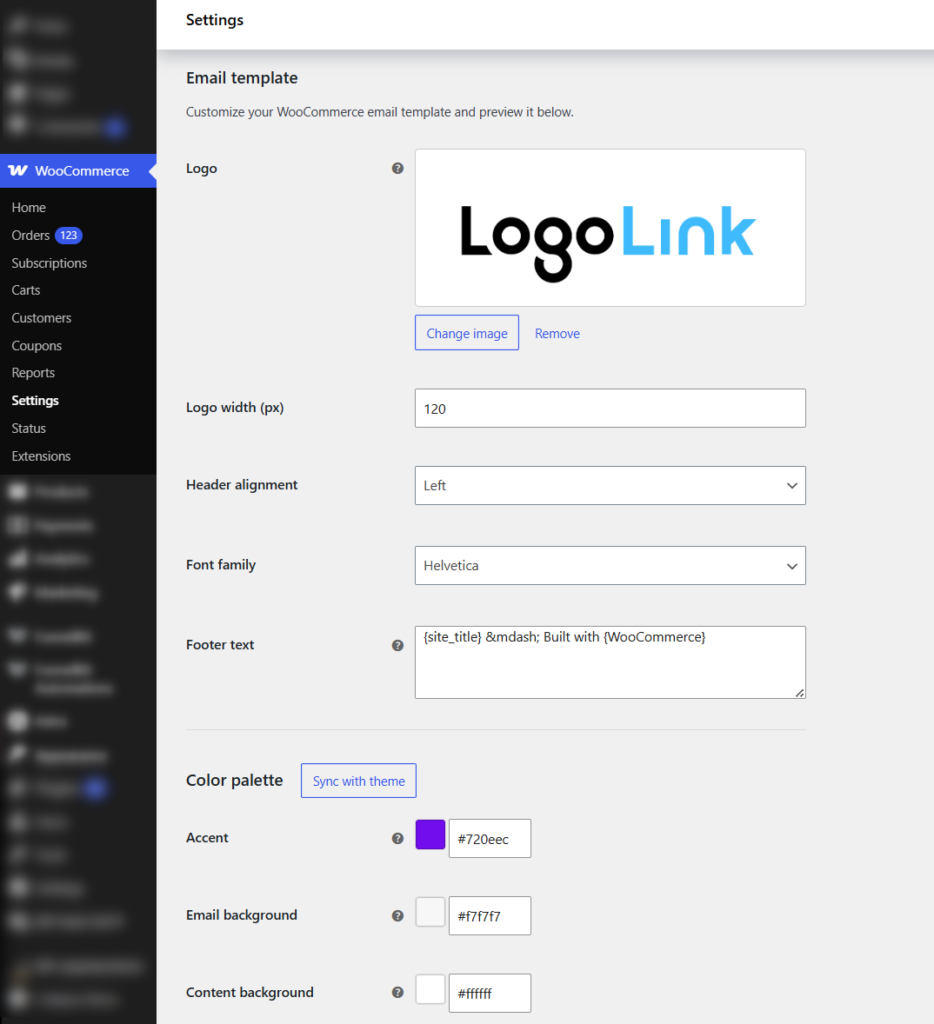
If you enable Email improvements under WooCommerce ⇨ Settings ⇨ Advanced ⇨ Features, you can also add Cc and Bcc recipients.
These settings stay in place when you update WooCommerce.
The block email editor (alpha)
WooCommerce is also working on a block-based email editor. You can enable it as Block Email Editor (alpha) under WooCommerce ⇨ Settings ⇨ Advanced ⇨ Features.
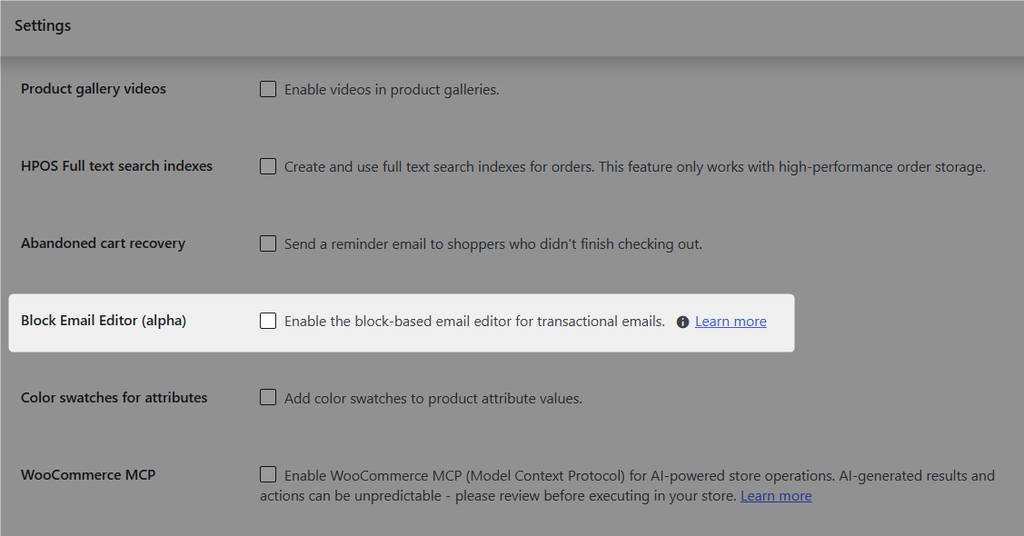
Once enabled, you can edit email text and images much like you would edit a WordPress post.
The editor picked up several changes in 2026. WooCommerce 10.9 added a way to detect core template updates and apply them without overwriting your changes.
The same release added transactional email logging under WooCommerce ⇨ Status ⇨ Logs.
WooCommerce 11.0 then added video embeds from Vimeo, TikTok, and Dailymotion.
Some official extensions already use the block editor. For example, WooCommerce Gift Cards uses it for its gift card emails.
Where the built-in tools fall short
The block editor is still in alpha. As of October 2026, WooCommerce’s GitHub lists a bug where billing and shipping addresses disappear in Apple Mail when block emails are enabled.
Another issue caused product blocks to appear empty in background emails on WooCommerce 11.1 and later. A fix for that issue was backported to 11.2.
Beyond those stability issues, the built-in tools are still missing four things many stores need:
- Conditional blocks that show different content based on the customer, product, or country.
- Design control over emails sent by most third-party plugins.
- Open, click, or revenue tracking for individual emails.
- Reusable templates that work across order and marketing emails.
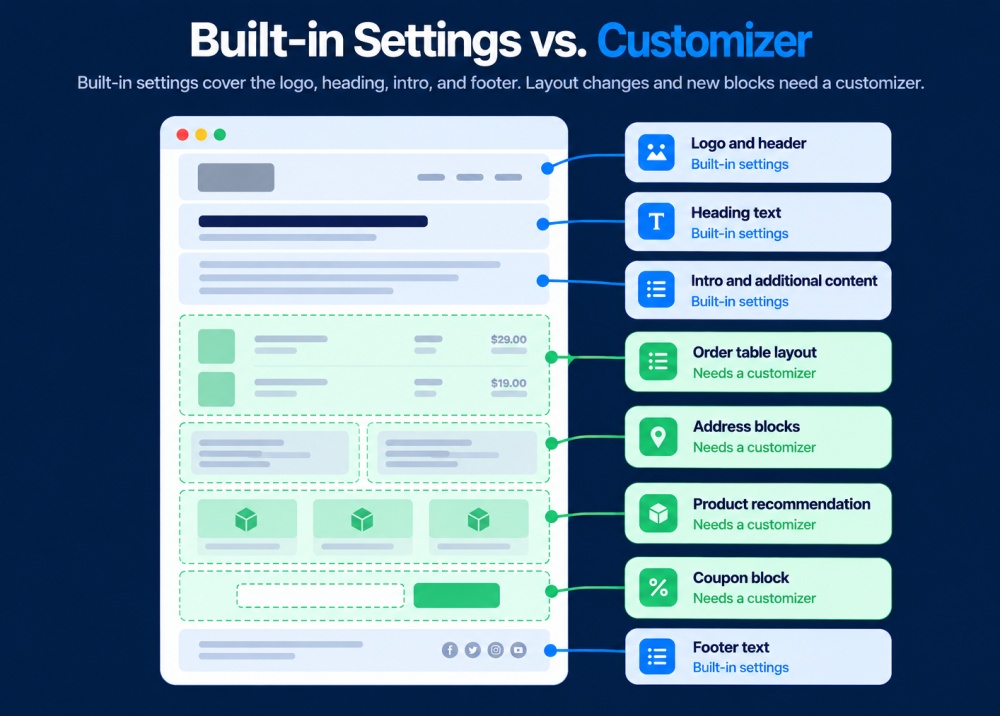
If you only need a logo, brand colors, and better wording, the built-in settings are probably enough.
A WooCommerce email customizer becomes more useful when you need drag-and-drop layouts, branded emails from other plugins, conditional content, or performance data.
For a full walkthrough of the built-in options, see our guide to customizing WooCommerce emails.
How We Tested These Email Designers
We installed each plugin on the same WooCommerce store and rebuilt one design in every editor.
It was a branded order confirmation with a logo, a two-column order summary and a delivery estimate, plus a “Track your order” button and a small product recommendation block.
Test environment
| Setting | Value |
|---|---|
| WordPress | 7.1.2 |
| WooCommerce | 11.1.2 |
| PHP | 8.4.25 |
| Theme | Twenty-Twenty Five |
| Email delivery | WP Mail SMTP |
| Test dates | October 5, 2026 |
What we tested
- Same-design rebuild: We timed each rebuild and noted anything the editor couldn’t reproduce.
- Inbox rendering: We sent each email to Apple Mail on iOS, Gmail on web and mobile, and both new and classic Outlook.
- Update survival: After customizing the emails, we updated WooCommerce and checked whether the designs still looked the same.
- Third-party emails: We tried customizing a WooCommerce Subscriptions renewal email in each tool, since these emails are often outside a customizer’s coverage.
- Custom fields: We added a checkout custom field to the order confirmation to see whether it appeared correctly.
- Conditional content: We tried showing one block only to customers from a specific country.
- Email size: We measured each email's HTML against Gmail’s clipping limit, where Gmail starts hiding the rest of the message.
We checked every price on the vendor’s own website on October 5, 2026, and left out any criticism we couldn’t reproduce ourselves.
Our setup still has limits. One store, one theme, and one SMTP provider won’t catch every possible conflict.
So when we mark something as a pass, read it as "worked on our setup", and run the QA checklist below on your own store before you launch.
Email Customizer Comparison Table
The WooCommerce ecosystem hosts thousands of stores customizing emails, and the customizer plugin you pick determines whether your store sends emails that drive repeat sales or look like they came from someone else's store.
| Plugin | Best For | Editor Type | Free Version | Starting Price |
|---|---|---|---|---|
| FunnelKit Automations | Email customization plus marketing automation in one | Drag-and-drop visual builder | ✅ Yes | $99.50/year |
| Kadence Email Designer | Free branding via WordPress Customizer | Native WordPress Customizer | ✅ Yes | From $99/year |
| YayMail | Dedicated transactional email design | Drag-and-drop builder | ✅ Yes | $99/year |
| Email Customizer by ThemeHigh | Affordable basic email customization | Drag-and-drop builder | ✅ Yes | From $39/year |
| Decorator Email Customizer | Completely free template editor | Visual customizer | ✅ Yes | Free |
| YITH Email Templates | Customization with different blocks | Drag-and-drop builder | ❌ No | $89.99/year |
| VillaTheme Email Customizer | Email template customization | Drag-and-drop builder | ✅ Yes | $32 |
| Spark Editor | WooCommerce and WordPress emails in one editor | Drag-and-drop builder | ✅ Yes | $60/year |
Most of these tools focus on designing emails.
FunnelKit Automations goes further by letting you build abandoned cart, post-purchase, and newsletter emails in the same editor, while also tracking the revenue each one generates.
If you only need better-looking order emails, those extra features may mean more setup than you need.
In that case, a dedicated WooCommerce email customizer will usually be simpler.
The 8 Best Email Customizer Plugins for WooCommerce
1. FunnelKit Automations
FunnelKit Automations is a WordPress marketing automation and CRM platform with a built-in visual email builder.
Rather than only restyling default WooCommerce emails, it lets you design transactional emails, build automated sequences, and send broadcast campaigns, all from one dashboard inside WordPress.
The visual builder uses drag-and-drop blocks, including WooCommerce-specific blocks like order summary, products, cart items, and coupons.
You get pre-designed email templates for both transactional and marketing emails, personalization merge tags, conditional content, and a live preview with test-send so you can check how an email renders before it goes out.

Here are the key features:
- Pre-designed email templates: Customize and send beautiful emails using both transactional and marketing templates available inside FunnelKit Automations.
- Easy drag-and-drop editor: Build professional emails by adding and customizing content blocks with colors, images, fonts, and borders. Includes WooCommerce blocks like order summary, products, cart items, coupons, and more.
- Automated recipes: Import and tweak pre-built automation recipes in a single click to save time and achieve your specific use cases.
- Dynamic coupon codes: Generate personalized, limited-time coupon codes to encourage users to shop in your store.
- Personalized merge tags: Add dynamic data such as customer names, form submissions, order values, and more to make emails more relevant.
- In-depth analytics: Track not only open and click rates but also orders, revenue, and engagement trends by day or hour.
- Multilingual support. It works with WPML, Polylang, TranslatePress, and Weglot, so you can design a version of each email for every language.

Pros:
- WooCommerce blocks (order summary, products, coupons) populate dynamically inside the email editor, which simpler customizers do not offer
- Drag-and-drop builder is intuitive and completely beginner-friendly
- Conditional content and merge tags allow different content for different customers within a single template
- Revenue and order tracking per email connects the email design directly to store sales
Cons:
- The visual builder and templates are a Pro feature, and the free plan only offers email customization with the text editor
- The standalone FunnelKit Automations plan is not available for agencies (comes bundled with the Funnel Builder)
Price: FunnelKit Automations offers a free version on the WordPress repository. However, to unlock advanced features, you must upgrade to its premium version, which starts at $99.50 a year.
Reviews: 5 out of 5 (out of a total of 340 reviews) with 20,000+ active installations on WordPress.org.
Our Verdict
The builder is the most flexible of the group, and the WooCommerce blocks dropped order data in cleanly during testing. It took us only a few minutes to start designing a branded order confirmation email.
The trade-off is that the interface asks more of you than a single-purpose customizer since it's a well-suited CRM.
2. Kadence WooCommerce Email Designer
The Kadence Email Designer plugin from LiquidWeb is a tool in their bundle kit that lets you professionally customize default WooCommerce emails.
It lets you easily customize default WooCommerce transactional email templates. You can edit your email designs in the native WordPress Customizer.
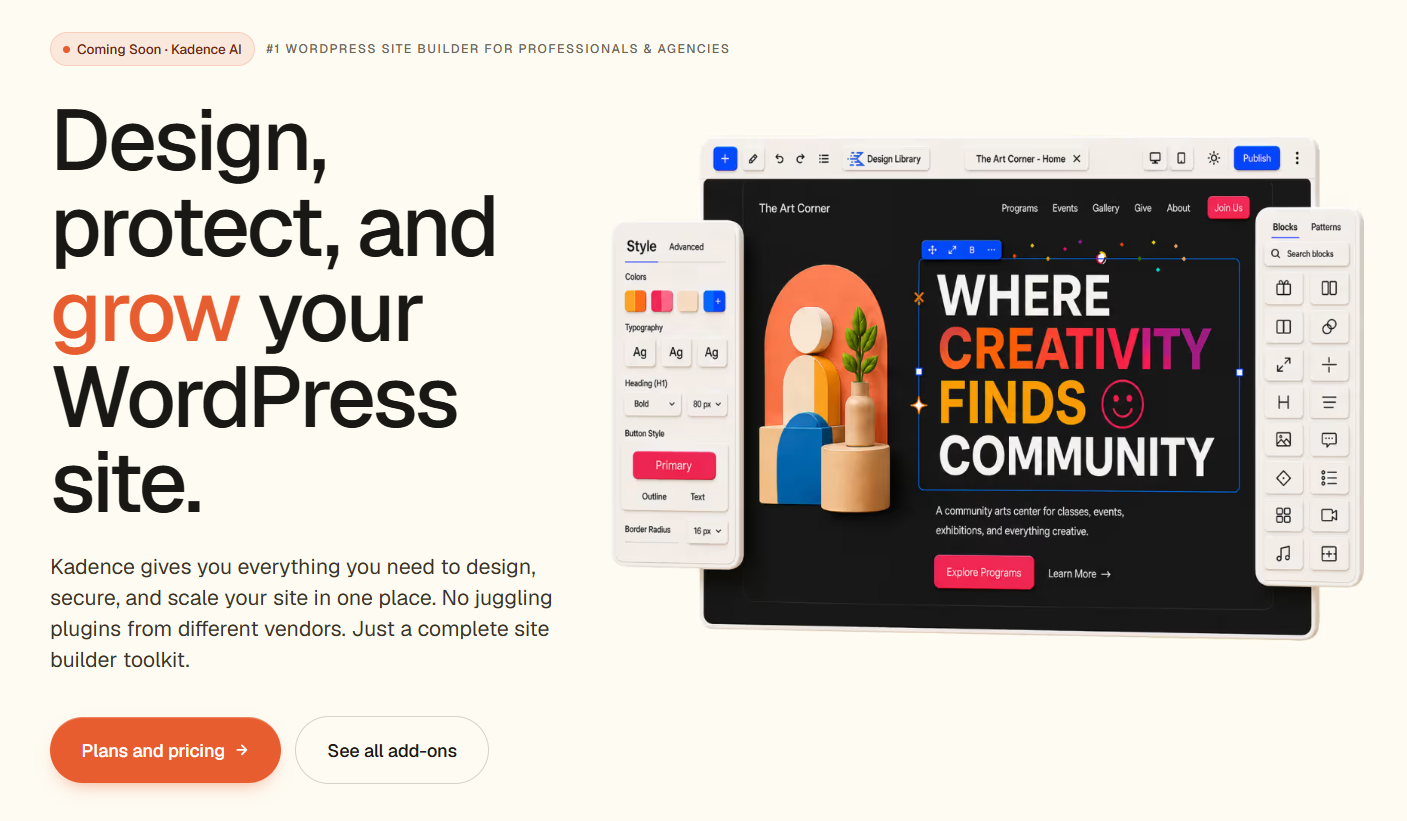
Features of Kadence WooCommerce Email Designer:
- Easy-to-use interface: A standard WordPress customizer interface that allows you to customize different WooCommerce transactional emails.
- Stock customization options: With various customization options, you can edit the design and style of different elements used in your email.
- Email templates: This plugin includes 11 WooCommerce email templates you can use and customize. It also includes 3 starter templates to customize your email design.
Pros:
- Uses the native WordPress Customizer, so there is almost no learning curve
- Covers the full set of default WooCommerce transactional emails
- Customizations can be made with prebuilt layouts and a live preview
Cons:
- It restyles within a fixed template; you cannot freely restructure the layout or add custom blocks the way a true drag-and-drop builder allows
- Works only with default WooCommerce emails; third-party plugins or custom emails do not appear by default
- No conditional logic, automation, or broadcasting
Price: Kadence WooCommerce Email Designer has a free version. It starts at $99/year, and for $499/year, you get complete access to its templates, themes, and more.
Reviews: 4.5 out of 5 (142 reviews), with 100,000+ active installations on WordPress.org.
Our Verdict
For owners who want fast, quite basic brand styling without adding another interface, Kadence is the path of least resistance.
The limitation is structural because it restyles within the existing template rather than letting you freely restructure layouts or drop in arbitrary blocks, so it suits recoloring more than redesigning.
3. YayMail - WooCommerce Email Customizer
YayMail is a dedicated WooCommerce email customizer focused purely on transactional email design.
Its drag-and-drop editor works much like Gutenberg, with elements on the left and a live email preview on the right, and it covers the 12 standard built-in WooCommerce transactional email types.
YayMail Pro adds conditional logic, custom CSS, shortcodes and placeholders, and broad compatibility with third-party WooCommerce extensions through its premium add-ons.
That makes it a strong choice if you run plugins like Shipment Tracking, Order Status Manager, or Checkout Field Editor and want their data inside your emails.
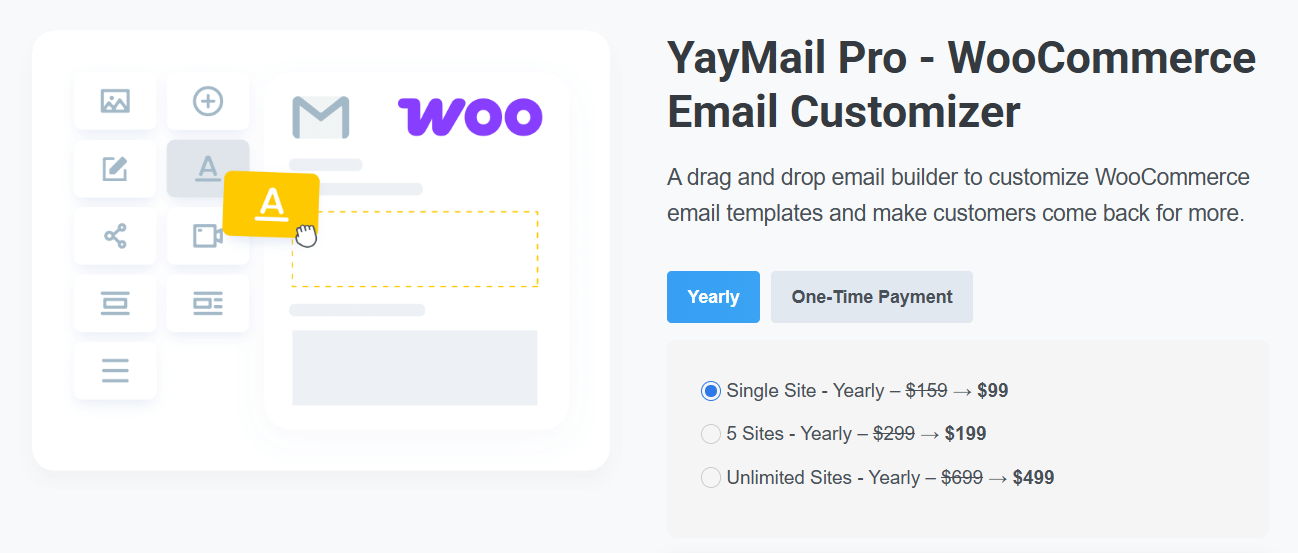
Key features:
- Easy-to-use interface: It uses an interface similar to Gutenberg and Elementor, with the customizer on the left sidebar and the email sample preview on the right.
- Email builder elements: It comes with 20+ design elements, such as images, buttons, text, social icons, videos, HTML, titles, etc., to help you create attractive emails.
- Customize default WooCommerce emails: This includes fully customizing 11 WooCommerce email templates, such as new orders, order processing, new accounts, orders on hold, and more.
Pros:
- Editor is purpose-built for WooCommerce transactional emails, with a familiar Gutenberg-like flow
- Conditional logic lets one template serve different content to different orders
- Broad third-party plugin compatibility via premium addons (Shipment Tracking, Order Status Manager, and more)
Cons:
- Advanced templates for third-party plugin emails require separate premium add-ons beyond the base Pro license
- Some users report slower support response times during busy periods
- It only designs emails; there is no automation, broadcasting, or abandoned cart capability
Pricing: Free version available. YayMail Pro starts at $99/year for a single site and includes a 30-day refund policy.
Reviews: 4.8 out of 5 (289 reviews) with 50,000+ active installations on WordPress.org.
Our Verdict
YayMail felt like the most purpose-built editor for pure transactional design. The Gutenberg-style interface is familiar and quick.
The catch is the add-on model. Full support for non-standard or third-party plugin emails often requires buying premium add-ons on top of the base Pro license, so costs can add up for complex stores.
4. Decorator WooCommerce Email Customizer
Decorator, now part of WebToffee's eCommerce marketing automation suite, is a WooCommerce email customizer for basic styling.
You can customize WooCommerce emails by personalizing your email design with pre-built templates.

Here are the key features:
- Pre-built email templates: Use multiple pre-designed templates to personalize and transform your WooCommerce default emails.
- Visual controls: Sliders and color pickers for backgrounds, containers, headers, footers, and text.
- All order emails: Style every default WooCommerce email by choosing an email type and editing it on the go.
Pros:
- Free, with prebuilt templates for all default WooCommerce order emails
- Simple slider and color-picker controls are approachable for beginners
- Covers headers, footers, containers, and text styling in one place
- Good fit for new stores, building a brand on a budget
Cons:
- Provides styling rather than full drag-and-drop layout control
- Fewer design elements than builders like FunnelKit Automations and YayMail
- The customizer is bundled into a broader marketing-automation product, which adds features unrelated to pure email design
Pricing plan: This is a free WooCommerce email customizer plugin available in the WordPress repository.
Reviews: 4.8 out of 5 (54 reviews) with 10,000+ active installations on WordPress.org.
Our Verdict
Decorator is a fine free starting point for branding emails for a new store. It handles colors and spacing across the default emails without fuss.
The limitation is styling depth rather than full layout building, and since the email customizer now sits within a broader marketing-automation product, it can feel heavier than a focused, single-purpose tool.
5. Email Customizer for WooCommerce by ThemeHigh
This WooCommerce email plugin by ThemeHigh offers drag-and-drop email design at the lowest price point on this list.
It ships with 11 prebuilt templates and 20+ elements, and it supports WooCommerce hooks, allowing you to include order details, customer information, and billing or shipping data in your templates.
It is a sensible middle ground for stores that want more layout freedom than a Customizer-based tool offers but do not need the larger integration ecosystems or automation features of pricier options.

Key features:
- Ready-made email templates: 11 pre-built email templates you can adjust to your brand.
- 20+ elements: Text, images, social icons, plus WooCommerce elements like header, billing, shipping, and order details.
- WooCommerce hooks: Add hook-based content to templates for more control.
- Test emails: Preview and test-send emails before going live.
Pros:
- Lowest paid entry point ($39/year) for a drag-and-drop WooCommerce email builder
- Includes prebuilt templates plus WooCommerce elements like order and customer details
- Supports WooCommerce hooks for additional template control
Cons:
- Third-party plugin email support is limited compared with YayMail’s add-on ecosystem
- No marketing automation, broadcasting, or abandoned cart features
- Fewer design elements and integrations than other builders in this list
Pricing plan: Free version available. Pro starts at $39/year for a single site.
Reviews: 4.3 out of 5 (43 reviews) with 9,000+ active installations on WordPress.org.
Our Verdict
For the price, ThemeHigh covers the essentials well, and the drag-and-drop builder is approachable.
It carries the lowest WordPress.org rating of the group, and the gap shows in scope. Its third-party plugin email support is more limited than YayMail's, so heavily extended stores may outgrow it.
6. YITH WooCommerce Email Templates
YITH WooCommerce Email Templates is a premium plugin for styling the standard WooCommerce emails sent to your shoppers, from new account and welcome messages to order confirmations.
Unlike most tools on this list, it isn't a live drag-and-drop builder. Instead, you configure colors, typography, social network icons, and custom footer content in an options panel, then check the result in a live preview populated with sample order data.
It ships with 4 ready-made layouts and lets you create multiple templates, assign them by email type or user role, and inline the CSS for more consistent rendering across email clients.
The focus here is brand-consistent global styling rather than per-email custom layout design, which makes it a fit for small stores that mainly need their emails to match their colors, fonts, and footer.
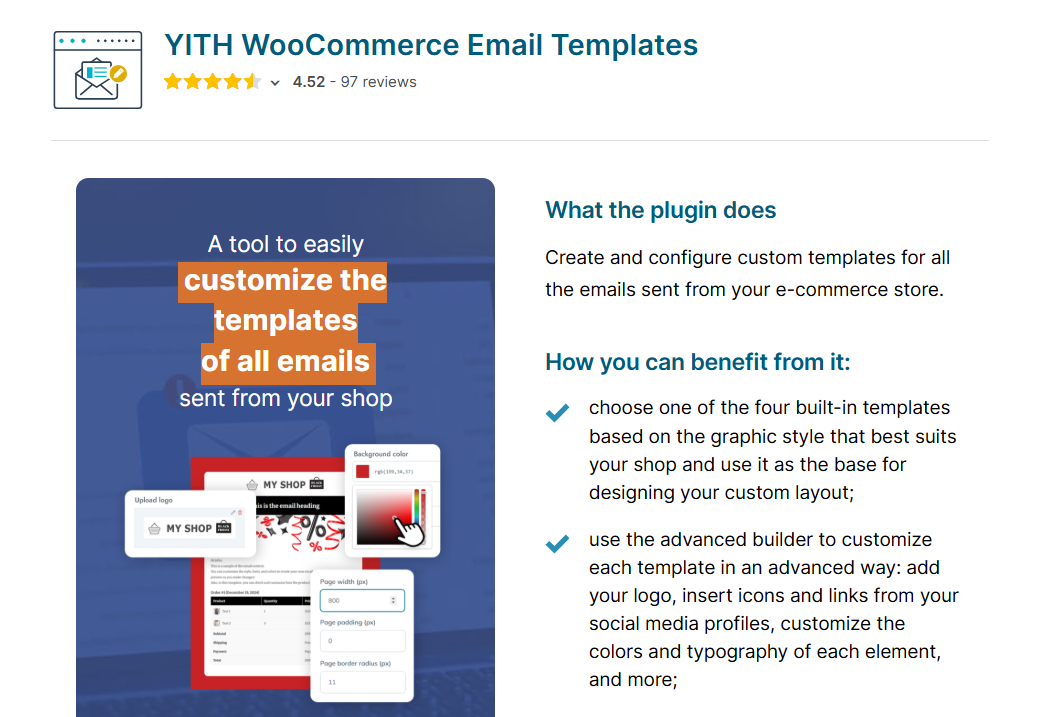
Key features:
- Global styling controls: Adjust colors, typography, social icons, and custom footer text or logo across your WooCommerce and WordPress emails.
- 4 ready-made layouts: Start from preset layouts and create unlimited templates from a settings panel.
- Template assignment: Schedule and assign different templates by email type or user role.
- Inline CSS with live preview: Inline styling improves rendering, and a live preview uses real sample order data before you send.
Pros:
- Covers colors, typography, social icons, and footer branding for consistent styling across WooCommerce and core WordPress emails
- Includes 4 preset layouts plus the ability to create and store multiple templates
- Template scheduling and assignment by email type or user role adds flexibility that most basic stylers lack
- Inline CSS and a sample-data live preview help catch rendering issues before sending
Cons:
- No live drag-and-drop editor; you change settings and rely on the preview, which is slower for iterative design
- Premium only, with no free version on WordPress.org, though a demo is available on the YITH site
- Layout flexibility is bound to the provided templates and options; you cannot freely build custom block layouts like a drag-and-drop builder
Pricing: Premium only, starting at $89.99/year for a single site.
Reviews: 4.5 out of 5 (97 reviews) on their own site.
Our Verdict
For stores that want fast, brand-consistent styling and do not need to rebuild layouts block by block, YITH is straightforward and reliable.
With no live drag-and-drop editor, you make a change, then use the preview to check it, which slows iteration compared with the visual builders here.
It is also premium-only, so there is no free tier to try first, though YITH offers a demo on its site.
7. WooCommerce Email Template Customizer
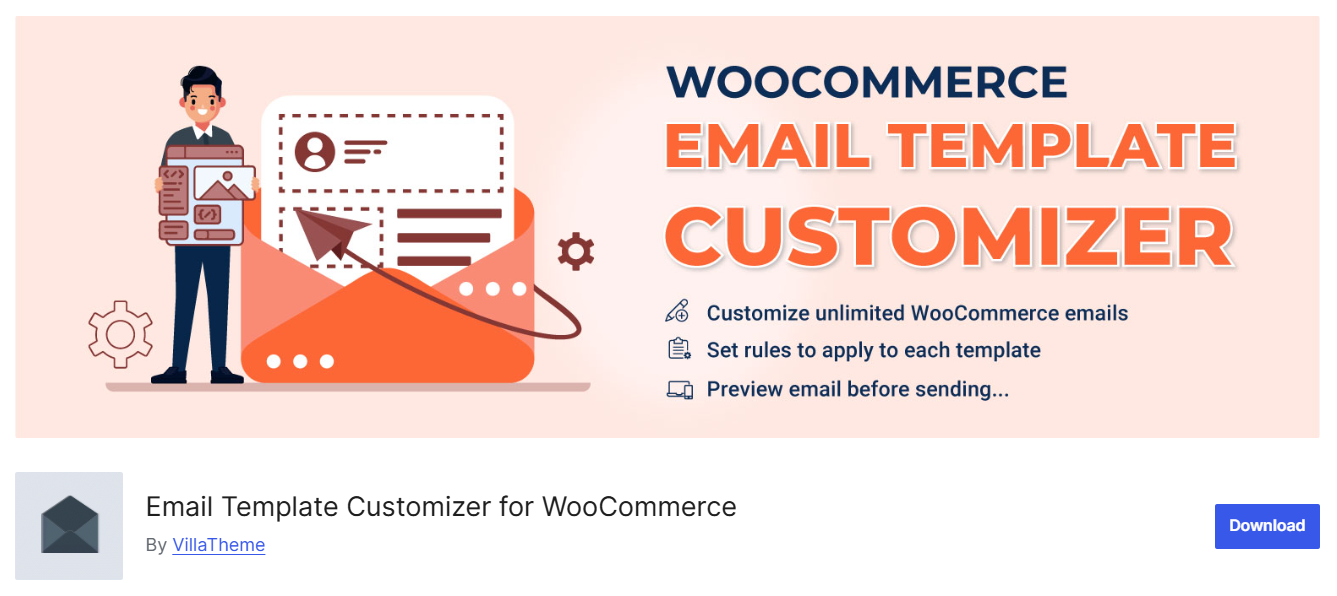
WooCommerce Email Template Customizer by VillaTheme is a drag-and-drop builder for designing every WooCommerce email, from new order and processing through to on-hold, completed, new account, and password reset.
You assemble emails from basic elements (text, buttons, images, menu bar, contact, spacer) and WooCommerce elements (order details, totals, billing and shipping, products, coupons) with no code.
Its real standout is rule-based, targeted sending.
Beyond styling one global template, you can assign different templates based on billing country, product, category, payment method, etc., all managed by a priority system, and create per-language templates through WPML, Polylang, or TranslatePress.
Here are the key features:
- Drag-and-drop builder with WooCommerce blocks: Add and rearrange text, buttons, and images alongside order details, totals, billing and shipping, products, and coupons.
- Conditional email rules: Send different templates based on billing country, product, category, payment method, or order value, with rules ordered by priority.
- Multilingual and RTL support: Build per-language templates with WPML, Polylang, or TranslatePress, and design in right-to-left languages like Arabic.
- Template management: Create unlimited templates, file attachments, desktop and mobile previews, test sends, and import and export between sites.
Pros:
- True drag-and-drop builder with WooCommerce blocks for order details, totals, billing and shipping, products, and coupons
- Assign templates by billing country, product, category, payment method, or order value, with a priority system that most customizers lack
- Strong multilingual and RTL support, including per-language templates via WPML, Polylang, and TranslatePress
- Unlimited templates, file attachments, test sends, device previews, and template import and export between sites
Cons:
- Templates do not replace the default WooCommerce emails until they are correctly enabled; many users have reported that the store still sends original emails after designing a template
- Complex multi-column layouts have historically required Outlook-specific fixes, so rendering in Outlook (classic) should be tested before launch
- Small customer base and review count, so it is less proven at scale than the most established options here
Pricing: A free version is available on WordPress.org. Pro is a one-time $32 on CodeCanyon.
Reviews: 4.6 out of 5 (105 reviews) with 20,000+ active installations on WordPress.org.
8. Spark Editor
Spark Editor is the pick if you want your WordPress system emails, such as new user notifications, to match your WooCommerce emails.
Spark Editor by Flycart is a drag-and-drop builder with a free version on WordPress.org.
It covers all 11 default WooCommerce emails and comes with ready-made templates to start from.
Spark Editor Pro extends the same editor to emails sent by other WooCommerce plugins.
Key features:
- Drag-and-drop builder: Move blocks, change colors, add your logo, and see each change in real time.
- Dynamic shortcodes: Order and customer data fill in automatically when the email goes out.
- Ready-made templates: There’s a template for every default WooCommerce email, so you’re never starting from a blank page.
- Live preview and test sends: Check an email in your own inbox before it goes live.
Pros:
- Covers WordPress account emails as well as WooCommerce ones, so every message a customer receives can match
- The free version includes the full drag-and-drop editor for all 11 core WooCommerce emails
- Keeps pace with WooCommerce releases; version 1.1.6 added support for WooCommerce 11.1 and WordPress 7.1
Cons:
- Plugin emails and conditional logic come through Pro or separately sold add-ons, so the cost grows with your plugin list
- A small install base (200+ active installations on WordPress.org) means fewer community answers than older plugins have
- No marketing automation, abandoned-cart emails, or broadcasts
Price: Spark Editor has a free version on WordPress.org. Pro starts at $60/year for one site, $108/year for three sites and $236/year for ten.
Reviews: 4.8 out of 5 (19 reviews), with 200+ active installations on WordPress.org.
Our Verdict
Spark Editor is the pick when your account emails, not just your order emails, need to carry your branding.
The free version is generous, and the changelog shows it adding support for each new WooCommerce release.
The trade-off is cost creep. Each extra plugin email or conditional rule means another add-on, so price out the ones you'll need before you commit.
Which WooCommerce Email Designer Should You Choose?
Start from what your store needs. Most stores fit one row.
| If you need… | We recommend |
|---|---|
| A logo, brand colors, and better wording only | WooCommerce’s built-in email settings |
| Order emails, abandoned cart reminders and newsletters in one builder | FunnelKit Automations |
| Free drag-and-drop design for the default emails | The free versions of YayMail, ThemeHigh, or Spark Editor |
| Branded emails from Subscriptions, Bookings or vendor plugins | FunnelKit Automations, YayMail Pro with add-ons, or Spark Editor Pro |
| Different templates by country, product or language | Mailonix |
| Styling inside the WordPress Customizer you already know | Kadence or WebToffee |
| Consistent styling for WooCommerce and WordPress emails without a builder | YITH WooCommerce Email Templates |
Free Email Customizers: What You Get Without Paying
Seven of the eight have a free version. Two are free outright.
| Tool | Free version | What the free version covers | What needs a paid plan |
|---|---|---|---|
| WooCommerce built-in | Included | Colors, header image, footer text, subjects and headings, plus the block editor (alpha) | Nothing |
| FunnelKit Automations Lite | Yes | Pre-built automations such as abandoned cart and welcome emails, with a text-based email editor | Drag-and-drop builder, templates and broadcasts |
| YayMail | Yes | Drag-and-drop design for the 11 default WooCommerce emails | Third-party plugin emails and add-ons such as conditional logic |
| ThemeHigh Email Customizer | Yes | Drag-and-drop builder with 11 default templates | Multi-column layouts, third-party hooks and WPML support |
| Spark Editor | Yes | Drag-and-drop design for the default WooCommerce emails | Emails from other plugins |
| Kadence Email Designer | Fully free | Customizer styling and prebuilt layouts | Nothing |
| WebToffee (Decorator) | Fully free | Global styling for every default email | Nothing |
| YITH Email Templates | No | A demo on the YITH website | Everything |
You can install the free versions from Plugins ⇨ Add New in your WordPress dashboard, or from each plugin’s WordPress.org page.
7 Best Practices to Make Your WooCommerce Emails Look Right in Every Inbox
- Check Apple Mail and Gmail first
Together, they account for nearly 90% of email opens. Outlook becomes more important if you sell to businesses.
- Keep your email HTML under 102 KB
Gmail clips larger emails and hides the rest behind a “View entire message” link.
The footer, including your support details, is often the first thing to get cut off.
- Put the important order details at the top
Make the order number, items, total, and delivery estimate easy to find without much scrolling.
Responsive templates help, but two-column layouts can still stack in an unexpected order on smaller screens, so check them on a real phone.
- Use one secondary call to action
Omnisend’s 2025 data puts order confirmations at $2.88 in revenue per email, so a relevant product recommendation can make sense.
Just don’t add so many offers that the order confirmation starts looking like an ad.
- Test with a real order
Preview tools use sample data. Place a test order to make sure real product names, prices, addresses, and other order details appear correctly.
- Match your checkout and thank-you page
Use the same fonts, colors, and tone so the email feels like part of the same shopping experience.
For design ideas, see our WooCommerce email template examples.
- Keep a multipart fallback
Set the email type to multipart in WooCommerce so email clients that can’t display HTML can still show a readable version.
How to Fix Common WooCommerce Email Customization Problems
Your emails still look like the default WooCommerce emails
If your email template isn’t changing, one of these four issues is usually the cause:
- The new template isn’t enabled: Many WooCommerce email customizer plugins require you to enable the custom design for each email before it replaces the default template.
- The email type is set to plain text: Plain text removes all design elements. Go to WooCommerce ⇨ Settings ⇨ Emails, click Manage, and set the email type to HTML or multipart.
- Two customizers are active: Deactivate the one you’re not using. If both plugins try to replace the same template, they can interfere with each other.
- Your theme overrides the templates: Some themes include their own email templates in a woocommerce/emails folder, which can take priority over WooCommerce’s default templates.
Your changes disappear after a WooCommerce update
Designs saved by a WooCommerce email customizer plugin are separate from WooCommerce’s template files, so a core update normally won’t overwrite them.
Manually edited template files are more likely to cause problems. When WooCommerce changes a template, the copy in your child theme can become outdated.
Check WooCommerce ⇨ Status ⇨ System Status to see your template overrides and whether any are outdated.
If you’re using the block email editor, WooCommerce 10.9 and later can merge core template updates into customized emails.
Your logo or images are not showing
- Use PNG or JPG files: Some email clients don’t display SVG images.
- Make sure the image URL is public: Images hosted on a staging site or behind a password won’t load for customers.
- Check your security and CDN settings: Hotlink protection can prevent images from loading in email clients.
- Add alt text: Some email clients block images until the recipient allows them to load. Alt text keeps the email understandable in the meantime.
Your layout breaks in Outlook
Classic Outlook for Windows uses Microsoft Word’s rendering engine, which doesn’t support much of the modern CSS used on websites.
Multi-column layouts, background images, and rounded buttons often break first.
Choose a customizer that uses table-based layouts and inline CSS, then send a test email to classic Outlook before you launch.
Your customized emails are not sending or are landing in spam
Many web hosts send WordPress emails through the server’s PHP mail function, which inbox providers may not trust.
Route your WooCommerce emails through an SMTP plugin and a transactional email service, and configure SPF, DKIM, and DMARC for your domain.
In WooCommerce 10.9 and later, the email log under WooCommerce ⇨ Status ⇨ Logs shows whether an email was sent and why a send failed.
For a complete troubleshooting checklist, see our guide to fixing WooCommerce emails that are not sending.
Customizing WooCommerce Emails Without a Plugin (Developer Route)
If you’re comfortable with PHP, you can customize WooCommerce’s classic email templates in two main ways.
- Template overrides
Copy the files from wp-content/plugins/woocommerce/templates/emails/ to your-child-theme/woocommerce/emails/ and edit the copies.
Keep the layouts table-based so they render reliably across email clients, and check your overrides after major WooCommerce updates.
- Email hooks
Hooks such as woocommerce_email_header, woocommerce_email_footer, woocommerce_email_before_order_table, and woocommerce_email_order_meta let you add or change content without copying entire templates.
Put your code in a small custom plugin or your child theme’s functions.php file so it isn’t lost during updates.
Hooks generally require less maintenance because you’re not maintaining copies of entire template files.
This gives WooCommerce updates less opportunity to break your customizations.
Template overrides also apply only to WooCommerce’s classic emails.
If you enable the block email editor, you’ll need to customize those emails through the editor instead.
For code examples and a step-by-step walkthrough, see our guide to customizing WooCommerce emails with and without code.
Frequently Asked Questions (FAQs)
No, you don't need any coding skills to use the WooCommerce email customizer plugin. A simple drag-and-drop email editor helps you design beautiful emails within a few minutes.
You can test your custom WooCommerce emails by clicking on the 'Preview and Test' button inside FunnelKit Automations. You can view the full preview of your custom-designed email and send test emails to yourself or other admins to check how it displays on different screens.
The send-email issue occurs because your WooCommerce settings are not properly configured.
Make sure they're set up correctly. Other times, this happens because of how WordPress sends emails with the wp_mail() function.
Most WordPress hosting servers cannot use PHP mail; that is why our experts recommend using an SMTP plugin to send your emails and deliver them to your recipient's inbox.
Test-send your emails with FunnelKit Automations using the Preview and Test section. Also, we recommend enabling Text/HTML format inside your SMTP plugin before sending your emails.
Decorator and YayMail Free are the best free drag-and-drop options for default emails; Kadence WooCommerce Email Designer is the simplest free choice for logo-and-color branding.
Yes, you can add custom CSS code styles to customize default WooCommerce emails. However, adding custom CSS requires technical expertise.
If you're unfamiliar with coding or CSS, it's best to avoid making such changes directly. Code mistakes can break email functionality or cause display issues. That's why experts recommend a user-friendly WooCommerce email customizer tool.
Beyond marketing emails, WooCommerce transactional emails play a critical role in shaping your customer experience.
Transactional emails like order confirmations, shipping updates, refunds, and account creation messages are often customers' first interaction with your store, making them a powerful branding opportunity.
The problem? Default WooCommerce emails are plain and generic. They lack branding, visual appeal, and modern layouts, which makes them easy to ignore.
Customizing WooCommerce emails helps you:
- Build brand recognition with logos, colors, and consistent styling
- Improve readability with clean, mobile-friendly layouts
- Increase engagement using CTAs like Track Order or Shop Again
- Encourage repeat sales through product recommendations
- Stand out from competitors with professional, branded emails
- Personalize communication using customer and order data
By customizing WooCommerce transactional emails, you turn routine notifications into meaningful brand touchpoints that build trust, improve experience, and drive long-term customer loyalty.
Yes, you can send WooCommerce emails in multiple languages. FunnelKit Automations is compatible with multilingual plugins like WPML, Weglot, TranslatePress, and Polylang.
Once you’ve set up a language in your plugin, FunnelKit Automations automatically brings it up to customize your transactional emails:
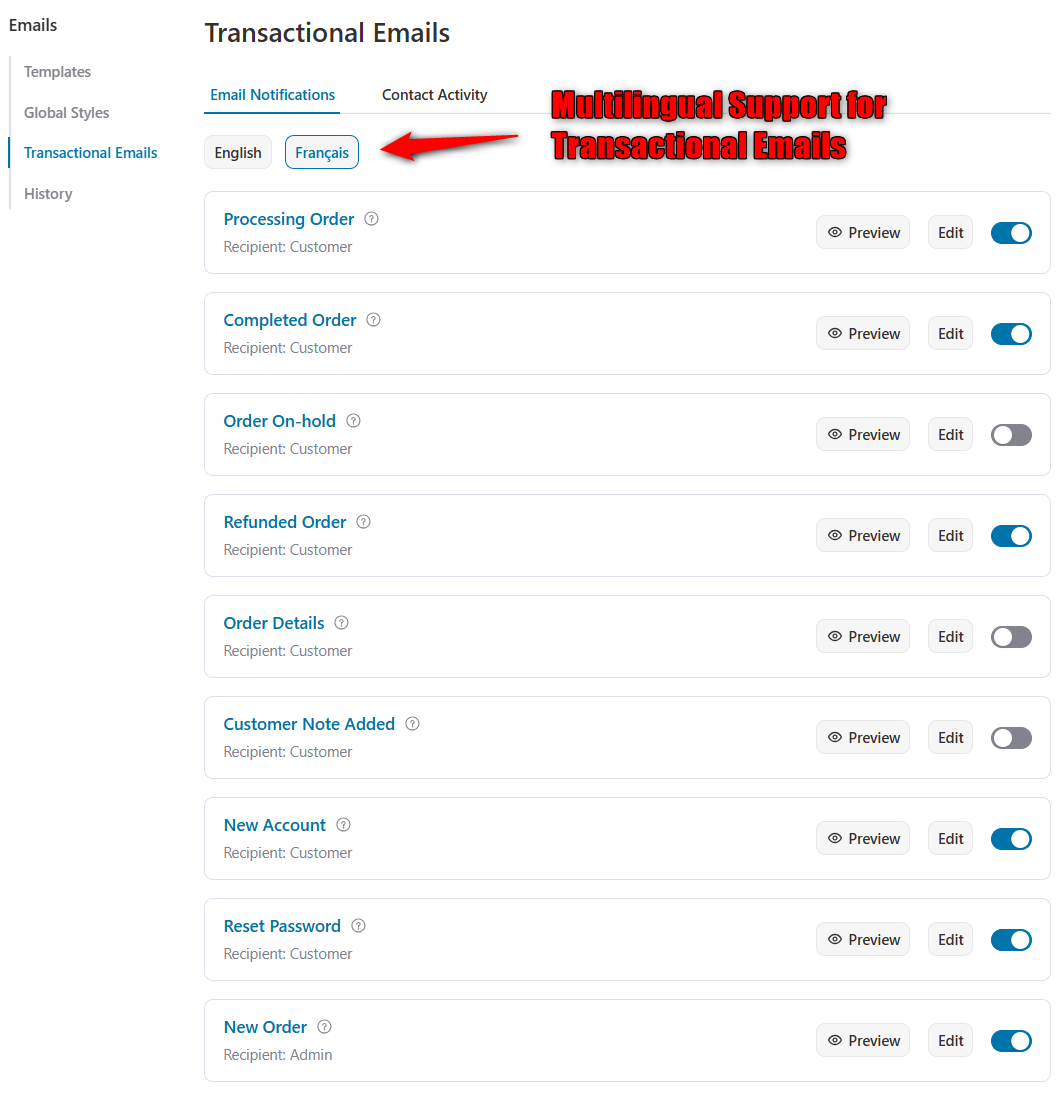
You can update your email and activate it. The system will automatically detect the user from a particular location and will send that multilingual email based on their country.
Tracking links usually come from a shipment tracking plugin or your shipping provider’s integration, which adds the tracking number to order emails.
FunnelKit Automations and YayMail can show tracking data from plugins such as Shipment Tracking and Advanced Shipment Tracking inside its templates.
Check that your customizer supports your tracking plugin before you buy.
Yes. Developers can use the woocommerce_email_order_meta_fields filter to add order data to emails.
Without code, customizers can use custom fields or hook blocks to display checkout field data, as shown in our guide to adding custom fields to WooCommerce emails.
Design Attractive Emails with the WooCommerce Email Customizer
By now, you've seen the power and potential of customizing your WooCommerce emails.
Eye-catching and visually appealing emails are key to driving higher open rates, click-through rates, and customer engagement.
For most stores, the honest answer is FunnelKit Automations for the best drag-and-drop email design along with marketing automations. Kadence or the built-in settings if you just need a logo and colors, and the child-theme route if you’d rather not add a plugin at all.
With FunnelKit Automations, creating emails that captivate your audience is easier than ever.
The intuitive drag-and-drop builder, flexible visual content blocks, and responsive design options allow you to craft professional, on-brand emails effortlessly.
Take this opportunity to transform your transactional and marketing emails into memorable customer experiences.
If you’re building a real email program, not just prettier order receipts, having design and automation under one roof is the advantage.
Start free, test-send across inboxes, and upgrade only when you actually need sending or automation.
Editorial Team
October 6, 2026Abandoned cart subject lines decide whether a shopper opens your recovery email or scrolls right past it. Everything inside that email, from the product photos to the coupon and the...

Editorial Team
September 30, 2026Quick answer: A quiz funnel is a multi-step interactive path that replaces a static lead form where visitors answer 5-8 questions, opt in with their email, and receive a personalized...

Editorial Team
September 30, 2026A WooCommerce HubSpot integration takes about 15 minutes to set up, but getting the sync right can take much longer. In April 2026, a store owner posted in the HubSpot...






