
FunnelKit
FunnelKit Documentation
Get unstuck with our helpful reference material

Use CSS Selector

This feature lets you trigger/open the FunnelKit sliding cart when users click on an existing cart icon from another plugin or theme.

To do this, locate the unique CSS class associated with that cart icon. Right-click on the icon, select Inspect, and identify the class applied to the <a> tag. Once found, copy the CSS class.
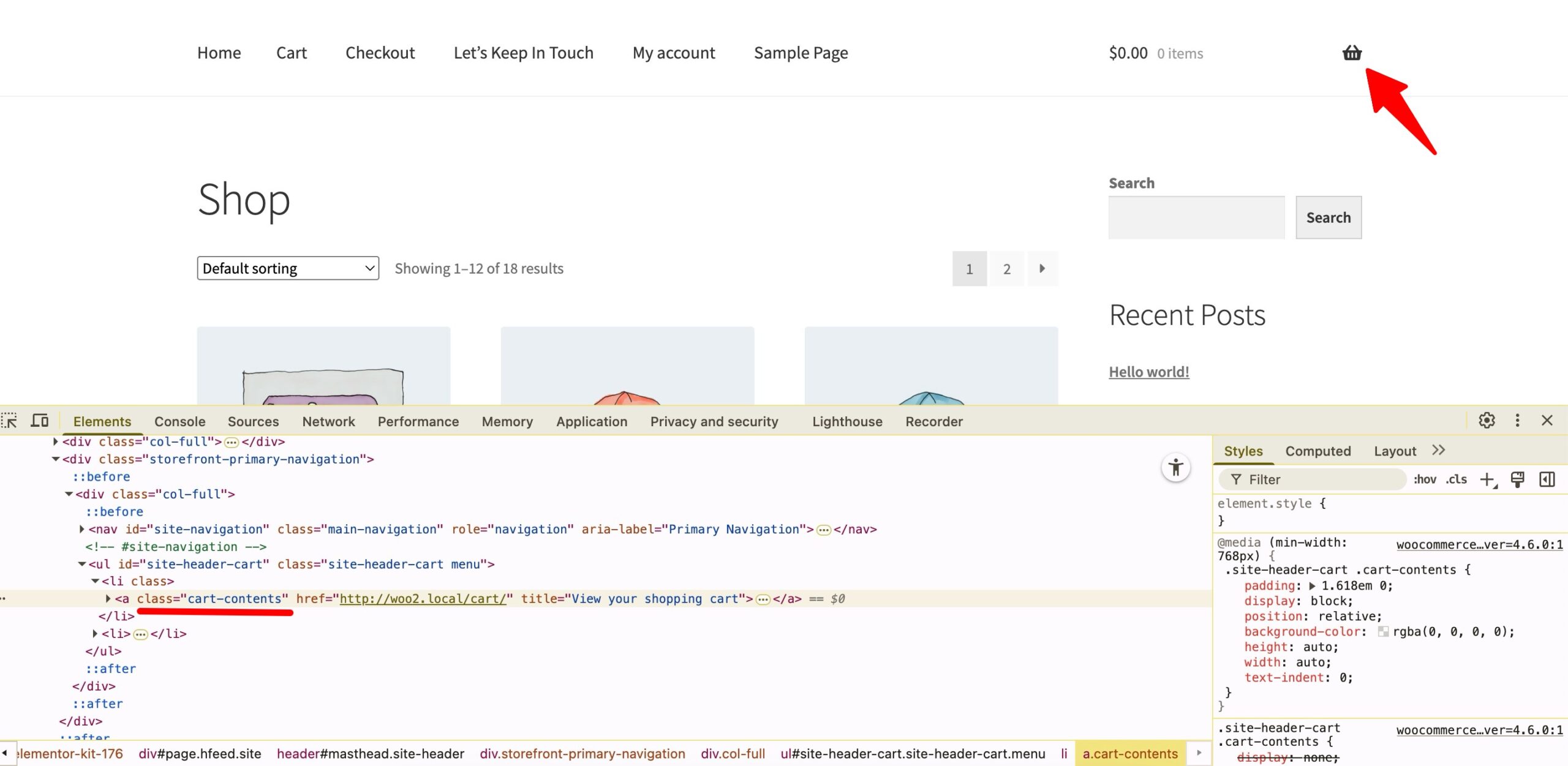
copy icon class

Now, return to the "Use CSS Selector" option, paste the copied CSS class, and make sure to prefix it with a period (.).
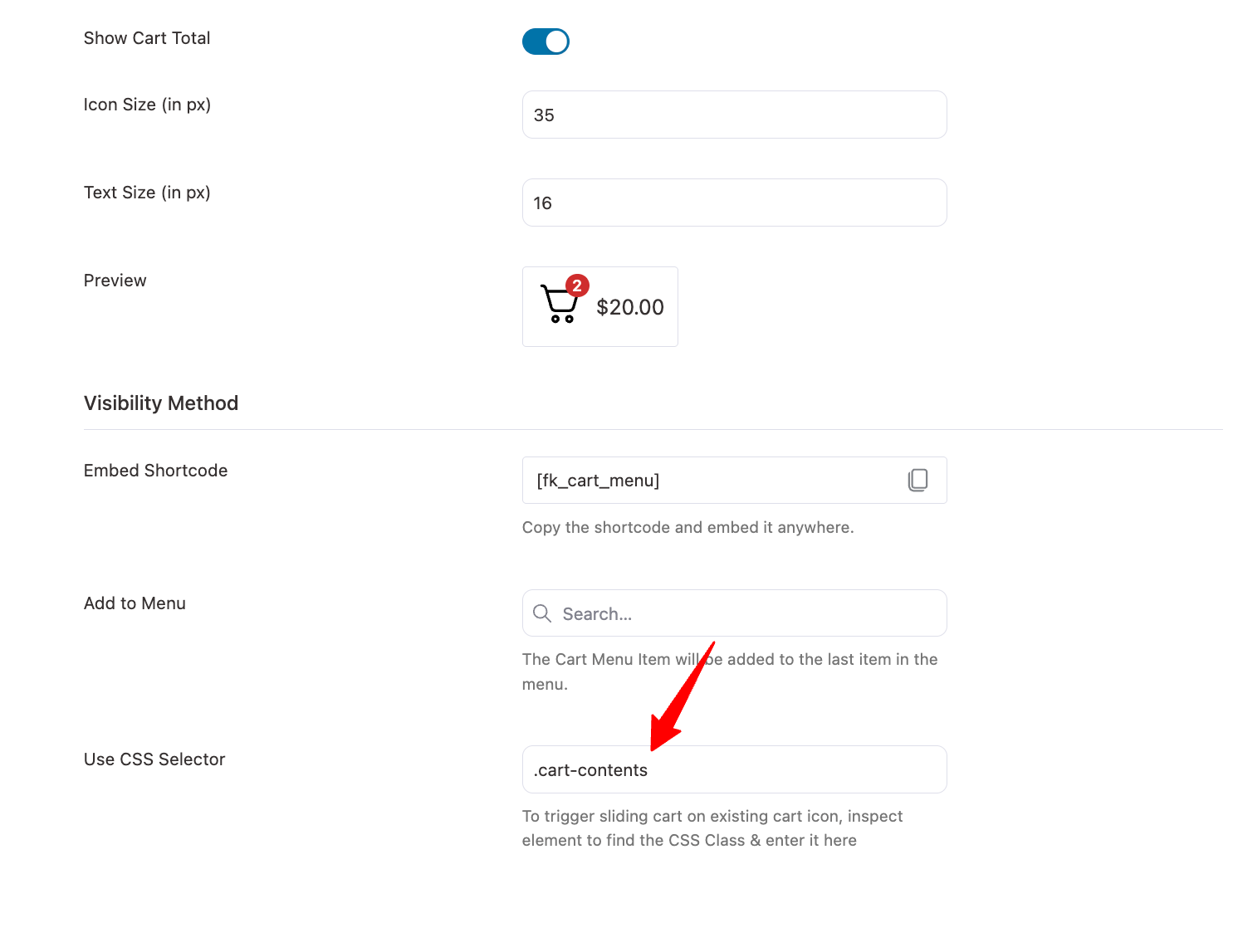
add css selector

Make sure to save the changes. Now, clicking the existing cart icon will open the FunnelKit sliding cart.

Ready to Transform Your Store?
Join 39,415+ successful store owners who trust FunnelKit to power their businesses.
Conversion Optimized Checkout Pages
Increase Revenue with Smart Upsells
Capture Emails & Recover Abandoned Carts
Automate Winbacks & Repeat Sales
948+ 5 star reviews on WordPress.org
Transform your store to power your business with FunnelKit
🚀 Maximize Your Profit with FunnelKit – Highest Rated with 948+ 5-Star Reviews
Get Started
