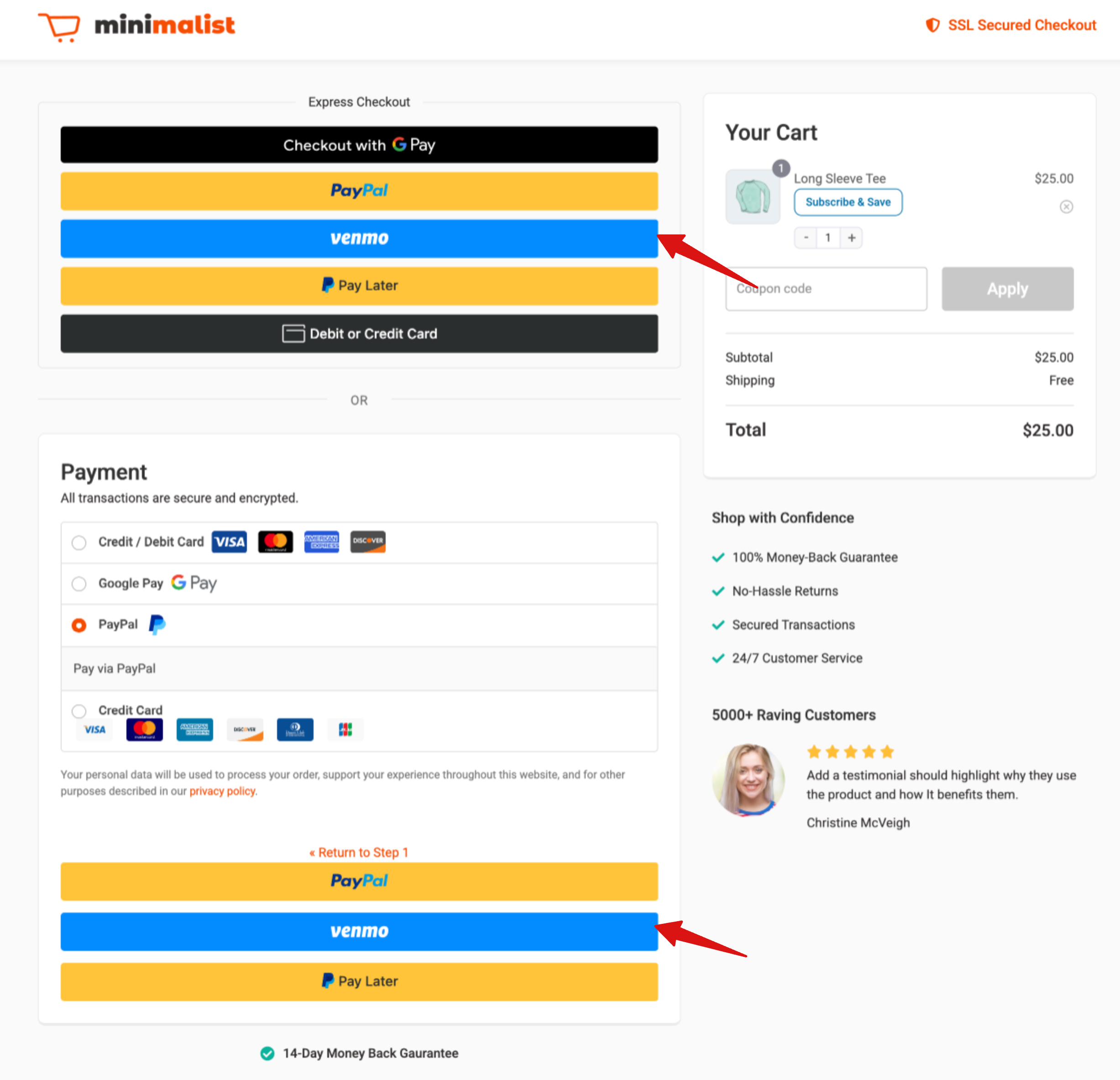
With FunnelKit PayPal, you can offer Venmo as a payment option on the checkout page, as an express payment option on product and cart pages, or both. This gives customers more flexibility to choose Venmo and complete their purchases quickly.
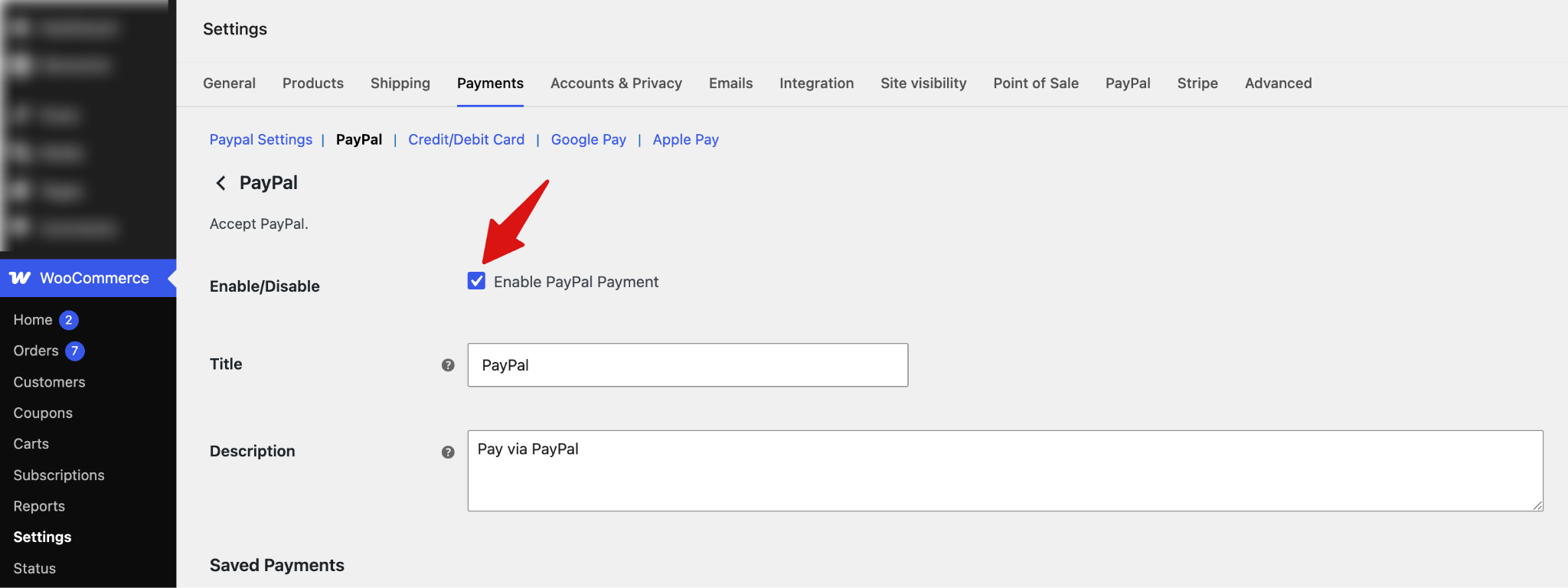
First, navigate to WooCommerce > Settings > Payments > PayPal and check the option "Enable PayPal Payment".
For other settings like button design, language, etc., check the PayPal settings documentation.
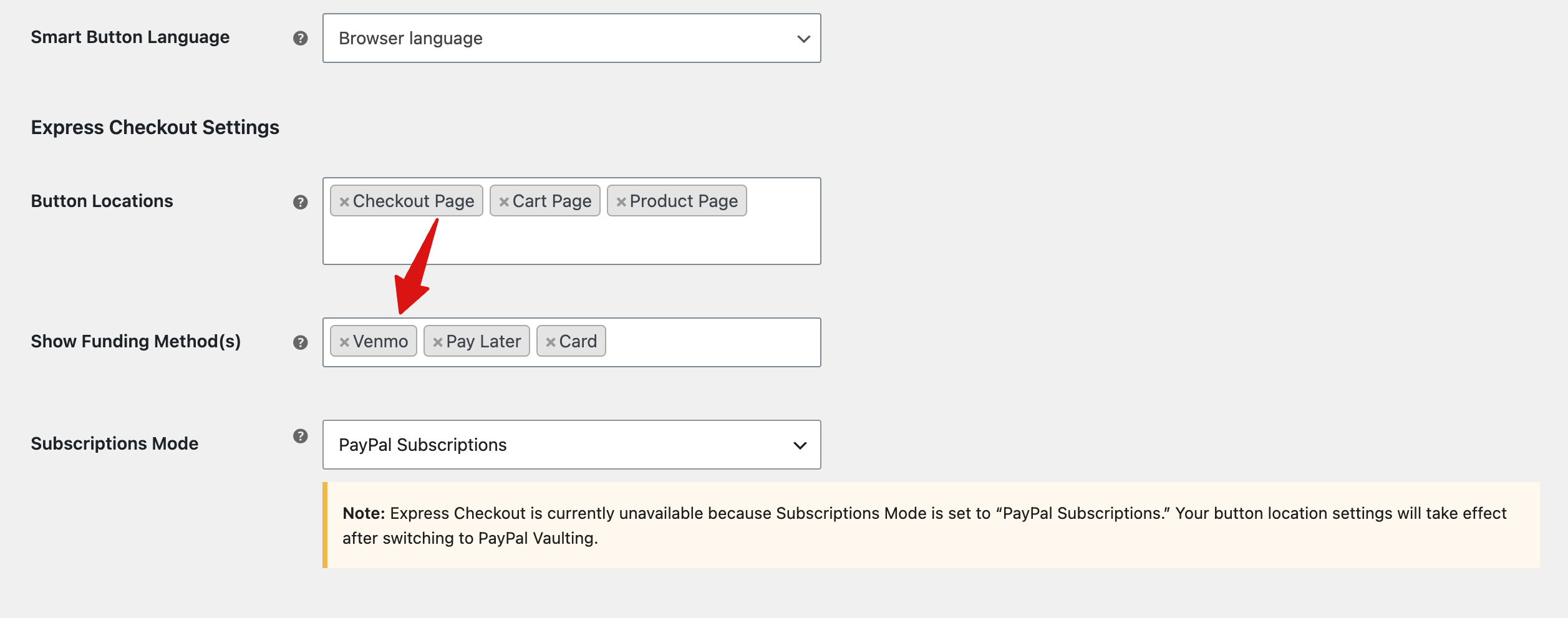
Next, scroll down to the Express Checkout Settings, set the button placement, and add Venmo to Show Funding Method(s).
Make sure to save the changes.
Here’s a preview of how the Venmo payment option appears in Express Checkout and as an inline payment method at checkout.