


Your store saves the customer’s PayPal payment method and triggers renewal payments using that saved method.
Flow at Checkout and Renewal:
| Step | What Happens |
| Customer checkout | Customer selects a subscription product. |
| Plugin action | Creates a regular PayPal order (not a PayPal subscription). |
| Payment storage | Stores payment method via Vault or Billing Agreement for future use. |
| Renewal | WooCommerce/Sublium triggers renewal payment using the saved token. |
| Store notifications | Webhooks notify your store about successful or failed renewals. |
What Gets Created:
- Regular PayPal order
- Payment Token / Billing Agreement ID (BA-XXXXX)
- WooCommerce/Sublium subscription with saved payment method
Requirements:
- PayPal Business account
- Vault enabled (or Billing Agreements for legacy setups)
How to enable Vault in a PayPal account.
If you used the PayPal automatic connection method, Vault is enabled automatically.
If you used Manual API credentials, log in to the PayPal Developer Dashboard.
Open your REST API app. Ensure Accept payments and Vault are enabled.
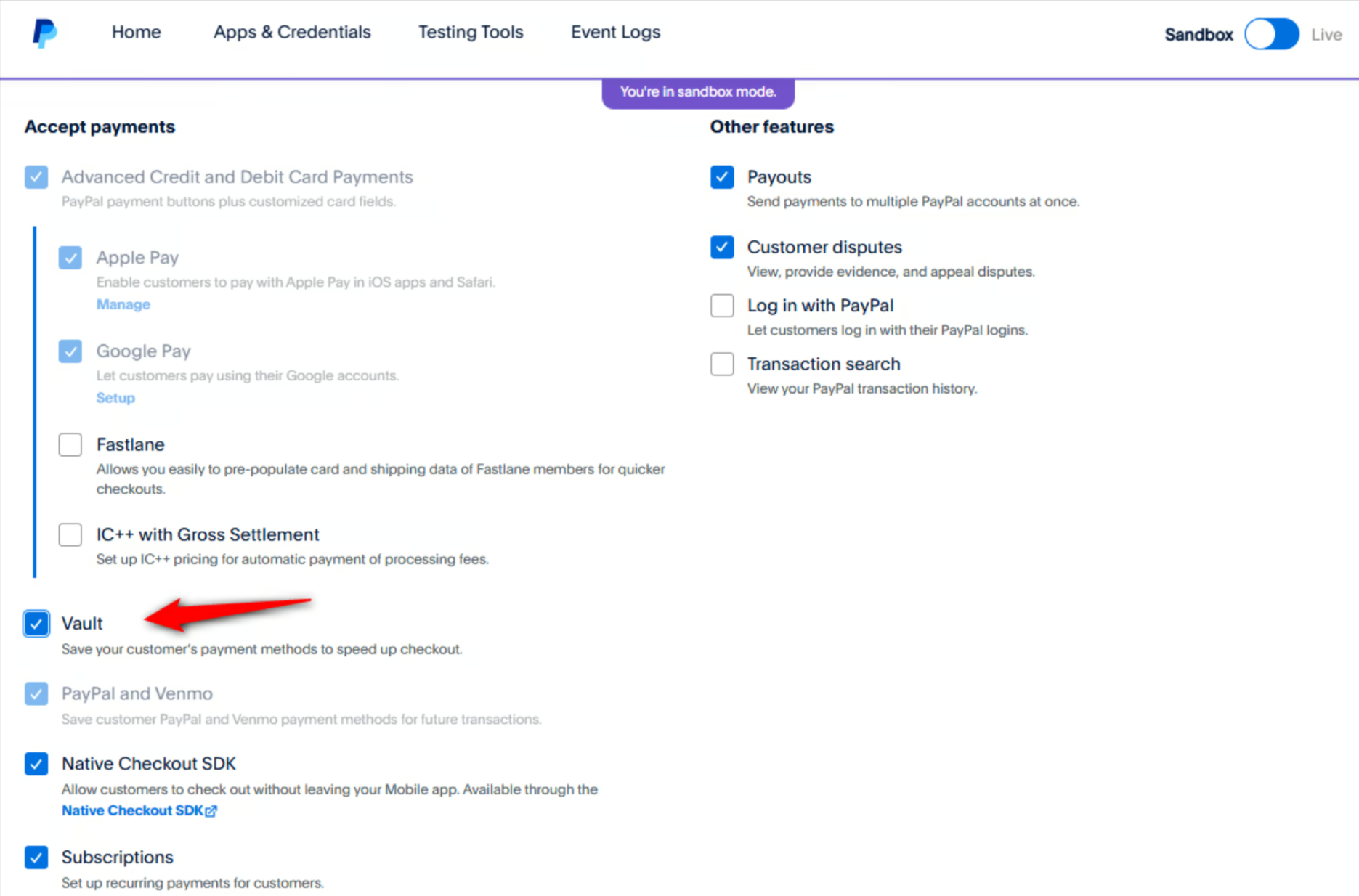
If Vault is missing, request access from your PayPal business account under Save PayPal and Venmo payment methods > Get Started.
Troubleshooting:
- Renewals failing → Check Vault or Billing Agreement status
- Vault not enabled → Verify API permissions in PayPal Developer Dashboard


