WooCommerce flat rate shipping charges one fixed price per order, no matter how many items a customer buys or how heavy the package gets. Two t-shirts or ten, shipping costs the same.
That's the appeal. Customers get a shipping cost that doesn't creep up as the cart fills, and you skip weight tables and live carrier rates entirely.
One price won't fit every order, though. The same built-in method lets you set a different rate for each region you ship to, add a fee per item or a percentage of the order total, and charge more for bulky products using shipping classes.
In this guide, you'll learn how to set up a basic flat rate in WooCommerce, then each of these options, with formulas you can copy and fixes for common setup problems.
Table of Contents
- 1 What is WooCommerce Flat Rate Shipping?
- 2 When Flat Rate Shipping Makes Sense
- 3 How to Set Up Flat Rate Shipping in WooCommerce?
- 4 4 Plugins That Extend WooCommerce Flat Rate Shipping
- 5 How to Leverage Flat Rate Shipping and Upsells to Boost Average Order Value?
- 6 Flat Rate Shipping Cost Formulas You Can Copy
- 7 6 Best Practices for Optimizing Flat Rate Shipping
- 7.1 1. Utilize shipping classes to differentiate rates
- 7.2 2. Create multiple flat rate options for different shipping speeds
- 7.3 3. Use shipping zones to set different rates for each region
- 7.4 4. Offer incentives to increase cart value
- 7.5 5. Leverage flat rate in combination with other shipping methods
- 7.6 6. Regularly review and adjust rates based on market trends
- 8 More Questions About WooCommerce Flat Rate Shipping
- 9 Final Thoughts: Streamline Your WooCommerce Shipping with Flat Rates
What is WooCommerce Flat Rate Shipping?
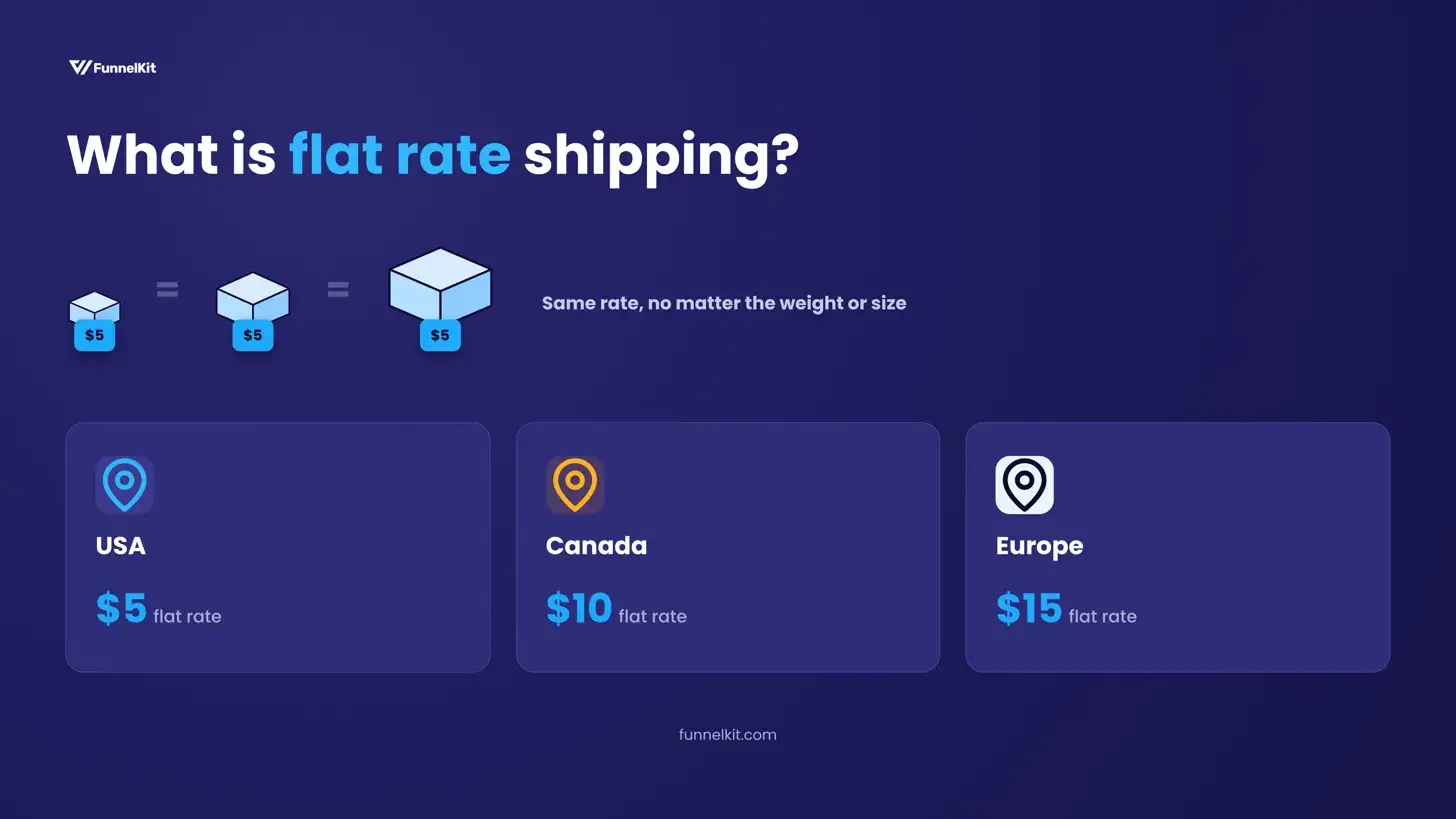
Out of the box, WooCommerce gives you three shipping methods: flat rate, free shipping, and local pickup. Flat rate is the one where you name the price. No carrier lookup happens behind it, so what a customer pays at checkout comes from the number you entered, not from USPS or UPS.
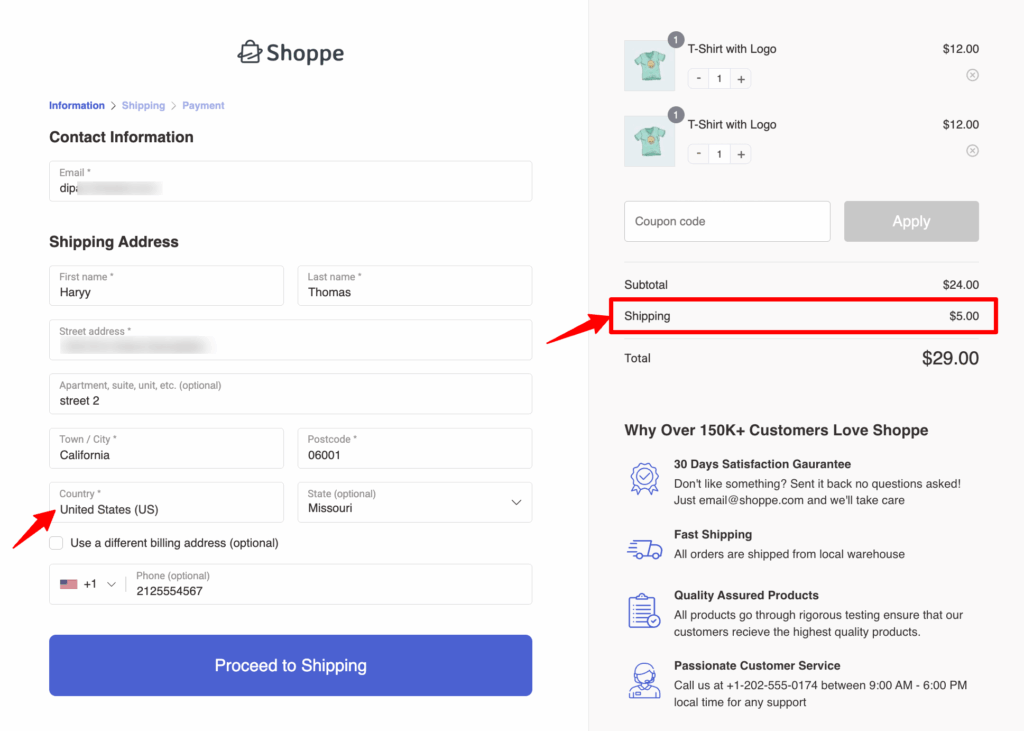
Which rate a customer pays depends on their shipping address. WooCommerce matches the address to a shipping zone and applies that zone's flat rate, so a store could charge $5 in the USA, $10 in Canada, and $15 in Europe.
When Flat Rate Shipping Makes Sense
Flat rate works best when your shipping costs don't swing much from one order to the next.
That usually means products of a similar size and weight, orders that fit in one box, and customers mostly in the regions you've set up as zones.
It gets trickier when your catalog mixes very light and very heavy items. One price then either overcharges the small orders or loses money on the big ones.
Shipping classes and cost formulas can close a lot of that gap, and both are covered below. If they still can't match your real costs, live carrier rates or a table rate plugin will price each order more accurately.
How to Set Up Flat Rate Shipping in WooCommerce?
Now, we'll show you how to fully set up and customise flat rate shipping and implement it in your store.
Here’s a step-by-step guide on setting up flat rate shipping in WooCommerce.
Step 1: Navigate to shipping settings
First, navigate to WooCommerce > Settings.
On the top menu, you’ll notice the "Shipping". Click on it and you’ll find the details of shipping here.
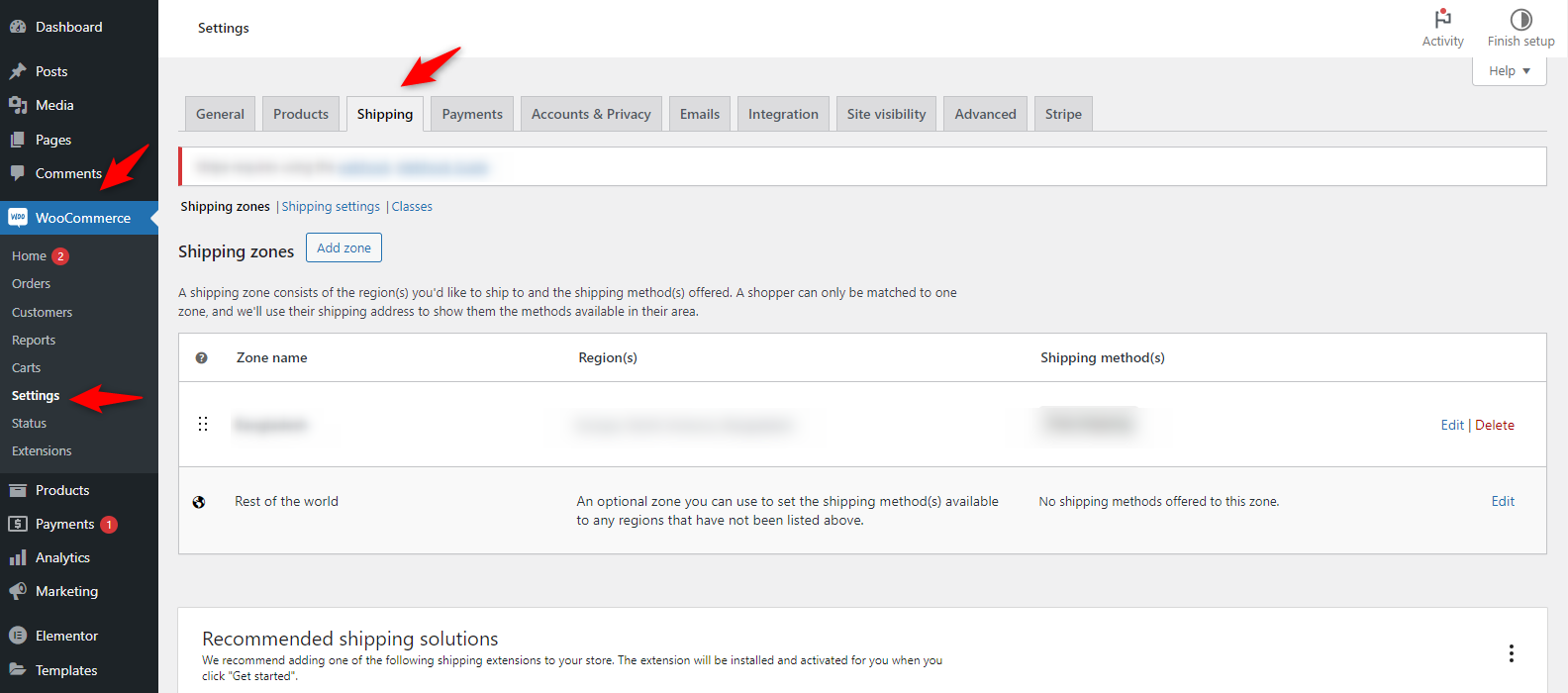
Step 2: Create shipping zones
Head over to the shipping zone section and add a new zone.
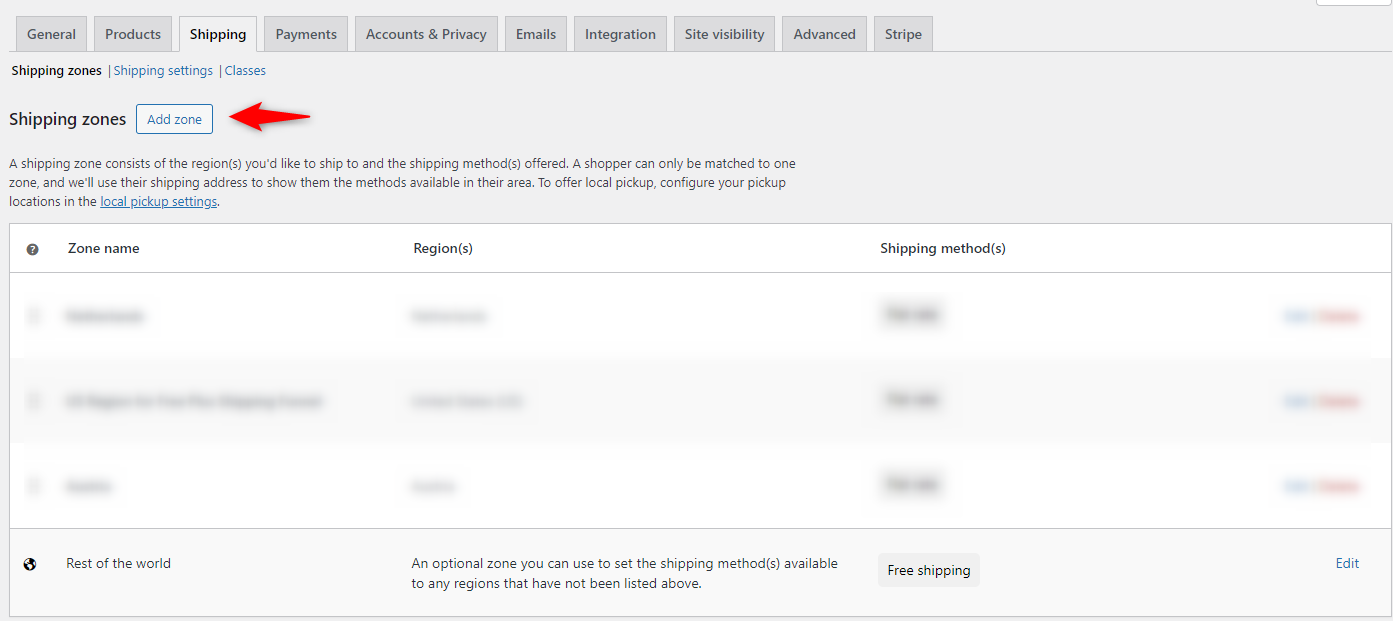
Set any shipping zone, for instance, if you want to offer a flat rate only inside the USA, then create a shipping zone for that.
Provide a zone name and select the regions. And hit save.
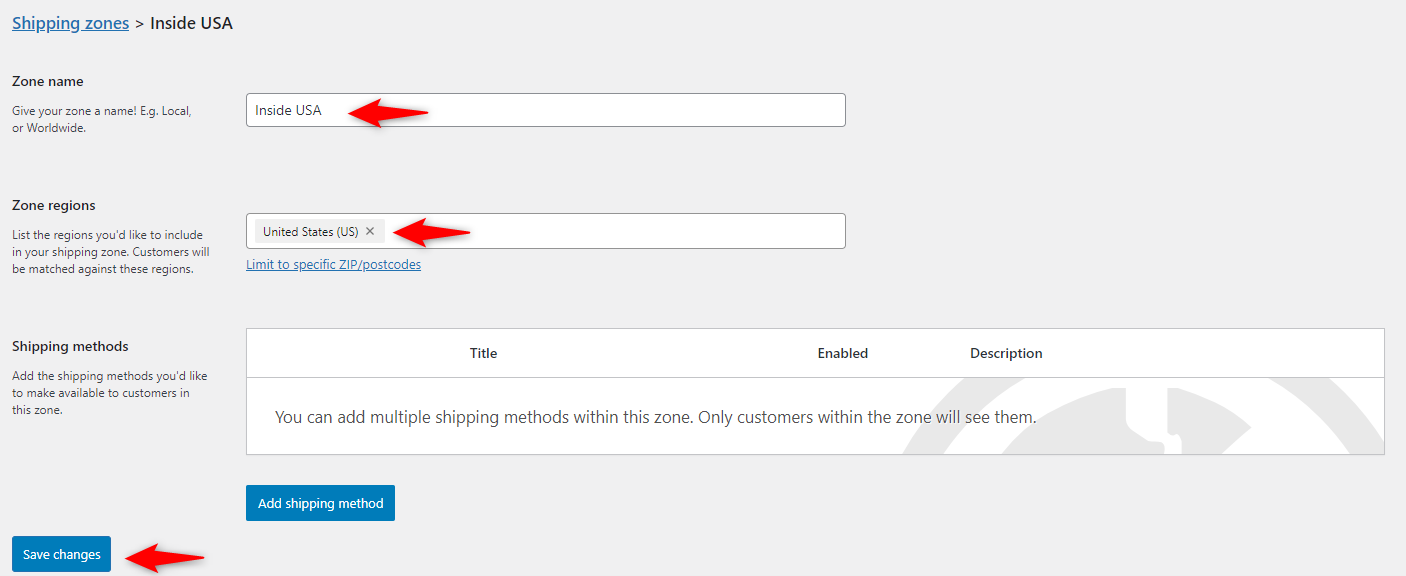
Step 3: Add a flat rate shipping method
Next hit on "Add shipping method".
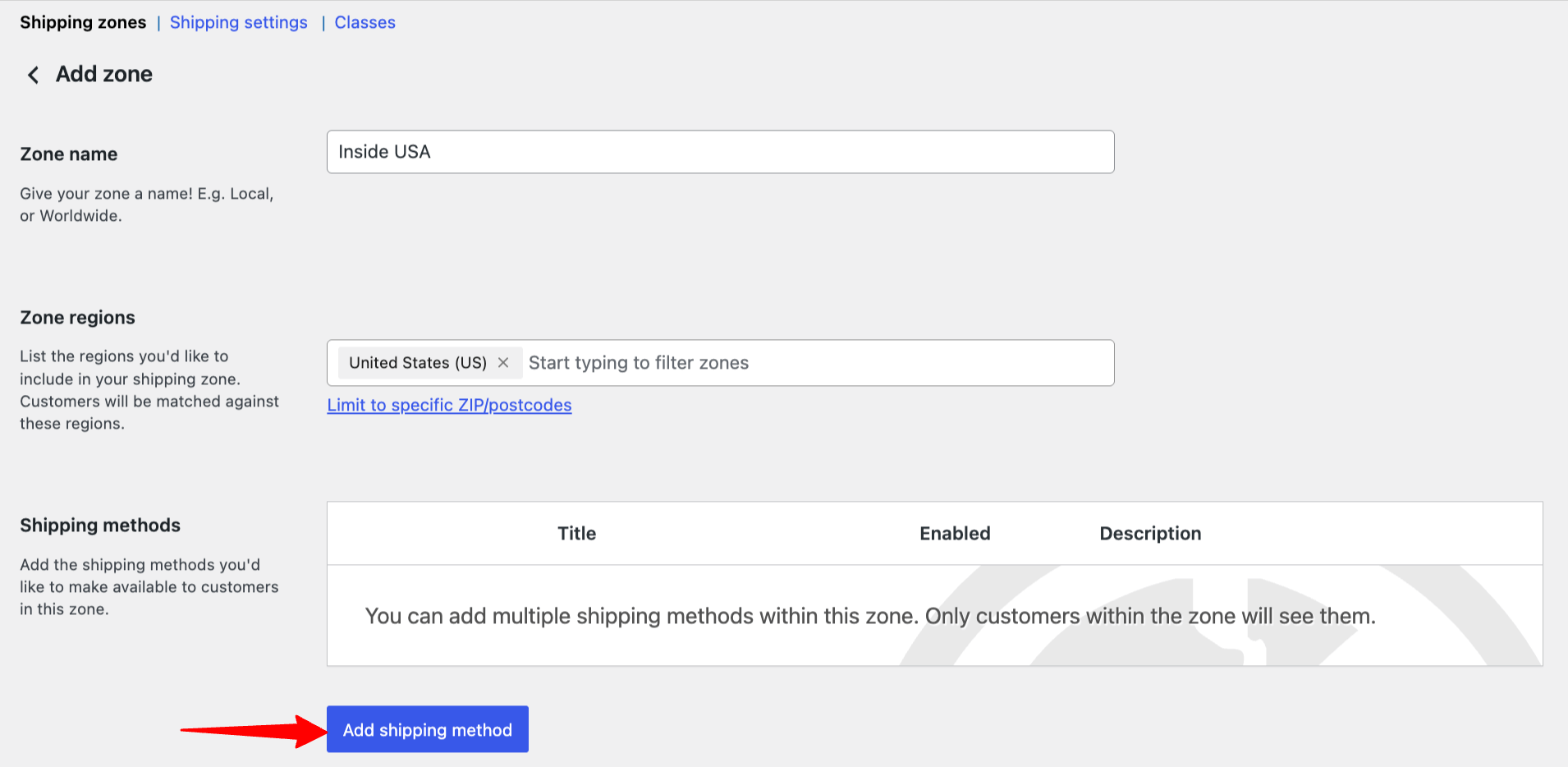
Select Flat rate and hit Continue.
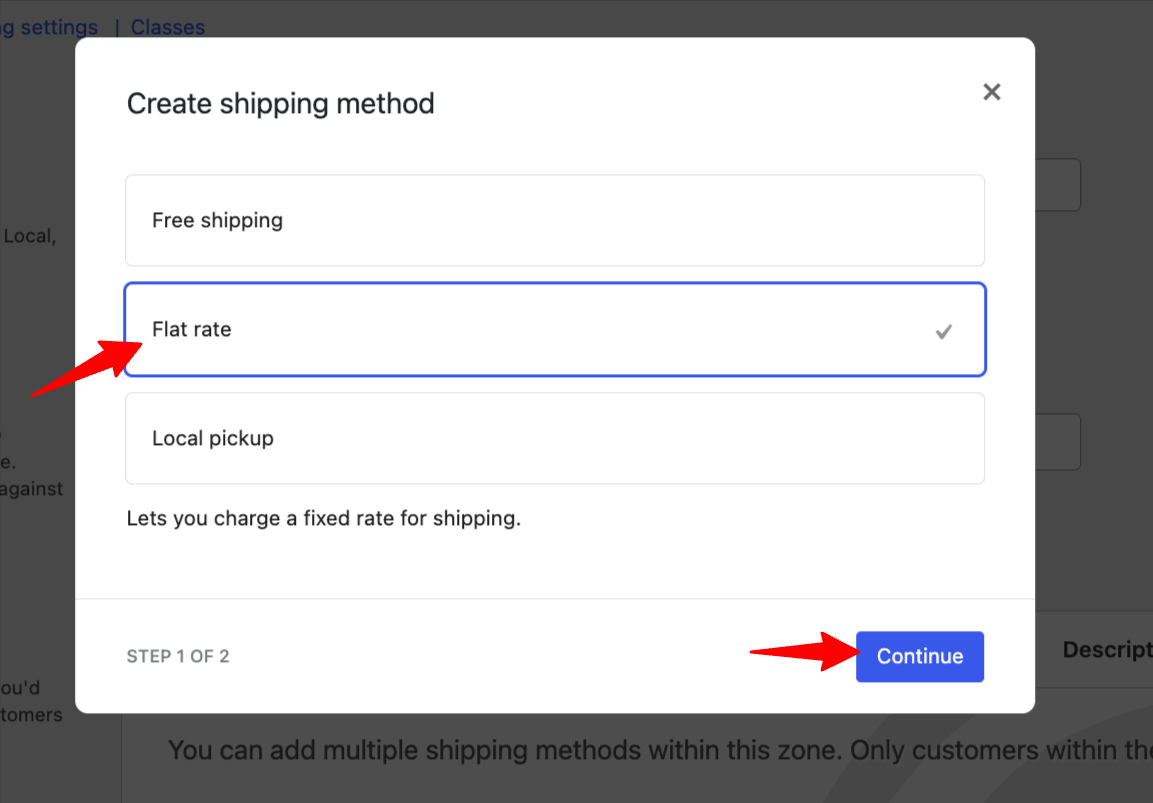
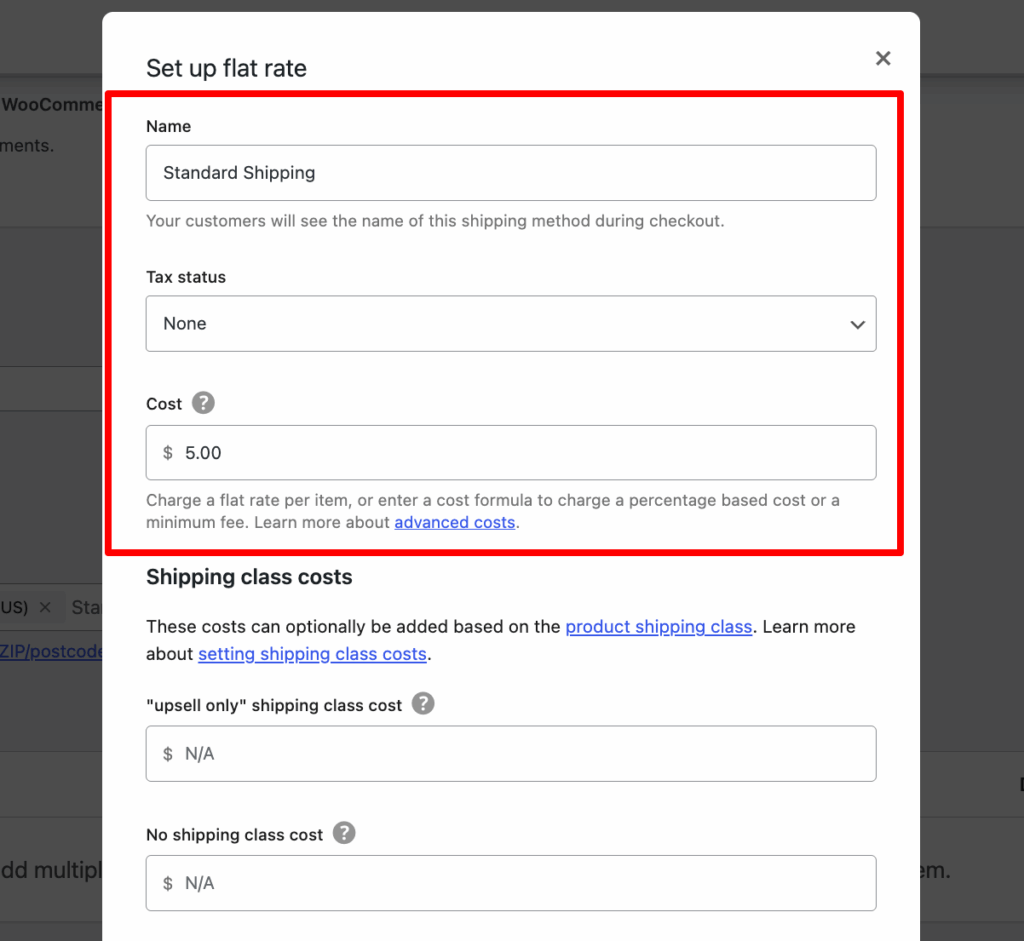
Now provide the following options:
- Method Title: Name it something descriptive (e.g., “Standard Shipping”).
- Tax Status: Choose whether this cost is taxable.
- Cost: Enter your fixed rate (e.g., 5 for $5). You can also use formulas like
10 + (2 * [qty])for dynamic rates.
Step 4: Use shipping classes (optional)
Add an extra cost for each shipping class, for example, $2 more for "Bulky" products.
Then pick a Calculation type: Per class charges each class in the cart separately, while Per order charges only the most expensive class.
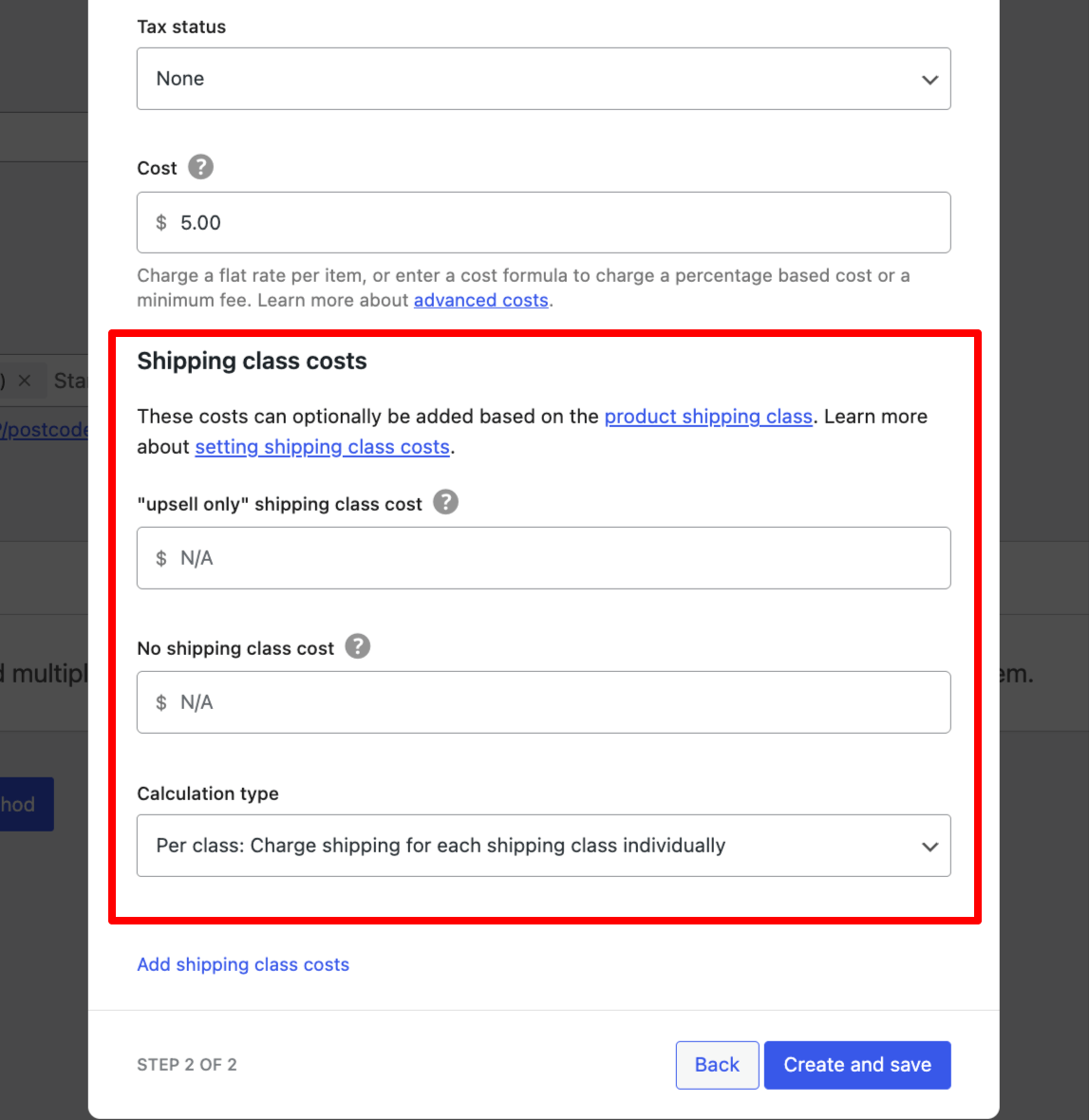
Once done, hit Save and Continue.
Step 5: Save and activate the WooCommerce flat rate shipping
Lastly, make sure the Flat rate you create is turned on for the target shipping zone and hit Save Changes.
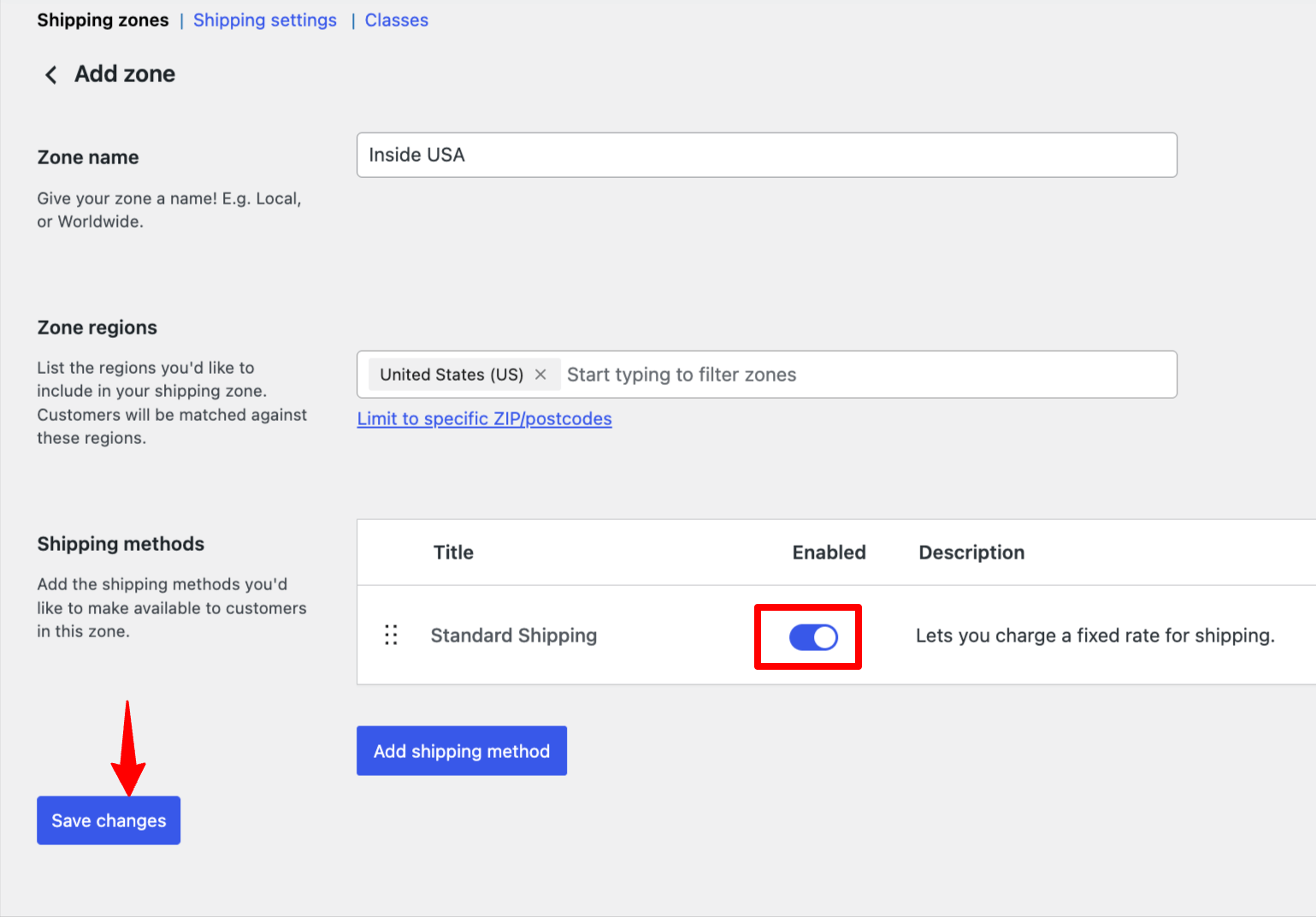
Once users select a shipping address within the target zone, they can order with flat rate shipping.
4 Plugins That Extend WooCommerce Flat Rate Shipping
The built-in flat rate method handles fixed costs, per-item formulas, and shipping class surcharges well. Where it falls short is conditional logic, like charging different rates for different cart totals or showing a rate only for certain products.
These four plugins fill those gaps. Looking for label printing or live carrier rates instead? Our best WooCommerce shipping plugins guide covers those.
| Plugin | Best for | Price |
|---|---|---|
| Flexible Shipping | Rates based on cart total or weight | Free, Pro available |
| Flat Rate Shipping Method for WooCommerce | Product, category, and user-based flat rates | Free, Pro $129/year |
| Flat Rate Box Shipping | Pricing by box size and destination | $59/year |
| Conditional Shipping and Payments | Hiding flat rate for certain carts or customers | $109/year |
1. Flexible Shipping
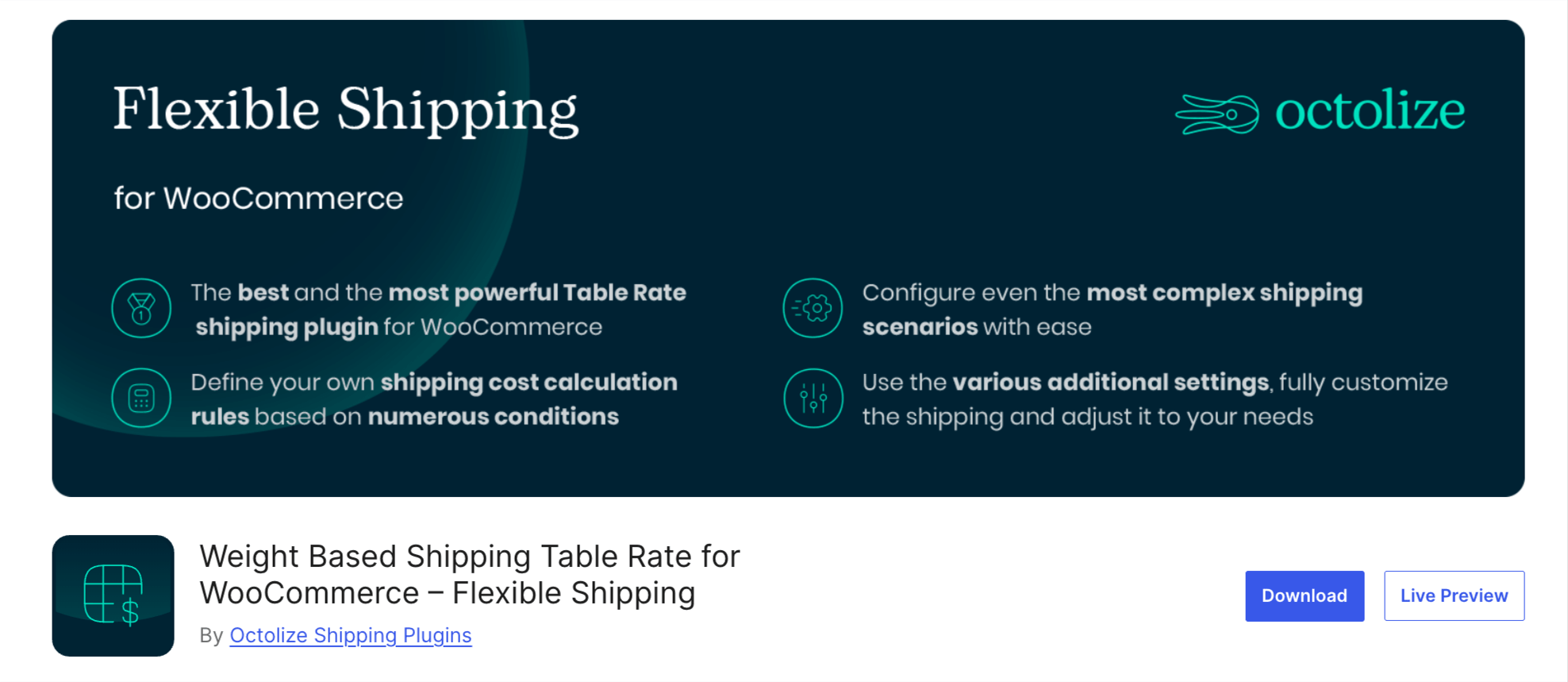
Flexible Shipping by Octolize adds rule-based shipping costs on top of your existing WooCommerce zones. It's a good next step when one flat price no longer fits every order.
Key features:
- Build shipping cost rules based on cart total or weight
- Create unlimited shipping methods and cost rules
- Apply its cost calculation rules to the built-in Flat Rate method too
Pricing: Free on WordPress.org. A Pro version adds more conditions.
2. Flat Rate Shipping Method for WooCommerce
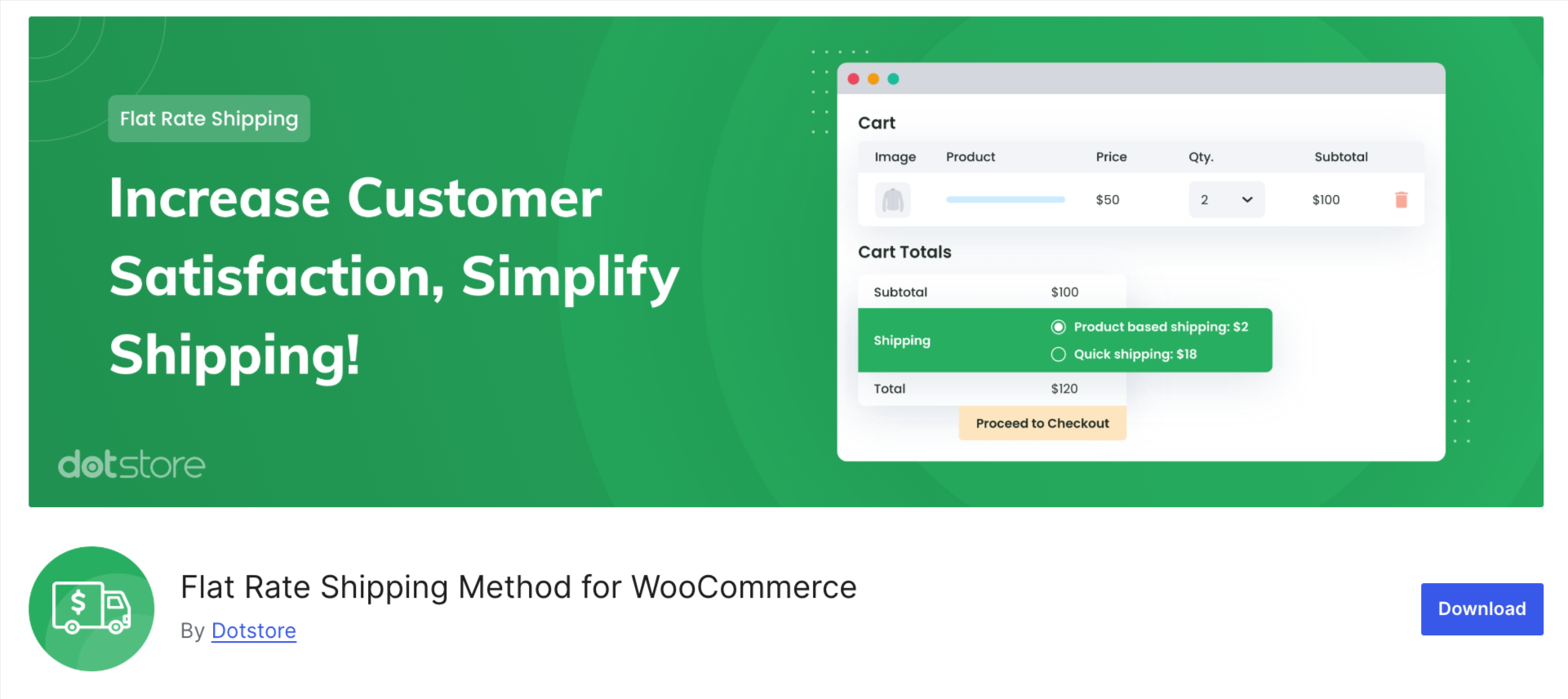
Flat Rate Shipping Method for WooCommerce by Dotstore lets you create separate flat rate methods with their own rules, so a specific product or category can have its own price.
Key features:
- Create product- and category-based flat rate methods
- Set rates based on quantity or cart subtotal
- Add free shipping rules based on a minimum order or coupon
Pricing: Free on WordPress.org. The premium version, sold as Advanced Flat Rate Shipping Method on the WooCommerce Marketplace, costs $129 per year and adds multiple conditional rules, scheduled shipping methods, and options for handling several matching rates in one cart.
3. Flat Rate Box Shipping
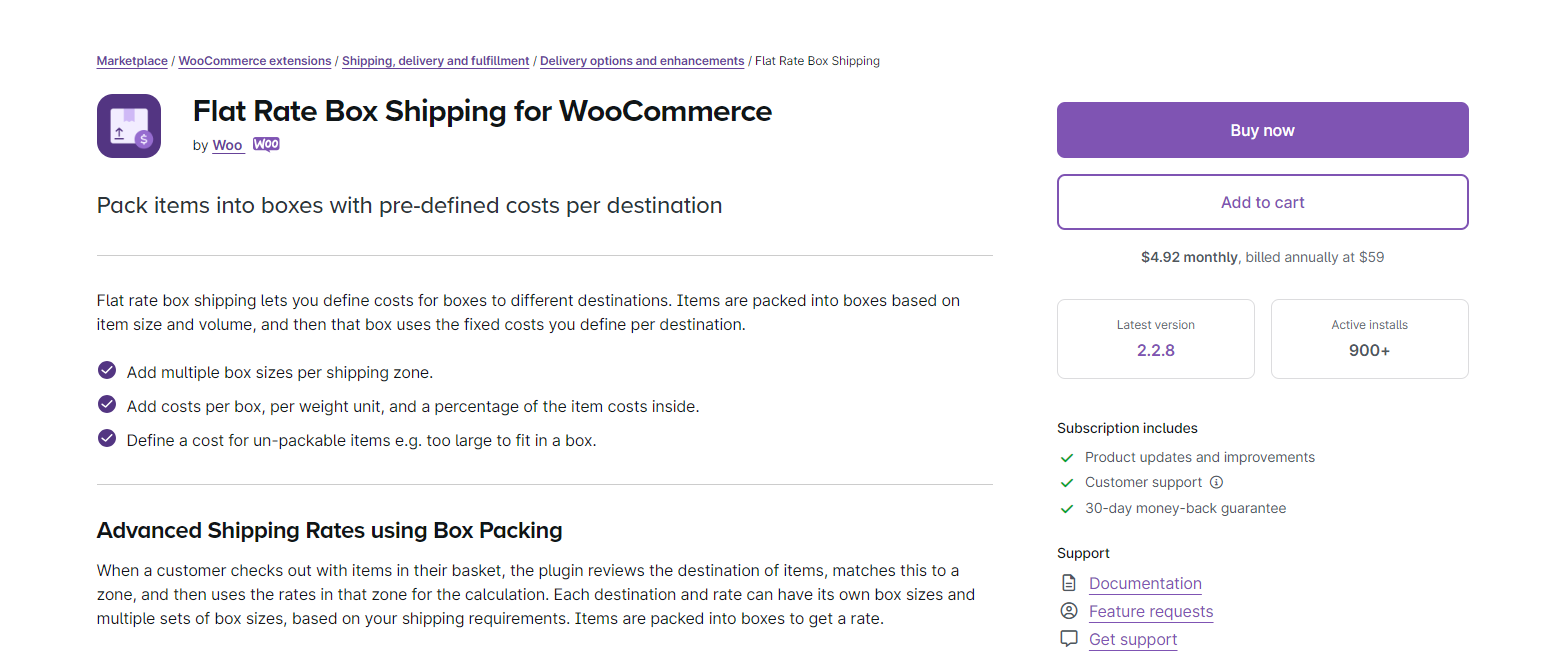
Flat Rate Box Shipping is built by Woo. It packs the items in a cart into boxes you define, then charges the fixed cost you set for that box and destination.
Key features:
- Add multiple box sizes to each shipping zone
- Charge per box, per weight unit, and a percentage of the items inside
- Set a separate cost for items too large to fit any box
Pricing: $59 per year. Your products need weights and dimensions set for the box packing to work.
4. Conditional Shipping and Payments
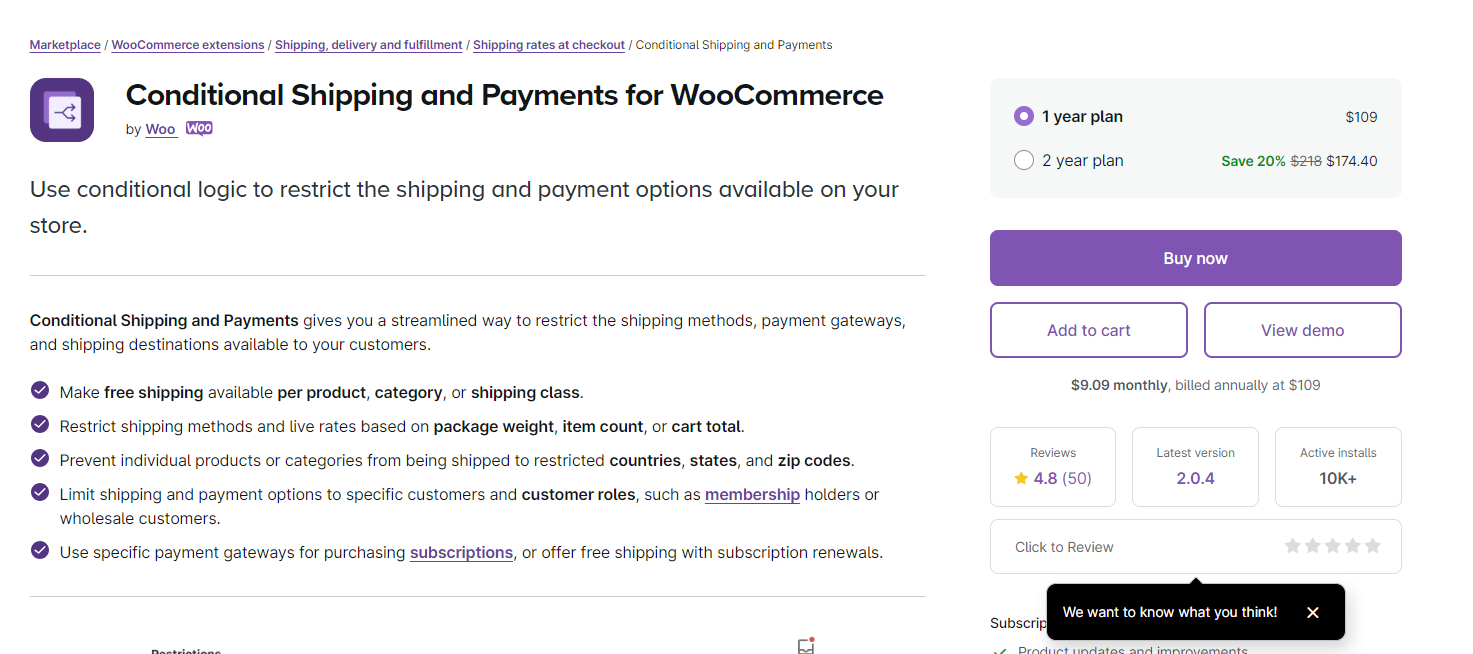
Conditional Shipping and Payments doesn't create shipping rates. It controls when your existing flat rate methods appear at checkout.
Key features:
- Hide flat rate based on products, categories, or shipping classes in the cart
- Restrict methods by package weight, item count, cart total, coupon, or customer role
- Make free shipping available per product, category, or shipping class
Pricing: $109 per year.
How to Leverage Flat Rate Shipping and Upsells to Boost Average Order Value?
Flat rate shipping can boost your average order value, as customers may add more items to make the most of a fixed shipping fee.
With FunnelKit Funnel Builder, you can create high-converting, personalized checkout funnels, upsells, and thank-you pages using easy drag-and-drop tools no coding required.
Optimize the shopping journey, showcase custom offers, and increase order value effortlessly.
Let’s look at how you can boost your store’s average order value
Step 1: Create a store checkout page
Now, navigate to FunnelKit > Store Checkout.
We have already built a store checkout page.
So, if you want to create a fully customized checkout page for your store, you can go through this guide.
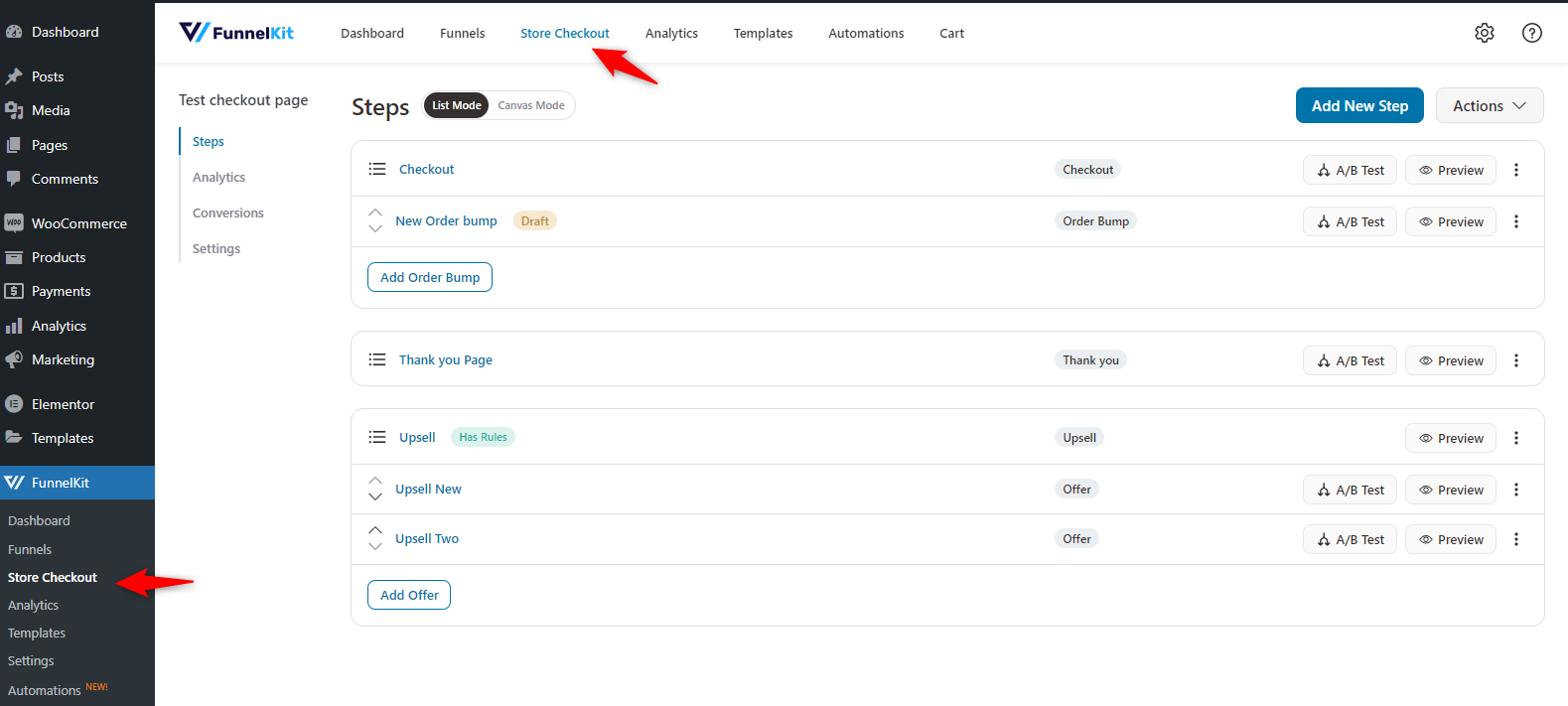
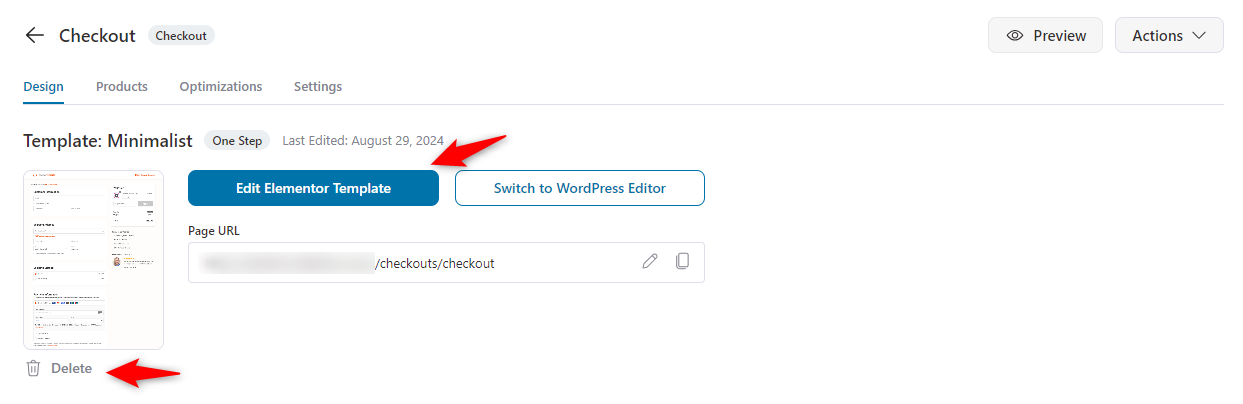
After you enter the page, you can change the current template, edit it, or delete it. You can also use different checkout page templates for your store.
Step 2: Create a custom checkout page
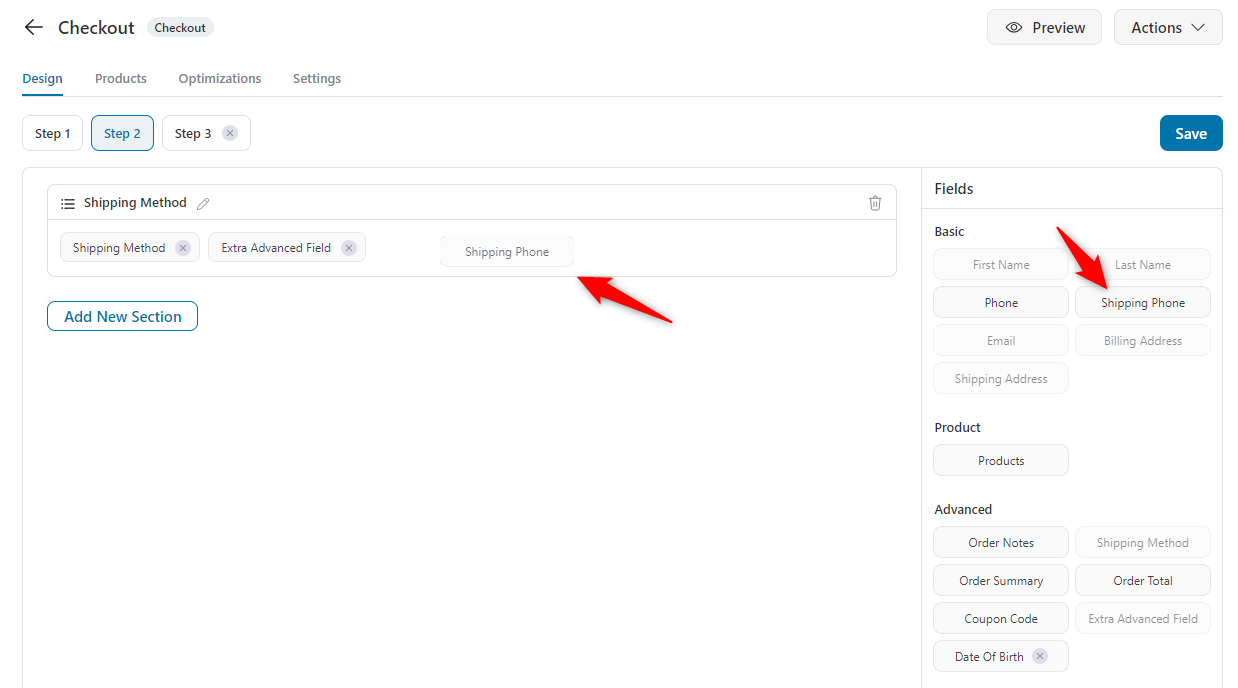
Next, you can add steps or leave it as is. Also, from the right side, you can drag-drop any widget that you want to use on the checkout page.
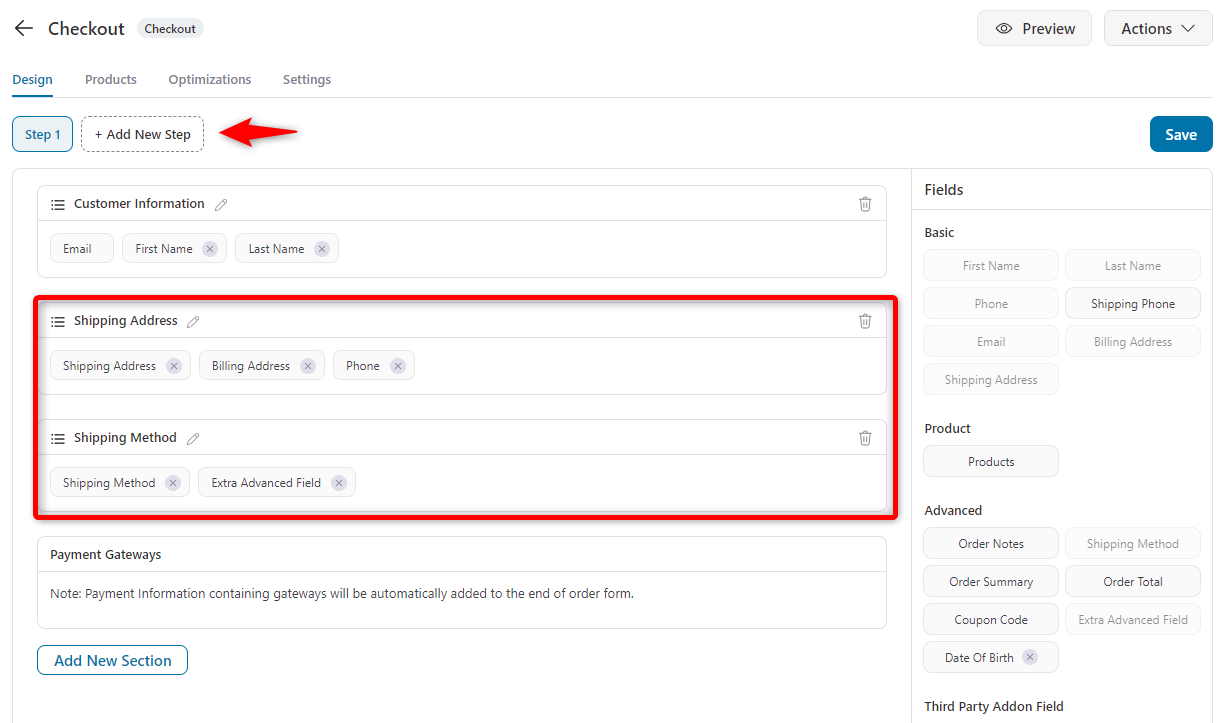
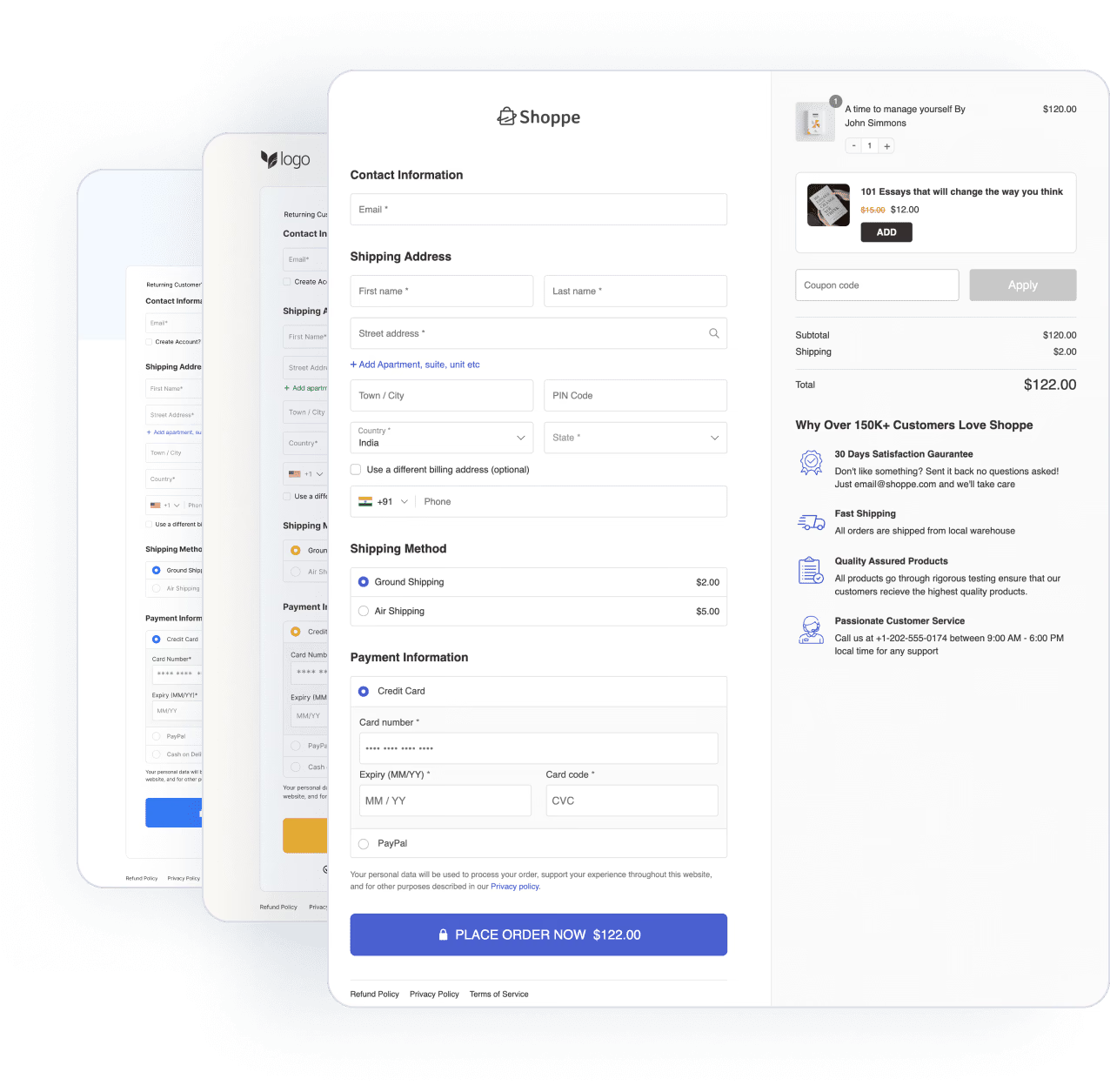
Here, we have separated the workflow into three steps. In the second step, we kept the shipping method, shipping phone.
Once you’re done with it, hit save.
Step 3: Add an order bump to increase AOV
Since customers pay the same shipping fee either way, an order bump gives them an easy way to add a related item to the same shipment.
You’re allowing your customers to combine their frequently bought items for the same shipping cost.
To simplify your tasks, FunnelKit has an amazing feature to let you do that: Order Bump.
Let’s see how to create and include an order bump in the workflow.
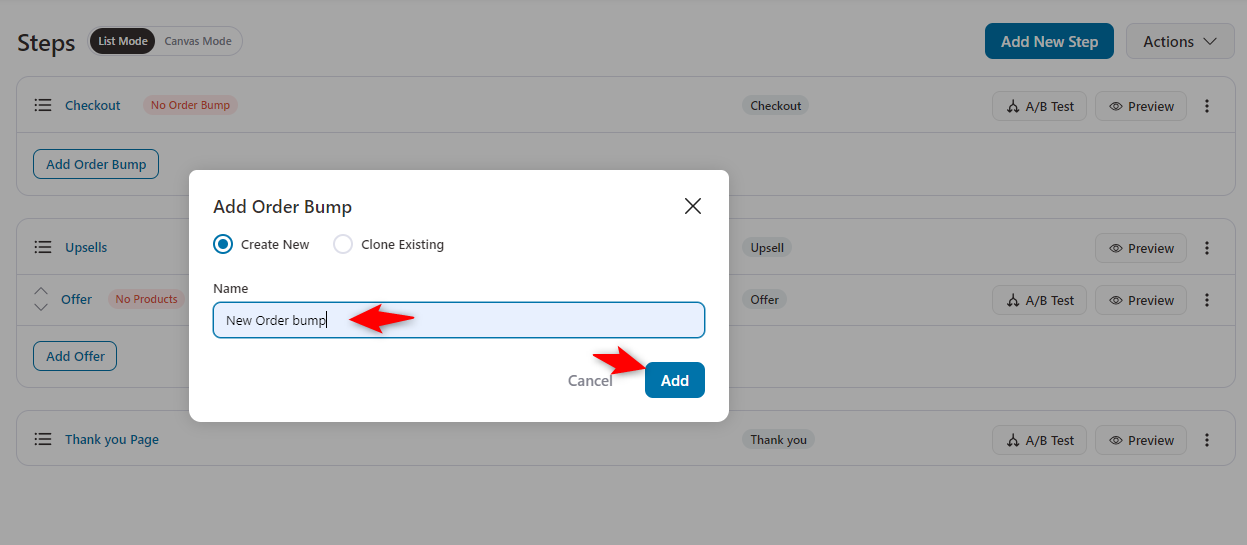
First, on the store checkout page, click the “Add Order bump” button.
Provide the name of the order bump.
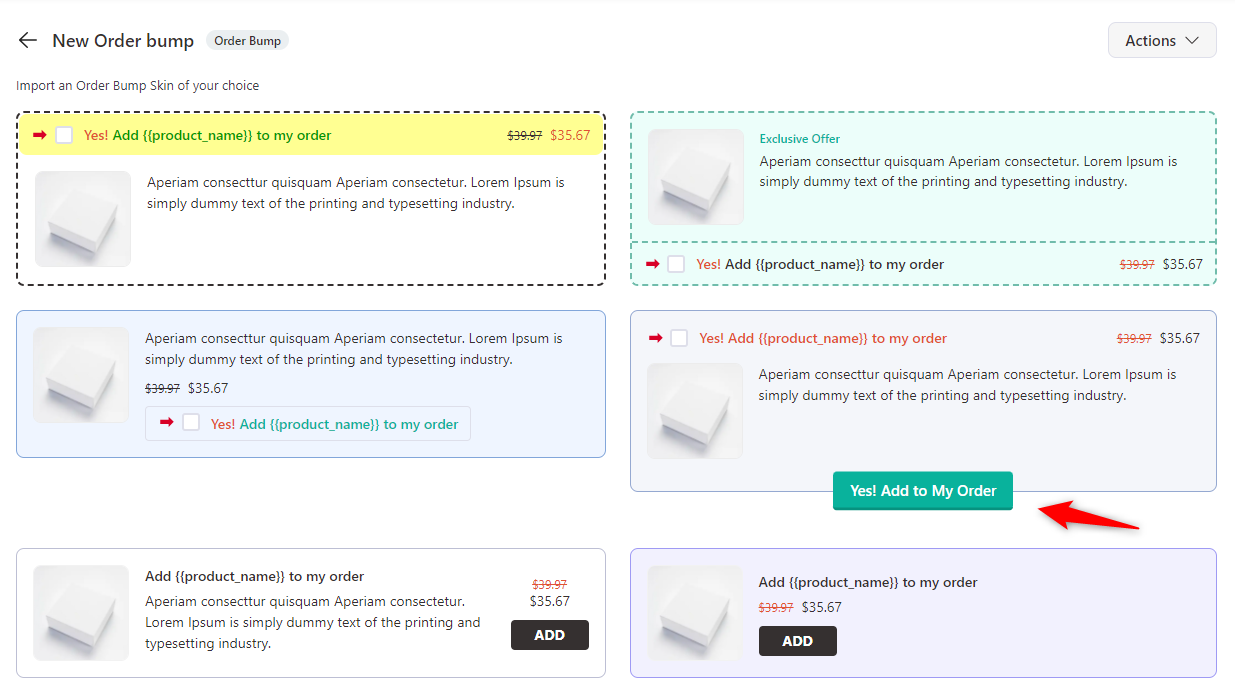
Choose the template for your order bump.
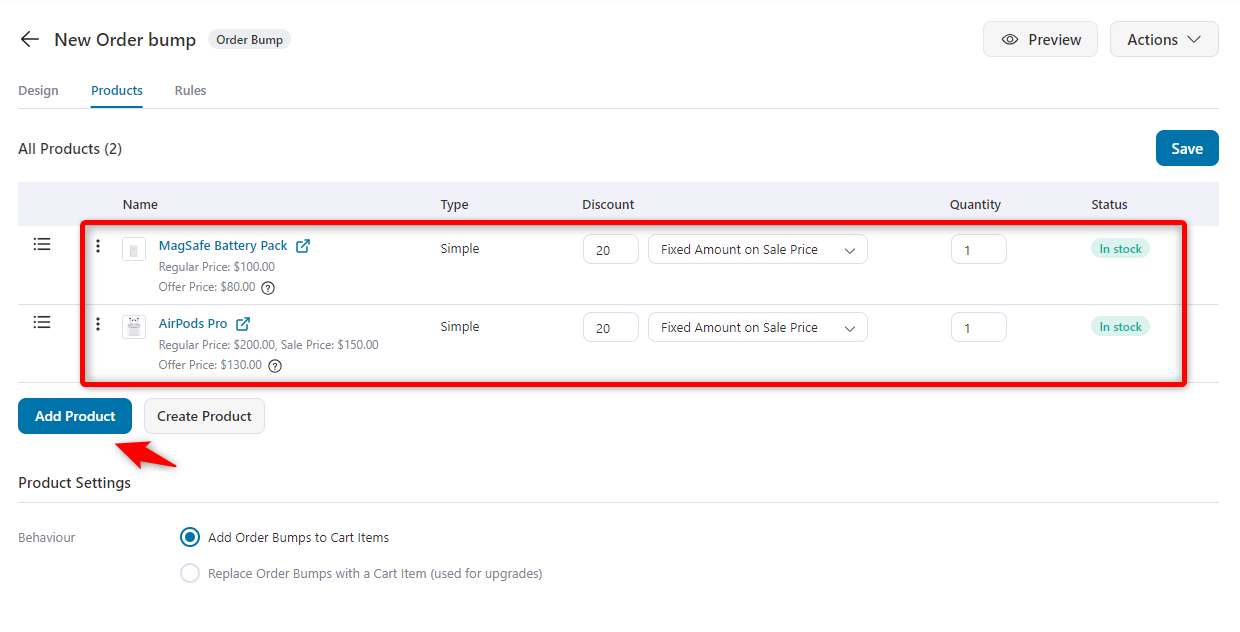
Next, choose the product you want to display on the order bump. You can add more products. Once you’re happy, hit save.
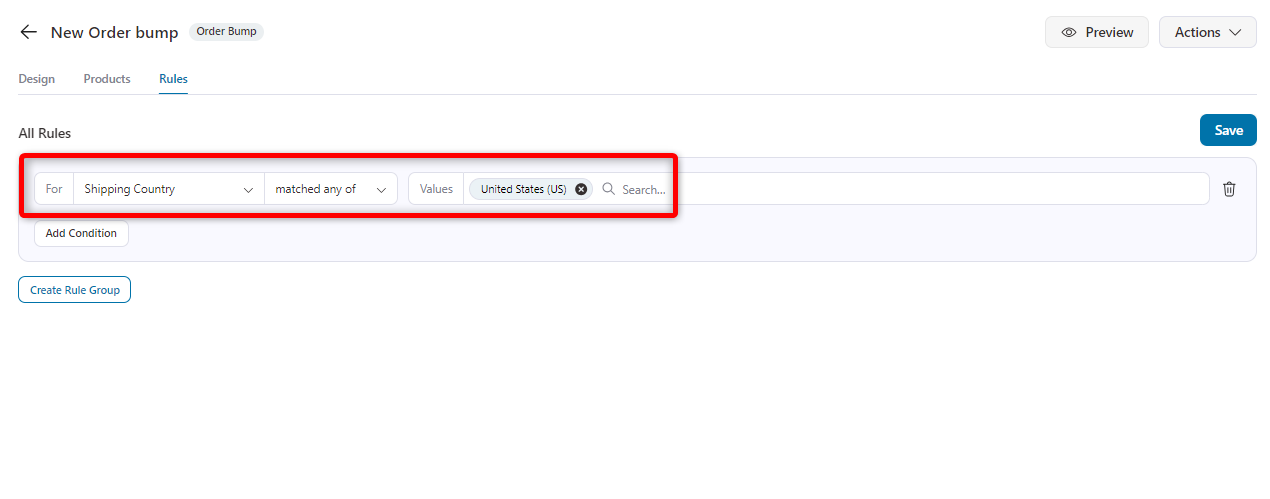
Now, in the rule tab, add the main product for which you want to show the order bump offer on the checkout page.
You can also choose the shipping country and specify the country where you want to display the offer.
Once you’re done, hit the save button.
Step 4: Test the shipping methods on the checkout page
Add the iPhone 15 Pro Max to your cart and see how the WooCommerce flat rate shipping works.
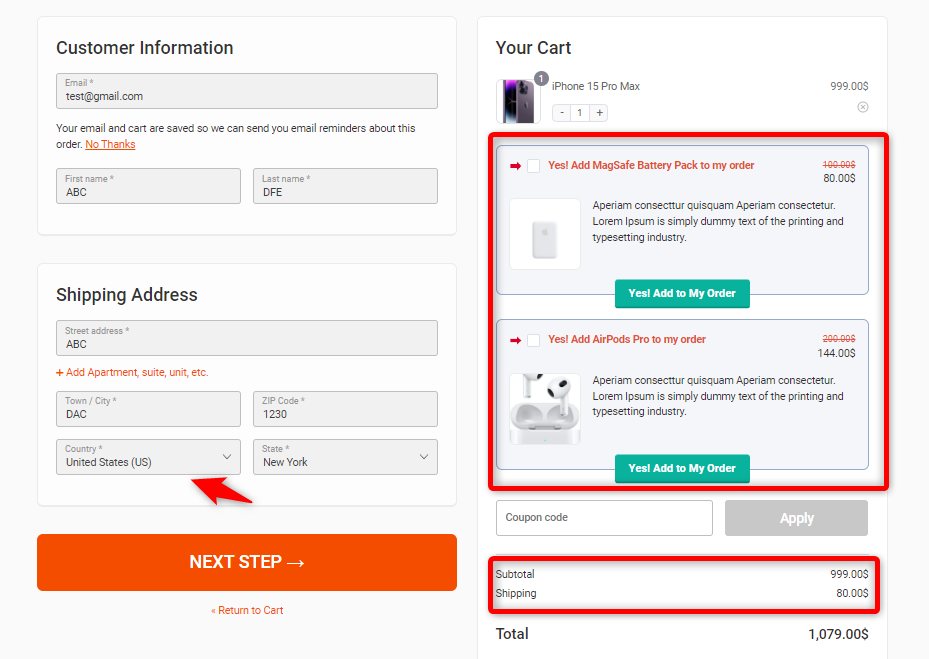
Inside the USA
After adding the iPhone 15 Pro Max to the cart within the USA region, the shipping cost of $80 is shown in the order details.
Also, the order bump shows the related offers just above the order details specific to the USA region.
So, this is how you can set the order bump offer for your specific country or area.
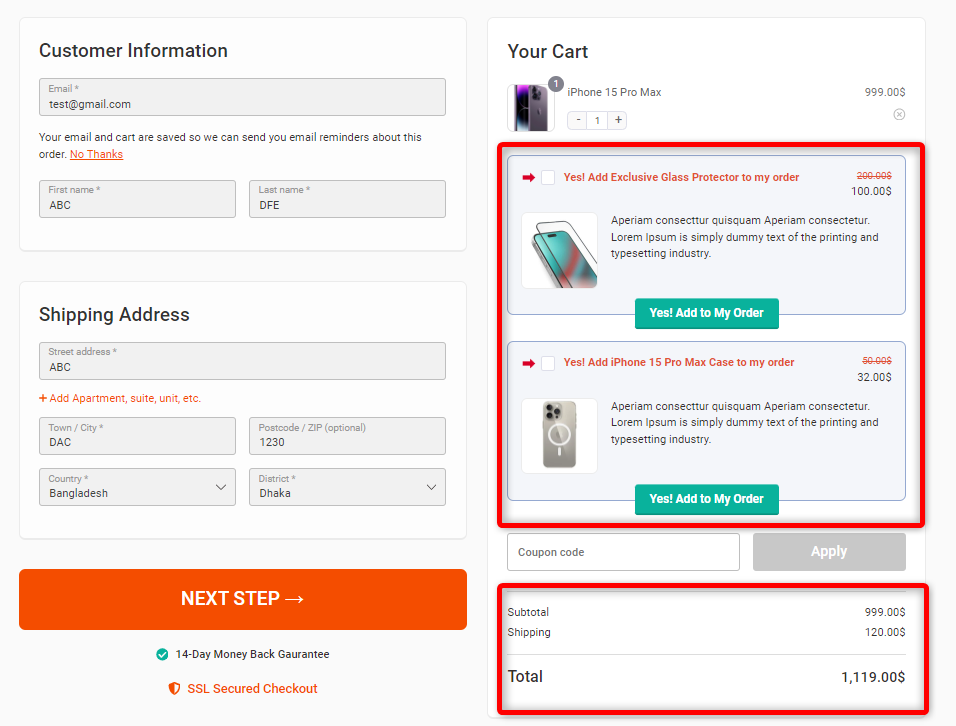
Outside the USA
After adding the iPhone 15 Pro Max to the cart outside the USA region, the shipping cost of $120 is shown in the order details.
Also, as part of the order bump, you can see the offer inside.
Get free shipping within the USA by availing of a minimum order amount of $1200
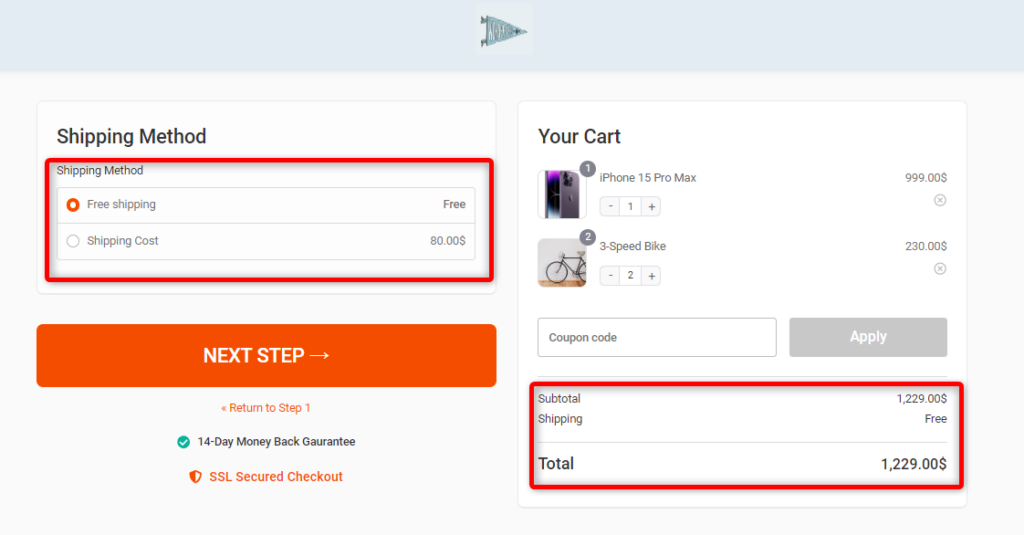
Free shipping is available outside the United States with a minimum order of $1000.
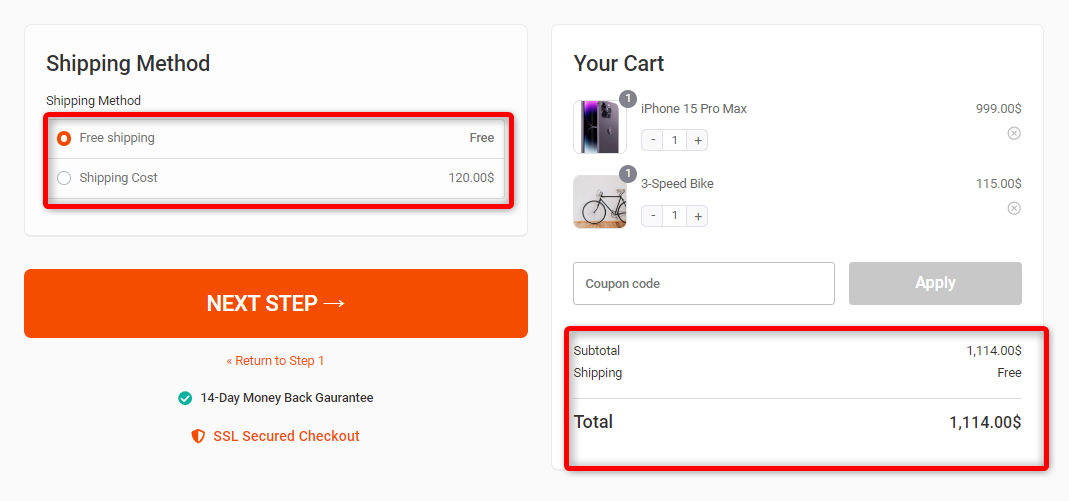
That’s all. This is how you can set up WooCommerce flat rate shipping for your targeted product and provide value to your customers.
Also, this way you’re giving a super shopping experience through the free shipping charge.
Flat Rate Shipping Cost Formulas You Can Copy
A plain number in the Cost field applies a fixed shipping charge. You can replace it with a formula to make the shipping cost vary based on the number of items or the cost of the products in the order.
WooCommerce gives you a few placeholders and attributes to build these formulas:
| Placeholder / Attribute | What it does |
|---|---|
| [qty] | The number of items in the cart |
| [fee percent="10"] | Calculates a percentage of the product cost |
| min_fee="4" | Sets the minimum percentage-based fee when used with [fee] |
| max_fee="20" | Sets the maximum percentage-based fee when used with [fee] |
Paste any of the formulas below into the Cost field, change the numbers to fit your shipping costs, and save.
A base fee plus a charge per item
Useful when every additional item adds to your packing and shipping costs. This formula charges $5 per order, plus $2 for each item:
5 + ( 2 * [qty] )
One item costs $7 to ship, two cost $9, and three cost $11.
A charge per item, with no base fee
If you want the shipping cost to increase only with the number of items, use:
3 * [qty]
Each item adds $3, so a five-item order pays $15 in shipping.
A base fee plus a percentage of the order
When your shipping costs rise with the value of the order, combine a base fee with a percentage:
4 + [fee percent="5"]
Customers pay $4 plus 5% of the product cost. A $40 order pays $6 for shipping, while a $200 order pays $14.
A percentage with a minimum charge
Percentage-based shipping fees can result in very small charges on low-value orders. Use min_fee to set a minimum:
[fee percent="10" min_fee="6"]
This charges 10% of the product cost, but never less than $6. On a $30 order, 10% would be $3, so the customer pays $6 instead. A $120 order pays the full 10%, which comes to $12.
A percentage with a maximum cap
For high-value orders, you can use max_fee to prevent the percentage-based shipping charge from exceeding a set amount:
[fee percent="10" max_fee="20"]
A $100 order pays $10. A $500 order would normally incur a $50 shipping fee, but the $20 cap limits the charge to $20.
These formulas also work in shipping class cost fields, not just the main Cost field.
Before going live, add a few products to your cart and test different order values and quantities to make sure the shipping total matches what you expect.
6 Best Practices for Optimizing Flat Rate Shipping
Flat-rate shipping is a go-to for many WooCommerce store owners because it’s easy. However, tweaking and optimizing your setup will make it work effectively.
Using some smart strategies, you can make flat-rate shipping convenient and a real asset for your store boosting customer satisfaction, keeping costs under control, and creating a smoother checkout process.
Here are six simple tips to help you get the most out of your flat-rate shipping game.
1. Utilize shipping classes to differentiate rates
Shipping classes allow you to assign different flat rates based on product type. For instance, charge higher rates for bulky items and lower rates for lightweight goods.
Ensure your shipping costs align with the product’s nature and budget.
2. Create multiple flat rate options for different shipping speeds
Offer standard and faster flat-rate shipping options to cater to different customer needs.
Customers who want faster delivery can pay extra for express shipping, improving their shopping experience.
3. Use shipping zones to set different rates for each region
Set up shipping zones to apply different flat rates based on customer location.
This helps you optimize domestic and international order rates, ensuring you cover costs accurately without overcharging.
4. Offer incentives to increase cart value
Set a threshold to encourage larger purchases. For example, offer free shipping on orders over $50; this will incentivize customers to add more items to their cart, boosting your average order value.
FunnelKit Cart lets you set up threshold-based rewards, such as free shipping, a discount coupon, and free gifts based on the cart value.
5. Leverage flat rate in combination with other shipping methods
Combine the flat rate with other shipping methods like local pickup, free shipping, or same-day delivery.
Offering a combination of shipping options allows customers to choose what works best for them, whether they want the most affordable option or the fastest delivery.
This variety can make a big difference at checkout, encouraging more customers to complete their purchases.
6. Regularly review and adjust rates based on market trends
Shipping costs change over time, so regularly review your rates to ensure they’re competitive and profitable.
Adjust your flat rates to reflect current shipping costs, keeping your pricing strategy aligned with market conditions.
More Questions About WooCommerce Flat Rate Shipping
Have a look at some of the frequently asked questions about flat rate shipping in WooCommerce:
The main drawback is that one price can't match your real shipping cost on every order. Small, light orders may pay more than their postage costs, while heavy or long-distance orders may cost you more than you charge. Shipping classes, cost formulas, and separate zones help narrow that gap.
Yes, flat rate shipping can be expensive for smaller or lighter packages. When customers pay a fixed fee, it may cost more than weight-based shipping, leading to dissatisfaction and potentially higher cart abandonment.
Consider offering multiple shipping options or free shipping thresholds to keep customers happy and reduce abandoned carts.
No. Any product that needs shipping can use flat rate in WooCommerce. If some products cost much more to ship, put them in their own shipping class so they carry an extra charge.
Yes. Add a shipping zone for the countries you ship to, or use the rest of the world zone, then add a flat rate to it. Each international zone can have its own price, since overseas postage usually costs more.
Flat rate shipping may be less appealing if competitors provide more flexible or cost-effective shipping methods, such as weight-based or tiered shipping. If your competitors offer better shipping rates, it can impact your store's competitiveness in the market.
- Incorrect Shipping Zones: Ensure shipping zones are set up correctly to avoid incorrect rates.
- Overlooking Shipping Classes: Shipping classes help set accurate product-specific rates. Don’t neglect them.
- Skipping Testing: Always test your setup to ensure flat rate shipping works as expected and avoid issues at checkout.
Yes, WooCommerce flat rate shipping can be combined with other shipping methods like free shipping, local pickup etc. This gives you the flexibility to offer multiple options at checkout, improving the customer experience and potentially increasing conversions.
Shipping classes in WooCommerce allow you to assign different flat-rate shipping costs based on product types. For example, you can create a “Heavy Items” class with a higher shipping rate than “Light Items,” ensuring that your flat rate fees reflect the size, weight, or nature of the products being shipped.
Final Thoughts: Streamline Your WooCommerce Shipping with Flat Rates
WooCommerce flat rate shipping is a simple yet effective way to streamline your shipping process, keeping costs predictable and transparent for your customers.
By customizing flat rates, using shipping classes, and setting up shipping zones, you can tailor your shipping strategy to fit your business needs.
Once your rates are in place, the checkout is where customers see them. With FunnelKit Funnel Builder, you can design a custom checkout page and add order bumps, so shoppers can add a related item to the same shipment in one click. Pair it with FunnelKit Cart to reward larger carts with free shipping once they reach your threshold.
More WooCommerce Guides
- How to Set It Up WooCommerce Free Shipping Bar
- How to Setup WooCommerce Free Shipping
- How to Add WooCommerce Shipping Calculator on Checkout Page
- Best WooCommerce Shipping Plugins
Editorial Team
October 11, 2026You can customize the WooCommerce cart page with the Cart block, a page builder like Elementor, or CSS and PHP snippets. Which method works for you depends on the cart...
Editorial Team
October 9, 2026A WooCommerce discount lowers what a shopper pays, either through a reduced product price or a code entered at checkout. Out of the box, WooCommerce gives you two ways to...
Editorial Team
October 9, 2026A downsell gives customers a cheaper option after they turn down your main offer. If you show it too soon, you might convince them to skip the original offer and...