


This feature lets you trigger/open the FunnelKit sliding cart when users click on an existing cart icon from another plugin or theme.
To do this, locate the unique CSS class associated with that cart icon. Right-click on the icon, select Inspect, and identify the class applied to the <a> tag. Once found, copy the CSS class.
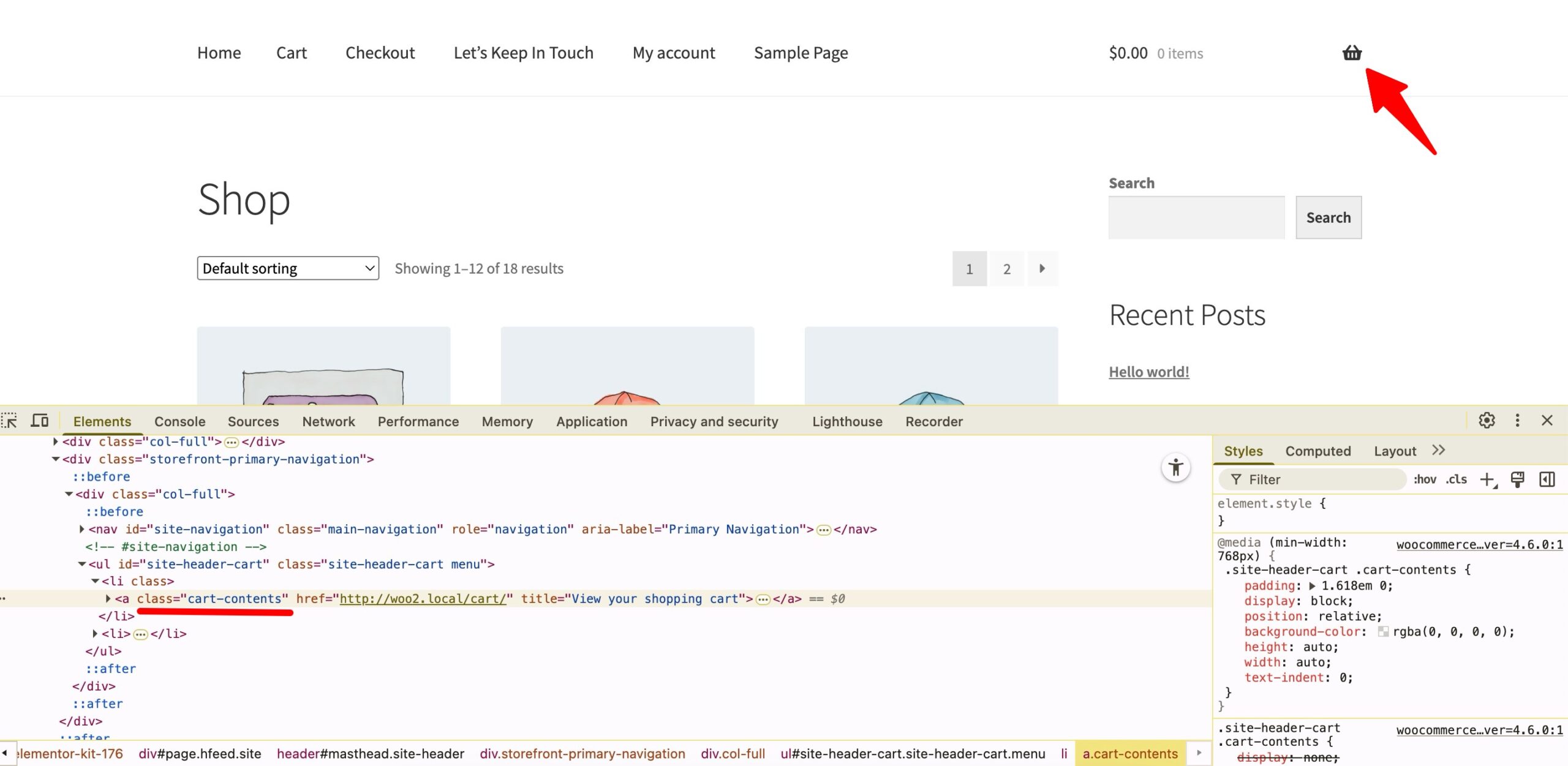
Now, return to the "Use CSS Selector" option, paste the copied CSS class, and make sure to prefix it with a period (.).
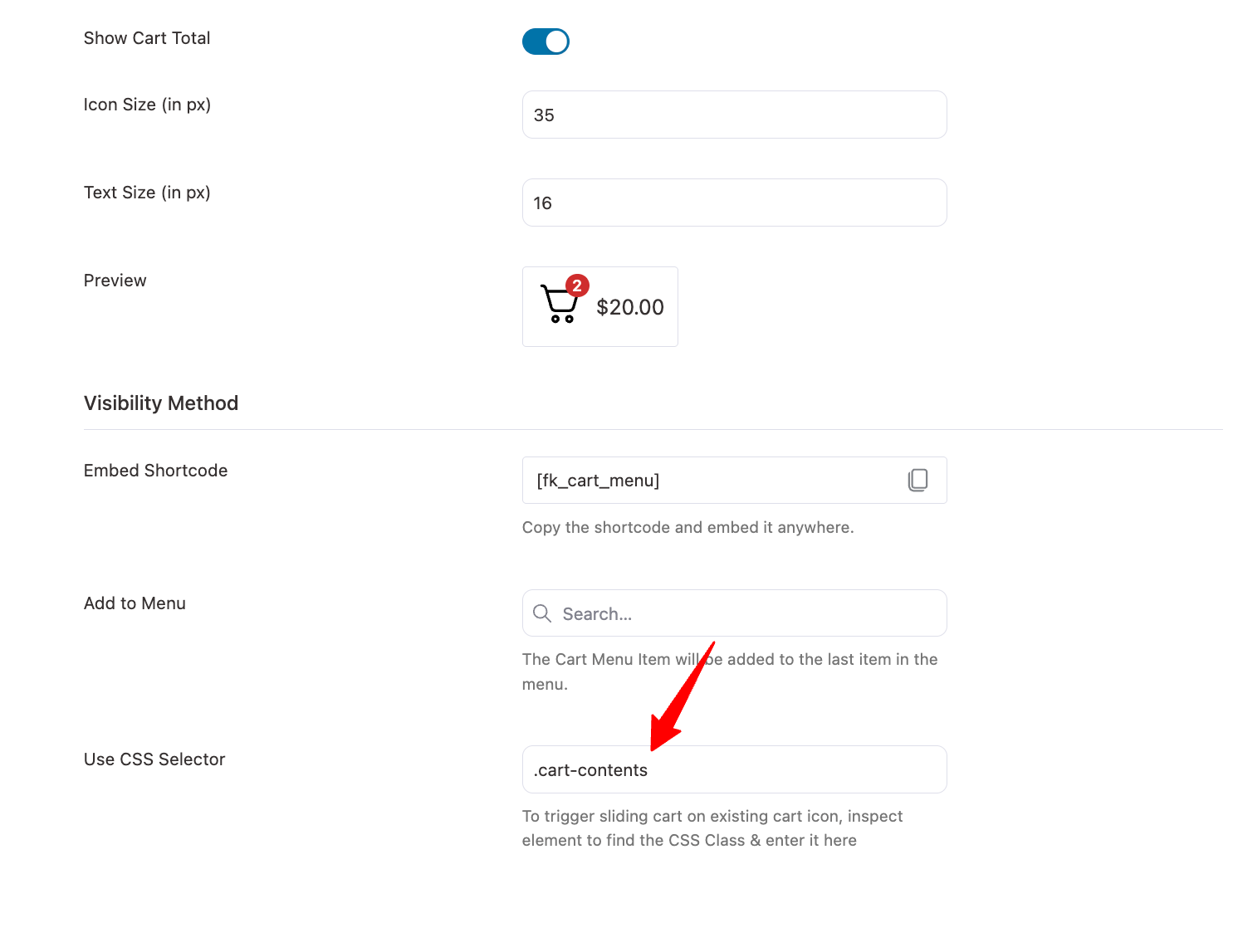
Make sure to save the changes. Now, clicking the existing cart icon will open the FunnelKit sliding cart.


