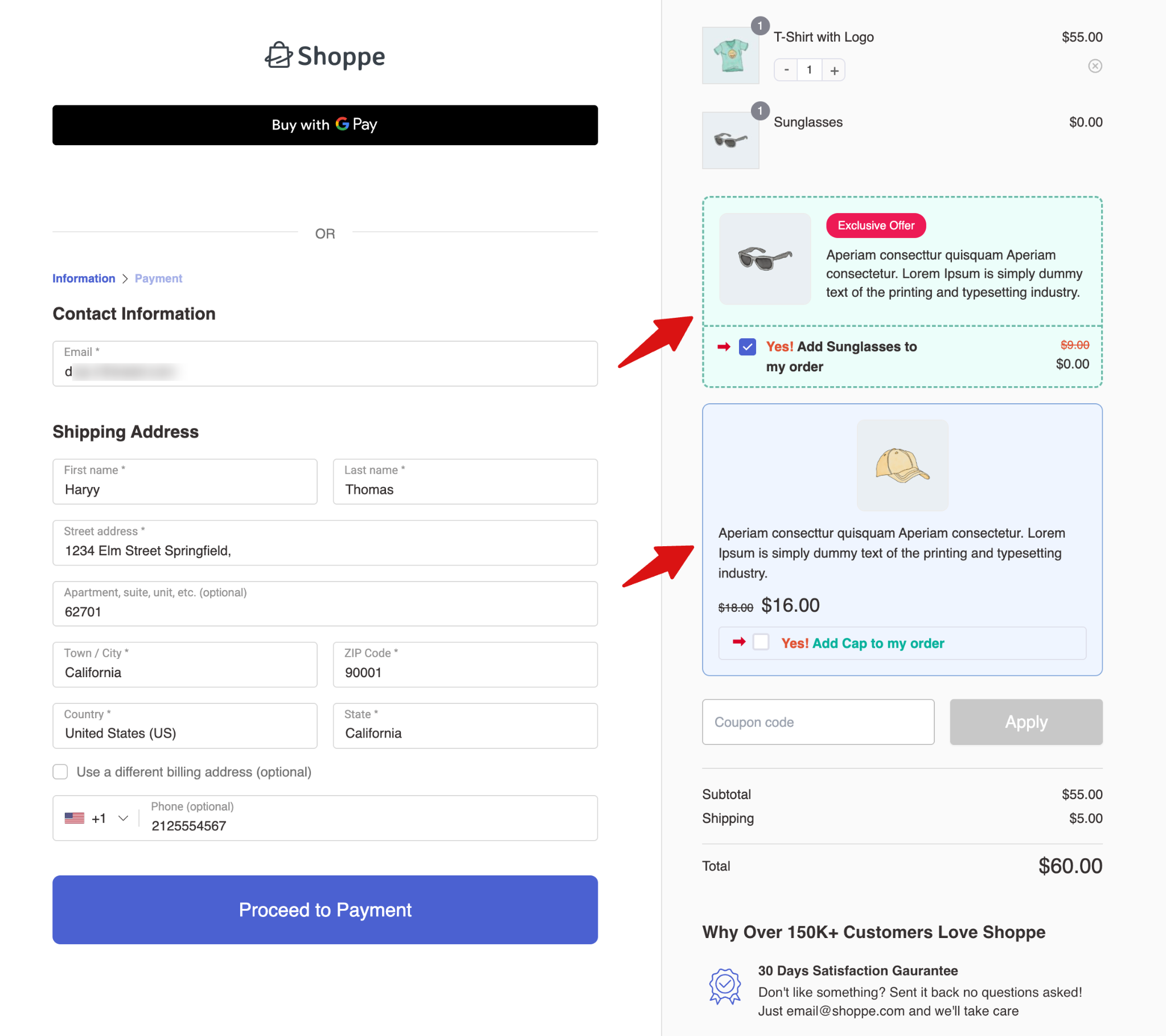
In this documentation, we will explain how to limit the number of order bumps shown at the checkout page.
Suppose you have created over 5 bumps but only want to show 2 at checkout. You can do that using this process.
How to Set the Order Bump Display Limit
You can configure the limit directly from the FunnelKit Order Bumps settings.
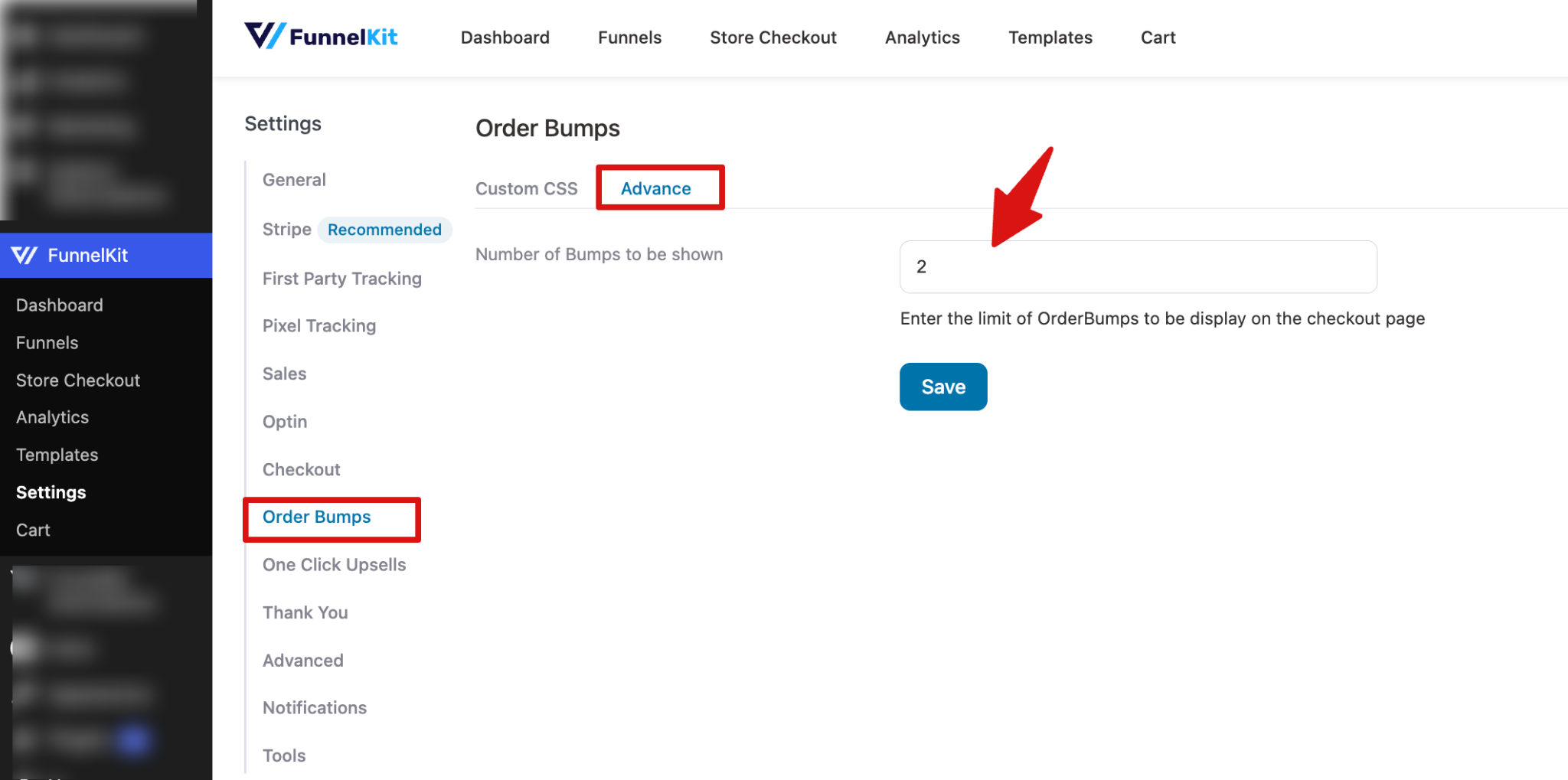
For this, navigate to: FunnelKit Settings → Order Bump → Advance
In this section, you can set the maximum number of Order Bumps that can be displayed on the checkout page using the “Number of bumps to be shown” field.
Make sure to hit “Save” to update.
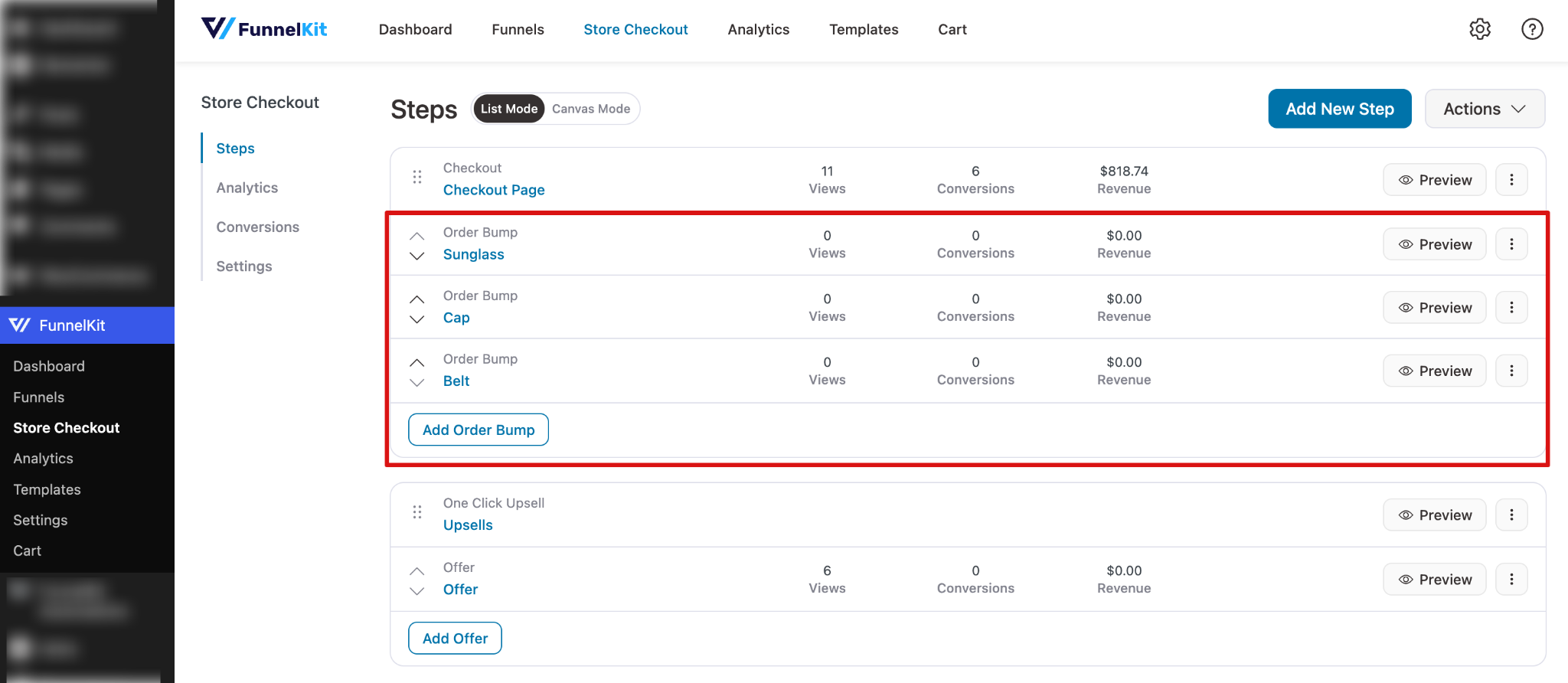
To test this, add more order bumps than the number you want to display on the checkout page.
Next, try placing an order, and on the checkout page, you will only see the number of order bumps you configured.