
FunnelKit
FunnelKit Documentation
Get unstuck with our helpful reference material

Limit The Number Of Order Bumps to Be Displayed on the Checkout Page

In this documentation, we will explain how to limit the number of order bumps shown at the checkout page. 

Suppose you have created over 5 bumps but only want to show 2 at checkout. You can do that using this process. 

How to Set the Order Bump Display Limit

You can configure the limit directly from the FunnelKit Order Bumps settings.

For this, navigate to: FunnelKit Settings → Order Bump → Advance

In this section, you can set the maximum number of Order Bumps that can be displayed on the checkout page using the “Number of bumps to be shown” field. 

Make sure to hit “Save” to update. 
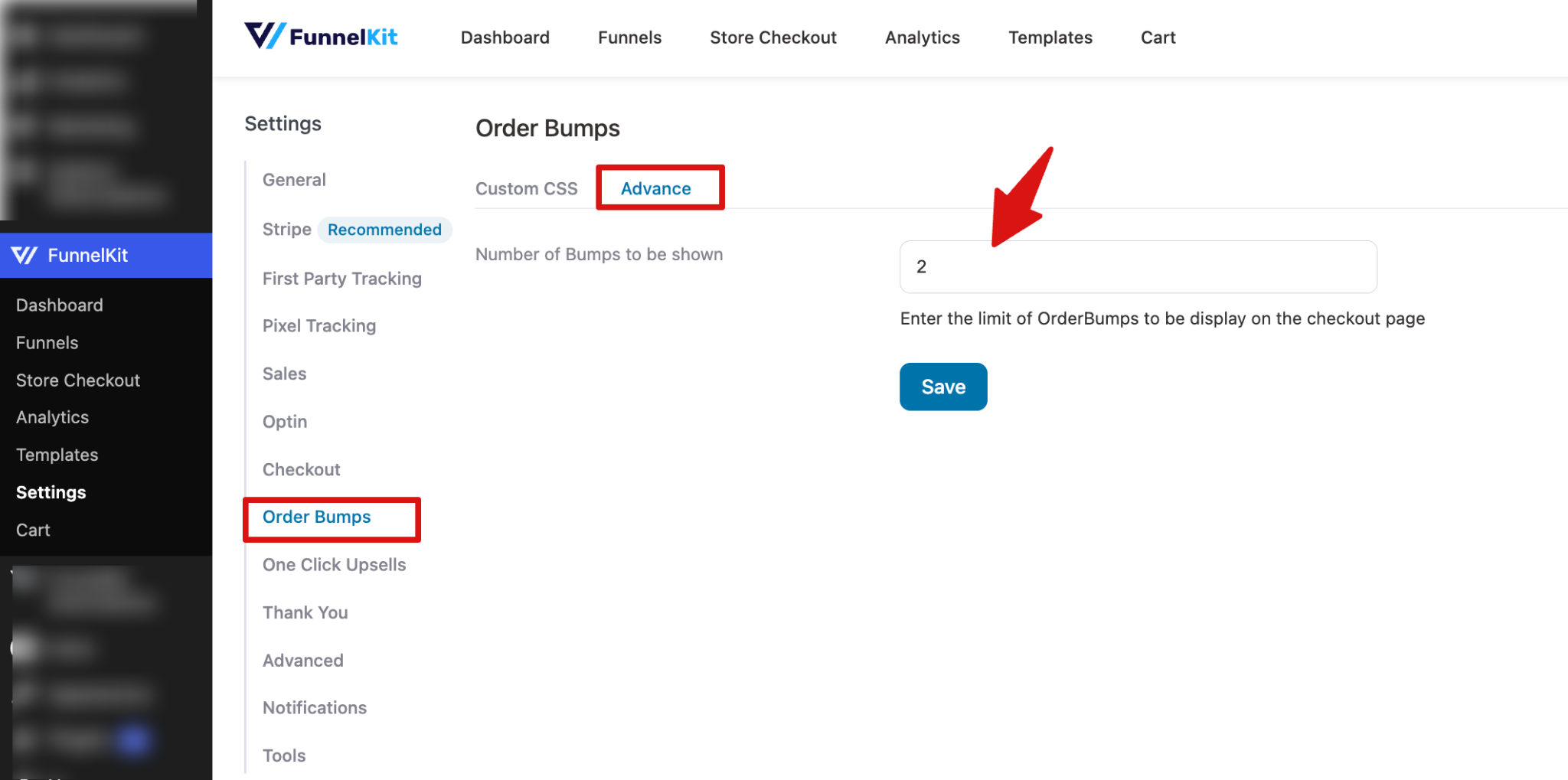
FunnelKit Order Bump Advanced settings screen showing the field to set the number of bumps to be displayed at checkout

To test this, add more order bumps than the number you want to display on the checkout page. 
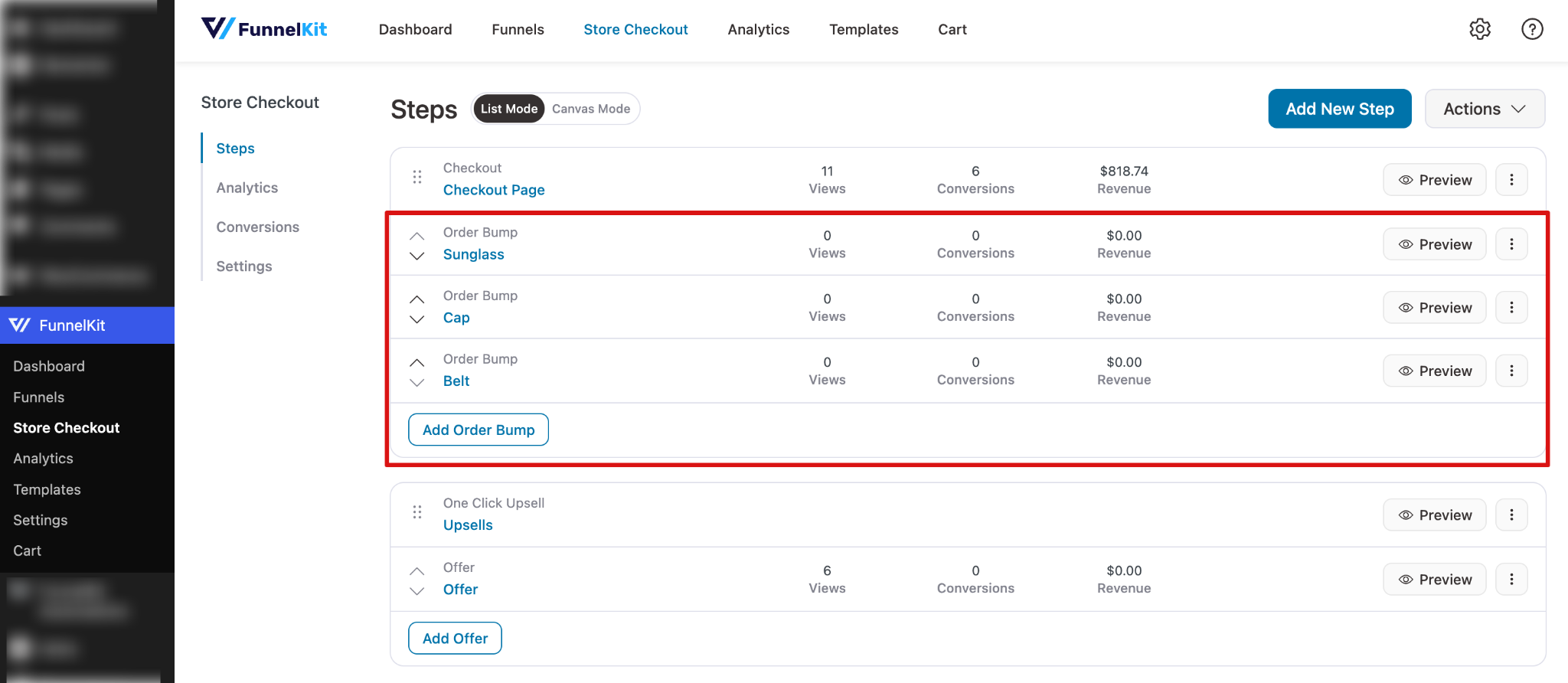
Multiple order bumps added in FunnelKit funnel setup for testing display limits

Next, try placing an order, and on the checkout page, you will only see the number of order bumps you configured. 
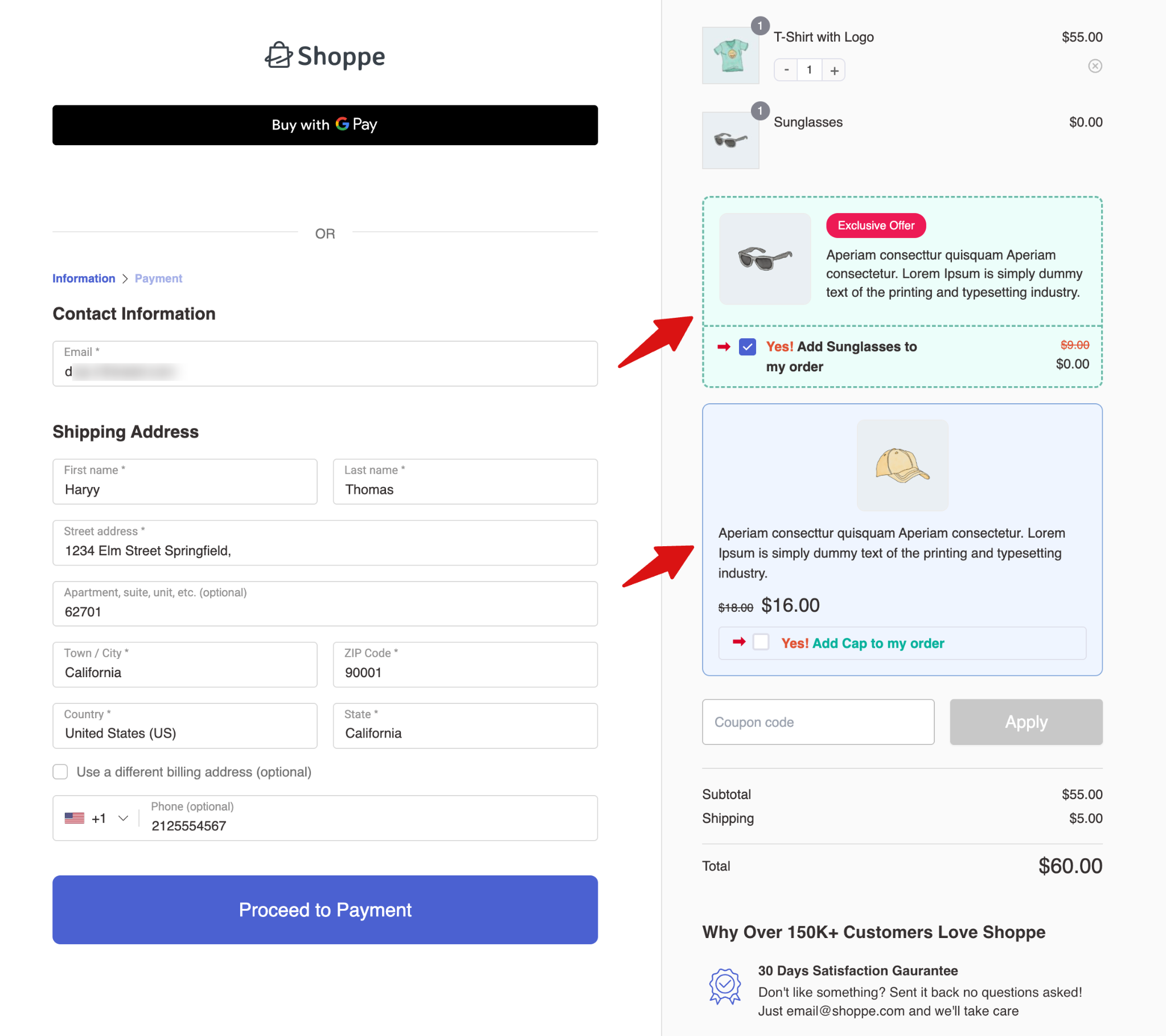
Checkout page showing limited order bumps based on configured display limit in FunnelKit
Ready to Transform Your Store?
Join 40,300+ successful store owners who trust FunnelKit to power their businesses.
Conversion Optimized Checkout Pages
Increase Revenue with Smart Upsells
Capture Emails & Recover Abandoned Carts
Automate Winbacks & Repeat Sales
980+ 5 star reviews on WordPress.org
Transform your store to power your business with FunnelKit
🚀 Maximize Your Profit with FunnelKit – Highest Rated with 980+ 5-Star Reviews
Get Started

