A WooCommerce affiliate plugin credits each sale to the partner who referred it, calculates their commission, and helps you pay them through PayPal, Stripe, or store credit, all from your own store.
Partners promote your products with referral links or coupon codes, so no affiliate network takes a cut.
Let's say a shopper taps a creator's link on Instagram, adds $64 worth of products to their cart, and leaves.
Two days later, they return through Google and pay with Apple Pay from a cached product page.
At a 20% commission, that creator should get $12.80.
But for the referral to count, the tracking has to survive the cached page, the two-day gap, the return visit from Google, and an express payment that skips the cart.
You won't find much detail on feature pages about these situations.
And that's exactly where WooCommerce affiliate plugins can behave very differently, so we built our test around them.
The right affiliate plugin for WooCommerce depends on how your partners promote your store.
That's why we compared 9 affiliate plugins based on what matters once your program is running. How do they track sales? What do their free versions include? And what will you pay after the first-year discount ends?
We checked every price against each vendor's own pricing page in September 2026 and how they fit different types of WooCommerce stores.
Table of Contents
- 1 Top 9 Affiliate Plugins for WooCommerce: Quick Summary
- 2 What to Look For in an Affiliate Plugin Before You Buy
- 3 How We Evaluated These Plugins
- 4 The 9 Best Affiliate Plugins Reviewed
- 5 Free vs Paid: What You Give Up and What Renewals Cost
- 6 Choosing the Right Affiliate Plugin for Your Store
- 7 Automate Your Affiliate Program and Convert More Referrals
- 8 6 Best Practices for Accurate WooCommerce Affiliate Tracking
- 9 Frequently Asked Questions (FAQs)
- 10 Ready to Choose the Best WooCommerce Affiliate Plugin and Make an Impact?
Top 9 Affiliate Plugins for WooCommerce: Quick Summary
We gave coupon tracking its own column because plenty of creators use discount codes instead of referral links.
In Influencer Marketing Hub's 2026 benchmark, discount codes were the most-used sales tool among respondents at 45.9%, compared with 26.0% for affiliate links.
So if your plugin only tracks referral links, some of those sales can slip through.
| Plugin | Best for | Coupon tracking | Starting price |
|---|---|---|---|
| AffiliateWP | Stores selling beyond WooCommerce | Yes | $149.50/year |
| Affiliate for WooCommerce | Advanced commission rules | Yes | $179/year |
| Solid Affiliate | Simple WooCommerce-only setup | Yes | $149.60/year |
| SliceWP | Free start, all-inclusive Pro | Yes (available in Pro) | Free version available. Pro starts at $169/year |
| Coupon Affiliates | Code-based influencer programs | Yes (free) | Free plan. Premium starts at $179.99/year |
| AffiliatePress | Lowest-cost paid plan | Yes (in premium plans) | Free version. Pro starts at $79/year |
| YITH WooCommerce Affiliates | Scheduled automatic payouts | Yes (in Pro) | Free plan available. Pro starts at $179.99/year |
| Easy Affiliate | Membership and subscription sites | Yes | $99.60/year |
| WC Affiliate | Free WooCommerce-native start | Yes (available in premium plans) | Free plan. Premium starts at $129/year |
These are first-year list prices from each vendor's site, verified in September 2026.
What to Look For in an Affiliate Plugin Before You Buy
Tracking Methods
There are three main ways an affiliate plugin can connect a sale to the person who referred it:
A referral link can set a cookie when someone clicks it. A coupon can credit the affiliate at checkout without a click. And lifetime commissions can link a customer to an affiliate, usually by email address, so future orders keep earning commissions for that affiliate.
Cookies are the weak point, and that’s what caused iPhone shoppers to lose their referrals.
Safari’s Intelligent Tracking Prevention limits cookies created by JavaScript after someone hasn't used Safari for 7 days and hasn't interacted with your site.
Cookies set directly by your server aren’t subject to that specific rule.
On the other hand, coupons don’t need cookies. Additionally, lifetime commissions only need tracking for the customer’s first order. They can protect future purchases, but they can’t recover a first sale that was never tracked.
A pricing page that says “first-party cookies” still doesn’t tell you whether JavaScript or your server sets the cookie.
So, ask the vendor’s support team before you buy.
Ideally, your WooCommerce affiliate plugin should support all three methods, along with first-click and last-click attribution.
Commission rules
At a minimum, look for percentage and fixed commissions, different rates for individual products or affiliates, and separate rates for first orders and renewals.
Then check which plan includes each one.
Recurring and lifetime commissions are often limited to the more expensive plans.
Affiliate dashboard
Your affiliates should be able to sign up, grab their links and coupons, download creatives, and check their earnings without emailing you.
Or they can check their phone, open the dashboard, and see performance.
Payout management
Most plugins can automate payouts through PayPal Payouts or Stripe Connect, while some also let you pay affiliates with store credit.
Store credit can cost less to fund because the affiliate spends it at your retail price, while your actual cost is the cost of the goods.
Also look for a minimum payout threshold and a way to hold commissions until your refund window has passed.
Compatibility
Check that the plugin supports High-Performance Order Storage (HPOS), WooCommerce's block-based checkout if you use it, and your subscription plugin.
If your site uses full-page caching, test referral tracking with caching enabled. Then run the same test again after every major update.
How We Evaluated These Plugins
For each plugin, we checked the official pricing page for current prices, plan limits, and renewal terms.
We also read the documentation and recent changelogs, then looked through WordPress.org and WooCommerce Marketplace reviews to see which complaints came up repeatedly.
Finally, we ran every plugin through the same tracking tests on one WooCommerce store. The results are further down.
The changelogs often told us more than the feature pages. Two of these plugins had shipped fixes related to commission calculations in the past month alone.
We didn't test multi-currency or cross-domain setups, so for those, we've relied on the vendors' documentation and claims.
Here’s what mattered most.
- Tracking reliability: How links, coupons, and lifetime attribution work, and whether referrals survive caching and different checkout methods.
- Commission flexibility: What commission rules are available and which plan you need for them.
- Payouts: How much of the payout process can be automated.
- Real cost: Including renewal prices, not just the first-year discount.
- Compatibility: Support for HPOS, block checkout, and subscription plugins.
- Easy to use: How easy the dashboard is for affiliates.
We've tested it on WordPress 7.1.2, WooCommerce 11.1.2, the Twenty Twenty-Five theme, and PHP 8.4.25 in September 2026.
The 9 Best Affiliate Plugins Reviewed
We've ordered these by how well these plugins suit a typical WooCommerce store selling one brand.
1. AffiliateWP
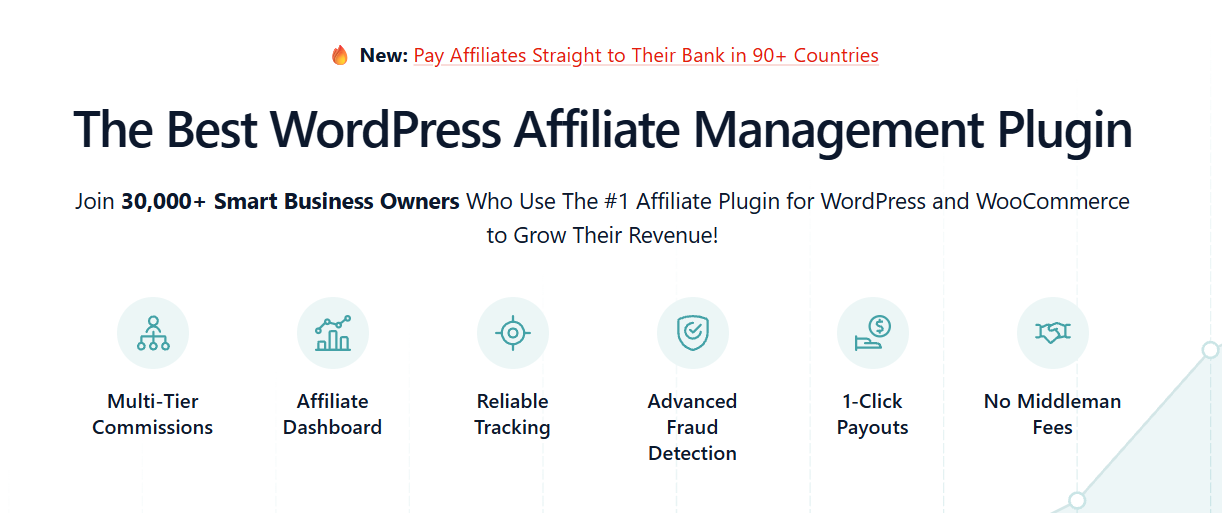
AffiliateWP is one of the most established affiliate plugins for WordPress, with 30,000+ users. Its biggest advantage is its integrations.
It also integrates with WooCommerce and 20+ eCommerce, membership, course, and form plugins, so you can run one affiliate program across different parts of your business.
Key features
- Smart affiliate review: Every plan includes AI-assisted screening of affiliate applications.
- Coupon tracking: The entry plan includes both coupon and link tracking, designed to work around ad blockers.
- Flexible payouts: Stripe, PayPal, international payouts, and store credit are available from the Personal plan.
- Integrations: Works with WooCommerce and 20+ eCommerce, membership, LMS, and form plugins.
What we found
If subscriptions are part of your store, pay close attention to the plan differences.
Recurring commissions, lifetime and multi-tier commissions, landing pages, and the fraud prevention suite all start with Pro, which costs $299.50 for the first year.
We went through Reddit discussions. One user described it as the most reliable option, while another found the add-ons made a simple setup more complicated.
Another user said bad experiences with PayPal payouts led them to export a spreadsheet and handle payments manually.
From that feedback, though, Pro now lists automatic payouts as a new feature.
Pros
- Broadest integrations if you sell outside WooCommerce too
- Stripe, PayPal, and store credit payouts on the cheapest plan
- AI screening can save time when you receive lots of affiliate applications
- Growth Bundle ($349.50) adds RewardsWP for refer-a-friend programs
Cons
- Recurring, lifetime, and fraud features require Pro ($299.50 first year)
- 14-day refund window, compared with 30 days for Solid Affiliate, SliceWP, and Affiliate for WooCommerce
- Some Reddit users found the add-ons slow to set up
Pricing
First year: Personal $149.50 (1 site), Plus $199.50 (2 sites), and Pro $299.50 (5 sites).
2. Affiliate for WooCommerce
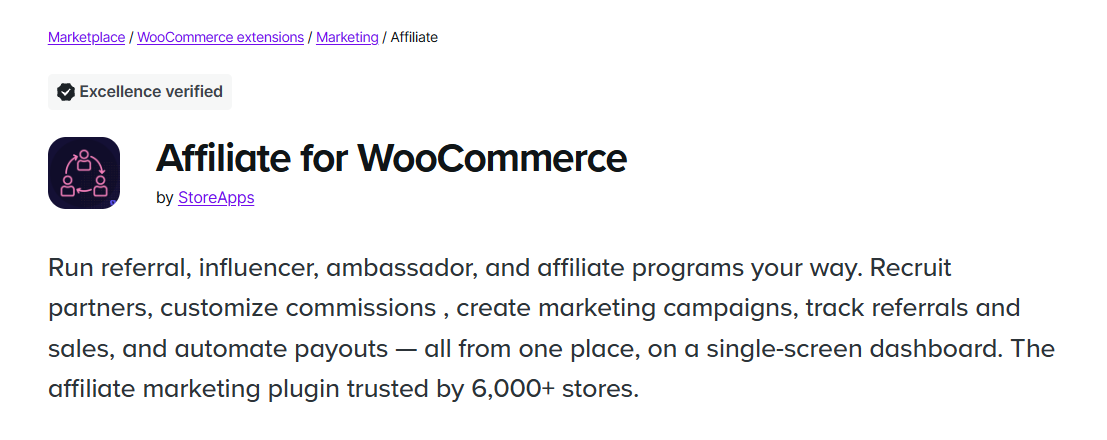
Affiliate for WooCommerce comes from StoreApps and is sold through the official WooCommerce Marketplace.
It has WooCommerce's "Excellence verified" badge, supports HPOS and Cart and Checkout blocks, and has 4.5 stars from 124 verified reviews and 6,000+ active installs.
Another plugin with a similar name is also on the Marketplace, so make sure you're getting the StoreApps version.
Key features
- Rule-based commission plans: Set different rates by product, category, affiliate group, payment method, first order, coupon, or first payment versus renewal.
- Lifetime commissions: Matches customers by billing email, so guest checkouts and new devices can still be attributed.
- Multi-tier commissions: Create unlimited commission levels and see who recruited whom in a visual tree.
- Automated payouts: Schedule PayPal and Stripe payouts, with refund-period holds and minimum payout amounts.
What we found
The commission rules are the main reason to consider this plugin.
Setting something like “15% on the first subscription payment, 10% on renewals” is easy to set up, while many other plugins keep that kind of setup for a more expensive plan.
If you're moving from AffiliateWP or Ultimate Affiliate Pro, the one-click importer can bring over your existing setup, and your affiliates' current links will keep working.
Pros
- Flexible commission rules without buying extra add-ons
- Lifetime, multi-tier, and renewal commissions in one plan
- HPOS and block checkout support, with WooCommerce Marketplace verification
- One-click AffiliateWP import that keeps existing links working
Cons
- No free version or trial, only a demo and a 30-day refund window
- Multi-currency commissions require Aelia Currency Switcher or WPML Multicurrency
- Coupons have to be assigned manually, while Solid Affiliate creates them automatically
Pricing
$179/year for one site, or $286.40 for two years with a 30-day money-back guarantee.
3. Solid Affiliate
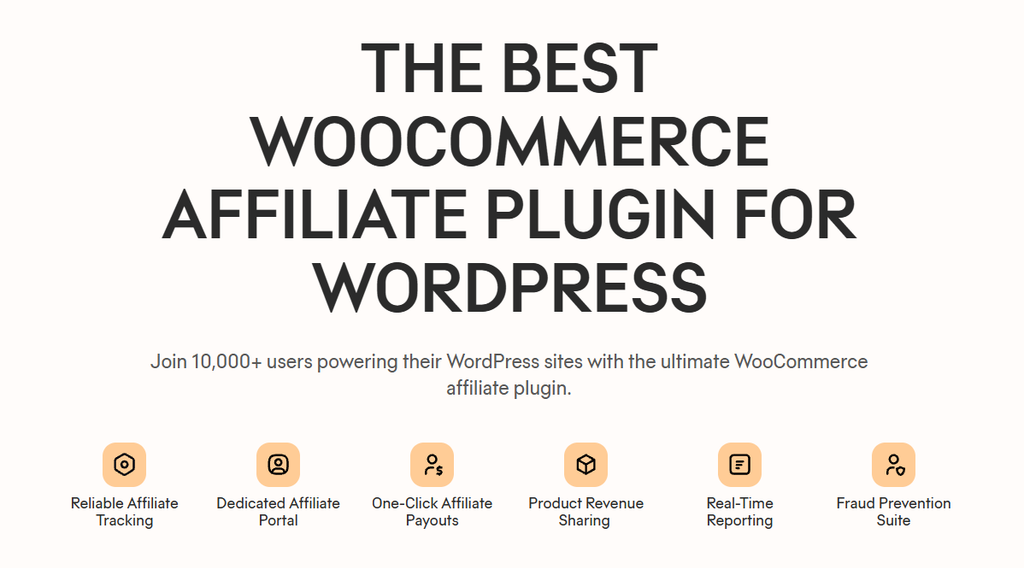
Solid Affiliate is built specifically for WooCommerce. Its setup wizard walks you through connecting it to your store, and every plan includes unlimited affiliates, commissions, and payouts. It currently has 10,000+ users.
People in Reddit communities also recommended Solid Affiliate because they liked how quickly it could be set up and how easy the payouts were.
Key features
- Automatic affiliate coupons: Each new affiliate automatically gets their own WooCommerce coupon.
- Revenue sharing (Pro): Link a product to an affiliate so they earn from every sale of that product without needing a referral link.
- Affiliate landing pages (Pro): Give each affiliate their own landing page and attribute traffic from that page to them.
- Refund protection: Refunded orders don’t earn commissions, and new commissions can be held until your refund window passes.
What we found
The Starter plan covers quite a bit, including coupon tracking, one-click PayPal payouts, and store credit.
Lifetime commissions, subscription renewal commissions, landing pages, and the full fraud suite are reserved for Pro.
Pros
- Built specifically for WooCommerce, so there’s less to connect
- One-click PayPal payouts and store credit on the cheapest plan
- Automatically creates a unique coupon for each affiliate
- Per-product revenue sharing, which isn’t common among these plugins
Cons
- Renewal and lifetime commissions require Pro ($224.70 first year, $749 after)
- Starter renews at $374, compared with $149.60 in the first year
- Automated payouts are PayPal-only, with no Stripe option
Pricing
Starter: $149.60 (1 site), Expert: $174.65 (3 sites), and Pro: $224.70 (10 sites).
4. SliceWP
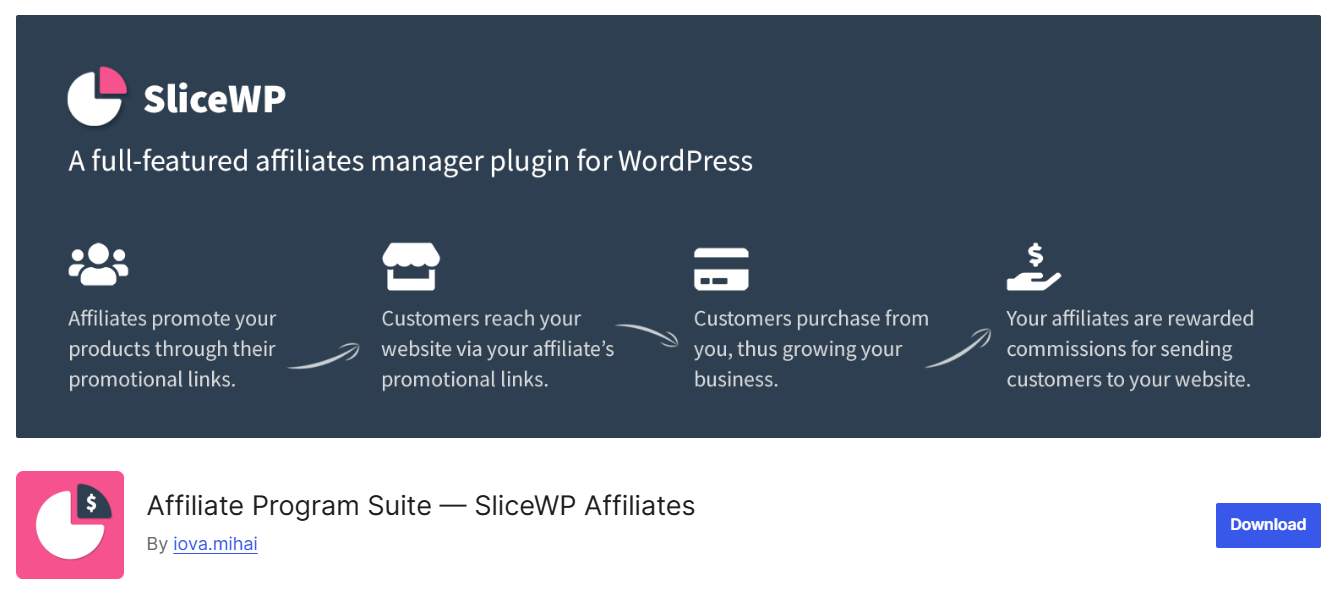
SliceWP has a free version on WordPress.org and works with WooCommerce, Easy Digital Downloads, MemberPress, and Paid Memberships Pro.
When you upgrade, all the add-ons are included in one plan. In Reddit threads, SliceWP was the most common second choice after Solid Affiliate, with users describing it as intuitive and easy to use.
Key features
- Setup wizard: Connects SliceWP to WooCommerce and creates your affiliate signup and account pages.
- Commission control: Free users get sitewide and per-affiliate rates, while Pro adds per-product rates and exclusions.
- Recurring and lifetime commissions (Pro): Pay commissions on renewals or future orders from a referred customer.
- Multi-level affiliates and PayPal payouts (Pro): Both are included in the plan rather than sold as separate add-ons.
What we found
The free version gives you enough to see whether affiliates will actually send sales. The tradeoff is that you’ll have to pay affiliates manually.
Coupon linking, product-specific rates, recurring commissions, and lifetime commissions all require Pro.
Pros
- Free version with unlimited affiliates, signup form, and dashboard
- All add-ons are included in one Pro plan
- Lifetime license ($429, one site) means no renewals
- One program can cover WooCommerce, EDD, and memberships
Cons
- Payouts are manual on the free version
- Coupon linking, product rates, and lifetime commissions require Pro
Pricing
Pro is $169 for the first year and Pro Plus is $259 (10 sites). Lifetime licenses cost $429 or $649 with a 30-day refund policy.
5. Coupon Affiliates
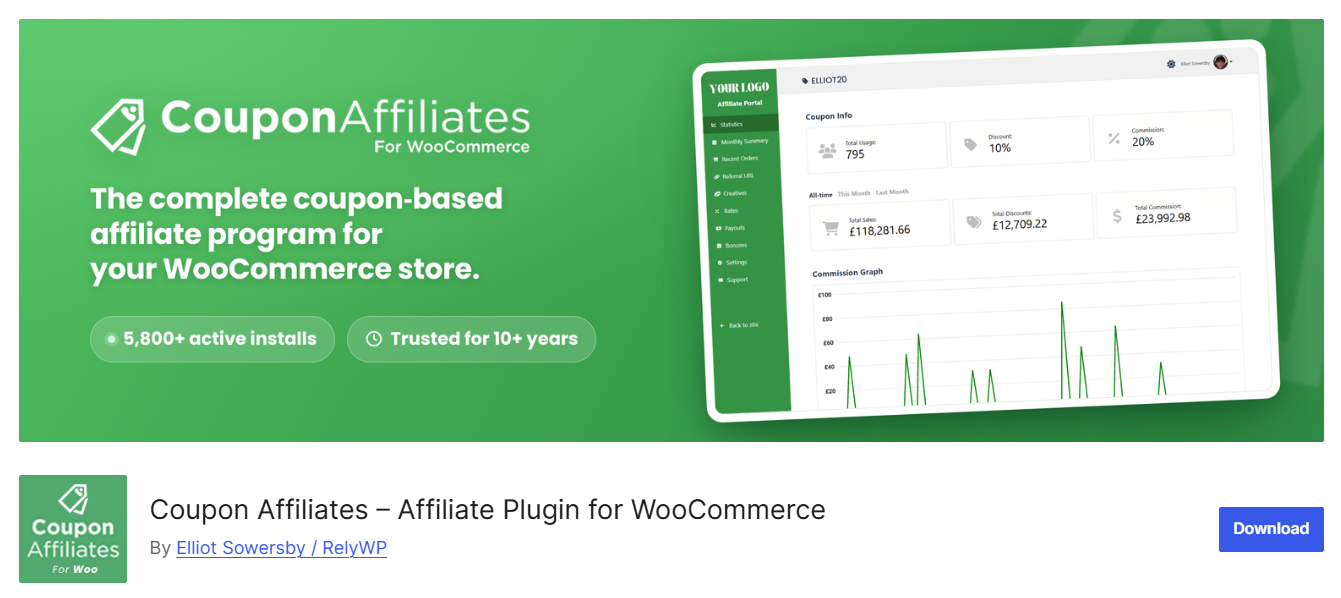
A podcast host can't exactly read a tracking link to their audience, but they can say a coupon code. That's where Coupon Affiliates focuses.
Each affiliate gets a WooCommerce coupon and a referral link that automatically applies the coupon.
You can also credit visits from the referral link even when the shopper doesn't use the code.
Key features
- Referral links that apply the coupon: Includes click logs, conversion rates, and an option to credit orders that came through the link without the coupon.
- Past coupon stats: Pulls in the order history of existing coupons, so previous sales can appear as soon as you install it.
- Subscriptions support: Works with WooCommerce Subscriptions for free, while Pro lets you limit how many renewals earn commissions.
- Pro growth tools: Adds multi-level affiliates, lifetime commissions, landing pages, and automated payouts.
What we found
The free version gives you a lot of tracking functionality, and updates are released frequently.
Four releases went out between late August and September 21, 2026, including commission fixes for HPOS stores.
Test updates on staging before pushing them live.
Pros
- Tracks coupons and referral links for free
- Shows historical stats for coupons created before installation
- Supports WooCommerce Subscriptions renewals for free
- Pro is available monthly, yearly, or as a lifetime purchase, with a 7-day trial
Cons
- Free reports only go back two weeks
- Payout tracking and payout requests require Pro
- Frequent releases make staging tests worthwhile
Pricing
Pro is $134.99/year for one site or $224.99/year for up to 10 sites, with monthly and lifetime options too. It includes a 7-day free trial and a 14-day refund window.
6. AffiliatePress
AffiliatePress works with WooCommerce and 25+ other plugins, including EDD, SureCart, MemberPress, and LearnDash.
The free version gives you unlimited affiliates and manual payouts, but only one commission rate for the entire site.
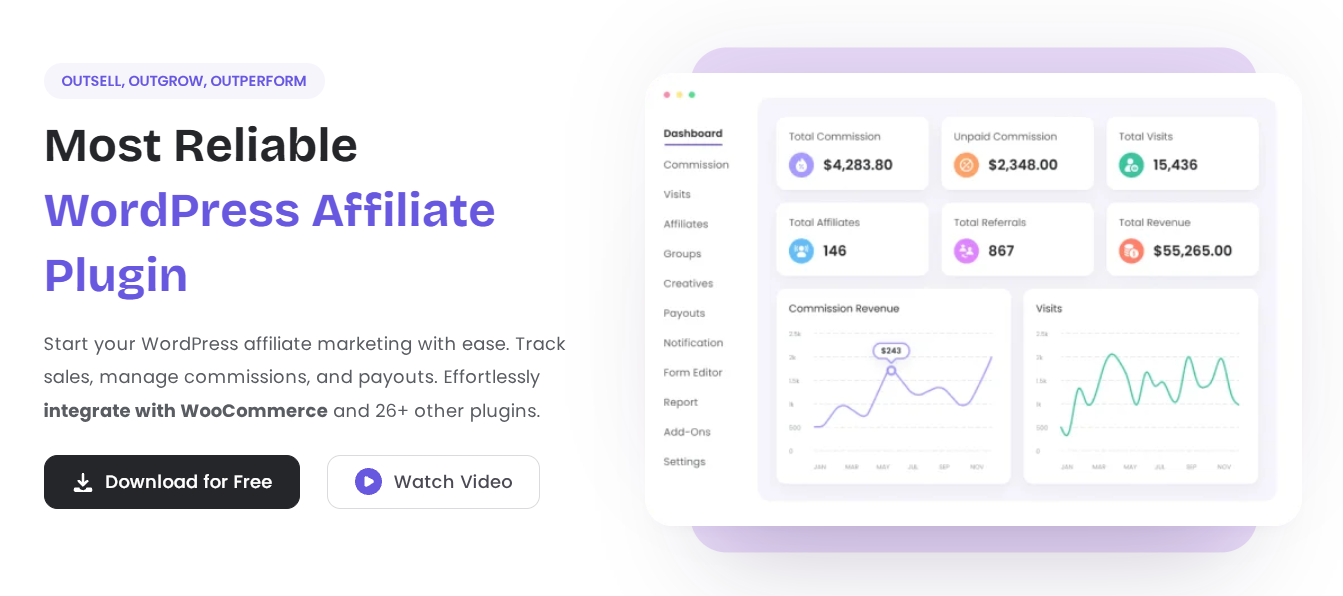
Key features
- Fraud detection (Standard): Advanced fraud detection and reporting start with the first paid plan.
- Commission options: Standard adds product rates and bonuses, while Professional adds multi-level, tiered, and recurring commissions.
- Affiliate tools: Professional adds QR codes, a leaderboard, custom signup forms, and landing pages.
- Automatic payouts: PayPal is available from Standard, while Stripe starts with Professional.
What we found
The $79 price is real, and that plan includes PayPal payouts, fraud detection, and per-product commissions.
But coupon tracking and subscription commissions require Professional at $139, while lifetime commissions are limited to Enterprise at $249.
Check which tier includes the features you need before comparing prices.
Pros
- Lowest-cost paid plan in this list at $79/year
- Renewals stay discounted, according to the vendor
- Works with 25+ plugins beyond WooCommerce
- Free setup for your first site on Professional and Enterprise, for now
Cons
- Coupon tracking, Stripe payouts, and recurring commissions start with Professional ($139/year)
- Lifetime commissions are limited to Enterprise ($249/year)
- The free version only allows one sitewide commission rate
Pricing
Standard is $79/year (1 site), Professional $139 (3 sites), and Enterprise $249 (10 sites). Lifetime licenses cost $179, $299, or $599. 14-day refund window.
7. YITH WooCommerce Affiliates
YITH WooCommerce Affiliates comes from one of the larger WooCommerce plugin makers.
As per the YITH website, 20,561 customers use this plugin, with a 4.4 out of 5 rating from 102 reviews.
It lets you set up an affiliate program to generate traffic and visibility for your store, attract new customers, and increase your sales.
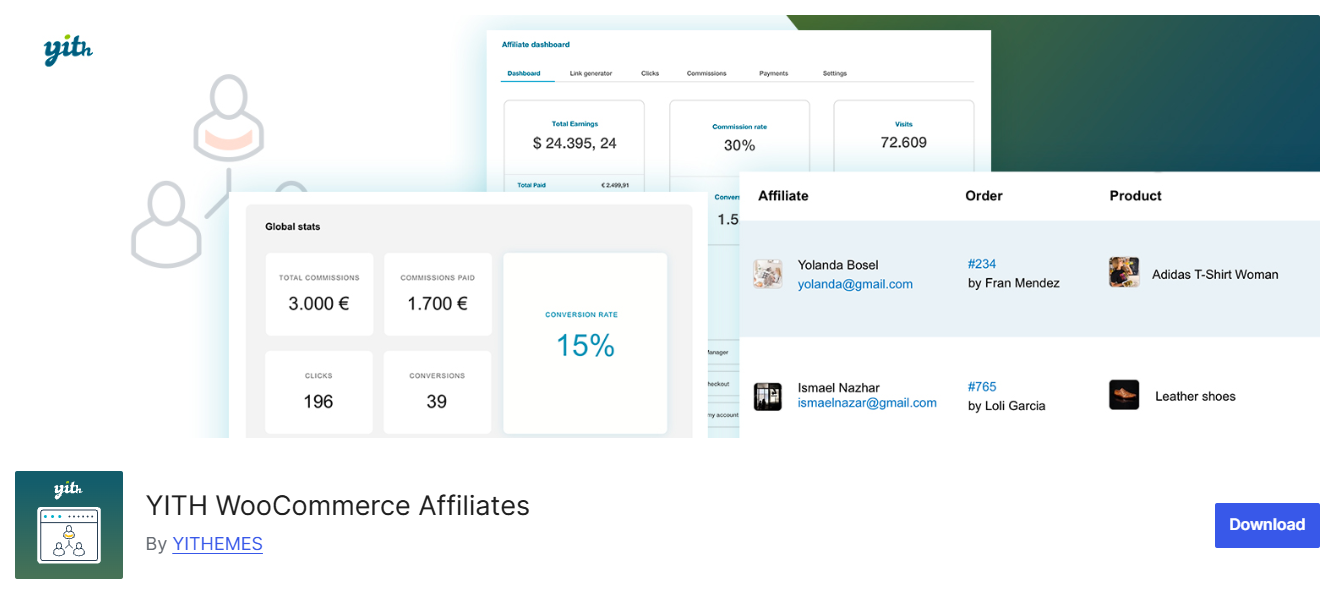
Key features
- Commission rules: Set a global rate, then override it by affiliate, user role, product, or category.
- Payout scheduling: Pay when an affiliate reaches a threshold, on a specific day each month, daily, or monthly after hitting the threshold.
- Attribution control: Credit the first or last affiliate, or permanently link a customer to an affiliate.
- Refunds and invoices: Refunds automatically remove the related commission, and affiliates can attach invoices when requesting a payout.
What we found
YITH gives you a lot of control over when affiliates get paid. The catch is that automated payments can cost extra.
PayPal Payouts, Stripe Connect, and account funds each require a separate paid YITH plugin.
YITH’s own FAQ also says the plugin doesn’t work with multi-currency plugins.
Pros
- Flexible payout scheduling
- First-click or last-click attribution
- Refunds automatically remove the related commission
- Can support points or store funds through other YITH plugins
Cons
- No multi-currency support, according to YITH’s FAQ
- PayPal Payouts and Stripe Connect each require a separate paid plugin
- Coupon assignment and commission emails are limited to the premium version
Pricing
It's available free on WordPress.org. The premium version costs $179.99/year and includes a 30-day money-back guarantee on new purchases.
8. Easy Affiliate
Easy Affiliate comes from the MemberPress team. You can connect a WooCommerce coupon to an affiliate directly from the coupon editor and choose whether the affiliate earns once for a new customer or on every sale that customer makes.
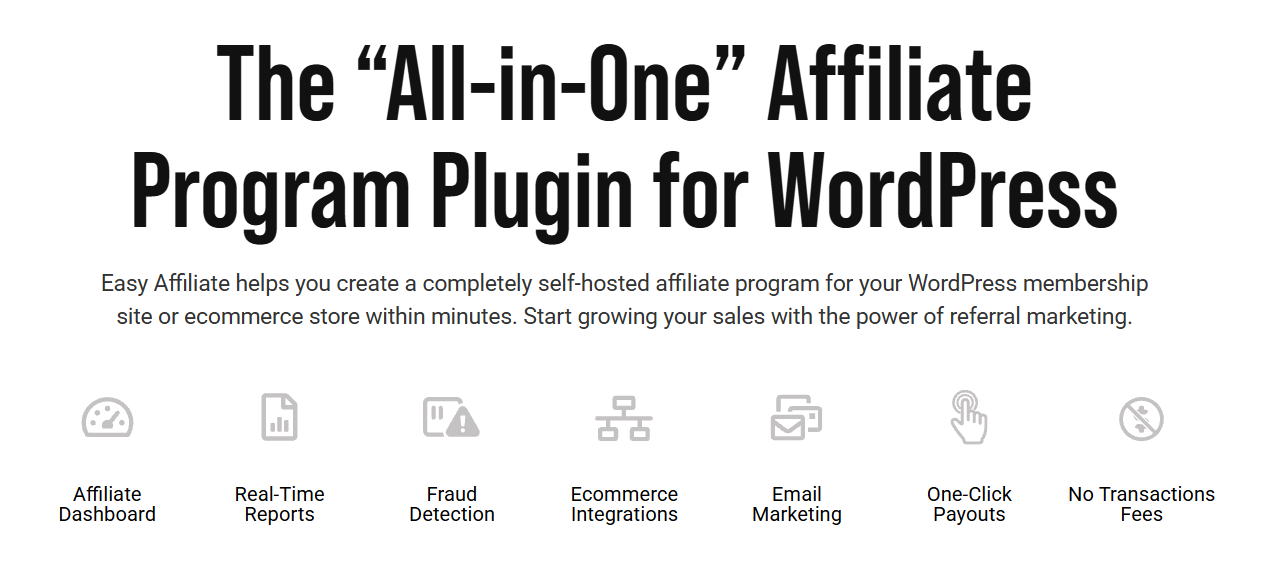
Key features
- Migration wizard: Imports affiliates, settings, and links from AffiliateWP or Affiliate Royale.
- Affiliate agreement generator: Adds your program terms to the signup form in a few clicks.
- UTM tagging: Adds UTM parameters to affiliate links so they appear correctly in Google Analytics.
- Coupon linking: Connect any WooCommerce coupon to an affiliate from the coupon editor.
What we found
Among the plugins without a free version, this has the lowest first-year price. The catch comes in year two, when plans renew at $249, $374, and $499.
Fraud protection also starts with Plus, and payouts are limited to PayPal or manual payments.
Pros
- Imports data from AffiliateWP or Affiliate Royale
- Generates an affiliate agreement for your signup form
- Automatically adds UTM parameters to links
- First-purchase or every-purchase commissions work well for subscription businesses
Cons
- No free version to try first
- Payouts are PayPal or manual only, with no Stripe option
- Fraud protection starts on Plus, while renewals start at $249
Pricing
First year: Basic $99.60, Plus $149.60, and Pro $199.60 with a 14-day refund window.
9. WC Affiliate
WC Affiliate from Codexpert is another WooCommerce-only option. Its free version includes more than many free alternatives.
You get admin and affiliate dashboards, unlimited affiliates, email notifications, and commission overrides by affiliate and product.
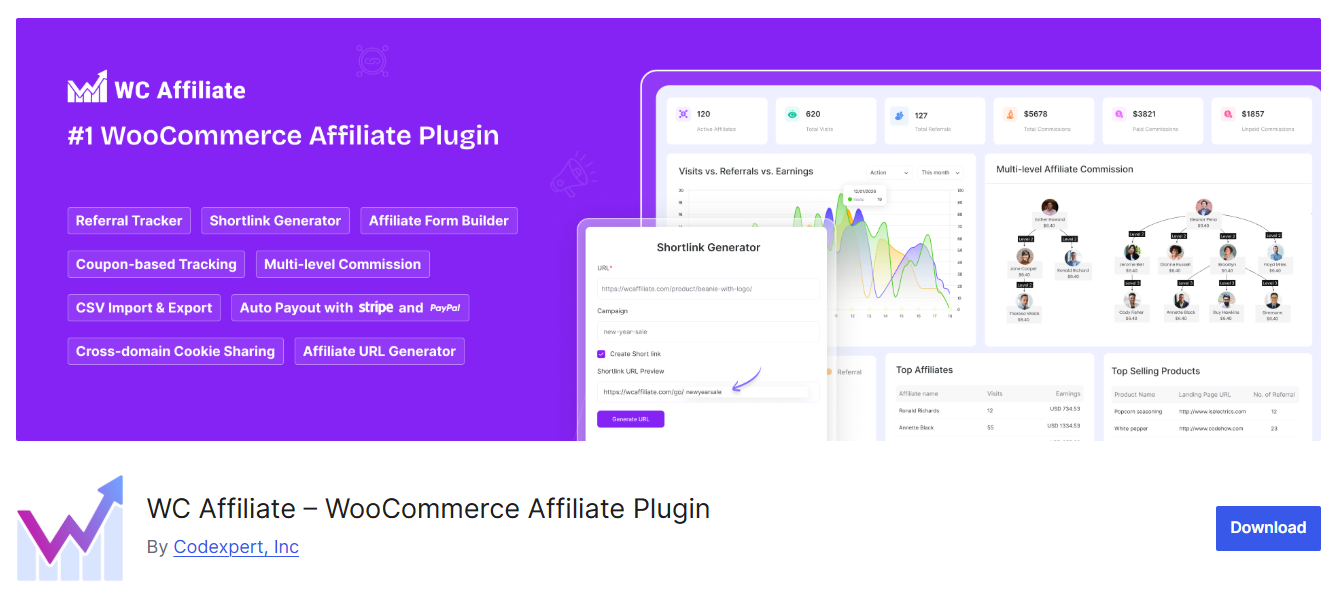
Key features
- Free commission overrides: Set global, per-affiliate, and per-product commission rates without upgrading.
- Attribution control: Set the cookie duration anywhere from one day to a year and choose whether a new click replaces the previous one.
- Cross-domain cookie sharing (Pro): Track a click on one site and the resulting sale on another.
- Shortlinks and MLM (Pro): Give affiliates custom-slug shortlinks and create unlimited commission tiers.
What we found
The plugin is still actively being worked on. Version 3.9.1, released in August 2026, fixed a bug where commissions based on the subtotal were actually being calculated from the full order total.
Fraud prevention is still listed as coming soon, so check your commission numbers after each update.
Pros
- Per-affiliate and per-product commission rates are included for free
- Cross-domain cookie sharing for multi-store brands
- Affiliates can create branded shortlinks
- Store credit works as a payment method in block checkout
Cons
- Smallest user base in this list, with 300+ active installs
- Coupon tracking requires Pro
- Fraud prevention is still listed as coming soon
Pricing
Pro starts at $129/year for one site, according to WC Affiliate’s own comparison, and there’s also a lifetime license.
Also worth a look
- RewardsWP: A refer-a-friend plugin from the AffiliateWP team. It signs customers up after they buy, rewards both the customer and their friend, and has a free version.
- Awin Advertiser Tracking: A free plugin that connects your store to the Awin network, so you can work with established publishers. You pay Awin’s network fees in return.
- Affiliates for WooCommerce by DevDiggers: A newer free option that supports HPOS. The Pro version adds PayPal Payouts, Stripe Connect, and lifetime and renewal commissions.
Free vs Paid: What You Give Up and What Renewals Cost
Five plugins on this list have a free version: SliceWP, Coupon Affiliates, AffiliatePress, YITH WooCommerce Affiliates, and WC Affiliate.
The free tiers track referrals and record commissions, but you’ll be paying affiliates by hand.
Automatic payouts, recurring commissions, and, on some plugins, coupon tracking all sit behind a paid plan.
Year one is where the discounts are. On four of these plugins, year two costs roughly 1.4 to 2.5 times as much as year one.
Price the plan that has your must-haves, then check what it costs the year after.
Each row prices the cheapest plan that includes coupon tracking and one-click payouts.
| Plugin | Entry plan | Year 1 | Year 2 | Total |
|---|---|---|---|---|
| AffiliateWP | Personal | $149.50 | $299 | $448.50 |
| Affiliate for WooCommerce | Single plan | $179 | $179 | $358 ($286.40 prepaid) |
| Solid Affiliate | Starter | $149.60 | $374 | $523.60 |
| SliceWP | Pro | $169 | $229 | $398 |
| Coupon Affiliates | Yearly | $134.99 | $179.99 | $314.98 |
| AffiliatePress | Standard | $79 | $159 | $238 |
| YITH WooCommerce Affiliates | Single plan | $179.99 | $179.99 | $359.98 |
| Easy Affiliate | Basic | $99.60 | $249 | $348.60 |
| WC Affiliate | Personal | $129 | $129 | $258 |
We've verified all the prices in September 2026.
Choosing the Right Affiliate Plugin for Your Store
Start with how your affiliates actually promote your store. If they mostly share referral links, remember the iPhone shopper from earlier.
Giving each affiliate a coupon is the simplest way to capture sales that would otherwise go untracked, so coupon tracking should be high on your list.
If your affiliates mostly share coupon codes, that problem is much smaller, and you can focus more on commission rules and payouts.
- Advanced commission rules: Affiliate for WooCommerce includes tiered, lifetime, and renewal commissions in one plan.
- Fastest setup: Solid Affiliate includes PayPal payouts and coupon tracking on its entry plan.
- Selling on more than one platform: AffiliateWP, or AffiliatePress if budget matters. Both support WooCommerce, EDD, courses, and memberships in the same affiliate program.
- Influencers and coupon codes: Coupon Affiliates tracks both codes and referral links for free, and a referral link can automatically apply the affiliate’s coupon.
- Subscriptions on a budget: AffiliatePress Professional, SliceWP Pro, or Affiliate for WooCommerce. Over two years, renewal commissions cost $278 to $398 with these options, compared with $898.50 for AffiliateWP Pro and $973.70 for Solid Affiliate Pro.
- Trying it before you pay: SliceWP, WC Affiliate, or Coupon Affiliates can all run a small affiliate program on their free versions.
Automate Your Affiliate Program and Convert More Referrals
An affiliate plugin handles tracking and payouts. Everything around that is up to you, from the page affiliate traffic lands on to how you keep new affiliates promoting you.
That's the part FunnelKit Funnel Builder and FunnelKit Automations cover.
Automations connect directly to AffiliateWP and YITH WooCommerce Affiliates, and Funnel Builder's opt-in pages connect to AffiliateWP.
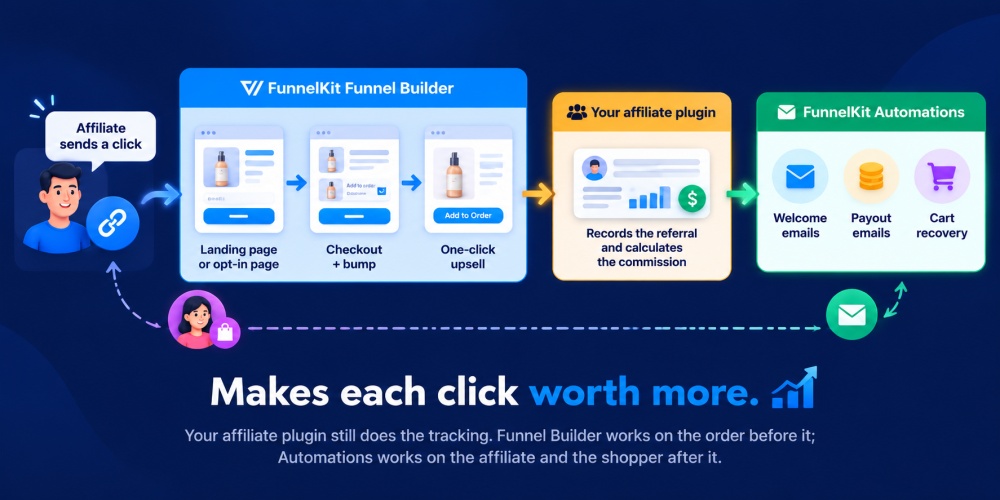
Make each affiliate click worth more with Funnel Builder
Affiliates judge your program by what a click earns them, a number they track as EPC (earnings per click).
It depends on your conversion rate and order value as much as your commission rate, and both are yours to improve.
Start with where affiliate traffic lands.
A focused landing page or a one-page checkout gives a referred shopper fewer places to wander off than a busy product page does. Then add an order bump at checkout or a one-click upsell after it.
FunnelKit Funnel Builder builds each of those pieces, from the landing page to the post-purchase upsell.
On a percentage commission, bigger orders pay your affiliates more, and affiliates keep promoting the stores that pay them well.
Test one setting before you count on upsell revenue.
Funnel Builder can add an accepted upsell to the original order or create it as a separate order.
Whether your affiliate plugin credits that second order to the same partner depends on the plugin, so place a test order each way and see which one it pays on.
Some products take research before anyone buys. For those, let affiliates promote a free guide or webinar instead.
Funnel Builder's opt-in pages record AffiliateWP referrals at signup, so you can reward affiliates for leads as well as sales.
To switch it on, open the opt-in page, go to Actions, and enable the AffiliateWP integration. This integration is specific to AffiliateWP, so if you run another plugin from this list, ask its vendor how it handles opt-ins.
Keep affiliates active with automations
New affiliates go quiet when nobody follows up after they sign up. We'd start with the welcome sequence.
A few workflows worth building first:
- Welcome sequence: Send new affiliates their link, their coupon, and your best creatives over their first two weeks.
- Payout emails: Tell affiliates when a referral is marked paid, so they don't have to log in to check.
- Nudges for quiet affiliates: Filter for affiliates with zero total referrals and send them one product to promote this month.
- Launch broadcasts: Email a saved segment of your top earners before a new product goes live.
With AffiliateWP, FunnelKit Automations can run all four.
It imports your AffiliateWP affiliates as contacts in one click and adds an AffiliateWP tab to each contact record, with their status, earnings and referrals.
You can filter by those details and save the result as a segment.
Workflows can start when a new affiliate signs up (which FunnelKit calls Referral Signup) or when a referral's status changes to pending, paid, unpaid, or rejected.
With YITH WooCommerce Affiliates, they can start when someone becomes an affiliate, changes status, or is banned or unbanned.
You can also send cart recovery emails to bring back shoppers who clicked an affiliate link and left without buying.
Test one conflict before you switch them on.
If a recovery email carries its own discount code and your affiliate plugin credits by coupon, make sure the recovered order still goes to the affiliate.
6 Best Practices for Accurate WooCommerce Affiliate Tracking
Here are effective tips for tracking affiliates accurately in WooCommerce.
- Hold commissions until your refund window closes
Some affiliate fraud is hard to avoid, so build safeguards into your program from the start.
In 2022, fraud-prevention company CHEQ analyzed traffic across more than 50,000 websites and found that about 17% of affiliate program traffic was fake, up from nearly 10% two years earlier.
Set your commission payout delay to match your refund period.
Also, prevent affiliates from earning commissions on their own orders and add reCAPTCHA to your affiliate signup form.
- Give every affiliate a coupon as a backup to their link
This solves the iPhone shopper problem. If a tracking cookie expires or gets blocked, an affiliate-specific coupon can still connect the sale to the right affiliate.
It’s even better when your links apply the coupon automatically, so customers don’t have to enter a code themselves.
For setup, see our guide to dynamic coupons in WooCommerce.
Coupons have a downside, though. If an affiliate code gets posted on a coupon site, you could end up paying commissions on shoppers who were already planning to buy from you.
So set usage limits and expiry dates to reduce that risk.
Lifetime commissions have a similar trade-off. They can pay affiliates for repeat purchases that may have happened without the affiliate’s involvement.
They can still make sense for many programs, but if your margins are tight, limit how long lifetime commissions apply or cap the number of renewals that earn a commission.
- Test referrals with page caching turned on
Page caching can interfere with affiliate tracking. A cached page may load without running the code that sets the referral cookie, so the referral never gets recorded.
Check how your WooCommerce affiliate plugin handles caching.
For example, YITH can set the referral cookie through AJAX. If necessary, exclude referral URLs from your cache.
Then place a test order while caching is enabled. Don’t assume tracking works just because it worked when caching was turned off.
- Test every checkout path you use
Your affiliate tracking might work perfectly on the standard checkout and still miss orders from an express payment button.
Test every way customers can place an order: classic checkout, Checkout block, custom checkout pages, express payment options such as Apple Pay, and subscription renewals.
Send a test referral through each one, complete the order, and check the order details.
Attach the correct affiliate to every test order. If you use a custom checkout layout, see our guide to customizing the WooCommerce checkout page.
- Choose first-click or last-click attribution and include it in your terms
A customer may interact with more than one affiliate before placing an order. When that happens, you need a clear rule for who gets the commission.
Choose whether your program uses first-click or last-click attribution.
Then configure your WooCommerce affiliate plugin to follow that rule and spell it out in your affiliate terms.
That way, affiliates know how attribution works before they start sending traffic.
- Require disclosure and define what the commission is based on
Under the FTC’s Endorsement Guides, affiliates need to disclose when they earn money from recommending your products. Make that disclosure part of your affiliate program requirements.
Also define exactly what counts toward a commission before making your first payout.
Decide whether commissions are calculated before or after tax, shipping, and discounts.
Then test the calculation with a real order. It’s much easier to catch a tracking or commission-setting problem before affiliates rely on those numbers.
Frequently Asked Questions (FAQs)
Find out answers to the most frequently asked questions related to WooCommerce affiliate plugins:
A WooCommerce affiliate plugin is a tool for creating and managing an affiliate marketing program for your WooCommerce store.
It lets you create an affiliate program with referral links, commissions, creatives, payouts, and analytics to reward affiliates who bring sales to your store.
It depends on how your affiliates sell. For complex commission rules, go with Affiliate for WooCommerce.
For the simplest WooCommerce-only setup, Solid Affiliate.
If you sell on other platforms too, go with AffiliateWP.
And if your program runs on influencer codes, use Coupon Affiliates.
Yes, with the right plan. The plugin needs to support recurring commissions and work with your subscription plugin.
Affiliate for WooCommerce and Coupon Affiliates include it at no extra cost, while AffiliateWP, Solid Affiliate, and AffiliatePress keep it for their higher plans.
Choose a plugin that supports PayPal Payouts or Stripe Connect and connect your account.
Then set a minimum payout and a hold that matches your refund window. Most also pay in store credit.
It’s the idea that a small share of your affiliates, often around 20%, brings in most of the revenue. Plan around those few.
In practice, that means better rates and exclusive coupons for your top partners, instead of recruiting as many affiliates as you can.
That’s a different job. Amazon affiliate plugins help you earn money by promoting Amazon’s products, often using WooCommerce’s External/Affiliate product type.
The plugins in this guide work the other way around. They let other people earn money by promoting yours.
The usual suspects are full-page caching and a checkout or express pay path the plugin doesn’t hook into.
A cookie consent banner can also block the referral cookie, and sometimes the coupon just isn’t assigned to the affiliate.
Test each path to find the gap.
Yes. SliceWP, Coupon Affiliates, AffiliatePress, YITH WooCommerce Affiliates, and WC Affiliate all have free versions on WordPress.org that work with WooCommerce.
Expect manual payouts and basic commission rules until you upgrade.
No. WooCommerce has an "External/Affiliate product" type, but that’s for listing someone else’s products on your site.
To let other people promote your products, you need an affiliate plugin.
For WooCommerce-only stores, Solid Affiliate is simpler. Its entry plan includes one-click PayPal payouts and coupon tracking.
AffiliateWP is the better choice if you also sell through EDD, an LMS, or a membership plugin, and it pays out through Stripe on every plan.
Either way, you’ll need the Pro tier for renewal and lifetime commissions.
No. Unofficial “free download” copies of premium plugins are often modified, can contain malware, and never get security updates.
Stick to the official free versions on WordPress.org, or use the vendor’s refund window to try the paid version.
Ready to Choose the Best WooCommerce Affiliate Plugin and Make an Impact?
None of these plugins fixes tracking on its own. The plugin credits the sale, a backup coupon catches what the cookie misses, and on-time payouts keep affiliates motivated to keep promoting you.
Each one closes a small gap and over a year of orders, those gaps add up.
Every affiliate click eventually leads to your checkout, so that's the best place to start.
Go back to the iPhone shopper scenario and place one test order through an affiliate link with caching turned on. Then place another using only the affiliate's coupon.
If both credit the right affiliate, choose your plugin based on the use cases above.
From there, look at the parts the plugin doesn't handle, such as how many referred shoppers actually convert and whether new affiliates stay active long enough to keep sending traffic.
That's where tools like FunnelKit Funnel Builder and FunnelKit Automations fit alongside your WooCommerce affiliate plugin.
Editorial Team
October 9, 2026A downsell gives customers a cheaper option after they turn down your main offer. If you show it too soon, you might convince them to skip the original offer and...
Editorial Team
October 8, 2026WooCommerce guest checkout lets shoppers buy from your store without creating an account. They enter an email, their billing details, and payment, and the order goes through. It's a built-in...
Editorial Team
October 7, 2026WooCommerce upsells are products you recommend in place of the one a shopper is viewing, usually a better or higher-priced version of it. WooCommerce has a built-in upsell field for...