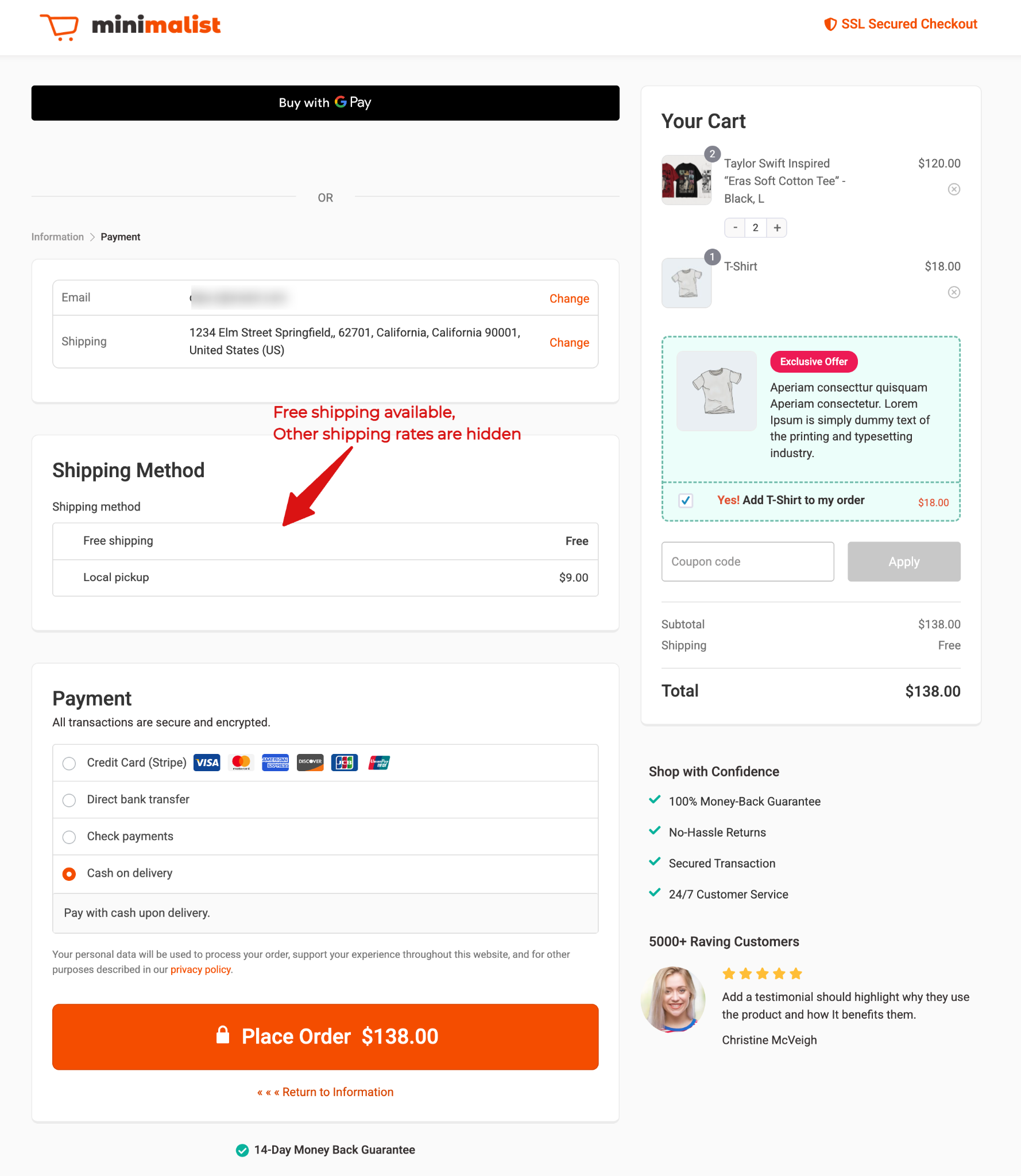
This document explains how to configure WooCommerce so that paid shipping methods are automatically hidden when free shipping is available, helping simplify the checkout experience for customers.
Step 1: Go to Shipping Settings
Navigate to WooCommerce → Settings → Shipping → Shipping Settings.
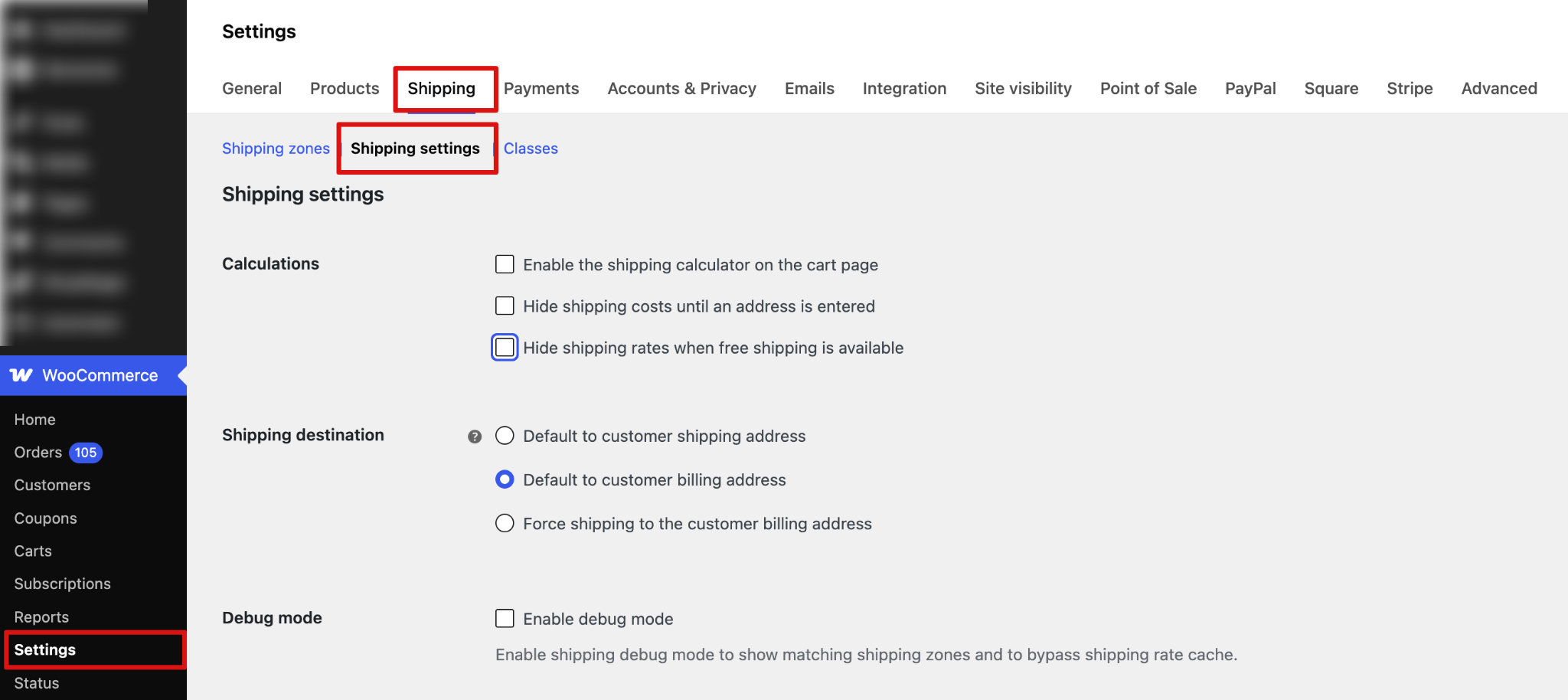
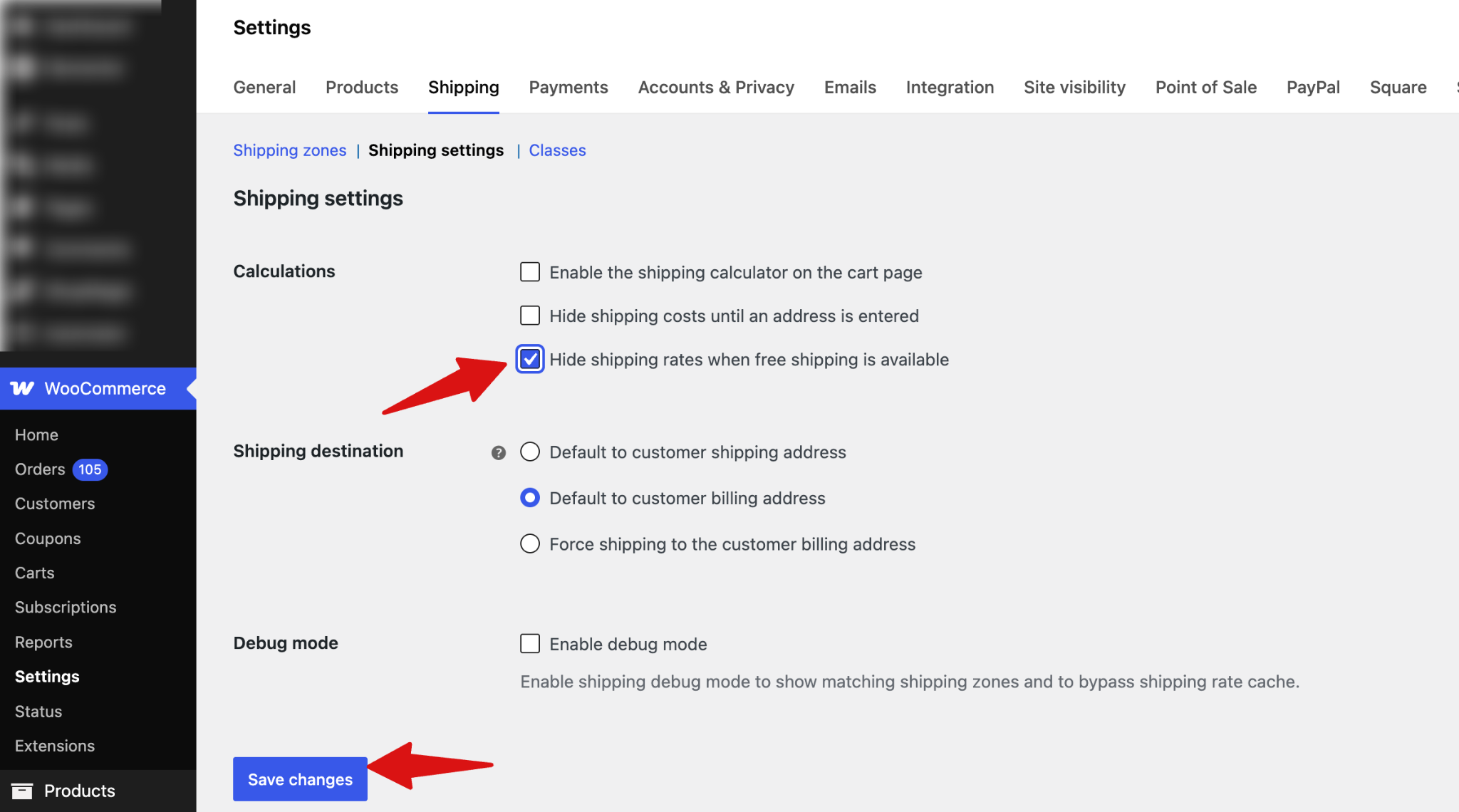
Step 2: Enable “Hide shipping rates when free shipping is available”
Find the option “Hide shipping rates when free shipping is available” . Enable this checkbox and click Save Changes.
Step 3: Test the Shipping Rules
After saving the settings, test your store checkout.
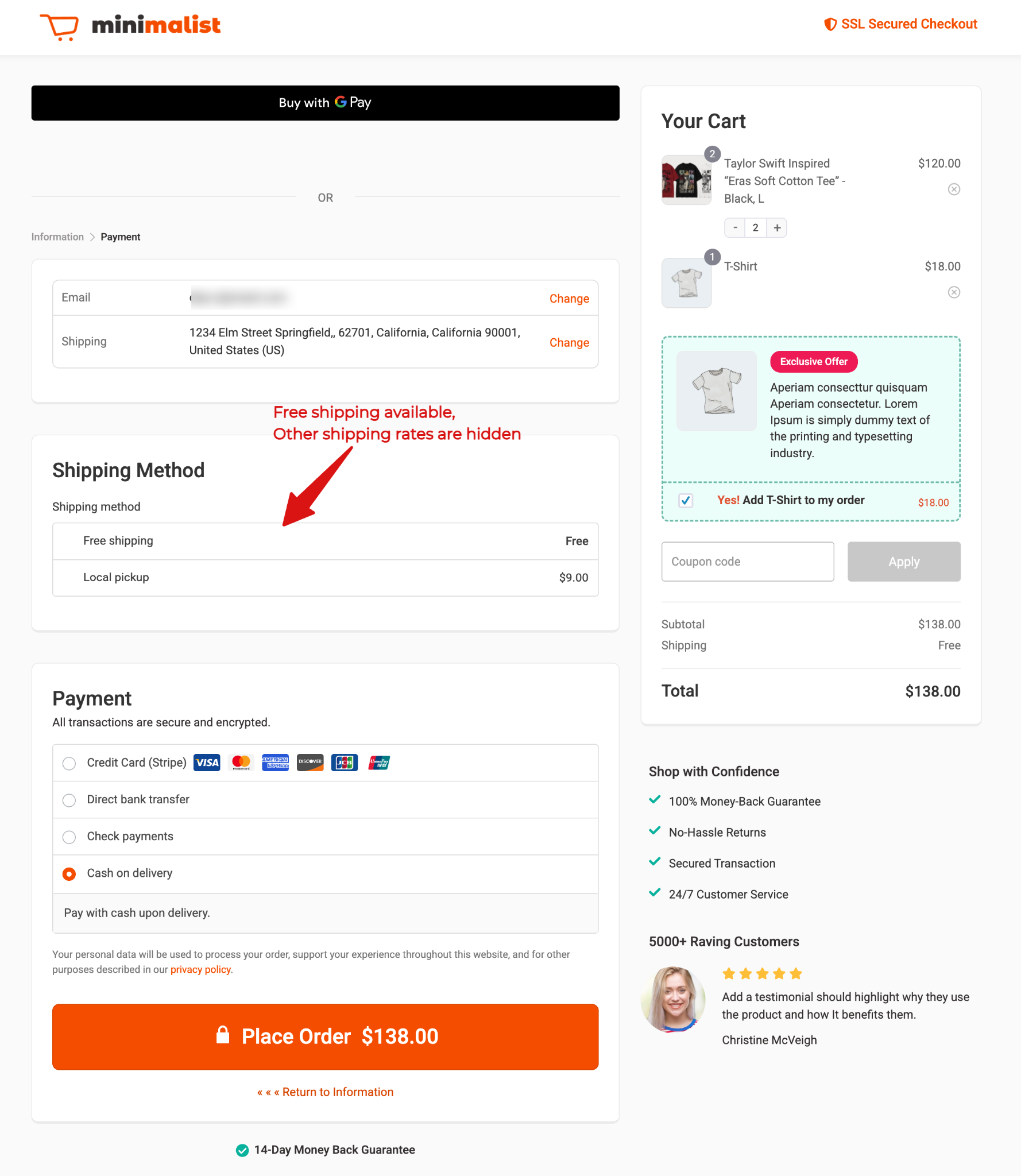
If a customer qualifies for free shipping (for example, free shipping on orders over $100 in the USA), then:
Only the Free Shipping option will be displayed, and all paid shipping methods will be hidden
If the customer does not qualify for free shipping, all available paid shipping methods will be shown as usual.