
FunnelKit
FunnelKit Documentation
Get unstuck with our helpful reference material

Funnel Builder

Hide Paid Shipping Methods When Free Shipping Is Available

This document explains how to configure WooCommerce so that paid shipping methods are automatically hidden when free shipping is available, helping simplify the checkout experience for customers.

Step 1: Go to Shipping Settings

Navigate to WooCommerce → Settings → Shipping → Shipping Settings.
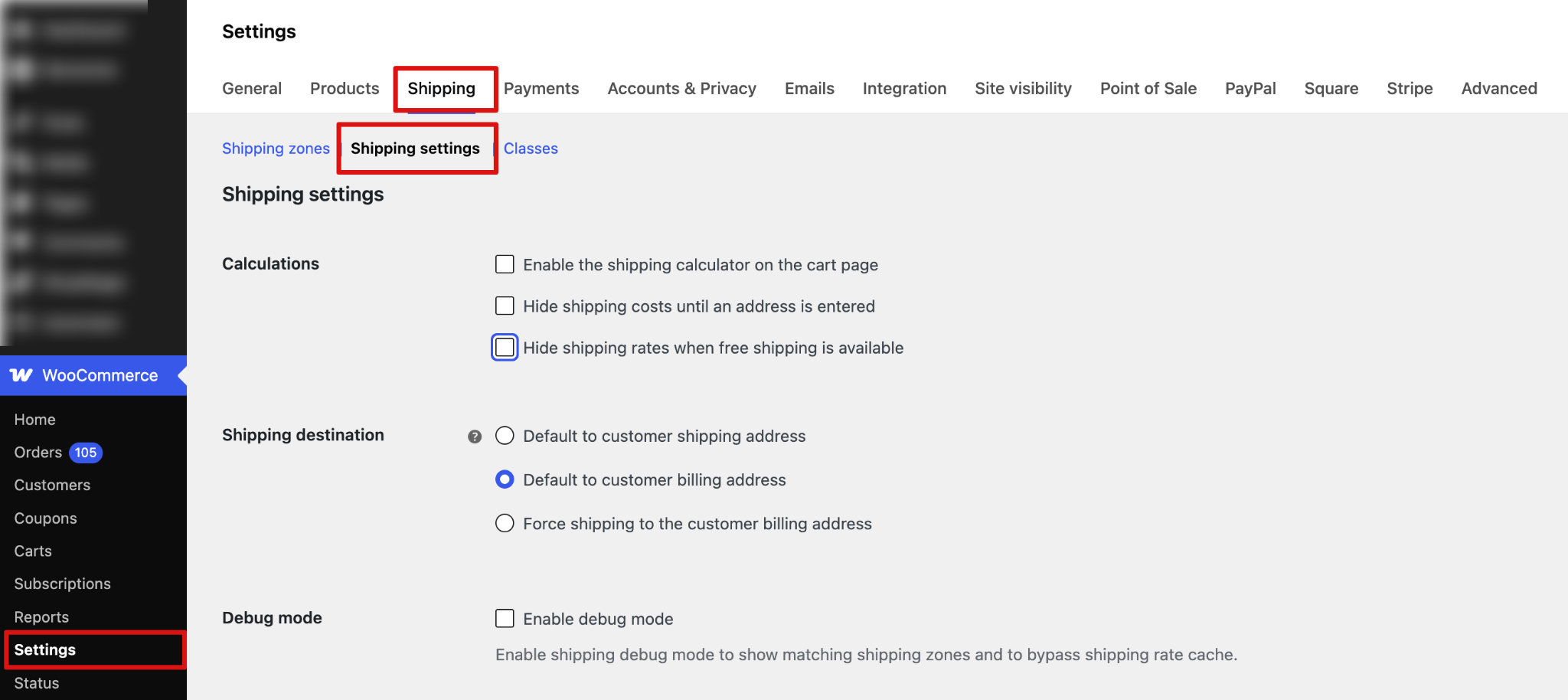
Navigate to WooCommerce → Settings → Shipping → Shipping Settings.

Step 2: Enable “Hide shipping rates when free shipping is available”

Find the option “Hide shipping rates when free shipping is available” . Enable this checkbox and click Save Changes.
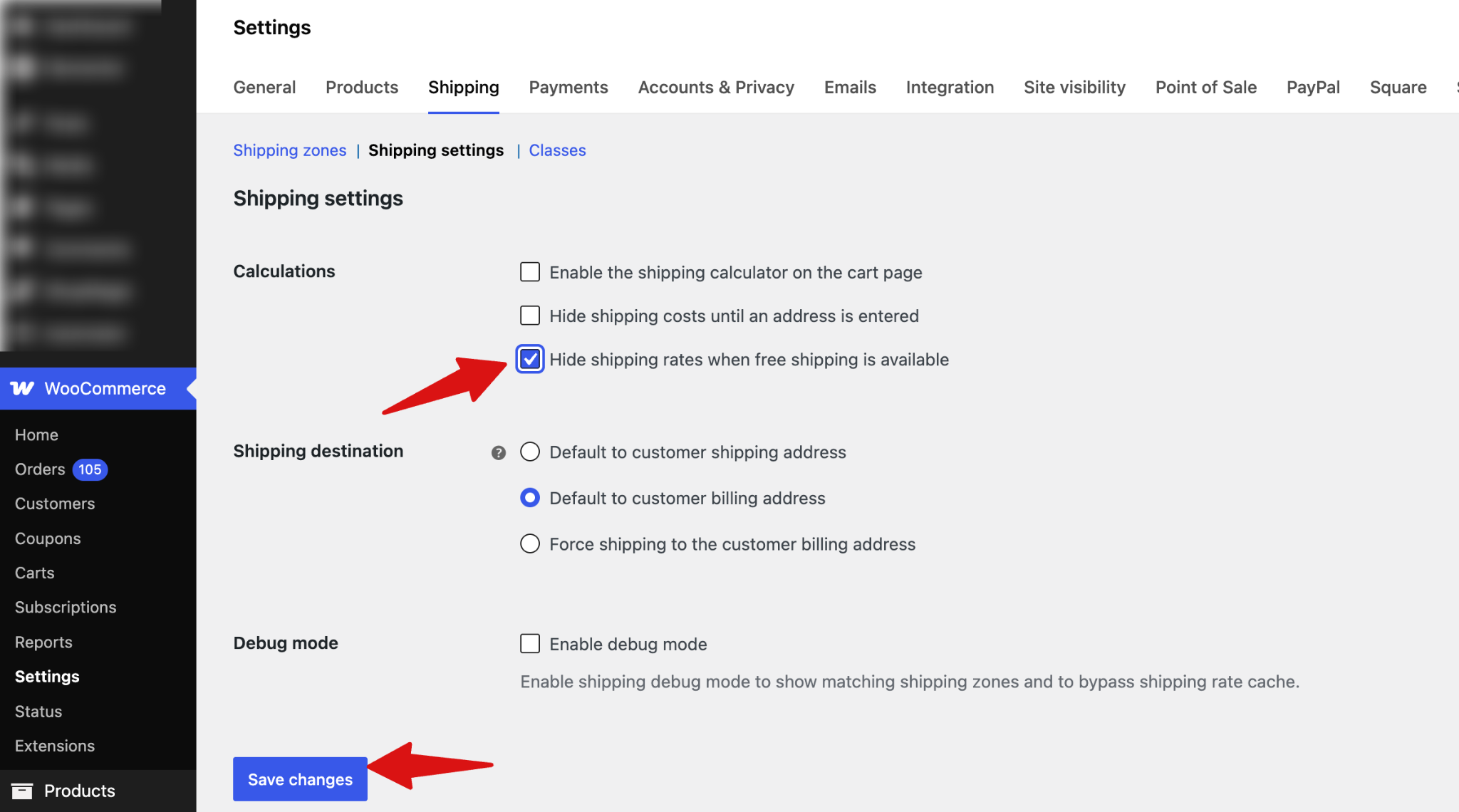
Find the option “Hide shipping rates when free shipping is available” . Enable this checkbox and click Save Changes.

Step 3: Test the Shipping Rules

After saving the settings, test your store checkout.

If a customer qualifies for free shipping (for example, free shipping on orders over $100 in the USA), then:

Only the Free Shipping option will be displayed, and all paid shipping methods will be hidden
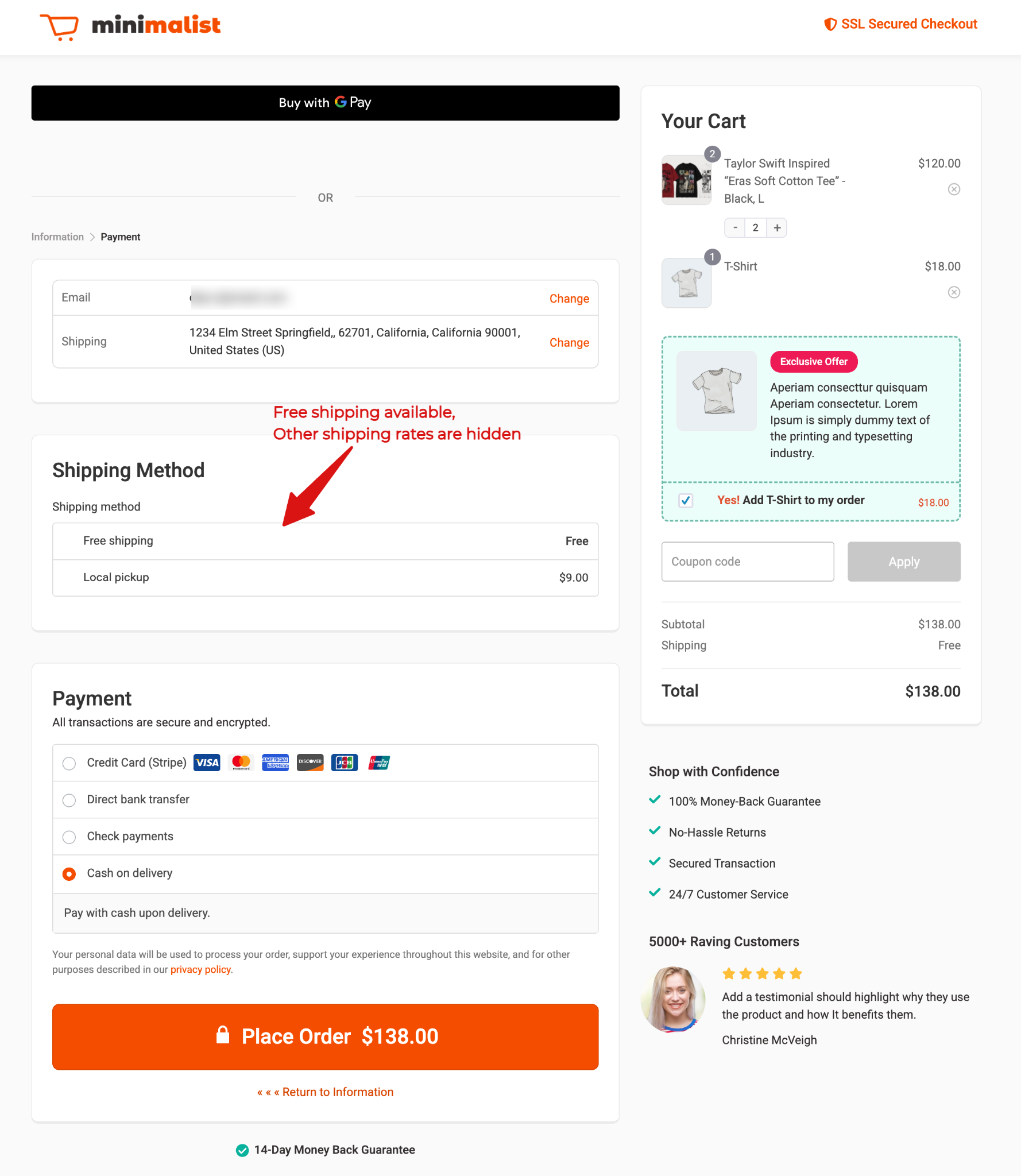
Only the Free Shipping option will be displayed, and all paid shipping methods will be hidden

If the customer does not qualify for free shipping, all available paid shipping methods will be shown as usual.

If the customer does not qualify for free shipping, all available paid shipping methods will be shown as usual.
Ready to Transform Your Store?
Join 40,300+ successful store owners who trust FunnelKit to power their businesses.
Conversion Optimized Checkout Pages
Increase Revenue with Smart Upsells
Capture Emails & Recover Abandoned Carts
Automate Winbacks & Repeat Sales
986+ 5 star reviews on WordPress.org
Transform your store to power your business with FunnelKit
🚀 Maximize Your Profit with FunnelKit – Highest Rated with 986+ 5-Star Reviews
Get Started
