


FunnelKit Funnel Builder offers an email typo suggestion feature for the email field on your checkout form.
This means that when shoppers type an email with a common typo, such as [email protected], they’ll see a “Did you mean [email protected]?” suggestion below the email field. They can tap it to correct the address before placing the order.
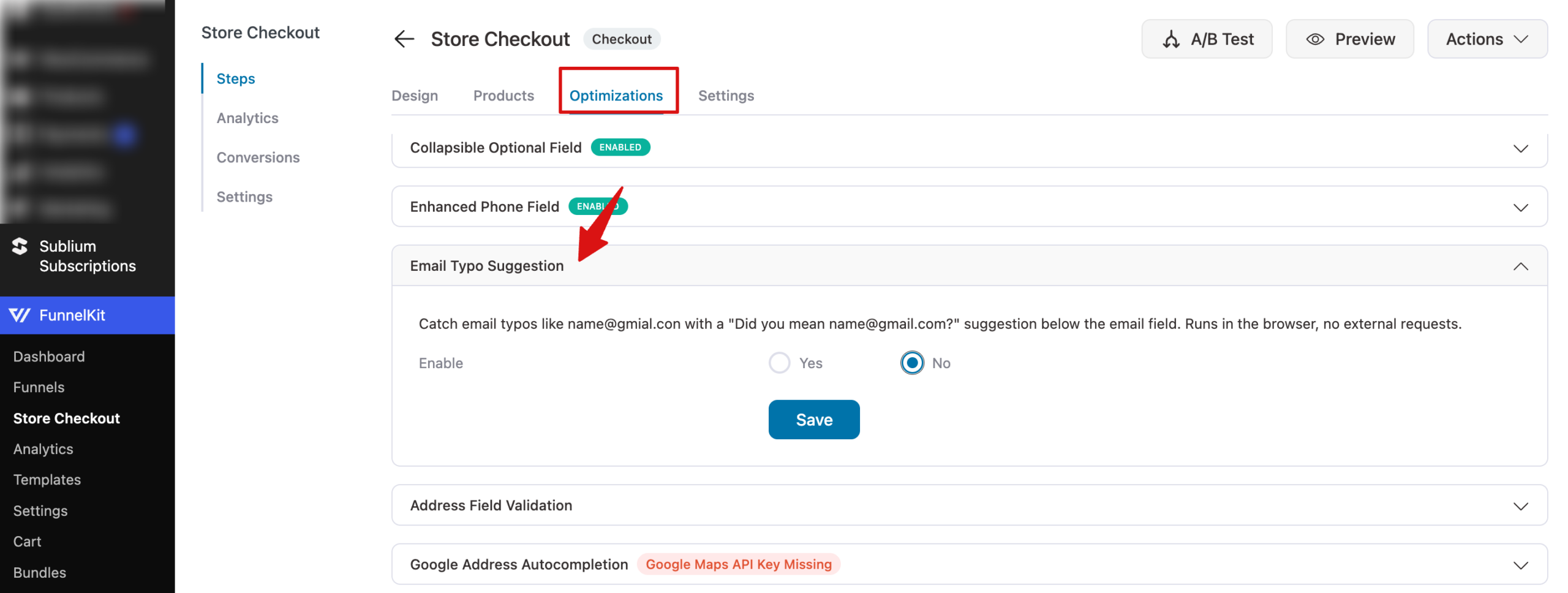
To turn on this feature, go to FunnelKit » Store Checkout, or open a checkout step in any funnel. Then open the Optimizations tab and look for the Email Typo Suggestion option.
Next, set it to Yes and adjust the message shoppers see in the Suggestion Text field. Keep %s in your text, as it’s replaced with the suggested email address. Then save your changes.
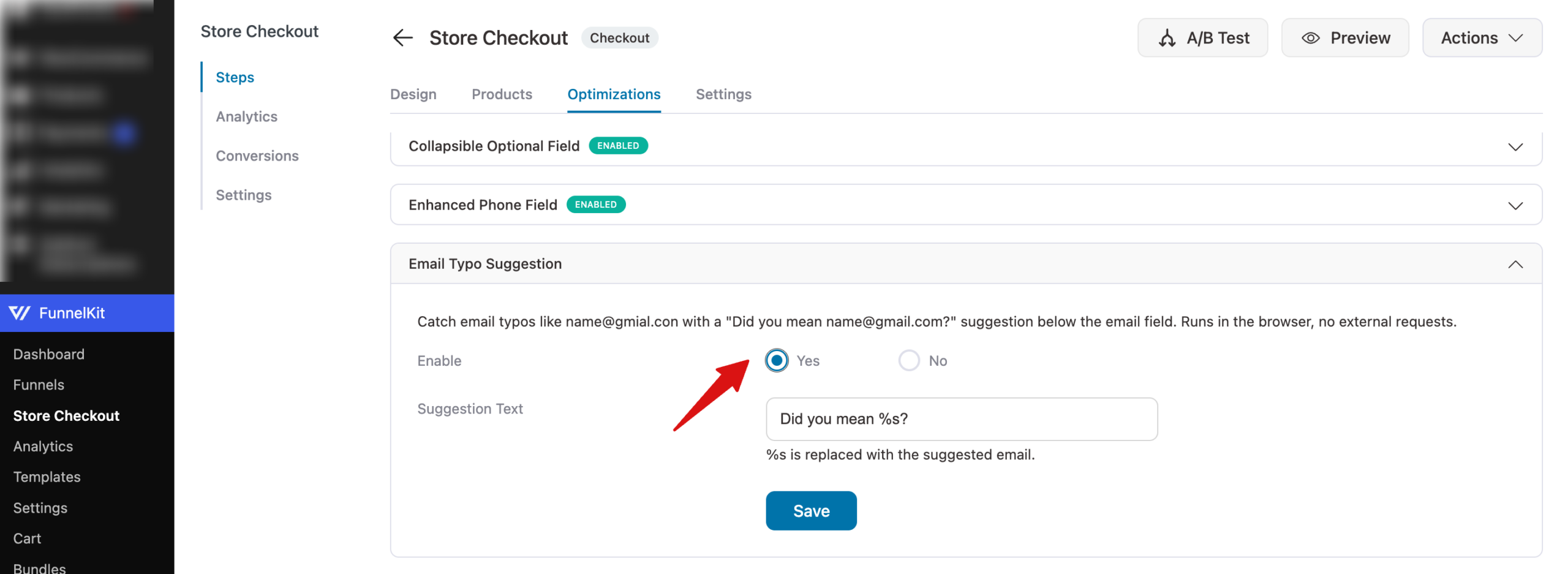
The check runs right in the shopper’s browser and doesn’t send any external requests.
Here’s how it appears on the checkout page:
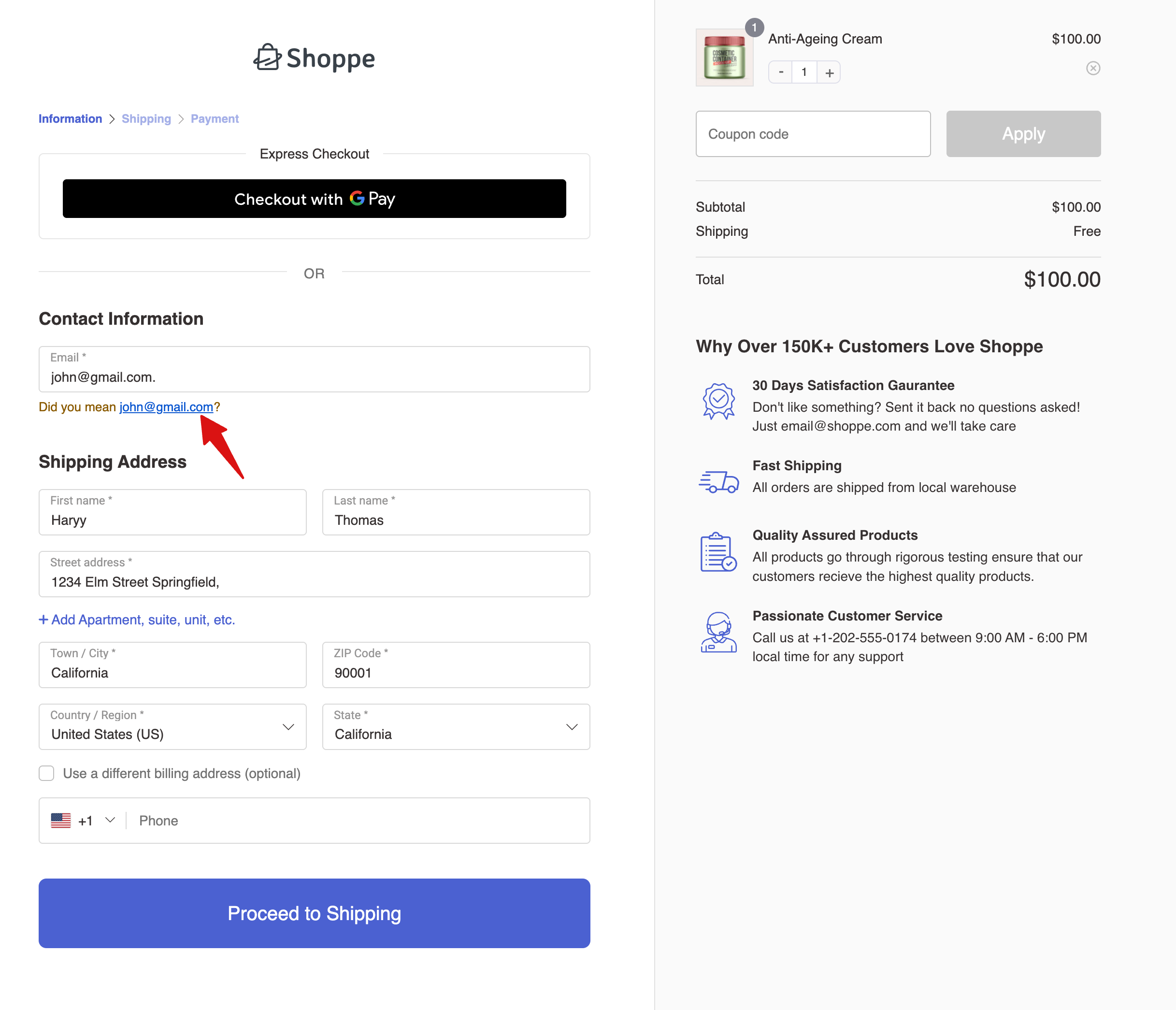
This helps you collect correct email addresses, so order confirmations and follow-up emails reach your shoppers.


