


WooCommerce Subscription is the official plugin for subscriptions. This integration provides a deep, production-grade connection with the official WooCommerce Subscriptions plugin, covering the entire subscription lifecycle from creation, trial, renewal, status changes, to expiration.
It includes automation events/triggers, subscription management actions, rich merge tags for personalization, 22 customizable transactional email templates, and a dedicated REST API endpoint for subscription data.
Events (Triggers)
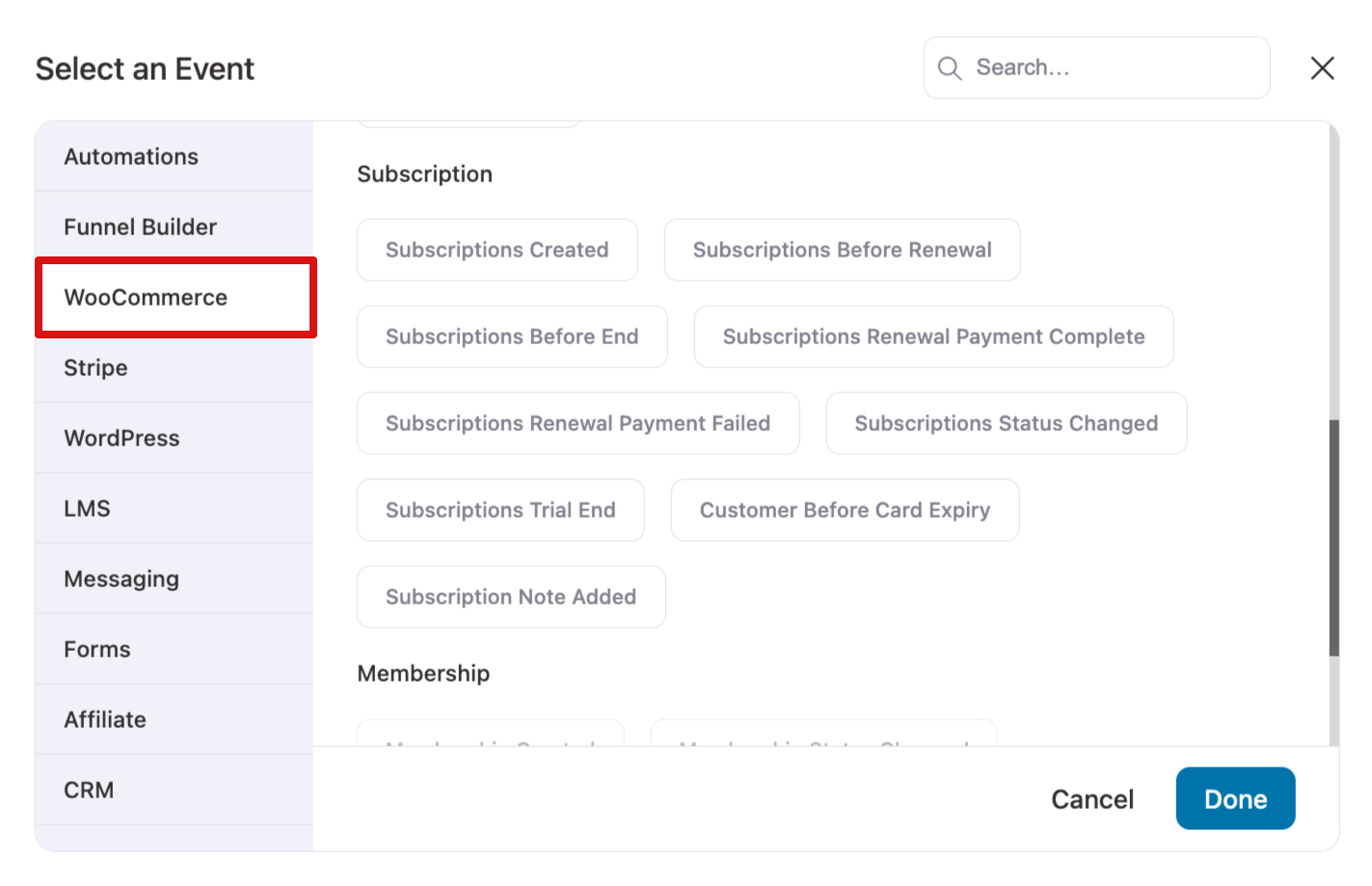
WooCommerce Subscriptions provides instant events and scheduled events to automate workflows.
Instant Events
| Event | Description |
| Subscription Created | Fires when a new subscription is created |
| Subscription Status Changed | Fires when subscription status transitions |
| Renewal Payment Complete | Fires after a successful renewal payment |
| Renewal Payment Failed | Fires when a renewal payment fails |
| Subscription Trial End | Fires when a trial period expires |
| Subscription Note Added | Fires when an internal note is added |
Scheduled Events (Daily)
| Event | Description | Configuration |
| Before Renewal | Proactively checks for upcoming renewals | Configurable days before renewal + time of day (store timezone) |
| Card Expiry | Checks for expiring payment cards | Configurable days before expiry |
| Before End | Checks for subscriptions about to expire | Configurable days before the end date |
Actions
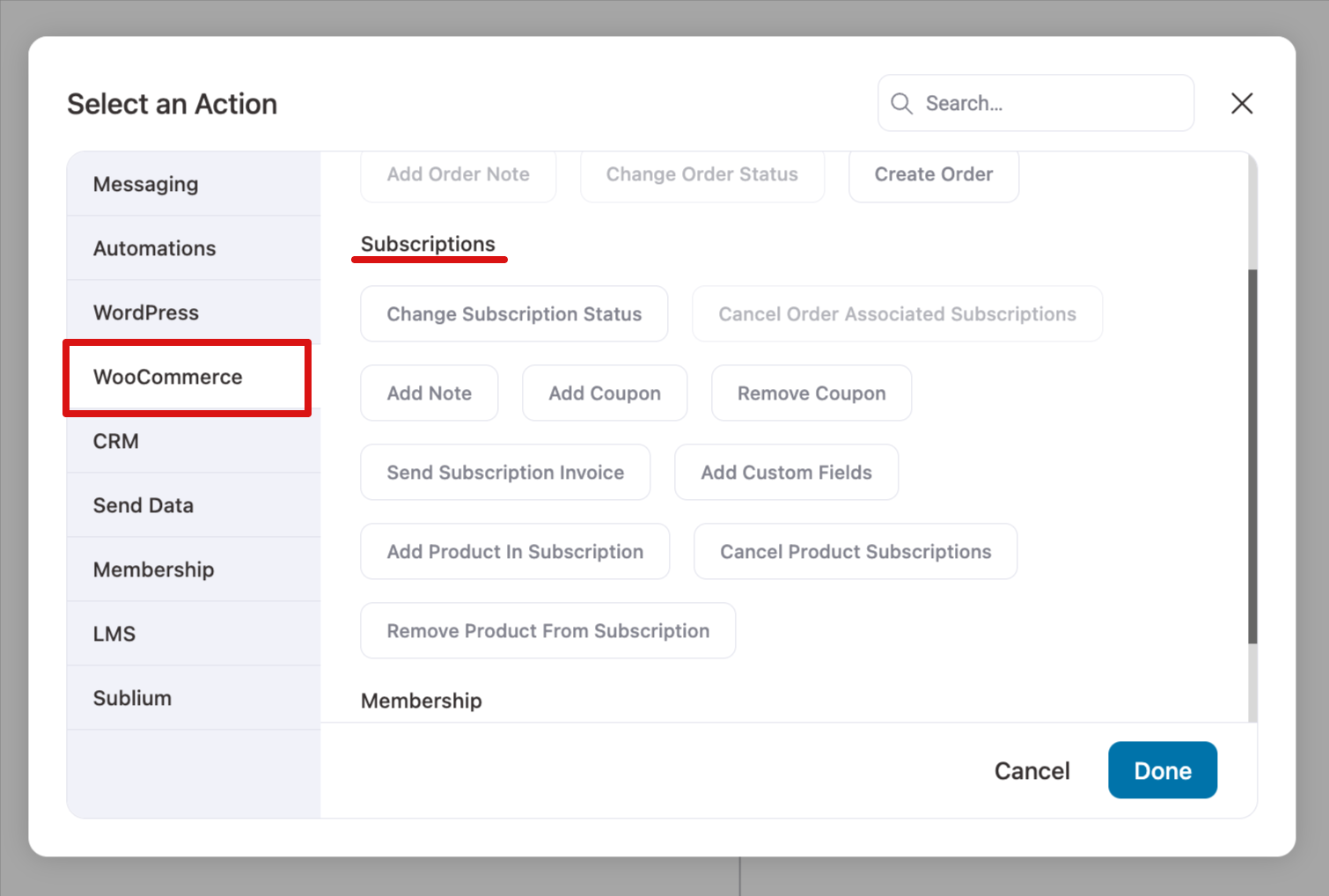
Here are the actions you can use with WooCommerce Subscriptions and FunnelKit Automations.
| Action | Description |
| Change Subscription Status | Update the status of a WooCommerce subscription (e.g., from "Active" to "On Hold" or "Canceled"). |
| Cancel Order Associated Subscriptions | Cancel all subscriptions linked to a specific order. |
| Add Note | Add a custom note to the contact's profile for WooCommerce subscription-based triggers. |
| Add Coupon | Add a coupon to a subscription to apply discounts or special offers. |
| Remove Coupon | Remove an existing coupon applied to a subscription. |
| Send Subscription Invoice | Automatically send a subscription invoice to subscribers. |
| Add Custom Fields | Add custom fields to a subscription for additional data or personalization. |
| Add Product to Subscription | Add an additional product to an existing subscription. |
| Cancel Product Subscriptions | Cancel all active subscriptions associated with a specific product. |
| Remove Product from Subscription | Remove a product from a subscription while keeping the rest of the subscription active. |
Merge Tags
Use merge tags in your automations to personalize communications and provide relevant subscription details.
WooCommerce Subscriptions-specific merge tags include:
- Subscription Billing Address
- Subscription Billing Company
- Subscription End Date
- Subscription ID
- Subscription Items
- Subscription Last Payment Date
- Subscription Next Payment Date
- Subscription Payment Method
- Subscription Shipping Address
- Subscription Start Date
- Subscription Status
- Subscription Total
- Subscription Trial End Date
- Subscription View URL
- Subscription Data related to subscription meta key
Conditions / Rules
| Rule Type | Operators | Description |
| Has Active Subscription | Boolean | Yes / No |
| Subscription Status | Multiselect | is / is not (active, on-hold, pending, cancelled, expired) |
| Parent Order Status | Multiselect | is / is not |
| Subscription Has Products | Product search | contains / does not contain |
| Active Subscription Products | Product search | Used in broadcast/campaign filtering |
Advanced Capabilities
- Subscription Switching: Automated emails and triggers when customers change subscription plans
- Early Renewal Detection: Distinguishes between auto-renewal and manual/early renewal via _subscription_renewal_early order metadata
- Full Lifecycle Coverage: Creation, trial, renewal (success & failure), status transitions, and expiration
- CRM Contact Profile: Subscription data is visible directly in the contact profile within the CRM
- Bulk Operations: Export contact subscription data, filter by subscription status or products
REST API Endpoint
GET /wp-json/autonami/contacts/{contact_id}/subscriptions
| Parameter | Type | Description |
| contact_id | Path (required) | Contact ID in FunnelKit CRM |
| type | Query (optional) | sublium for Sublium subscriptions; defaults to WCS |
| limit | Query (optional) | Results per page (default 10) |
| offset | Query (optional) | Pagination offset (default 0) |
Response:
An array of subscription objects with full subscription data + total_count for pagination
Transactional Email Templates
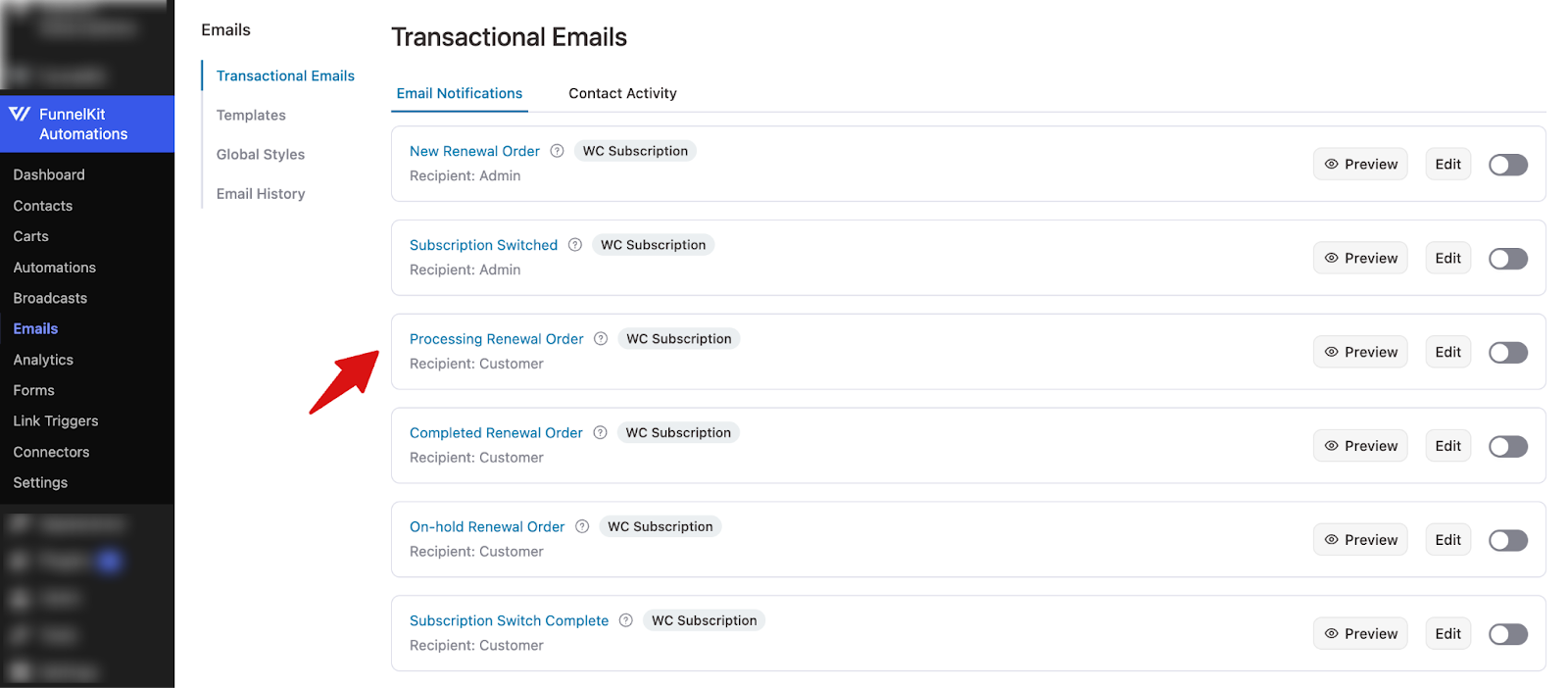
FunnelKit provides 22 customizable email templates for subscriptions.
| Category | Email Templates |
| Order-Based (7) | New Renewal Order, Processing Renewal Order, Completed Renewal Order, Renewal Invoice, New Switch Order, Completed Switch Order, Customer Renewal Invoice |
| Customer Notifications (5) | Auto-Renewal Reminder, Manual Renewal Reminder, Trial End Notice, Subscription Expiration Notice, Payment Retry Notice |
| Subscription Status (4) | Subscription Canceled, Subscription Expired, Subscription Suspended / On Hold, Subscription Reactivated |
| Payment Retry (2) | Payment Failed Notification (Admin), Payment Failed Notification (Customer) |
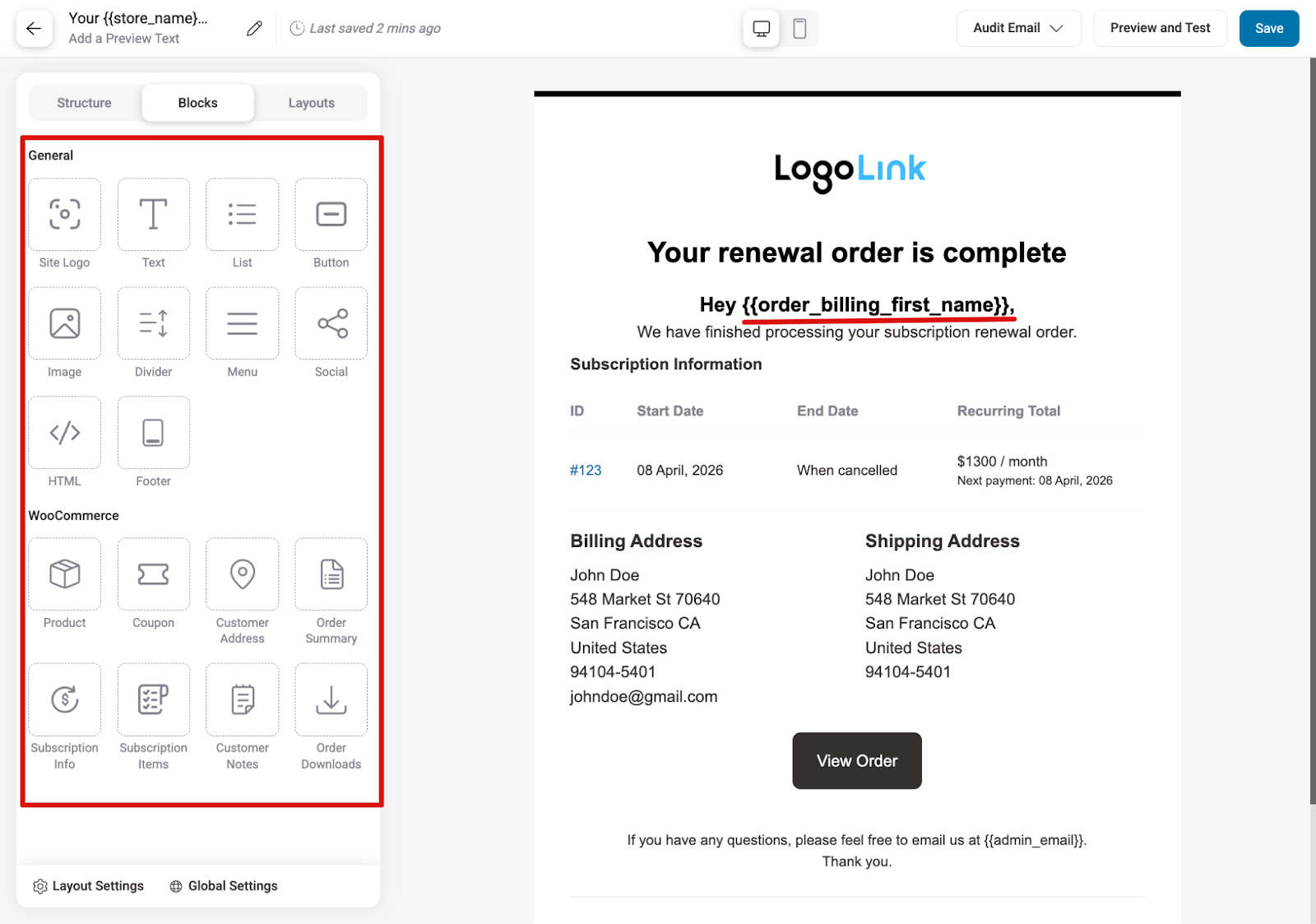
For these email templates, FunnelKit Automations supports:
- Visual block editor customization
- Merge tag personalization
- Email analytics
- Conditional sending based on subscription rules
Detailed Subscription Profile in FunnelKit Automations
When you open a contact’s profile in FunnelKit Automations, a dedicated WooCommerce Subscriptions section now appears in the sidebar.
It displays all the essential subscription details, including the total number of active subscriptions, total renewals, renewal revenue, taxes on renewals, next renewal amount, and a complete list of the contact’s subscriptions under the Purchases section.
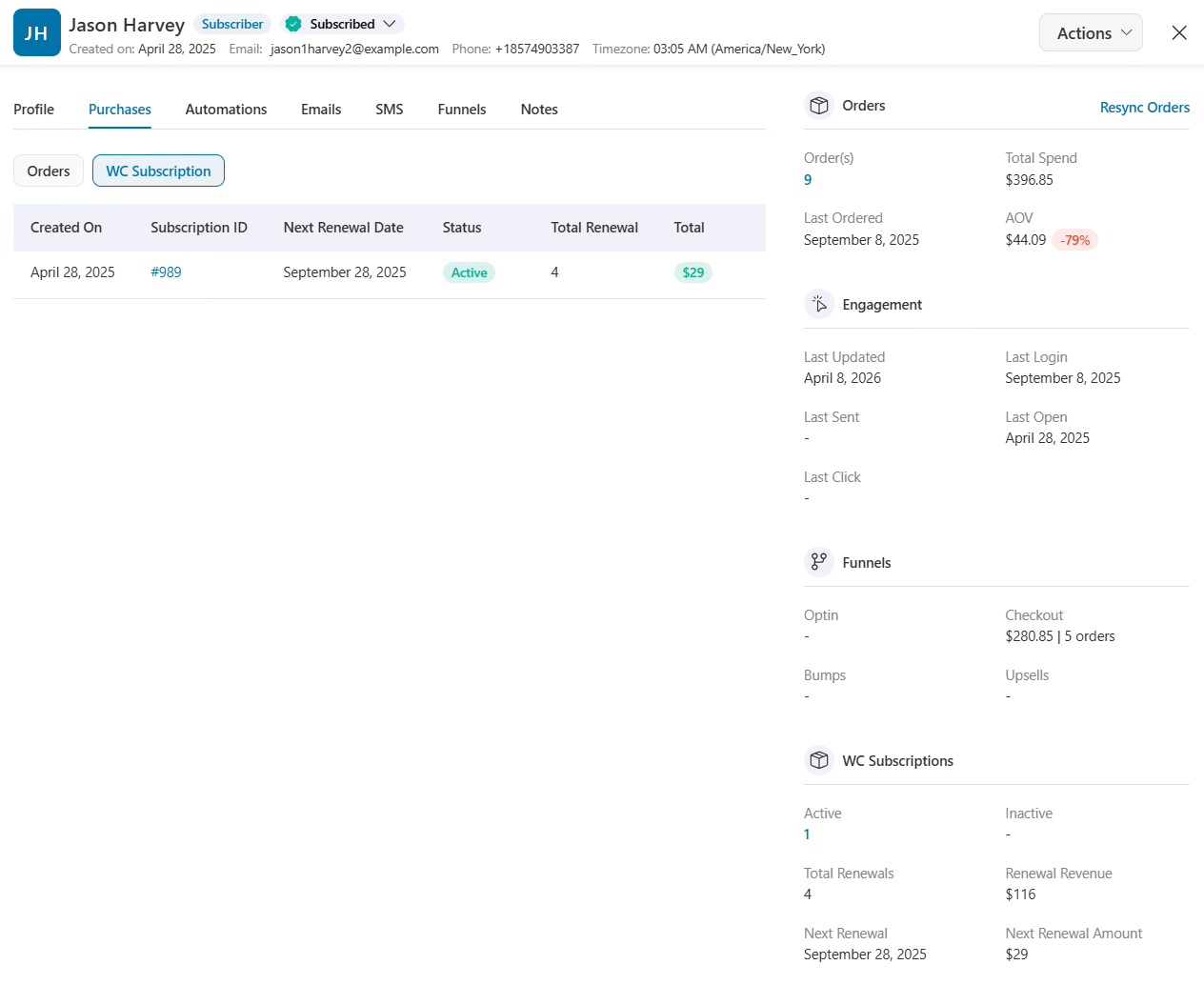
This makes it easy for your support and marketing teams to see a customer’s subscription status instantly, directly from the CRM, without switching to WooCommerce.


