


'Custom Callback' action is used to execute a PHP code.
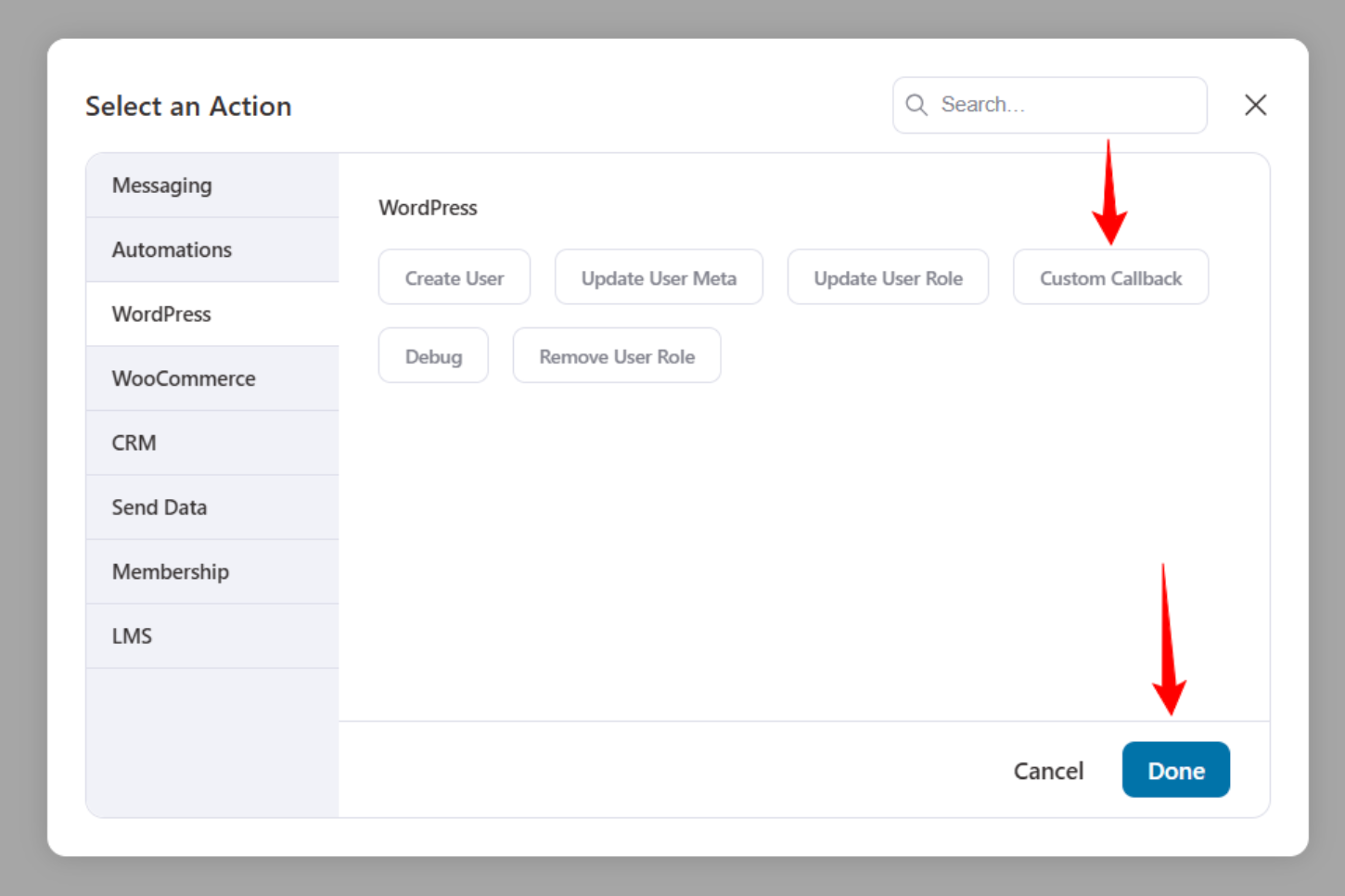
To select custom callback, go to WordPress > Custom Callback option under actions.
This is how the 'Custom Callback' action UI looks.
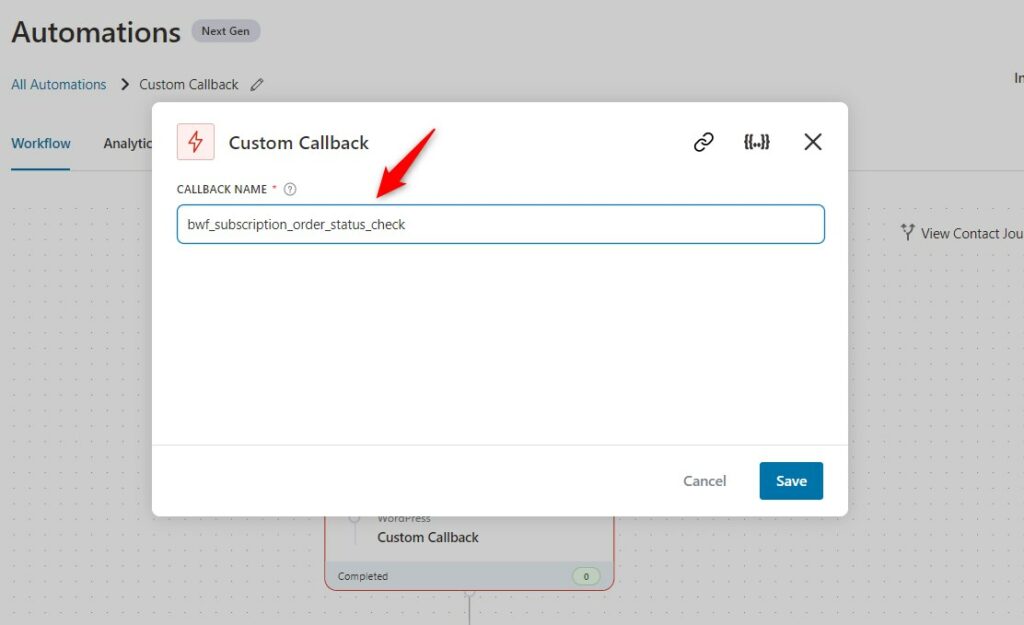
Note: Every event has its own data, which is passed to the custom callback.
Here's a Custom Callback in action on the 'WooCommerce Subscription: Subscriptions Before Renewal' event:
/**
 * Callback from FunnelKit Automations
 * Event: WooCommerce Subscription: Subscriptions Before Renewal
 * Cancelling subscription if parent order is refunded or cancelled
 * http://imgwxl.com/a/screenshot-17-06-25.png
 */
add_action( 'bwf_subscription_order_status_check', 'bwf_subscription_order_status_check_func' );

/**
 * $args Array
 * Contains all the possible data from the FunnelKit Automations triggered event
 */
function bwf_subscription_order_status_check_func( $args ) {
	$subscription_id = isset( $args['wc_subscription_id'] ) && ! empty( $args['wc_subscription_id'] ) ? $args['wc_subscription_id'] : false;
	if ( false === $subscription_id || empty( $subscription_id ) ) {
		return;
	}
	$subscription       = wcs_get_subscription( $subscription_id );
	$order_statuses     = array( 'refunded', 'cancelled' );
	$subscription_order = $subscription->get_parent();

	if ( $subscription_order instanceof WC_Order && ! in_array( $subscription_order->get_status(), $order_statuses, true ) ) {
		return;
	}

	try {
		$subscription->update_status( 'cancelled' );
	} catch ( Exception $e ) {
		return;
	}

}

Here's another Custom Callback in action on the 'WooCommerce: Order Created' event:
/**
 * Callback from FunnelKit Automations
 * Event: WooCommerce: Order Created
 */
add_action( 'bwf_order_created_event_callback', 'bwf_order_created_event_callback_func' );

function bwf_order_created_event_callback_func( $args ) {

	/**
	 * Data
	 *
	 * $args[order_id] - Order ID
	 * $args[email] - Order Billing Email
	 * $args[phone] - Order Billing Phone (if available)
	 * $args[automation_id] - Automation ID
	 */

	try {
		/**
		 * Execute code here
		 */
	} catch ( Exception $e ) {
		return;
	}

}
This is how you can use a custom callback within Automations.


