


In this documentation, you will learn how to unsubscribe unengaged audience members.
You can simply filter the unengaged audience and mark them as unsubscribed using a bulk action.
As an example, we will show how to unsubscribe from the audience who haven’t engaged in the last 60 days.
Here are the steps you need to follow:
Step 1: Create a Bulk action
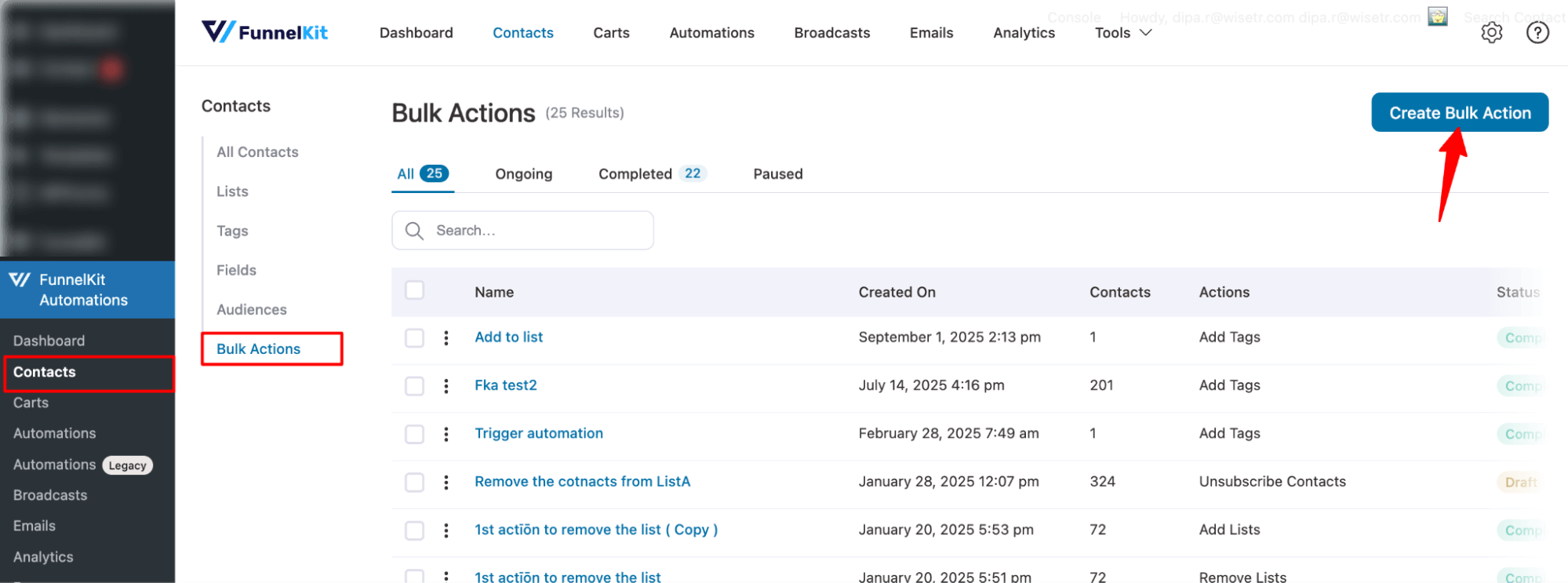
Navigate to FunnelKit Automations ⇒ Contacts and move to the Bulk action tab. Here, hit the option “Create Bulk Action”.
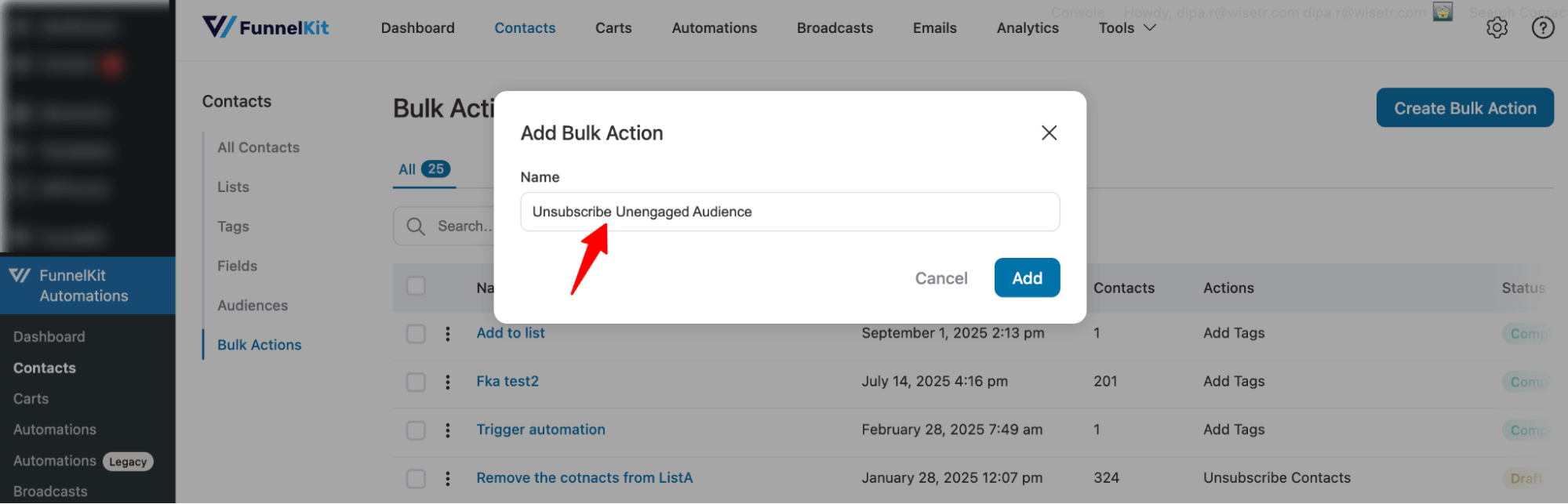
Next, provide a name and hit Add.
Step 2: Filter unengaged audience
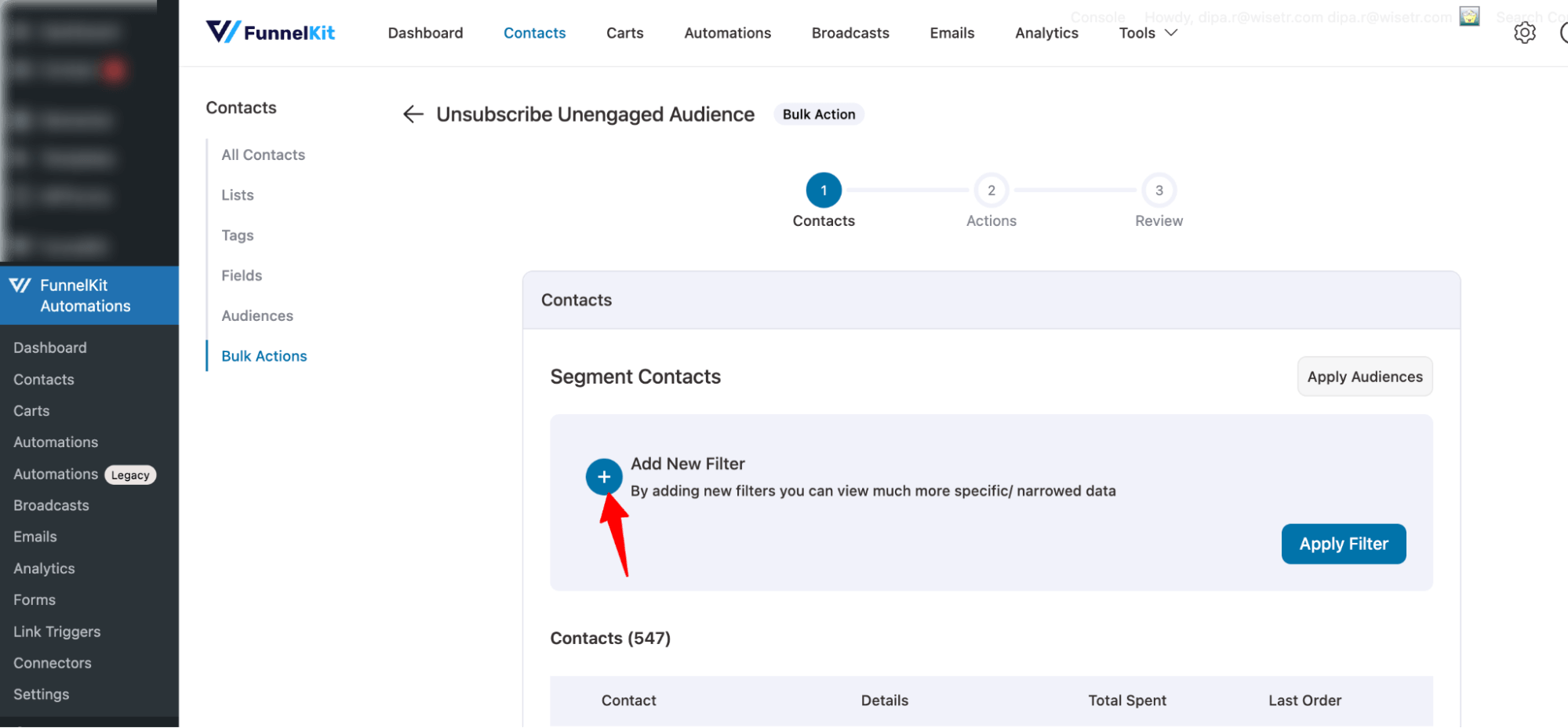
Now hit the + icon near “Add New Filter”.
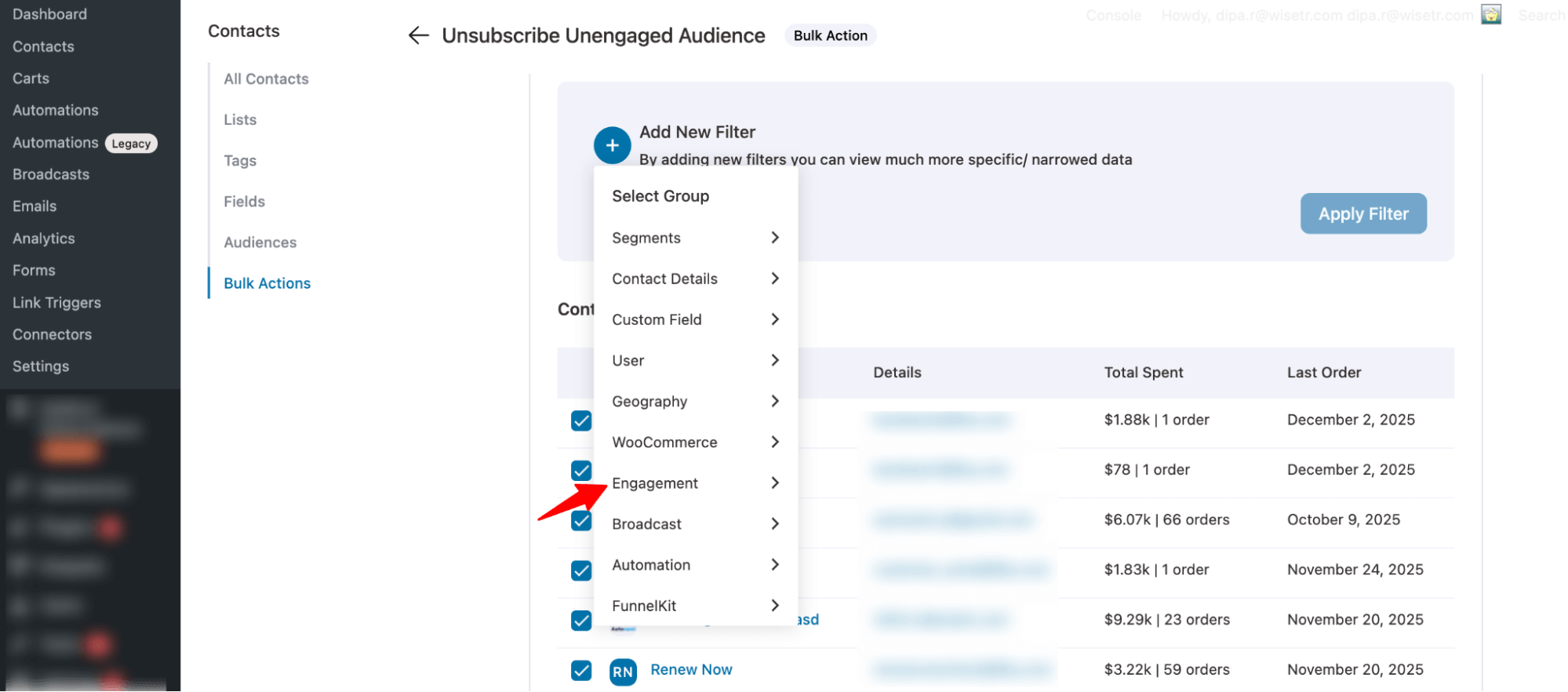
Select the “Engagement” option.
Then select “Unengaged.”
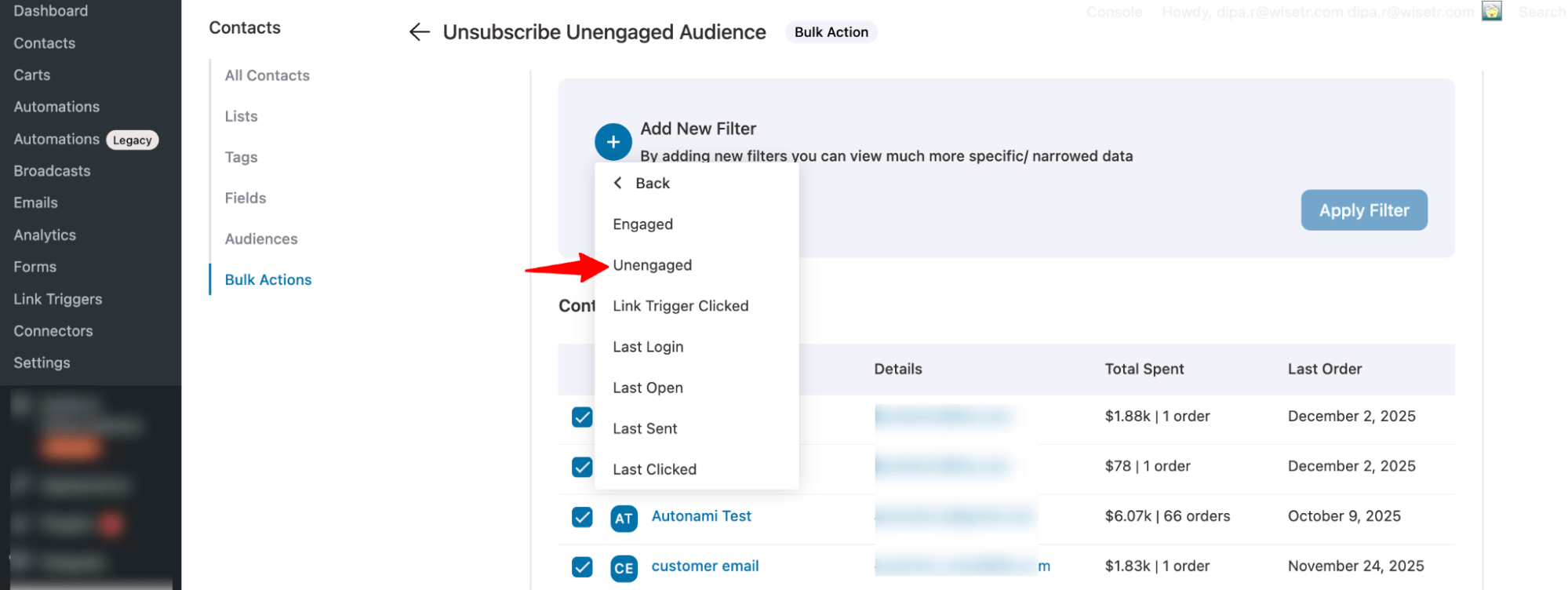
Next, set the time period during which users have been inactive. In this case, we are using 60 days.
And hit “Apply Filter”.
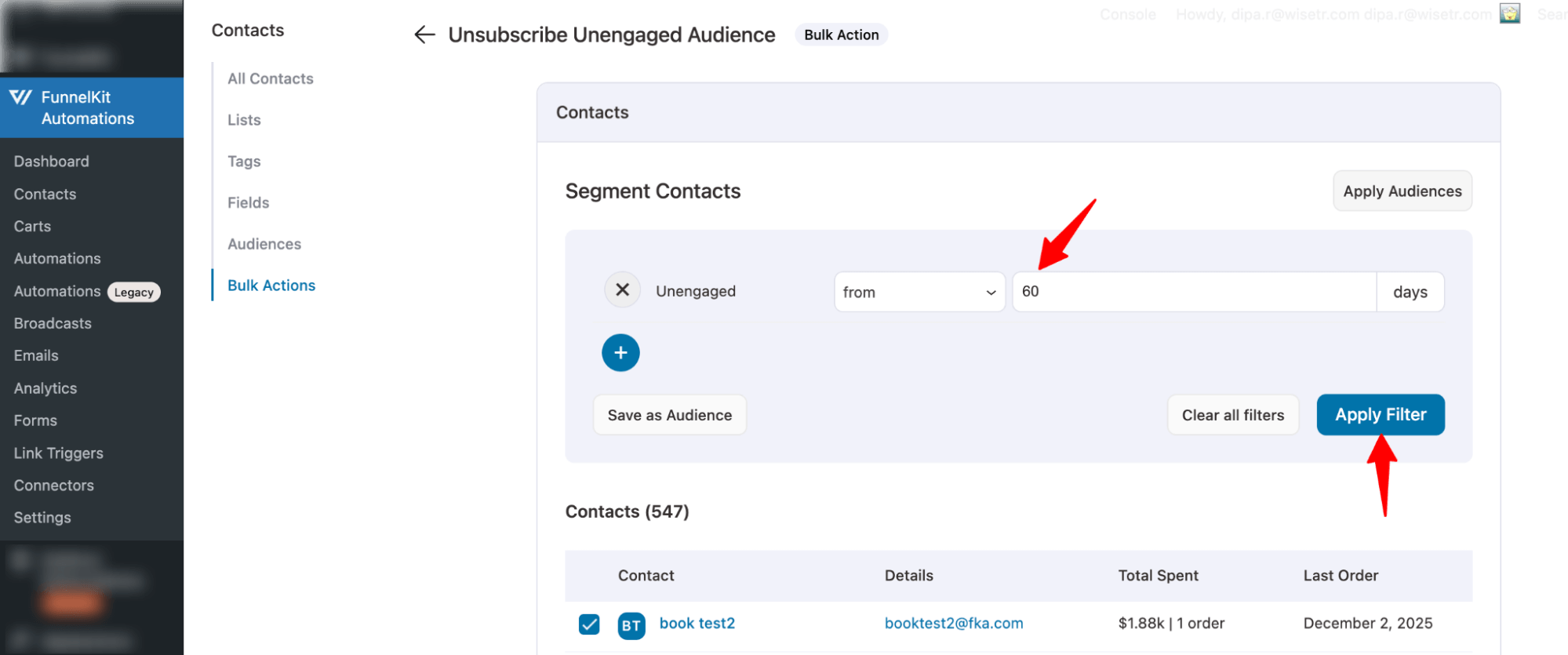
You will find the list of unengaged audience.
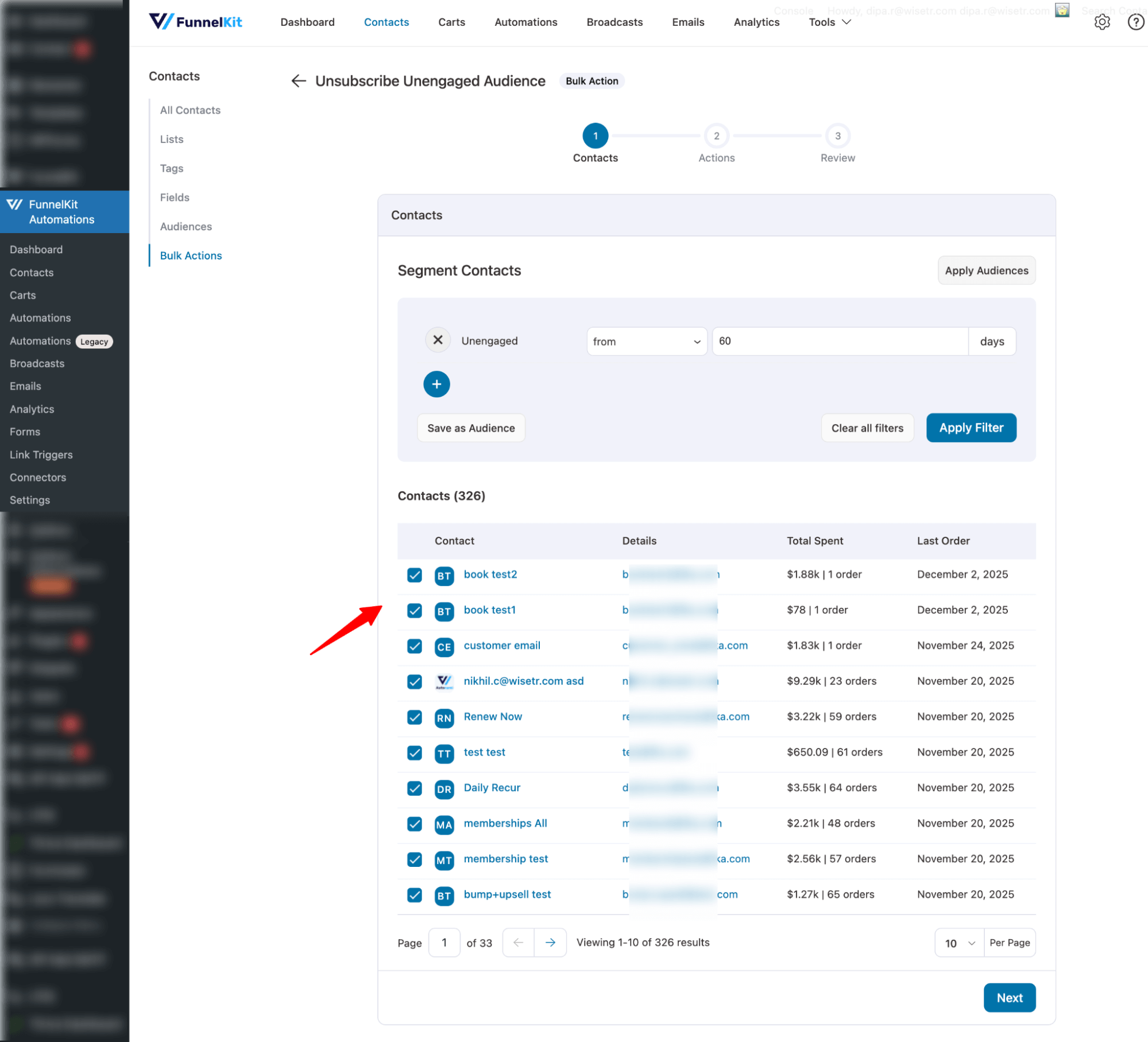
Step 3: Unsubscribe the filtered audience
Scroll down and hit “Next” to go to the next step to set an action.
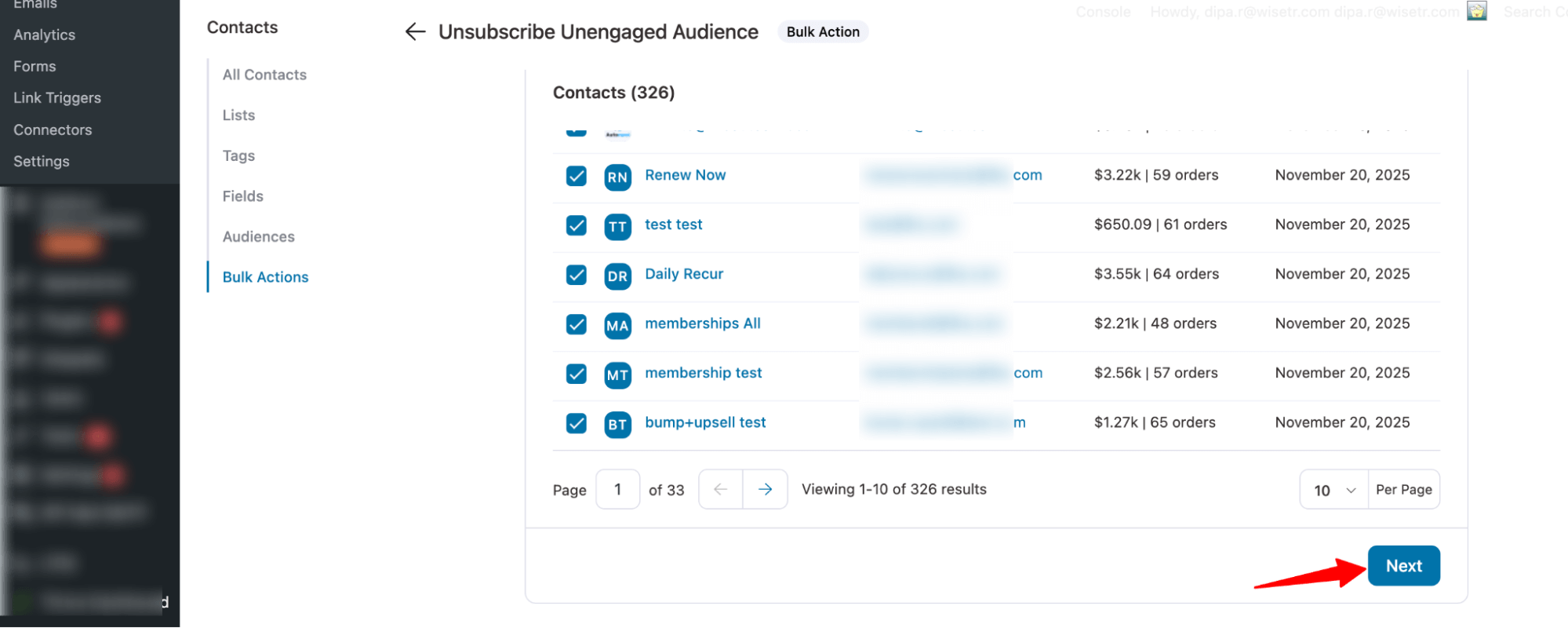
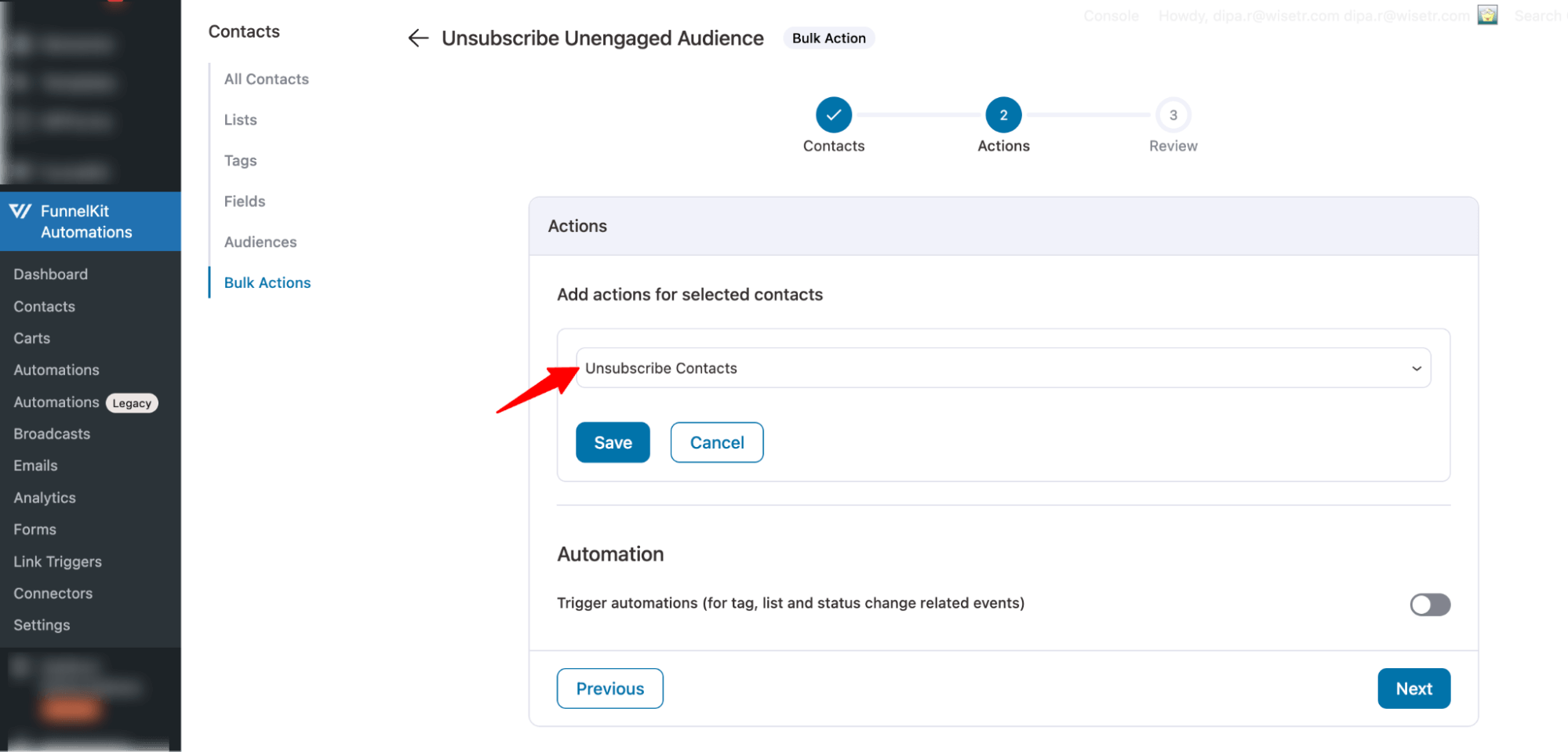
Now set the action “Unsubscribe Contacts” and hit Save.
Step 4: Review and run the bulk action to unsubscribe
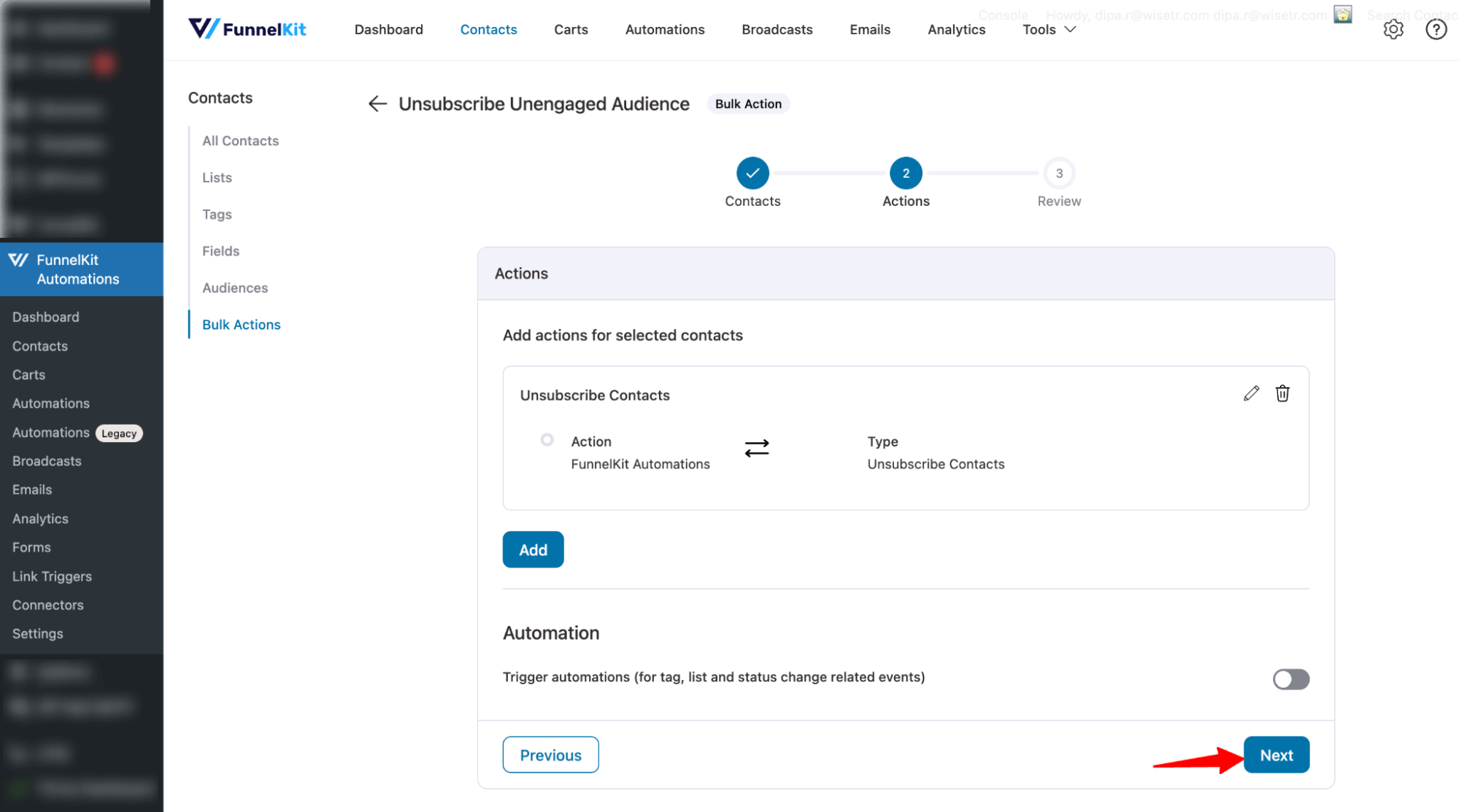
Hit Next to go to the next step.
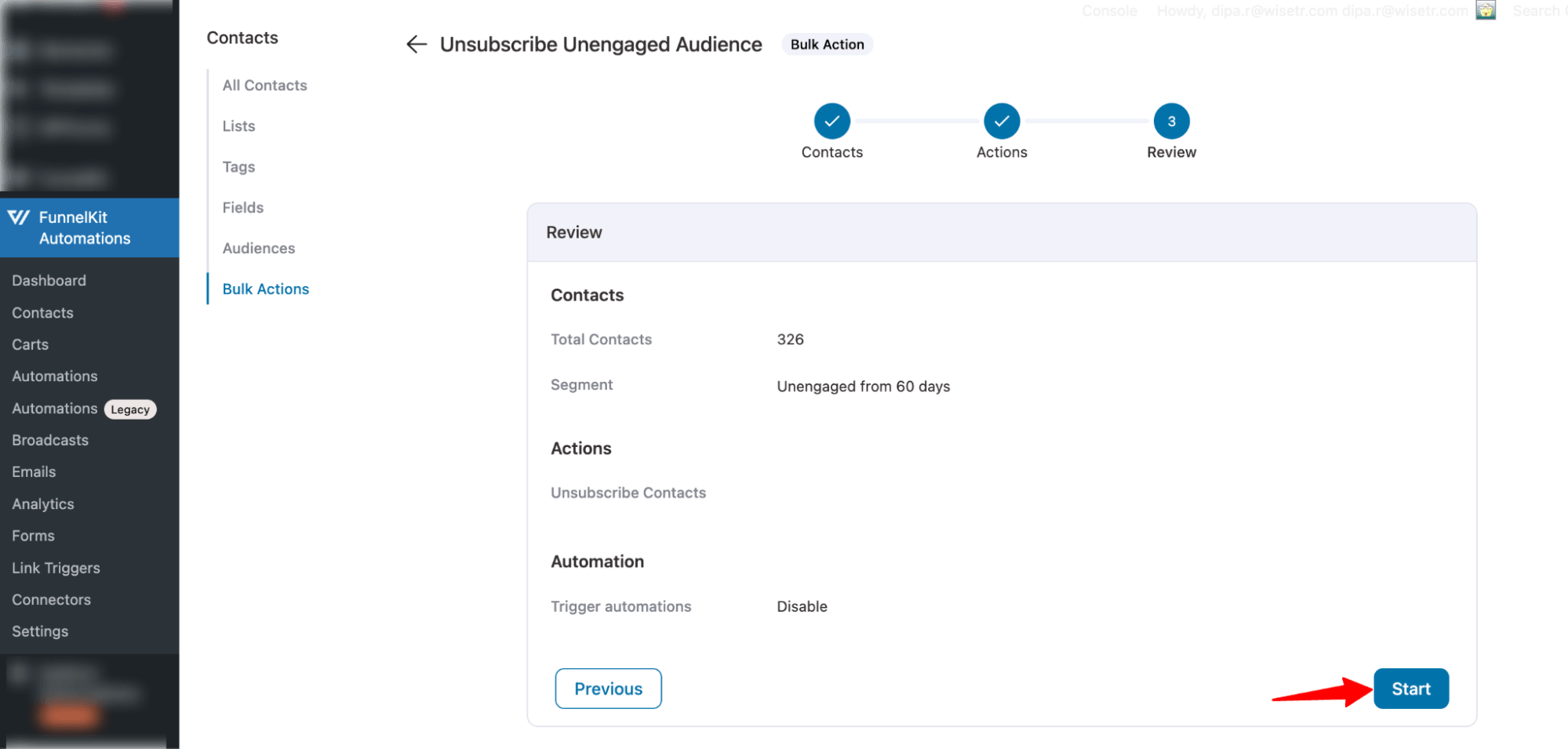
Here, you can review the action, go back, and change anything if you want.
To unsubscribe, hit the Start button.
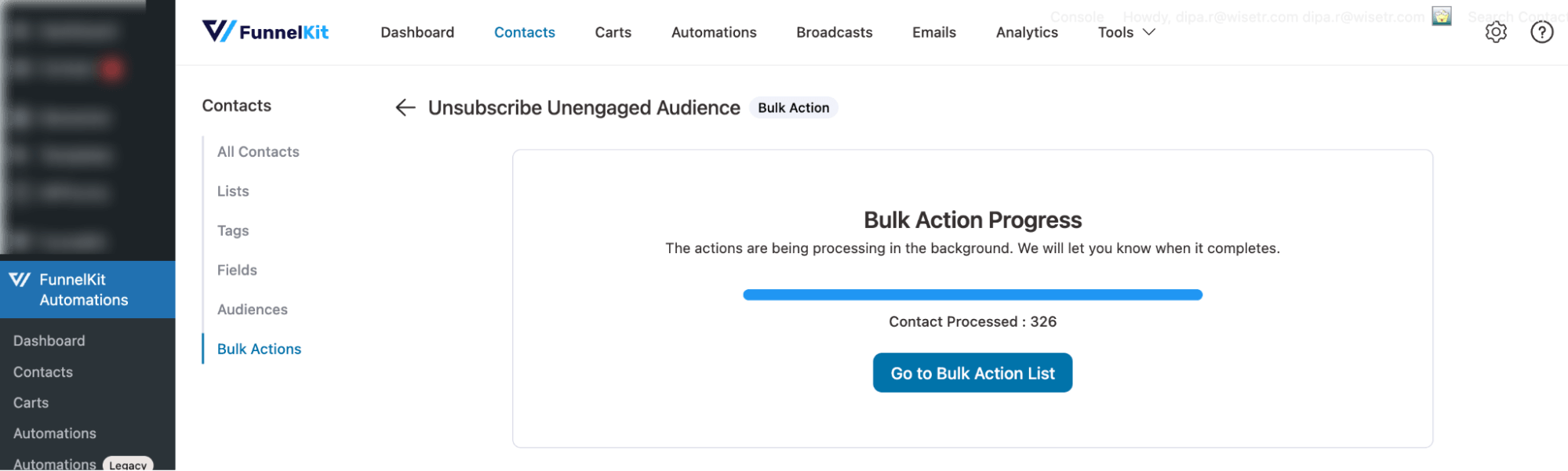
You should see a success message.
That’s it. That’s how you can unsubscribe your unengaged audience using bulk action in FunnelKit Automations.


