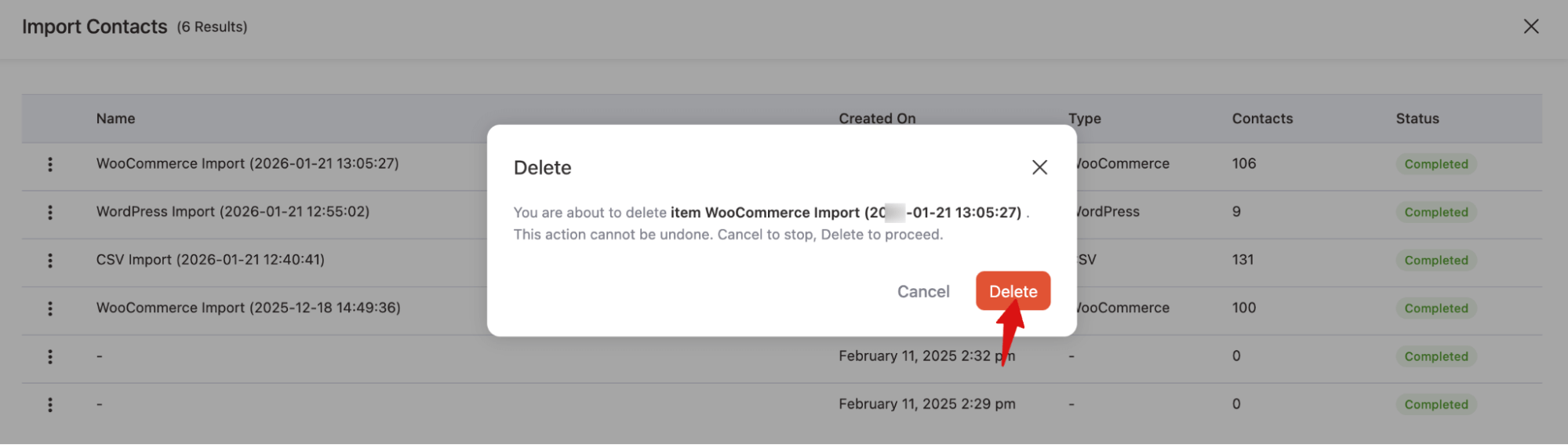
The View List page gives you full visibility into every import you’ve run, including.
Access View List
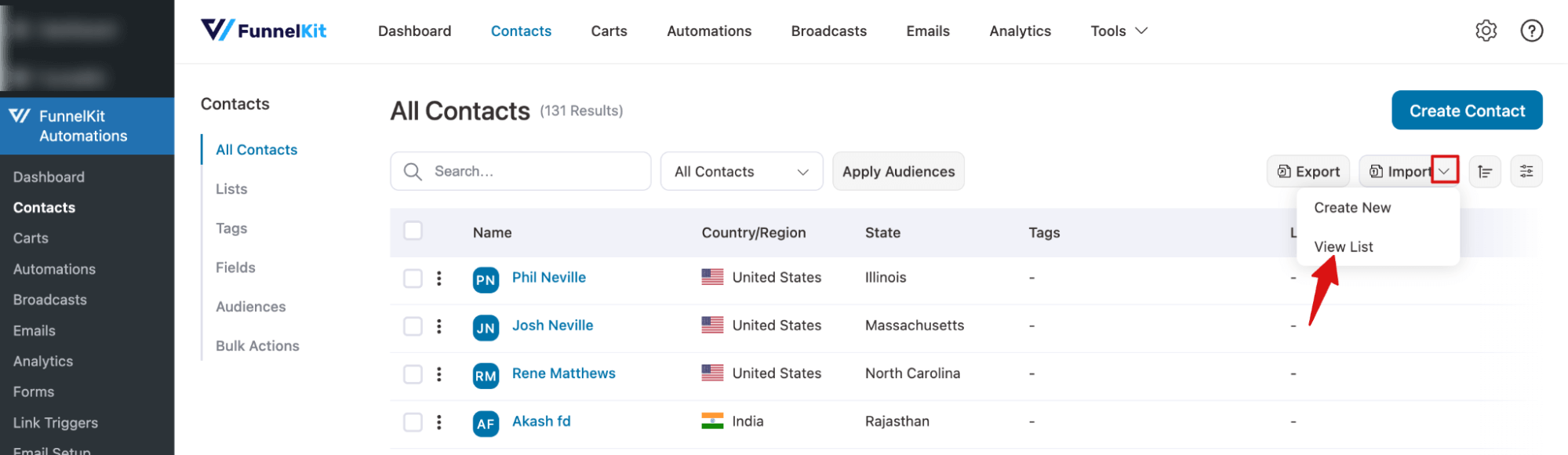
To access the View List, navigate to FunnelKit Automations ⇒ Contacts, then expand the Export option and hit View List.
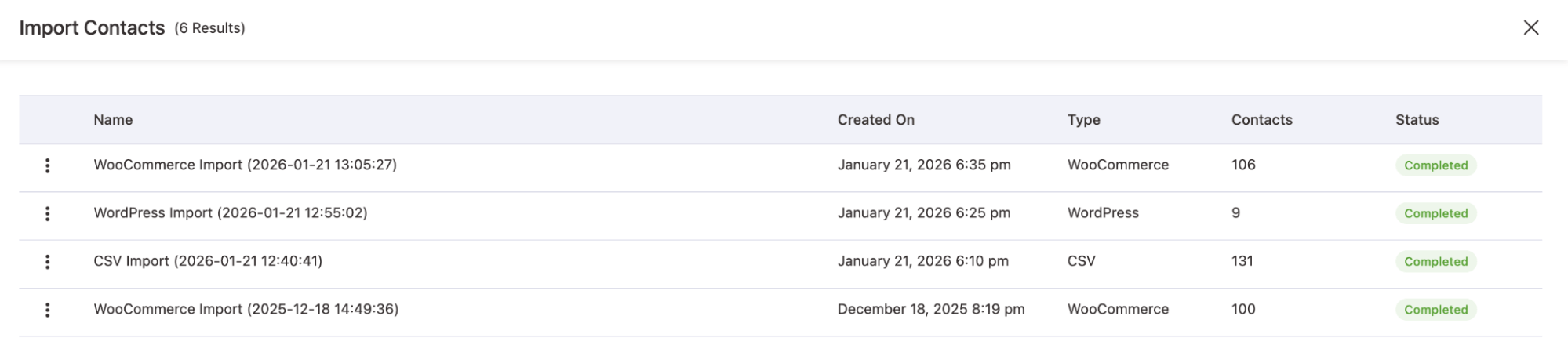
You will land on a new page where you can find
- A list of all previous imports with real-time status updates
- Import source (CSV, WordPress, WooCommerce, Mailchimp, ActiveCampaign, Kit, and more)
- Number of contacts successfully imported
- Date and time for each contact import
View List Details
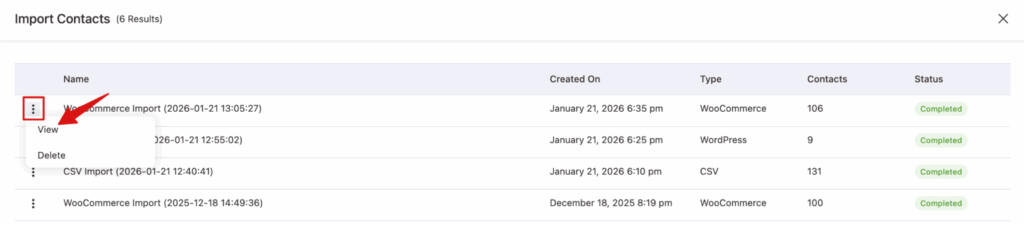
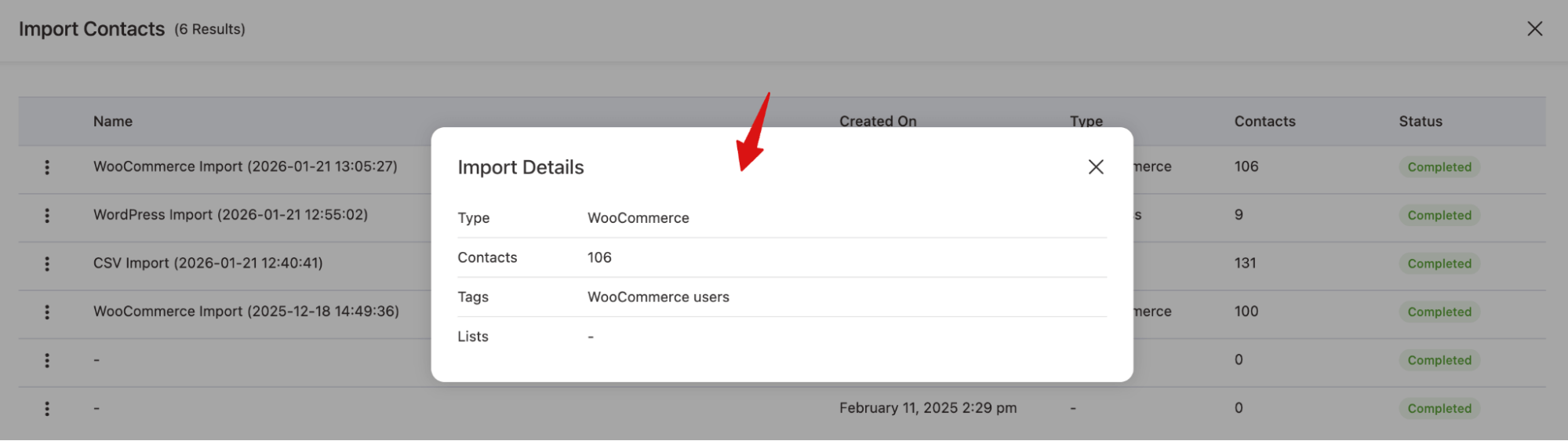
You can hit the three vertical dots (⋮) next to any of the import file names and hit View to see details.
In the details view pop-up, you will find Type, number of contacts, tags, and list.
Delete View List
To delete, hit the three vertical dots (⋮) next to any of the import file names and hit the option Delete.
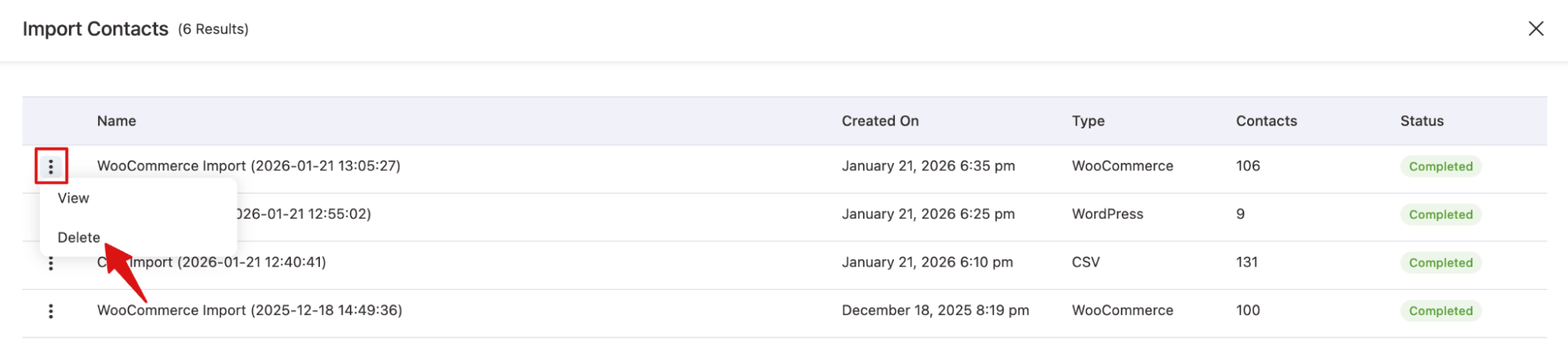
Next, hit the Delete button on the pop-up to permanently delete the export file.