


YITH WooCommerce Affiliates is a powerful affiliate management solution for WooCommerce that lets you create, track, and manage affiliate partners directly inside your WordPress store. It helps you assign commissions, monitor referrals, and handle payouts in a structured and efficient way.
With FunnelKit Automations, this system becomes even more powerful through an integration that allows you to automatically sync affiliate activity and trigger workflows based on real-time affiliate events.
In this documentation, you’ll learn how to connect YITH WooCommerce Affiliates with FunnelKit Automations and use it to automate onboarding, engagement, and lifecycle communication for your affiliates.
Before getting started, make sure the plugin is installed and activated on your WordPress website.
Contact
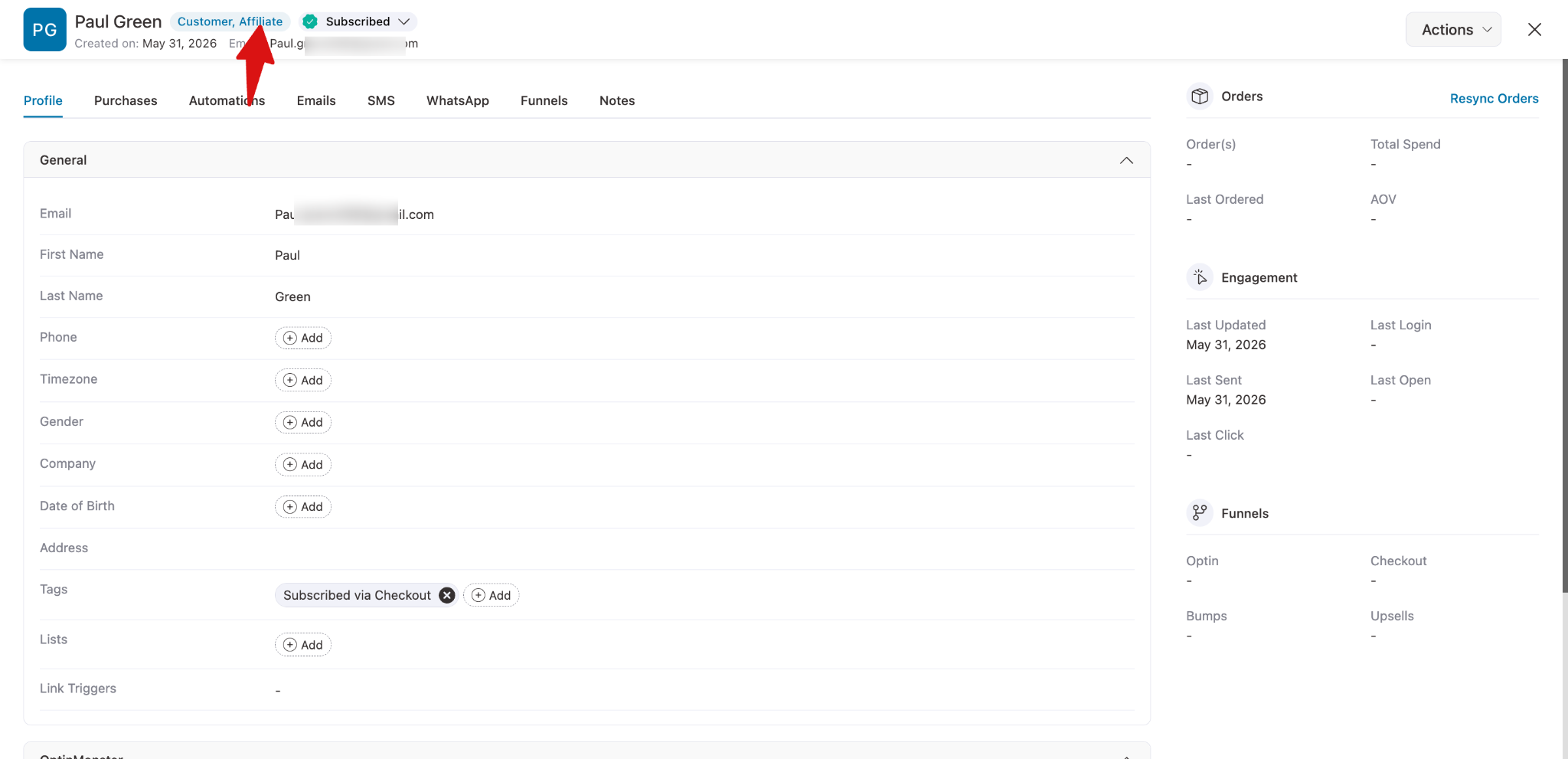
When an affiliate is created with YITH WooCommerce Affiliates, its contact gets automatically added to FunnelKit Automations.
You can go to Contacts and click on the affiliate contacts to view the details.
Events/Trigger
Here’s the list of events available under For YITH WooCommerce Affiliates:
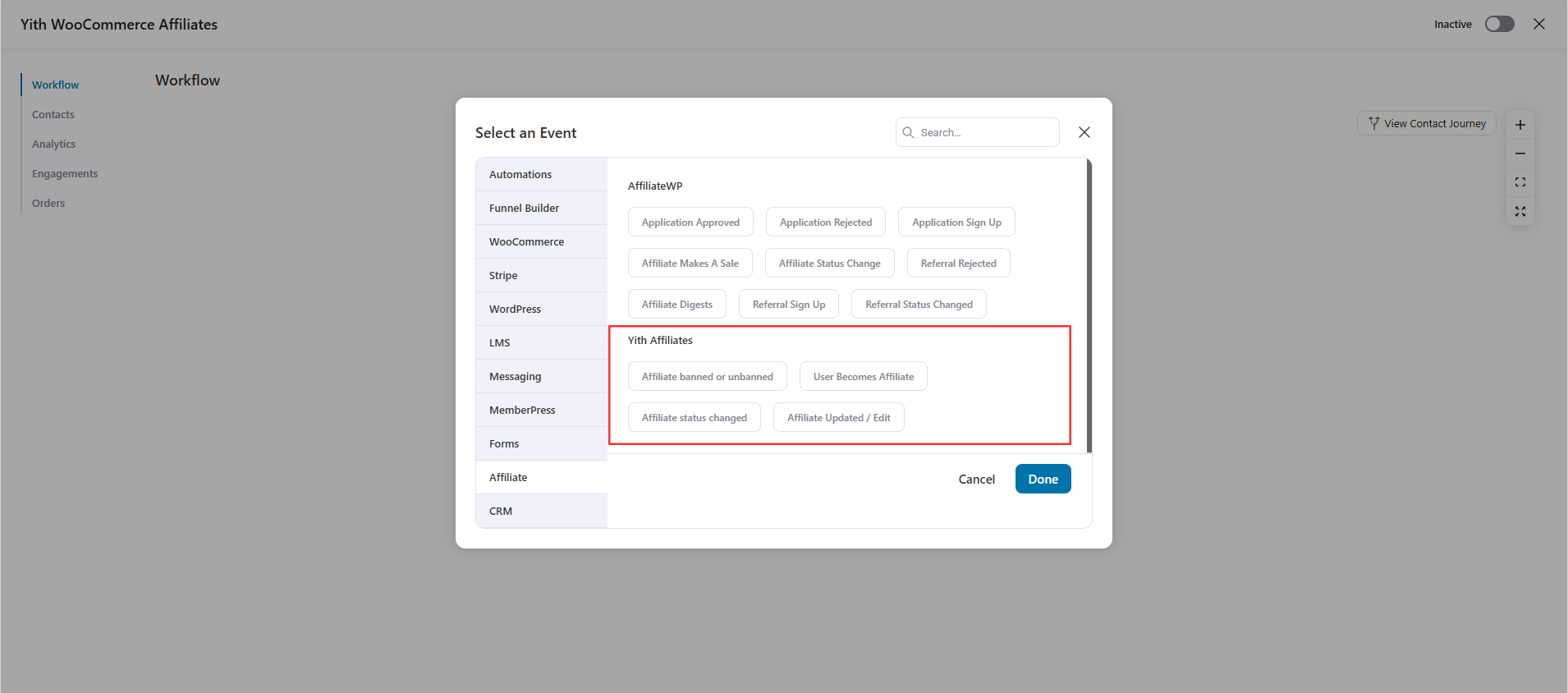
- Affiliate Banned or Unbanned – You can set up automation to execute specific actions when an affiliate is banned or later unbanned. For example, you can notify your team, update CRM tags, restrict access, or send a reactivation email when their status changes.
- User Becomes Affiliate – When a user becomes an affiliate, you can automatically welcome them into your program. Send an onboarding email, assign tags in your CRM, trigger a training sequence, or guide them through the next steps to help them start promoting your products.
- Affiliate Status Changed – Specify actions based on any change in an affiliate’s status. Three statuses are available: New request, Accepted & Enabled, and Rejected.
- Affiliate Updated/Edit: Trigger actions whenever an affiliate updates their profile information. You can sync changes with your CRM, update affiliate records, assign or remove tags, notify your team about important updates, or trigger follow-up automations based on the modified affiliate details.
Once you select the trigger/event, you can configure the available options.
Conditions
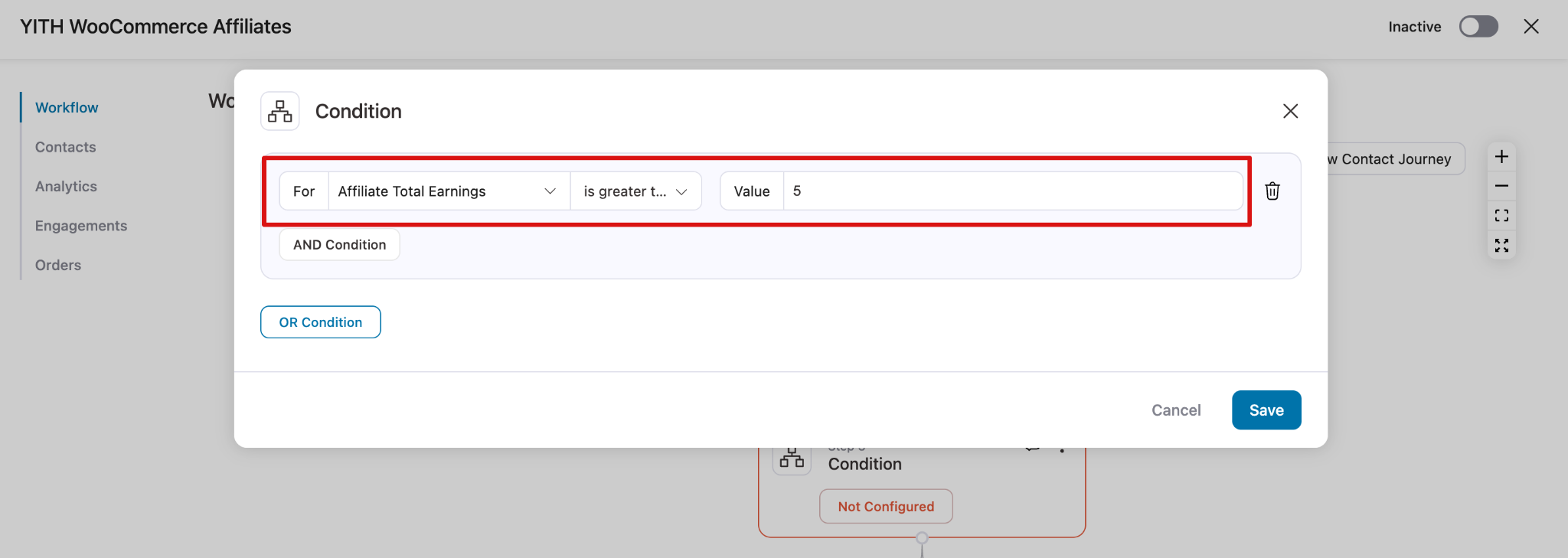
After the trigger, you can check different conditions using different parameters like:
- Affiliate Total Earnings
- Affiliate Paid Amount
- Affiliate Rate
- Affiliate Status
Let's suppose that you haven't made a sale in the past, you can send an email to your contacts to buck them up and provide additional resources.
To set it up, you have to select the rule of ‘YITH Affiliate ’ from the drop-down, equals zero.
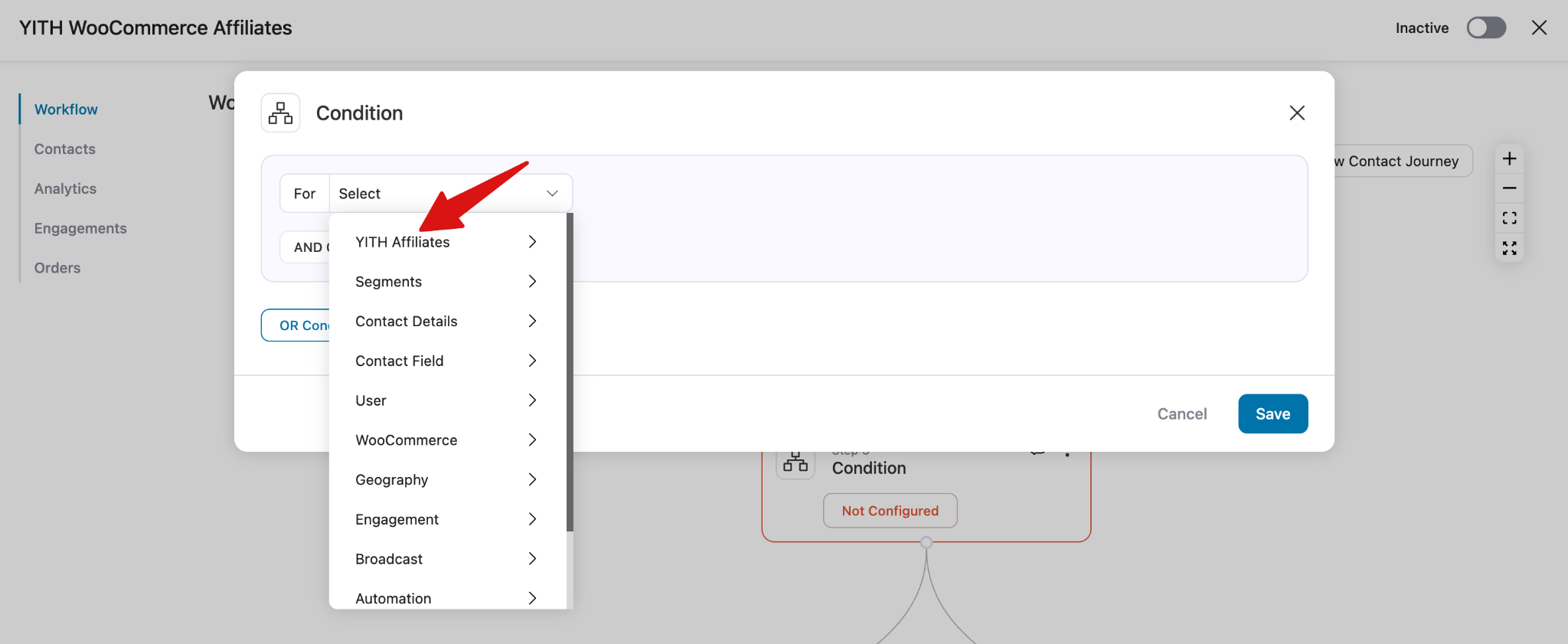
Then, select any of the available parameters.
You can then specify your conditions from here.
Actions
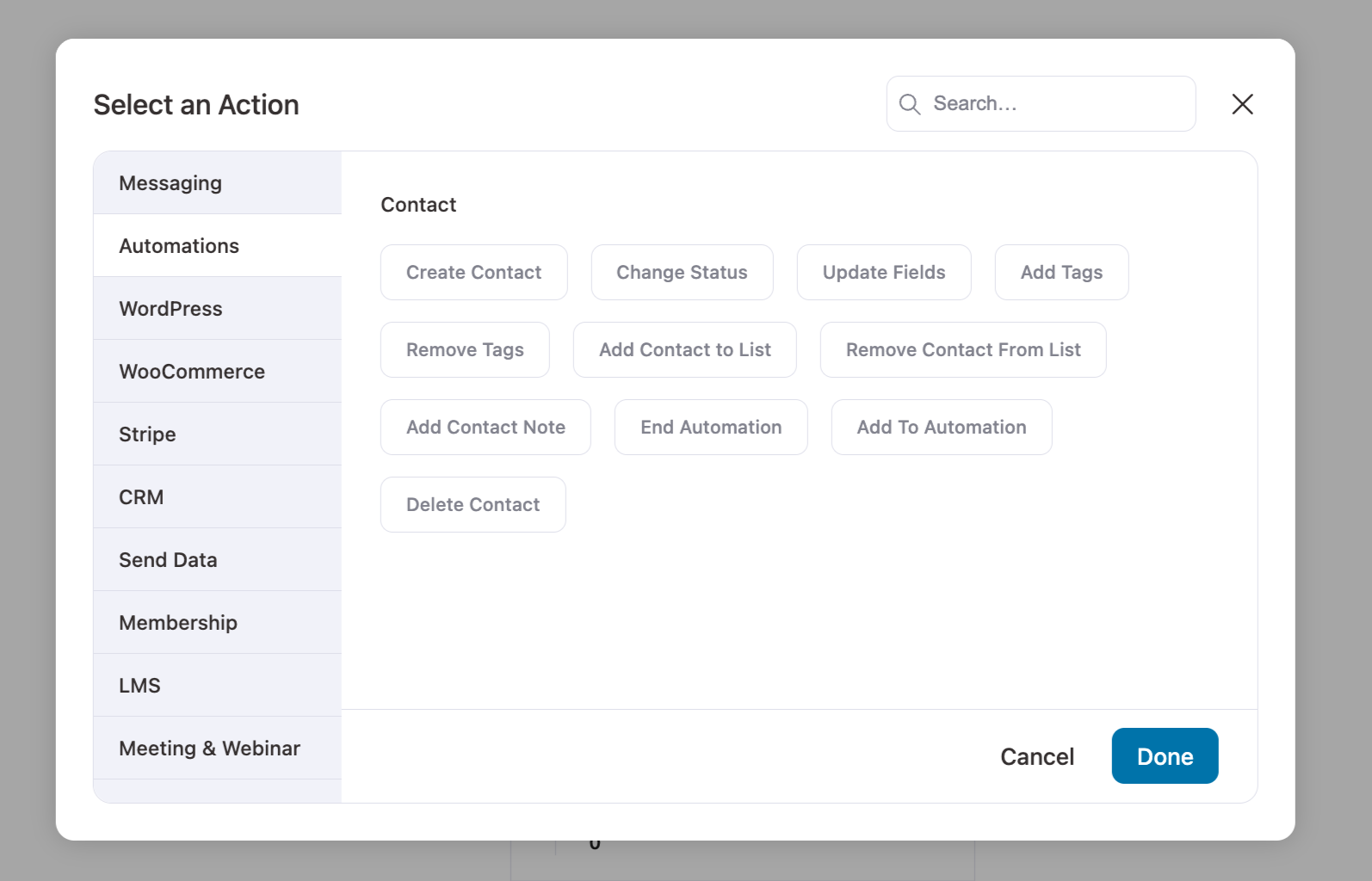
You can take any of the automation actions related to contact and messaging. Send email etc.
Merge Tags
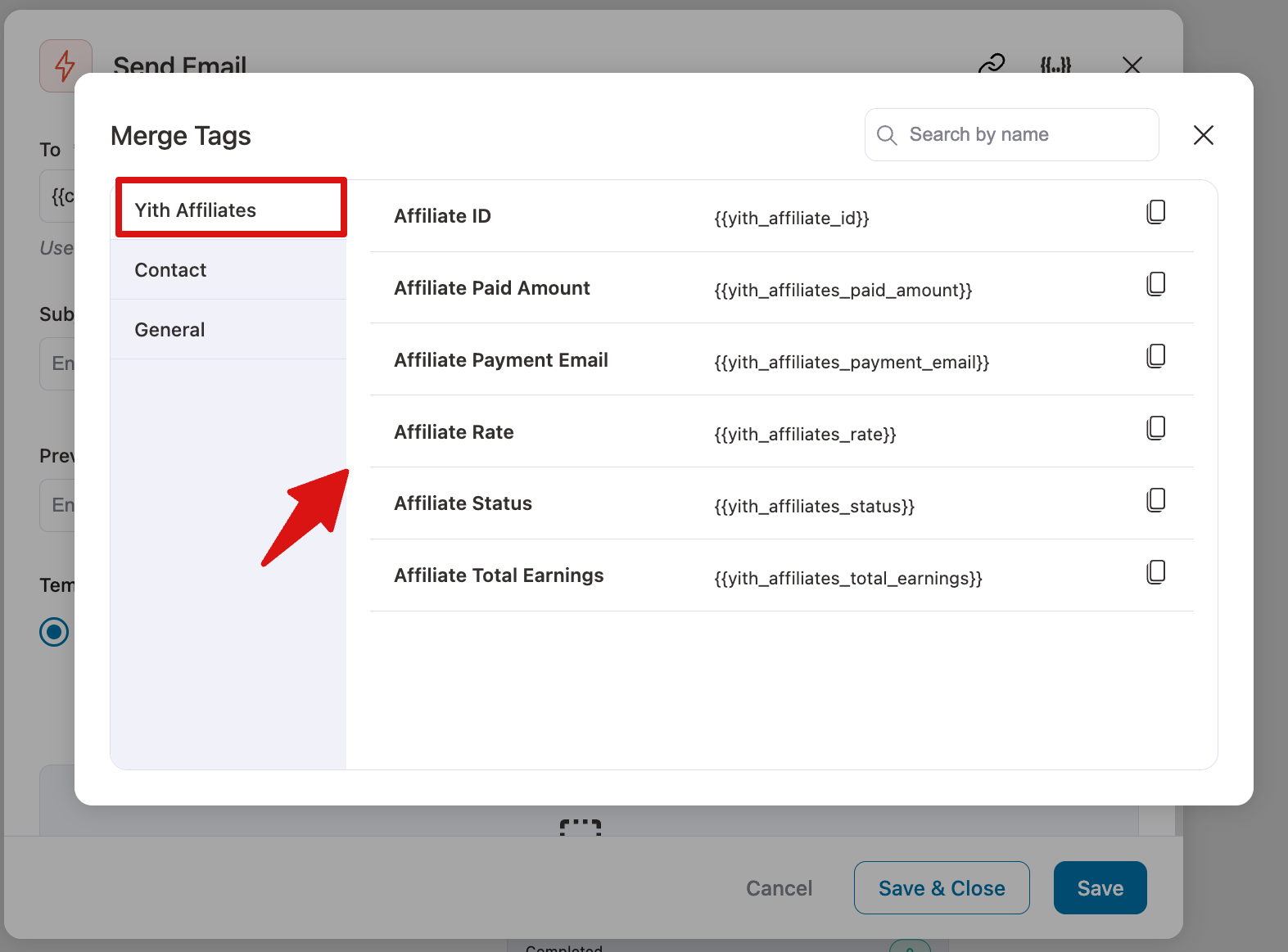
You can use the following merge tags to personalize the emails and show the correct numbers used in the email:
Here's an explanation of common merge tags:
- yith_affiliate_id - This merge tag adds the Affiliate ID.
- yith_affiliates_paid_amount - This merge tag shows the total amount already paid to the affiliate.
- yith_affiliates_payment_email - This merge tag provides the payment email address linked to the affiliate account.
- yith_affiliates_rate - This merge tag displays the commission rate assigned to the affiliate.
- yith_affiliates_status - This merge tag shows the current status of the affiliate (for example, active, pending, or banned).
- yith_affiliates_total_earnings - This merge tag shows the total earnings generated by the affiliate overall.


