


FunnelKit Automations integrates perfectly with SureForms.
Let’s consider a scenario where someone submits a form and picks a specific option, and you send them a follow-up email based on that answer.
So if they choose “Yes” for the question “Are you interested in the product?”, they’ll receive an email with more details about it.
Before you begin, make sure the SureForms form you want to use is already created and includes this question.
Here’s how to build this automation:
Step 1: Create a new automation and select the SureForms event
Go to FunnelKit Automations >> Automations and click the ‘Add New’ button. Select ‘Start from Scratch’, enter a name for your automation, and click ‘Create’.
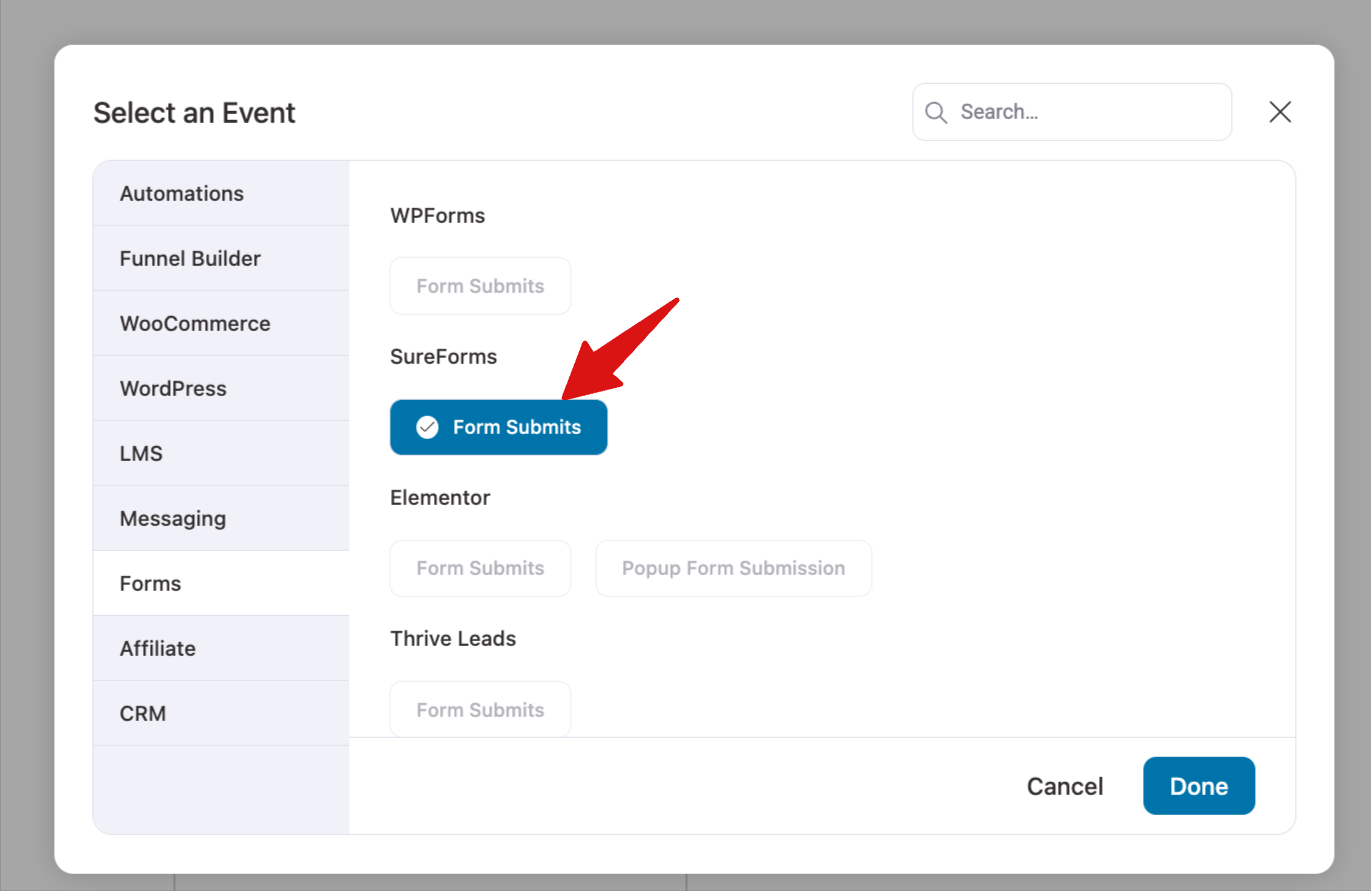
The visual workflow builder will open. Click the event box, go to the Forms options, and select the ‘Form Submits’ event under SureForms.
Step 2: Select your form and map the form fields
From the dropdown, select the SureForms form you want this automation to run on.
Next, map each form field to the matching contact field in FunnelKit Automations, such as email, first name, and last name. This makes sure the submitted details are saved to the contact’s profile.
You can also enable ‘Mark contact as subscribed’ if needed.
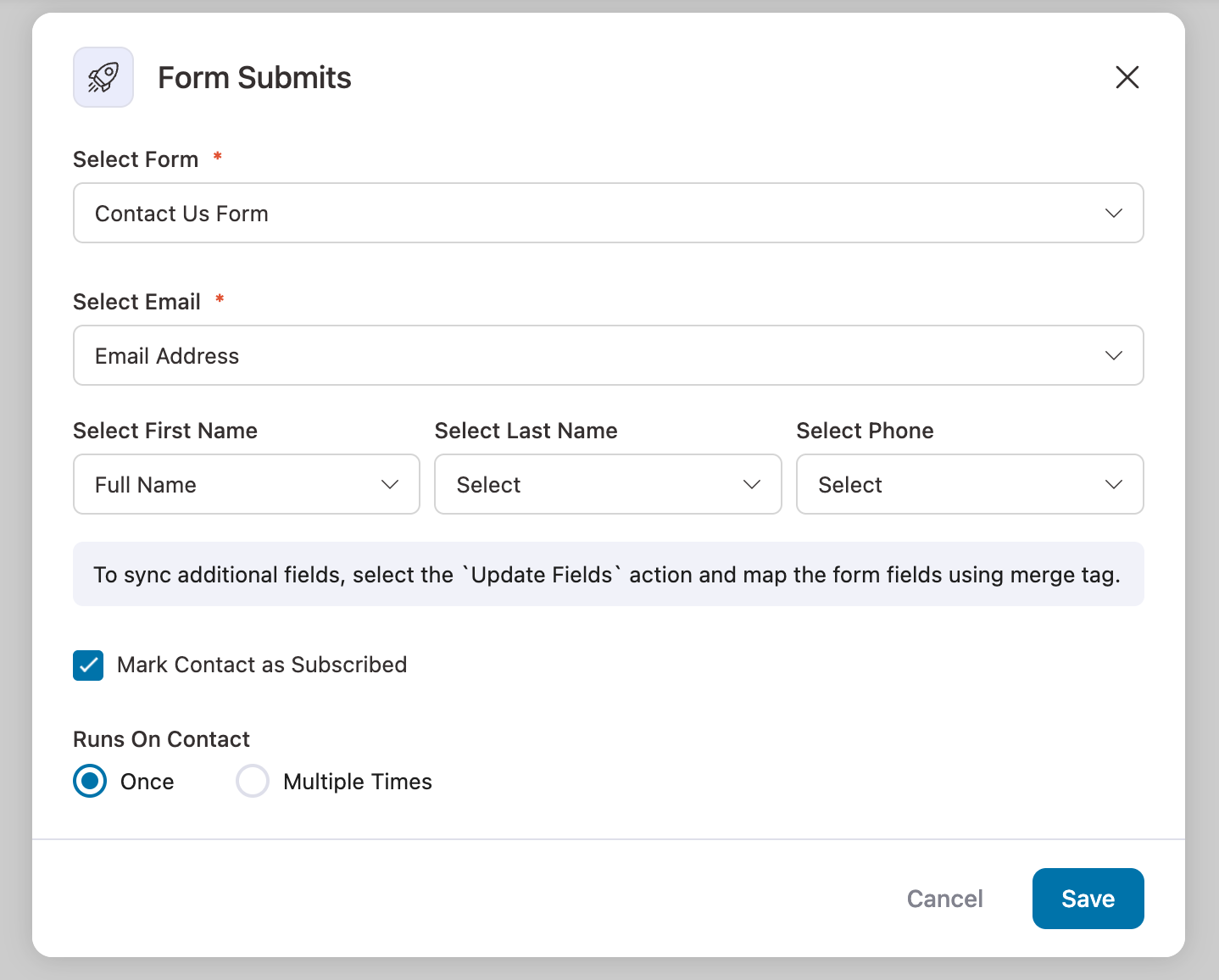
Click ‘Save’ once all the fields are mapped.
Step 3: Add a condition to check the form answer
Click the ‘+’ icon below the event and select ‘Condition’. This splits contacts into two paths. Those who match your rule take the Yes path, and everyone else takes the No path.
In the ‘For’ dropdown, select ‘Form Fields’. In ‘Key’, select the form field you want to check, and in ‘Label’, enter the value the automation should run on.
Note: The value must exactly match the option text in your form, including capitalization.
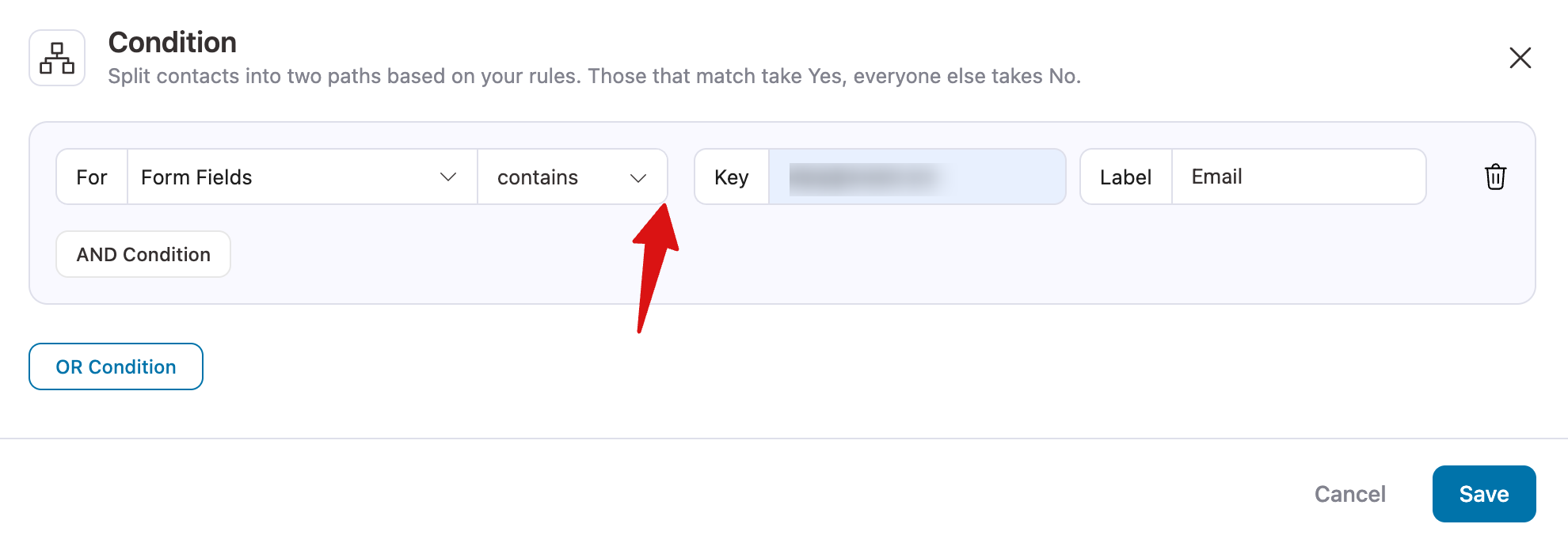
Click ‘Save’ to add the condition.
Step 4: Add a Send Email action and activate the automation
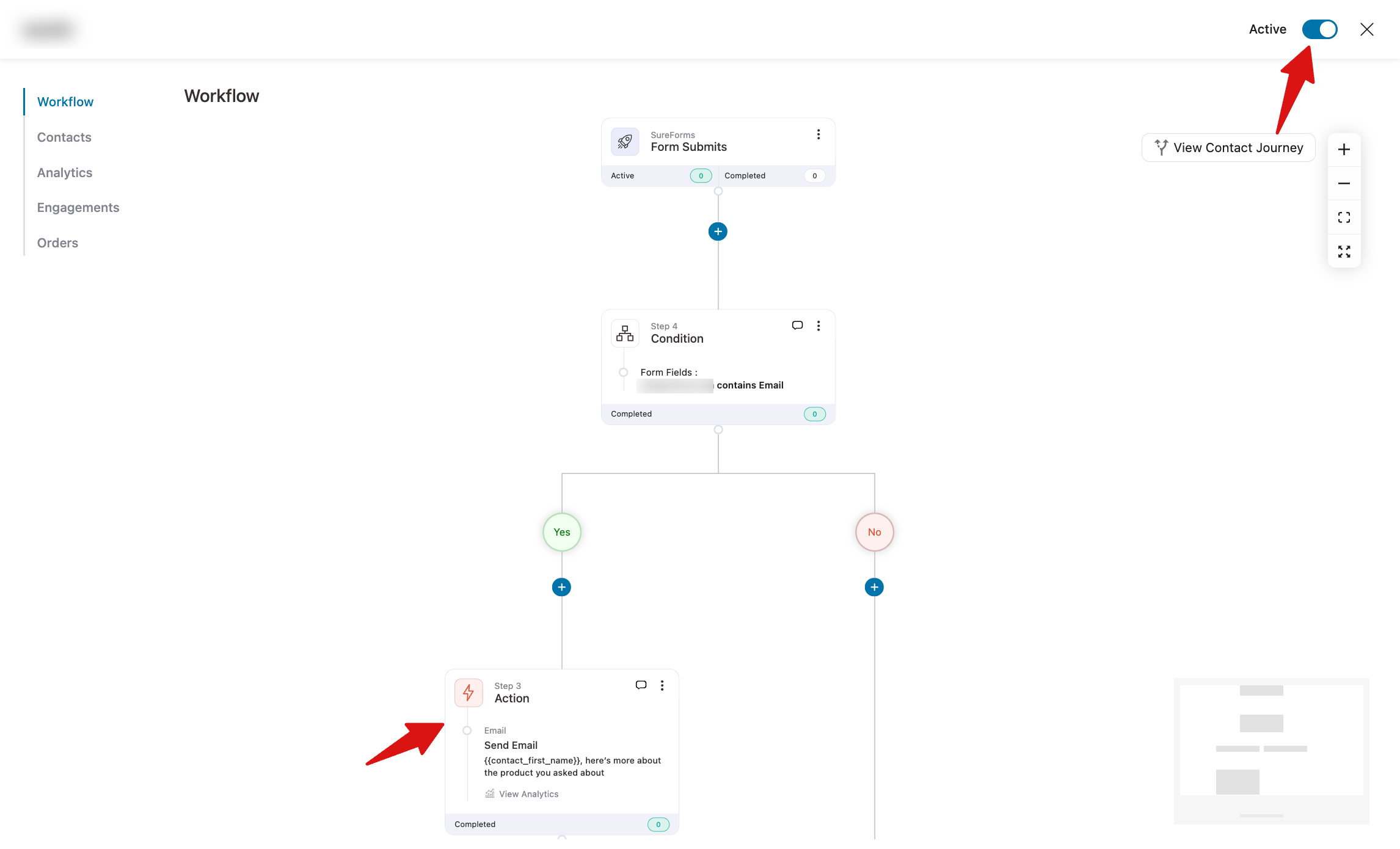
Click the ‘+’ icon under the Yes path of the condition, select ‘Action’, and choose ‘Send Email’.
Add a subject line and write your email. Use merge tags to personalize the message, then click ‘Save’.
Finally, turn on the toggle at the top right corner of the workflow builder to make your automation live.

That’s it. This is just one way to use FunnelKit Automations with SureForms, and you can build many more workflows based on your form submissions.


