


SaveTo Wishlist is a powerful WooCommerce wishlist plugin that lets shoppers save products they’re interested in and return to them later. Wishlists help customers keep track of their favorite products and easily find them when they’re ready to buy.
FunnelKit Automations integrates with SaveTo Wishlist, allowing you to create automations based on wishlist activity. You can trigger automations when customers add or remove products from their wishlist or save a wishlist, then follow up with actions such as sending emails, adding tags, or enrolling contacts in other automations.
In this documentation, you’ll learn how to set up SaveTo Wishlist triggers, actions, and merge tags in FunnelKit Automations.
Trigger
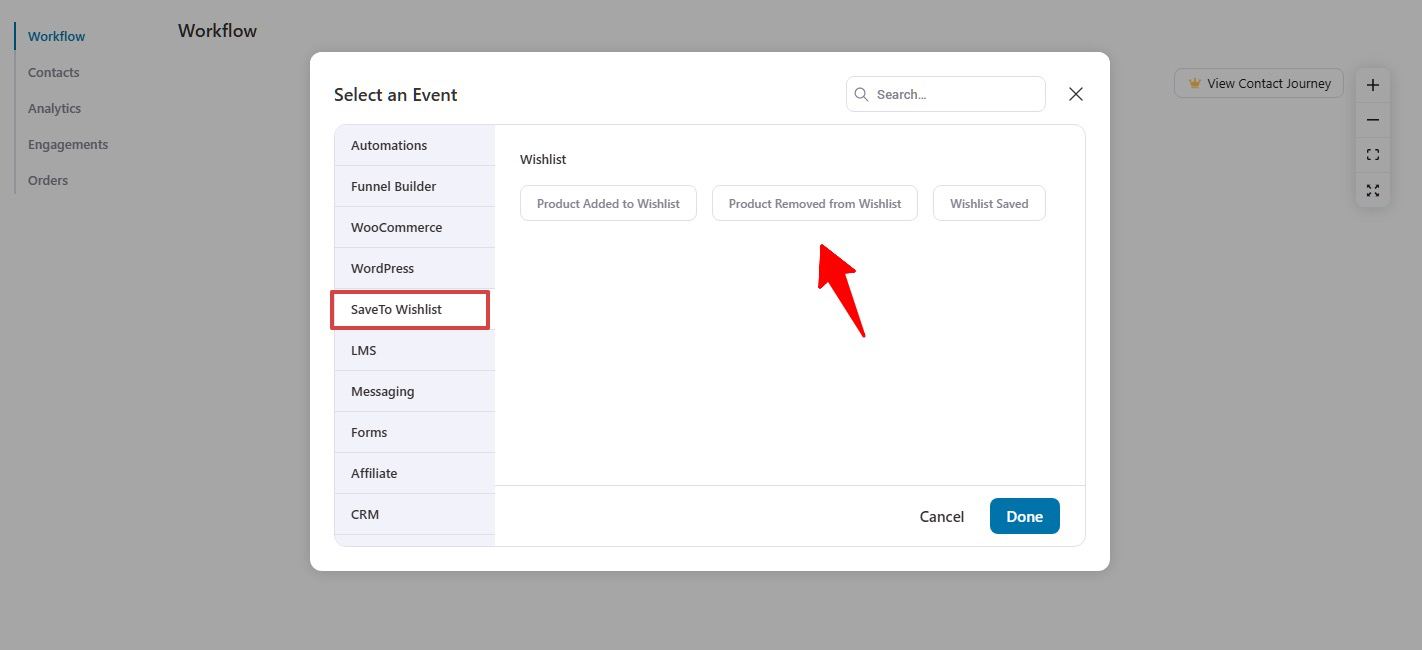
Here are the three SaveTo Wishlist triggers you can use to start your automations:
- Product Added to Wishlist: Triggers when a customer adds a product to their wishlist.
- Product Removed from Wishlist: Triggers when a customer removes a product from their wishlist.
- Wishlist Saved: Triggers when a customer saves their wishlist.
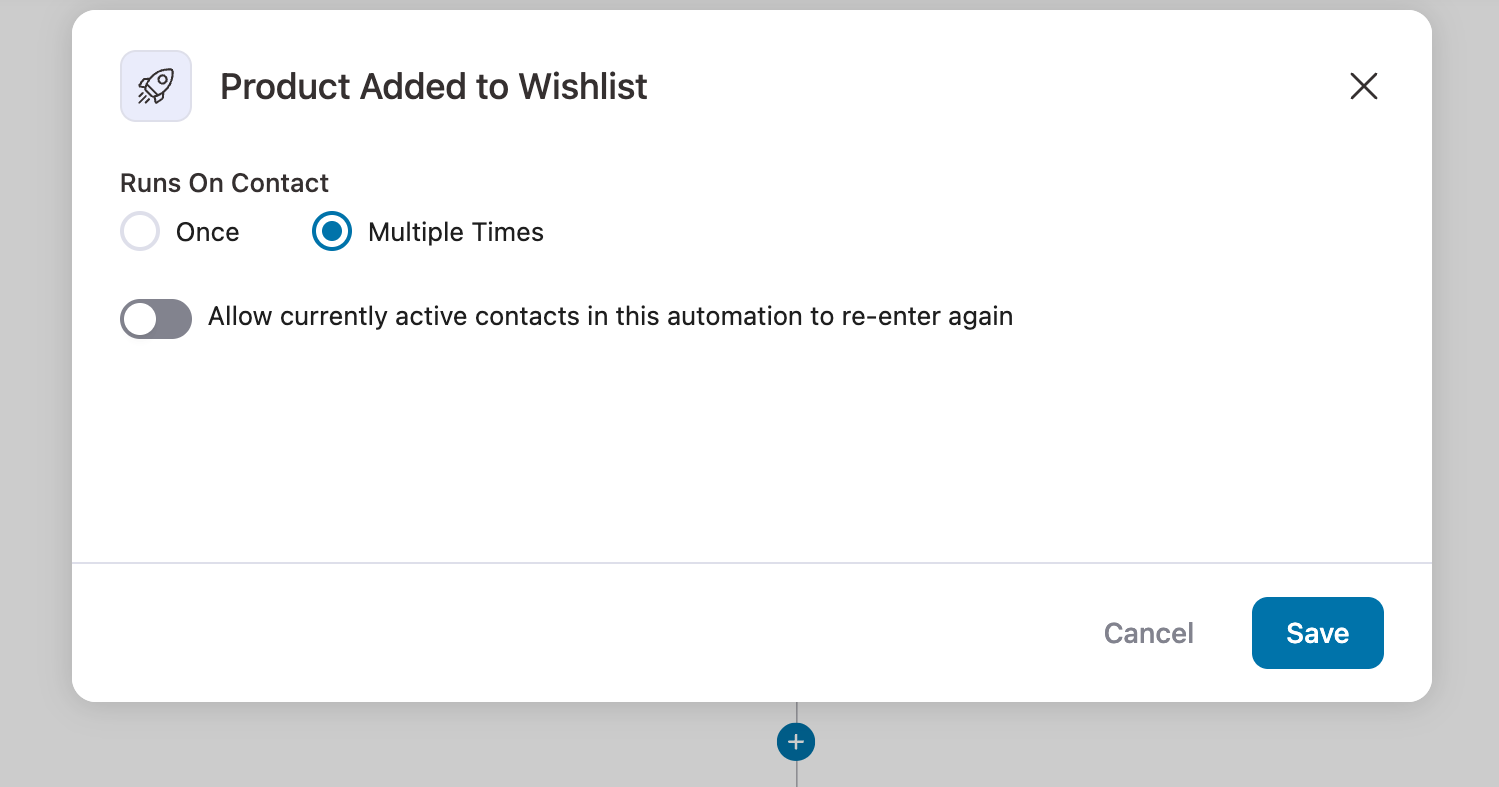
For every trigger, you can choose to run the automation once or multiple times. In case of multiple times, you have the option to allow currently active contacts in this automation to re-enter again if needed.
Actions
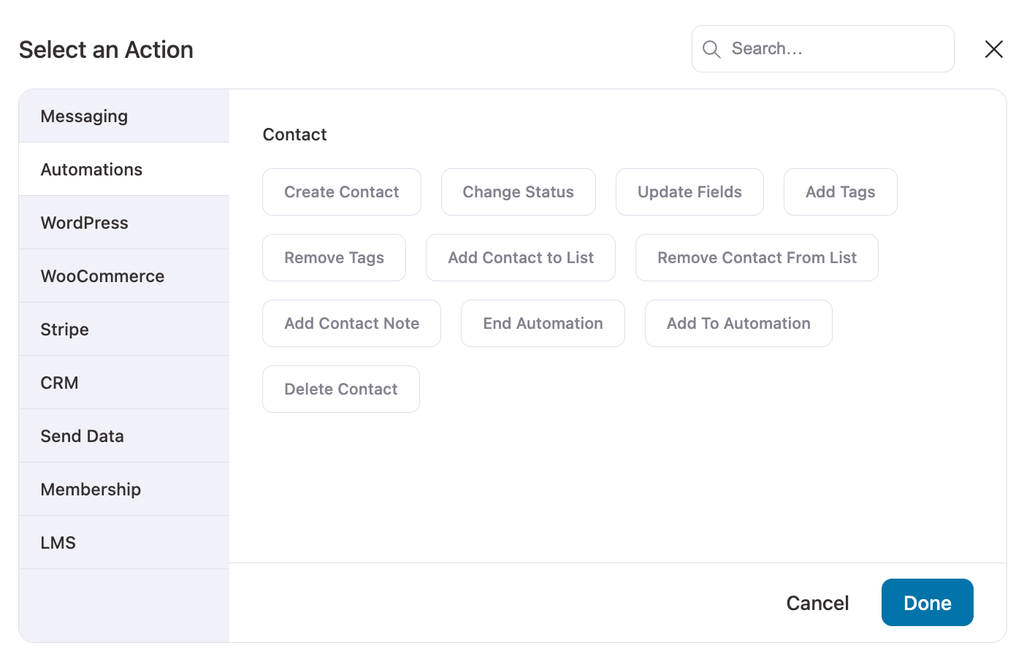
After choosing any SaveTo Wishlist trigger, you can add different actions like
- Send email
- Create contact,
- Add tags
- Add contact to list
- Add to Automation, etc.
Merge tags
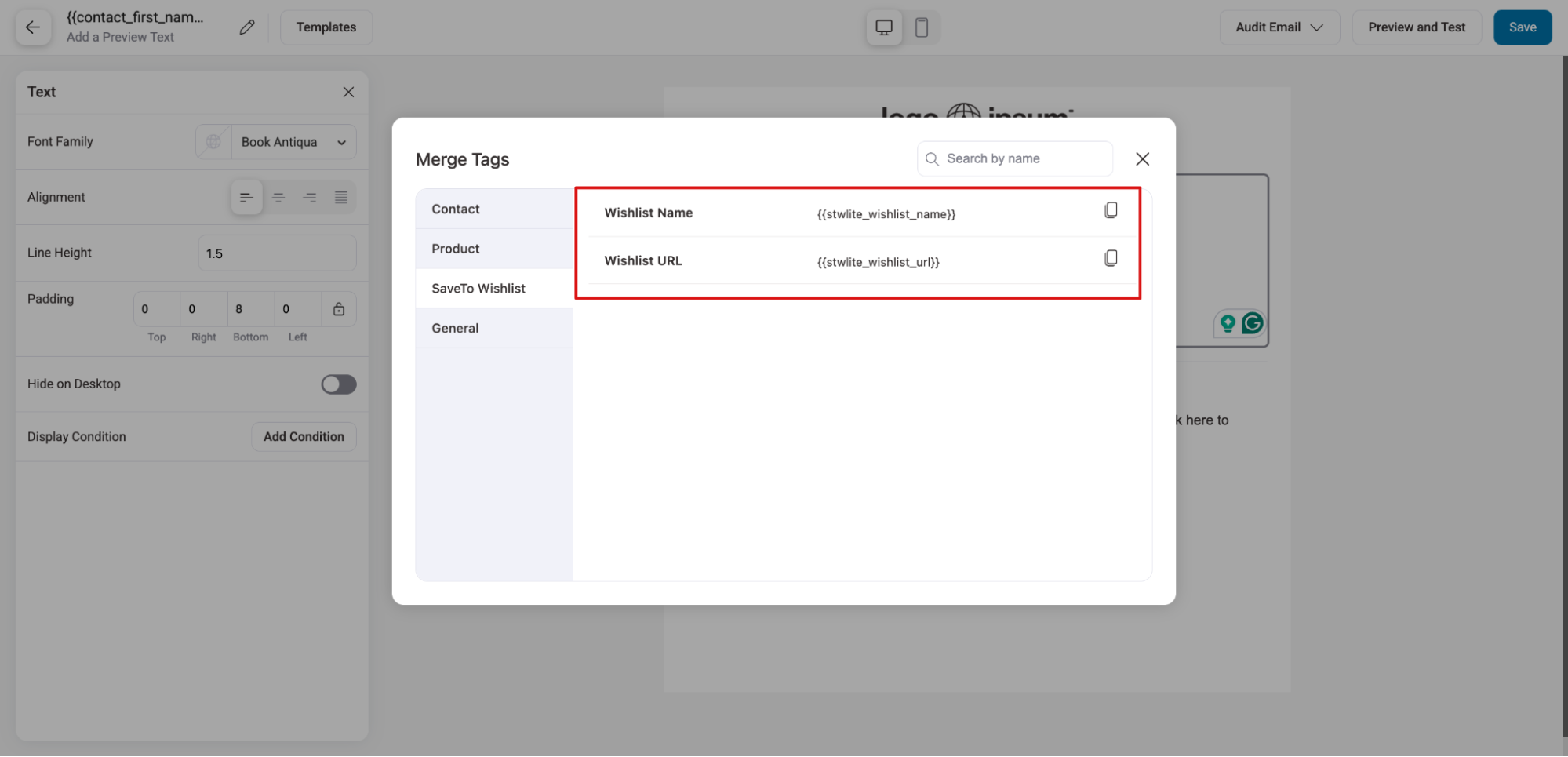
To make your communications personalized, FunnelKit Automations offers a range of merge tags specific to SaveTo Wishlist:
- Wishlist Name - Displays the wishlist name. Falls back to "My Wishlist" if no name is set.
- Wishlist URL - Provides the link to the wishlist.
Both merge tags are available under the SaveTo Wishlist group in the FunnelKit merge tag picker.
You can simply copy and paste the merge tag to use in your email and SMS.
This is how you can use SaveTo Wishlist and FunnelKit Automations together to create personalized wishlist emails and engage customers based on their saved products.


