Link Trigger Categories help you organize, manage, and filter your link triggers efficiently, improving workflow and clarity.
Create a Category
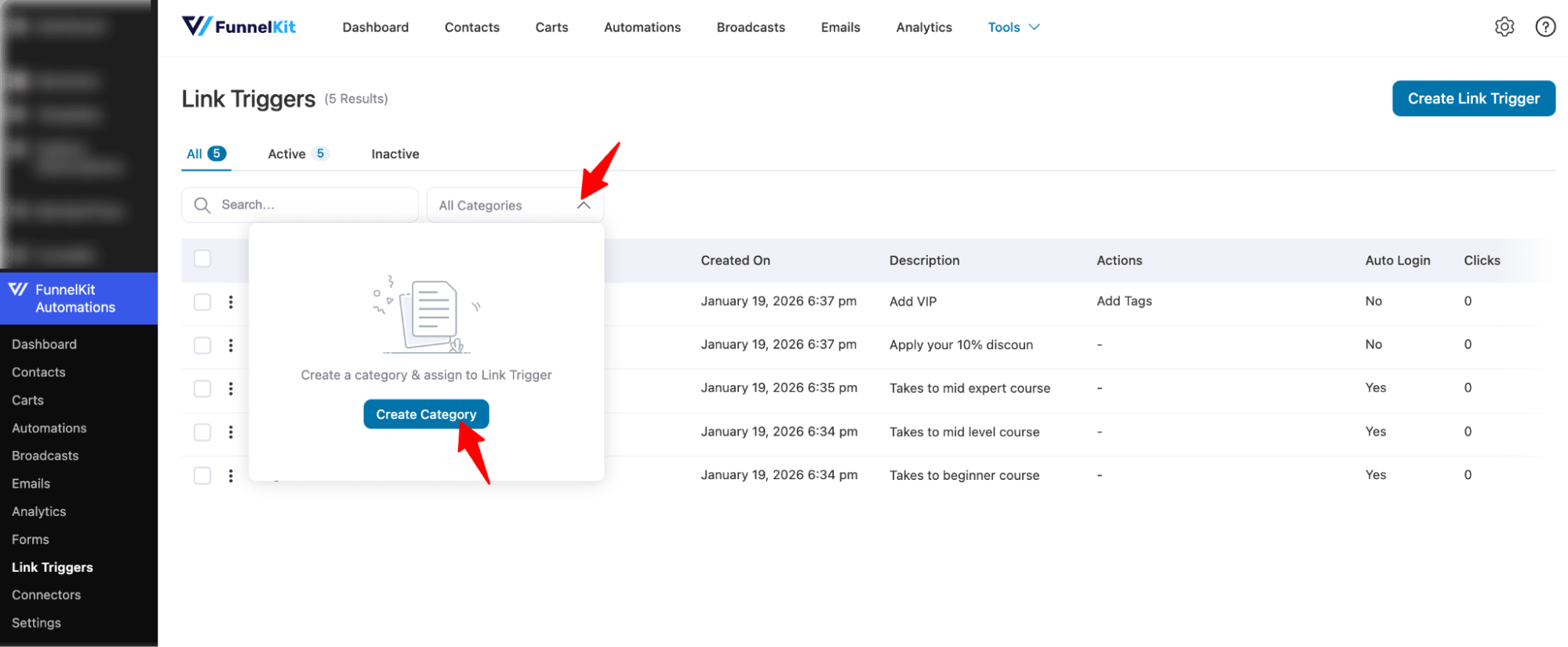
To create a category for Link Triggers, expand the “All Categories” section and hit “Create Category”.
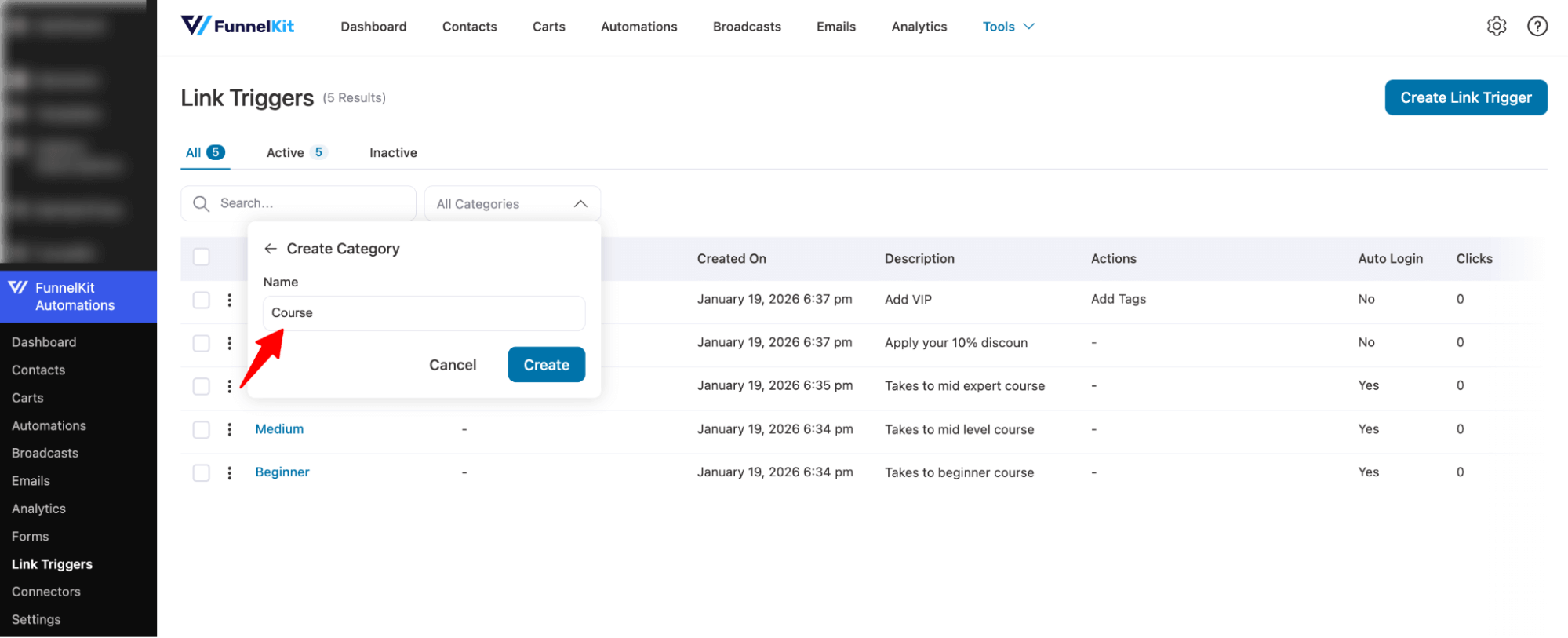
Next, provide a name and hit Create.
This will create a category for Link Triggers.
Assign a Category to Link Triggers
To assign a category to any single link trigger, hit the three vertical dots (⋮), then from the options select Assign category.
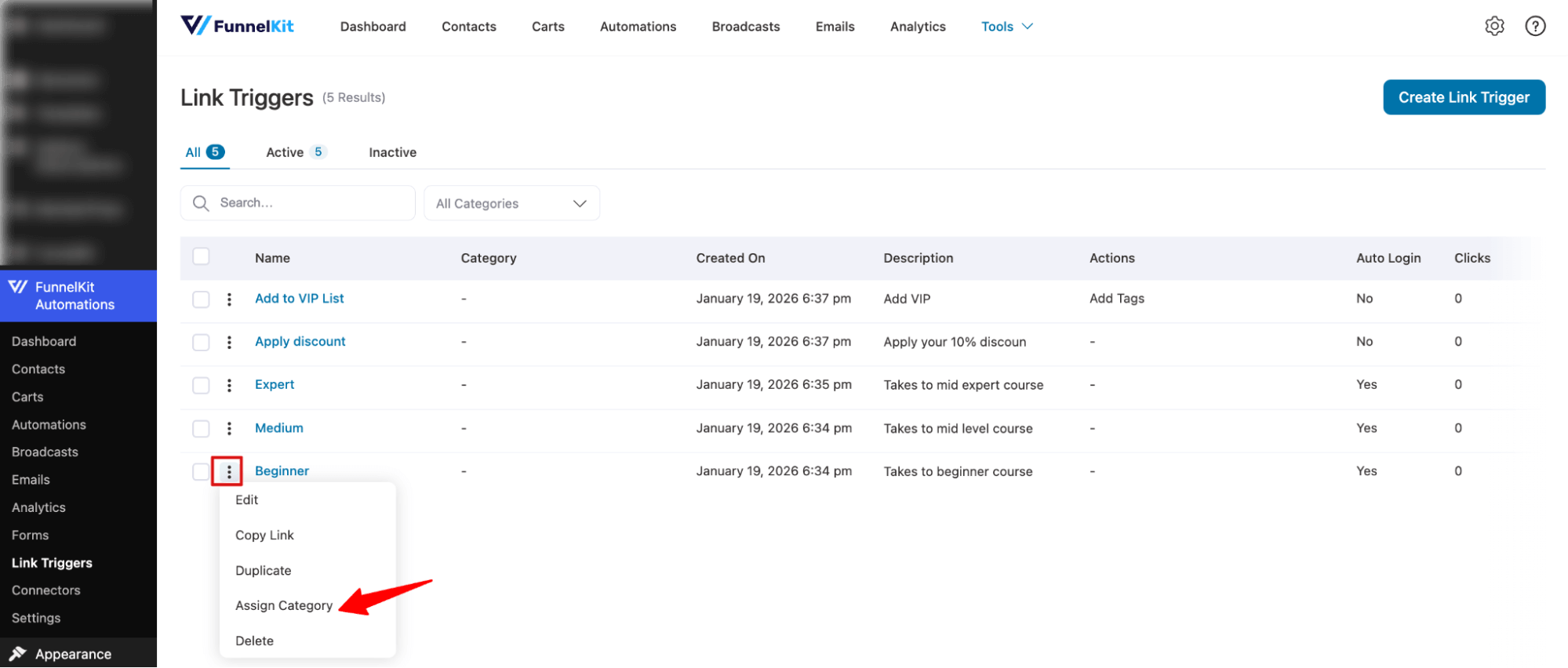
Now search and assign a category. You can assign multiple categories if you want.
Make sure to hit Save.
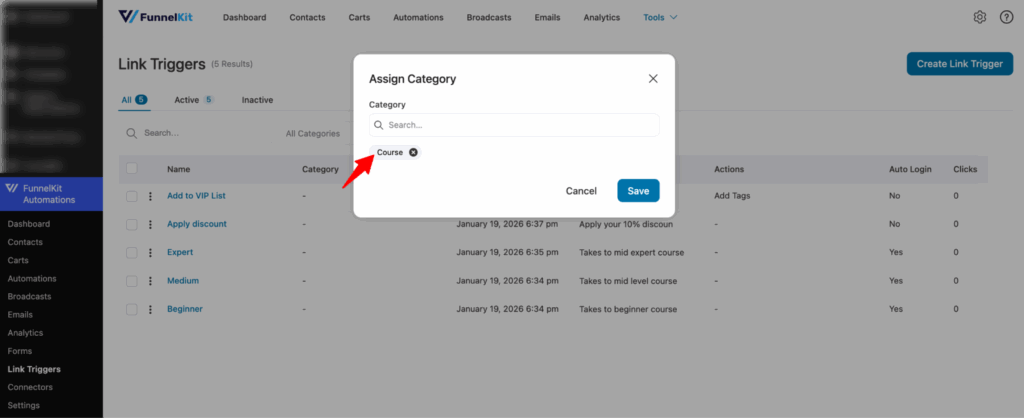
If you want, you can select multiple link triggers and assign a category at the same time.
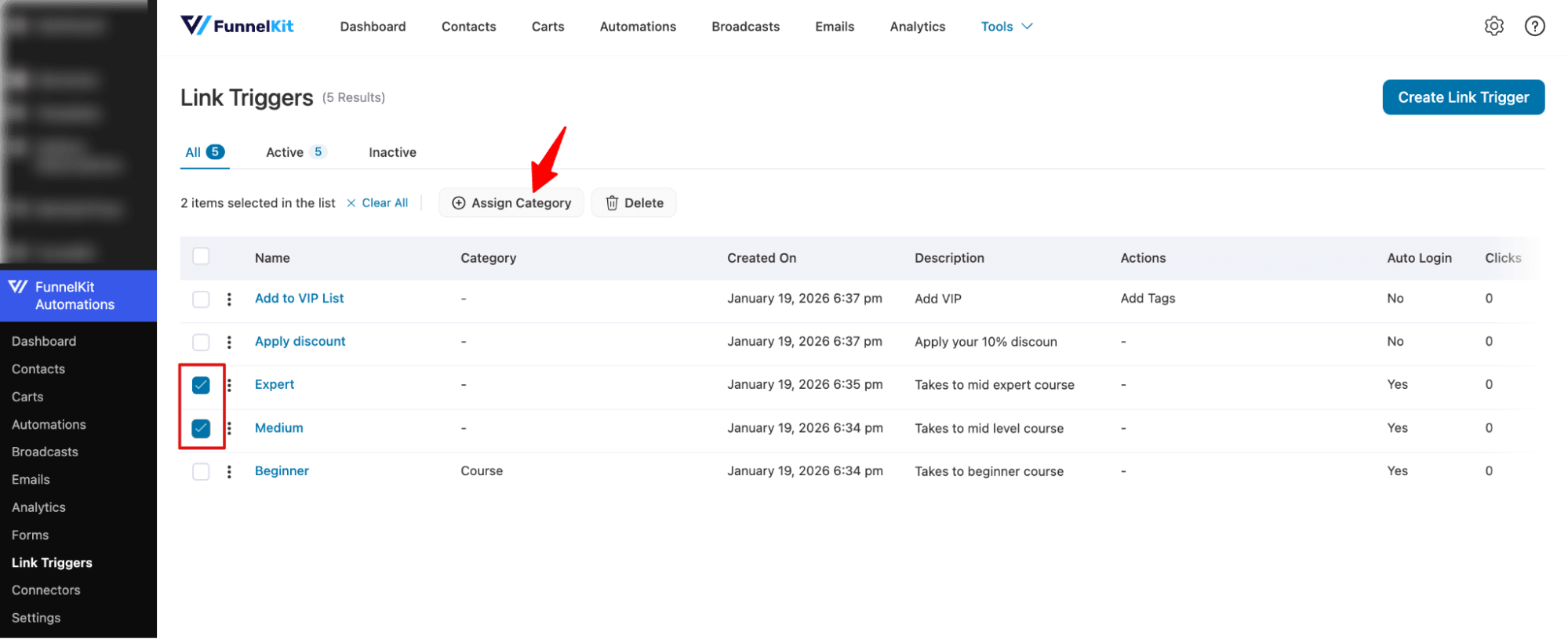
For this click on the check box next to each link trigger, then hit Assign category on top.
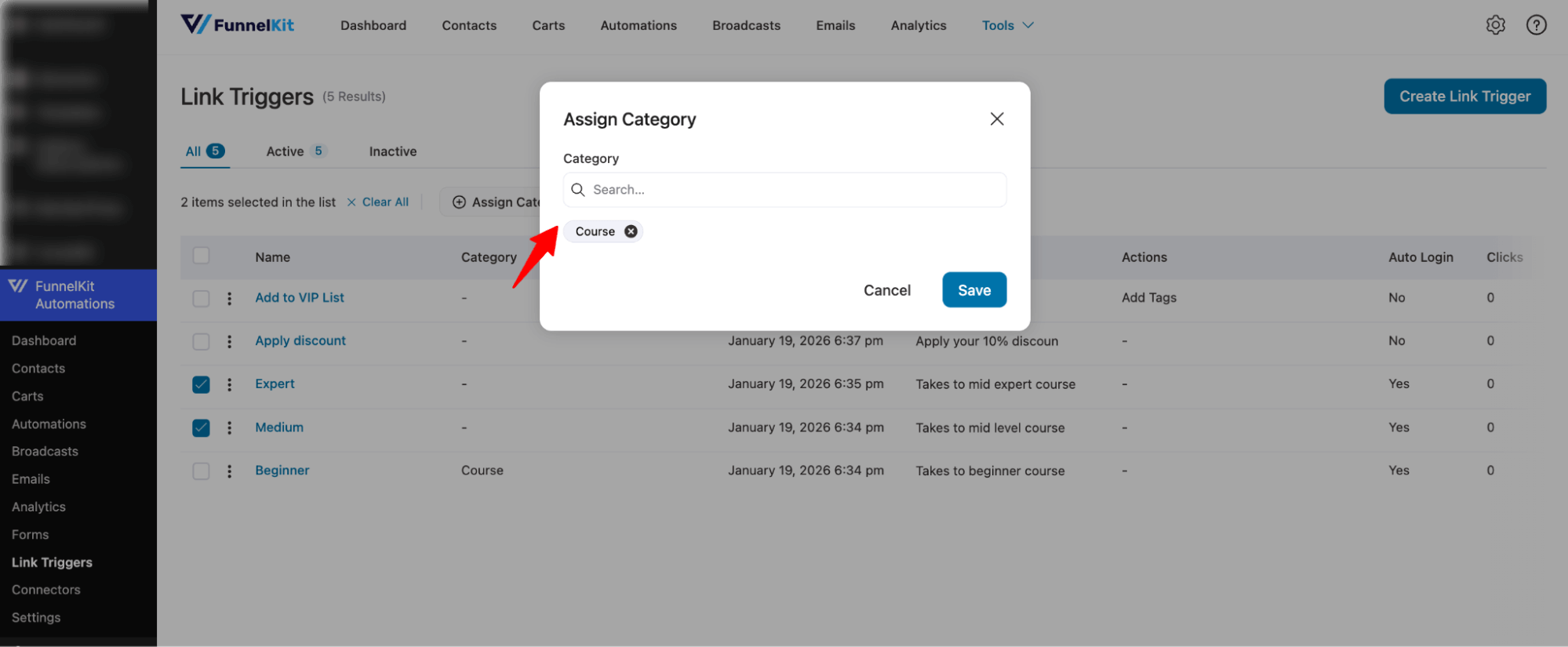
Next, search for and add the category.
Unassign a Category to Link Triggers
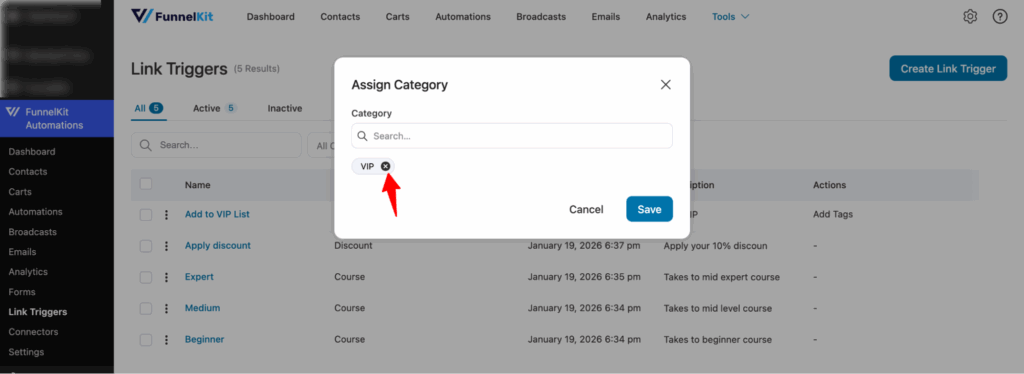
To unassign a category from any single link trigger, hit the three vertical dots (⋮) (⋮), then select Assign category from the options.
Next, click the X icon next to the assigned category. Make sure to hit Save to apply the changes.
Filter By Category
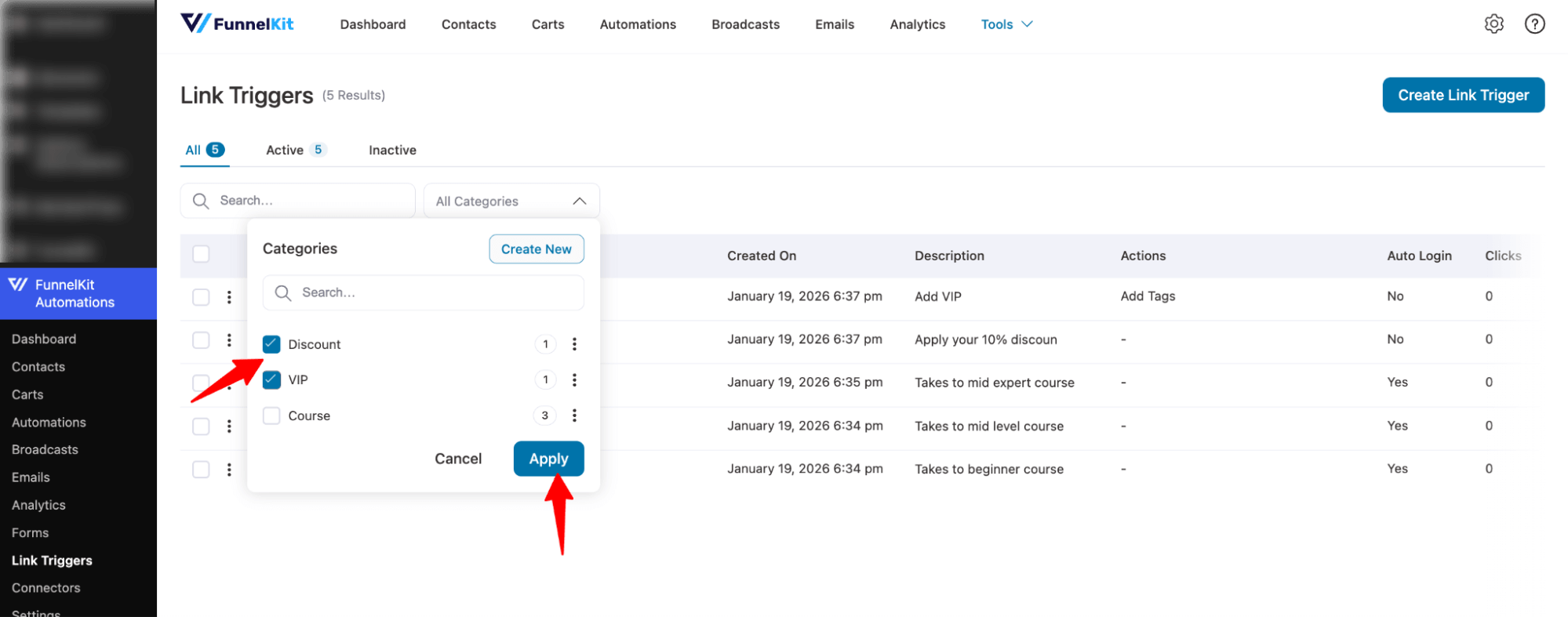
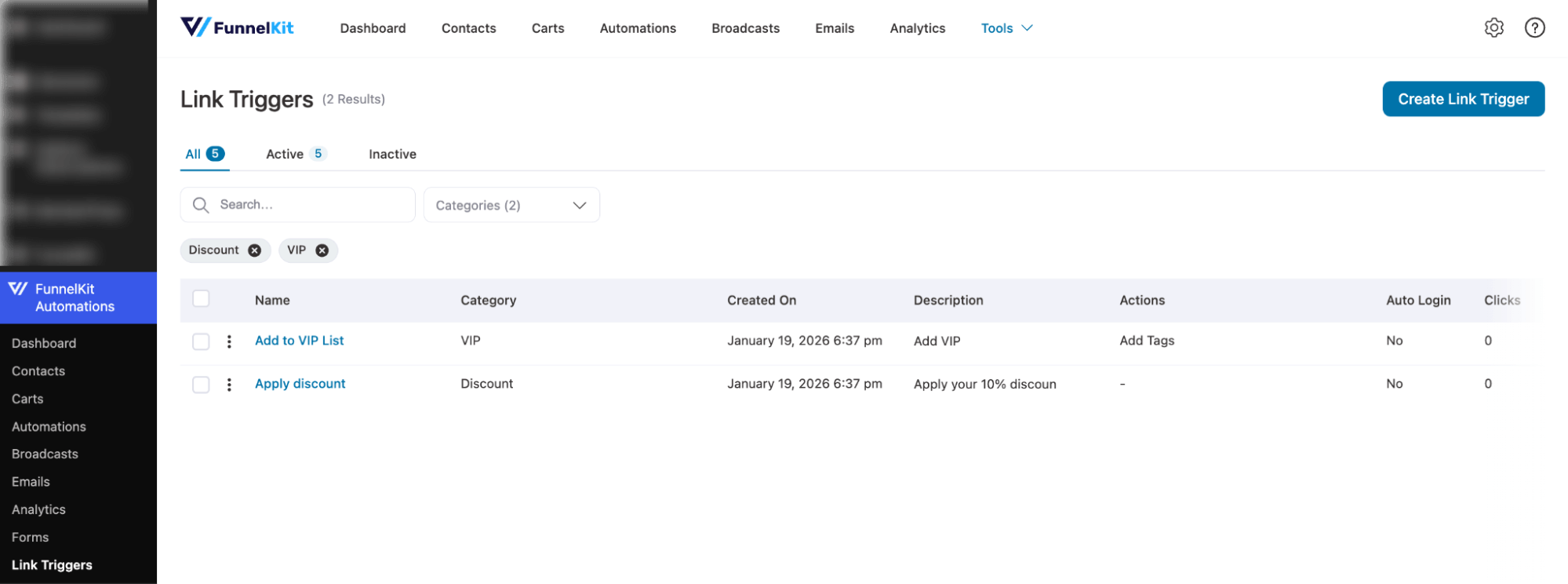
To filter by Link Trigger category, select any of the categories by checking and hitting Apply.
Now you should see the filtered categories.
Delete Category
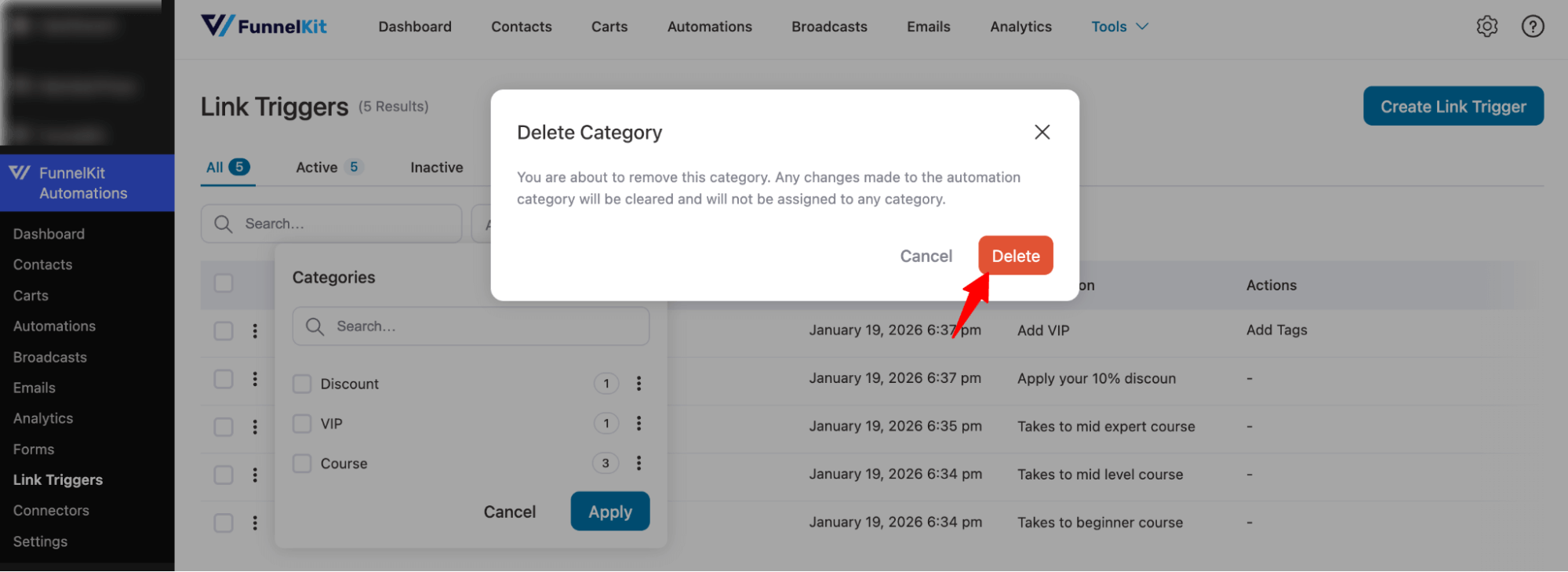
To delete any category, expand All Categories, click on the three vertical dots (⋮), and hit the Delete option.
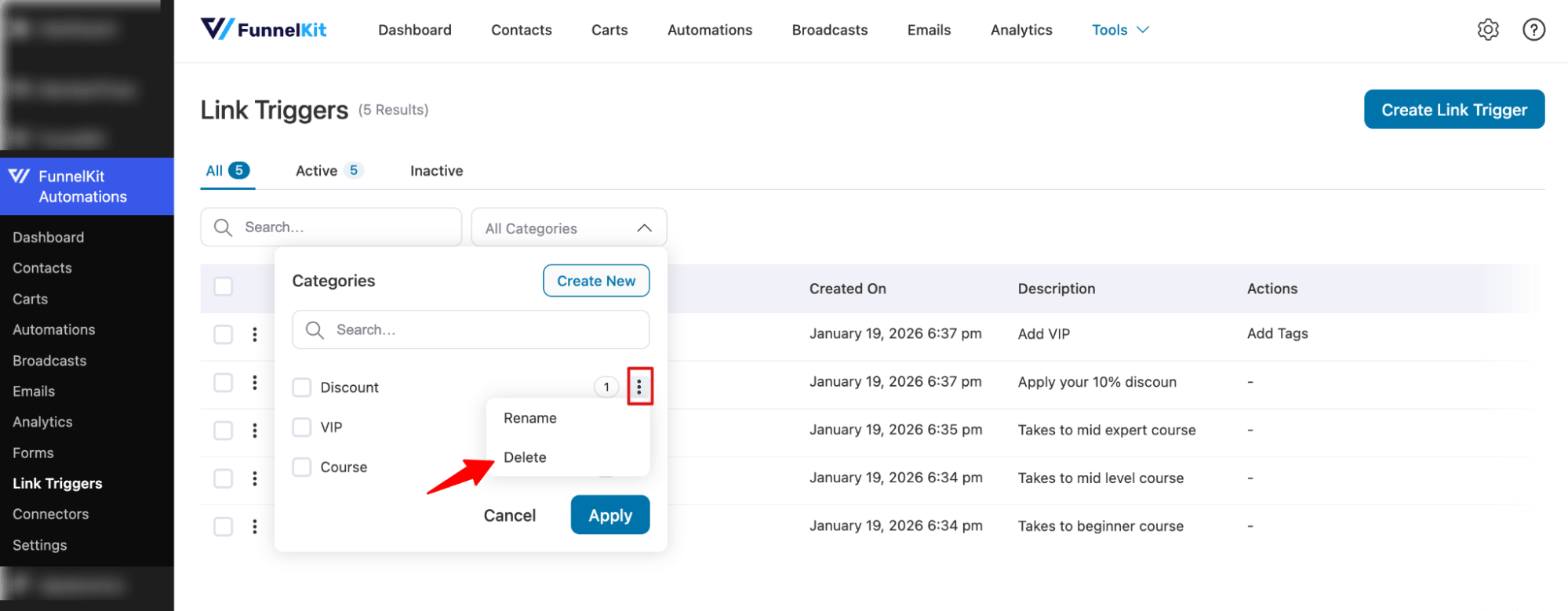
Finally, confirm the deletion to permanently delete it.